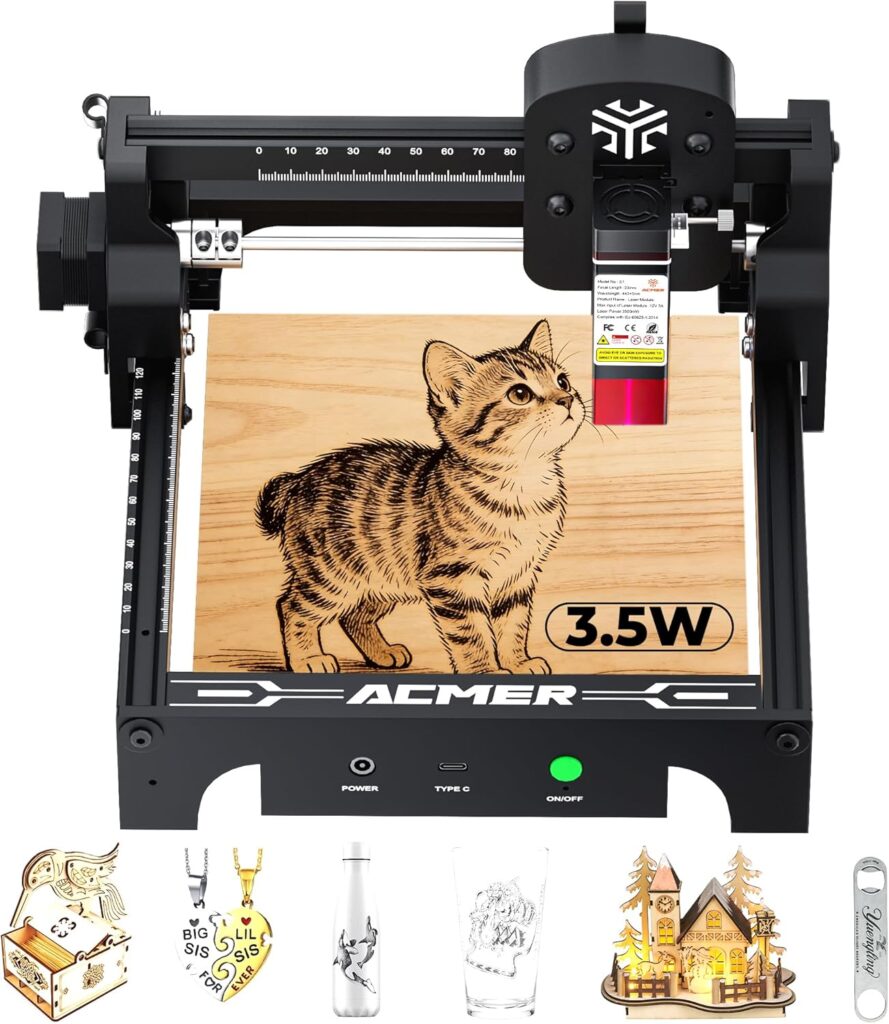

ACMER S1 3500mW Laser Engraver Review: Is This Compact Desktop Laser Worth $102 in 2026?
The single biggest frustration with sub-$150 desktop laser engravers is choosing between cheap unbranded modules with no safety certifications or paying premium prices for laser tools that include proper documentation. Most ultra-budget lasers ship without NRTL certification, IEC compliance documentation, or honest power specifications, leaving buyers to figure out laser safety classifications on their own. The ACMER S1 3500mW Laser Engraver solves this with a genuinely Class 4 NRTL-certified machine meeting IEC 60825-1 compliance at the entry-level price tier.
The package pairs that documented safety with a 3,500mW (3.5W) optical output diode laser running at 455 ± 5nm wavelength, an industry-leading 0.04mm laser spot for ultra-fine detail, 0.01mm repeatable accuracy, engraving speeds up to 10,000 mm/min, a 2mm focal length for consistent depth, and a compact 130 x 130mm working area in an industrial-grade aluminum alloy frame weighing just 4.09 pounds. Software compatibility covers LightBurn and LaserGRBL on macOS, Windows, and Linux with broad file format support including NC, DXF, BMP, JPG, and PNG.
Customer rating context: The ACMER S1 holds a healthy 4.1/5 customer rating from 94 verified Amazon reviews, a strong sample size given the product launched in late 2025. The pattern across reviews suggests genuine buyer satisfaction with setup ease and engraving precision, with predictable caveats around the compact work area and 3.5W cutting throughput.
This review contains affiliate links. If you buy through them, we may earn a commission, at no extra cost to you.
Critical Class 4 laser safety note: The ACMER S1 is rated Class 4, the highest laser hazard classification. Direct or reflected exposure can cause severe eye damage or skin burns. OD 4+ laser safety glasses rated for the 455nm wavelength are mandatory during operation, and proper enclosure or shielding is strongly recommended. Never operate without protective equipment.
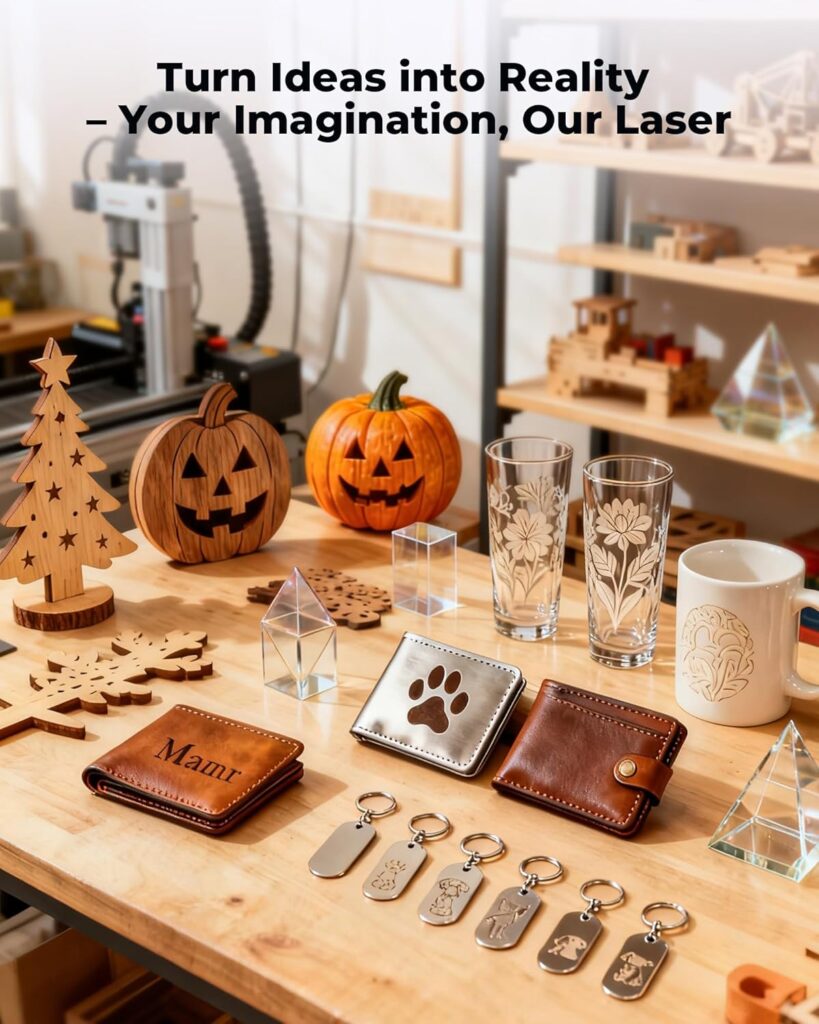
Who should buy: First-time laser engraver buyers wanting NRTL-certified safety documentation, Etsy sellers producing personalized small gifts (coasters, leather patches, dog tags), classroom and STEM education programs needing certified equipment, makers focused on detailed logo work and photo engraving where the 0.04mm spot matters, and budget-conscious hobbyists prioritizing precision over throughput.
Who should skip: Buyers needing larger work envelopes (look at the Carverall K15 Pro 5W or Creality Falcon 5W), shops cutting thick hardwoods (need 10W+ machines), production-focused users requiring throughput speed, anyone uncomfortable with Class 4 laser safety requirements, or makers wanting fully enclosed turnkey safety designs.

ACMER S1 Laser Engraver 3500mW, Compact Desktop Engraving & Cutting Machine for DIY Crafts, Small Business & Makers, 130x130mm Work Area, 0.04mm Detail Engraving for Wood, Acrylic
$101.98 In Stock
Quick Verdict: ACMER S1 3500mW Laser Engraver
The ACMER S1 delivers what budget-precision-focused laser buyers actually need: NRTL-certified Class 4 safety with IEC 60825-1 compliance documentation, a genuine 3,500mW optical output diode laser at 455nm, an industry-leading 0.04mm laser spot that produces measurably sharper text and photo dithering than wider-spot competitors, 0.01mm repeatable accuracy for multi-pass alignment, and a 130 x 130mm work area in a portable 4.09-pound aluminum alloy frame. The 99% pre-assembled design enables sub-five-minute setup from unboxing to first engrave.
The trade-offs are honest: the 130 x 130mm work area is genuinely small compared to competitors offering 200 x 300mm or 400 x 415mm envelopes at similar price points, the 3.5W power limits cutting throughput to 2-3mm basswood with multiple passes, no enclosure or air assist ships in the box, and Class 4 classification requires mandatory laser safety glasses and proper ventilation. Match expectations to the precision-first positioning and the value math works clearly.
- Best for: Etsy sellers, classroom STEM programs, photo engraving enthusiasts, logo tagging, small craft items
- Skip it if: Need larger work area, thick wood cutting, production throughput, or enclosed safety design
- Standout features: 0.04mm laser spot, NRTL certification, IEC 60825-1 compliance, 4.1/5 rating from 94 reviews
- Main compromises: 130 x 130mm area, 3.5W power, no enclosure, Class 4 safety requirements
ACMER S1 3500mW Specifications
| Brand | ACMER |
| Model | S1 |
| Optical power output | 3,500mW (3.5W) diode |
| Machine electrical output | 24W total |
| Wavelength | 455 ± 5nm (blue diode) |
| Laser spot | 0.04mm ultra-fine |
| Focal length | 2mm |
| Maximum engraving speed | 10,000 mm/min |
| Repeatable accuracy | 0.01mm |
| Working area | 130 x 130mm |
| Frame | Industrial-grade aluminum alloy |
| Item weight | 4.09 pounds (1.86 kg) |
| Package dimensions | 12.6 x 11.93 x 7.24 inch |
| Setup | 99% pre-assembled, ~1-minute setup |
| Safety classification | Class 4 laser |
| Certifications | NRTL certified, IEC 60825-1 compliant |
| Software compatibility | LightBurn, LaserGRBL |
| OS support | macOS, Windows, Linux |
| File formats | NC, DXF, BMP, JPG, PNG |
| Compatible materials | Wood, bamboo, leather, plastic, rubber, acrylic, MDF, paper, cardboard, PCB, anodized aluminum, ceramic-coated items |
| Customer rating | 4.1/5 from 94 verified Amazon reviews |
| Date first available | November 27, 2025 |
| Warranty | 12 months manufacturer |
| Support | 24/7 customer support |
Key Features Tested: Where the ACMER S1 Earns Its Price
0.04mm Ultra-Fine Laser Spot
The 0.04mm laser spot is the ACMER S1’s defining feature and the strongest argument for choosing it over wider-spot competitors. Most 3-5W diode lasers in this price tier produce 0.06-0.1mm spots, which translates to noticeably softer text edges, less defined photo dithering, and reduced legibility on small QR codes or serial numbers. The 0.04mm compression delivers genuinely sharper output across all materials.
Practical benefits include legible 6-8pt text engraving without serif blur, photo dithering with smoother gradients and less dot overlap, crisp QR codes that scan reliably even on textured surfaces, hairline detail in logos and intricate artwork, and improved fine-line work for jewelry tags and small product labels. For makers selling personalized items where engraving quality directly affects perceived value, this precision matters more than raw power.
NRTL Certification and IEC 60825-1 Compliance
NRTL (Nationally Recognized Testing Laboratory) certification and IEC 60825-1 compliance documentation separate the ACMER S1 from cheaper unbranded laser modules that ship without verifiable safety testing. For classroom deployments, makerspace insurance requirements, and educational program approval processes, this documentation is genuinely valuable. The certifications confirm the machine meets internationally recognized laser safety standards, which matters for liability and institutional purchasing decisions.
0.01mm Repeatable Accuracy
The 0.01mm repeatable accuracy enables multi-pass cuts and registered engraving without visible misalignment between passes. For laser cutting where multiple passes are required to fully separate material, the alignment precision means clean edges rather than stair-stepped cuts. For multi-color or layered designs requiring registration, the accuracy supports precise stacking of design elements.
3,500mW (3.5W) Diode Laser at 455nm
The 3.5W rating refers to actual optical output (3,500mW) hitting the material, not the 24W total electrical machine consumption. This honest specification means realistic capability for engraving on wood, leather, acrylic, anodized aluminum, ceramic-coated items, and 100+ surface types, plus light cutting through 2-3mm basswood with multiple passes. The 455nm blue wavelength is standard for diode lasers in this class and works well across the supported material list.
99% Pre-Assembled Design
The pre-assembled design enables genuine sub-five-minute setup from unboxing to first engrave. Attach the eye shield, plug in USB and power, drop the focus spacer to set 2mm focal distance, install LightBurn or LaserGRBL, and run a test pattern. This setup speed matters most for classroom deployments, gift purchases, and buyers who don’t want to spend a weekend on assembly.
Industrial-Grade Aluminum Alloy Frame
The aluminum alloy frame at 4.09 pounds delivers genuine rigidity for clean rasters while remaining portable enough for shelf storage between projects. Frame stability matters for engraving precision; flex during operation translates directly to softened detail and inconsistent depth. The aluminum construction sits above plastic-frame budget alternatives in mechanical quality.
Performance by Material
| Material | Performance | Settings |
| Basswood engraving | Excellent | 1500-3000 mm/min, 20-40% power, single pass |
| 3mm basswood cutting | Good with patience | 300-700 mm/min, 70-100% power, 3-6 passes, air assist required |
| Leather engraving | Excellent | 2000-4000 mm/min, 15-35% power, single pass, vegetable-tanned preferred |
| Anodized aluminum marking | Excellent | 600-1200 mm/min, 80-100% power, 1-2 passes for high contrast |
| Dark/opaque cast acrylic engraving | Very good | 1000-2000 mm/min, 40-70% power, single pass, frosted finish |
| Ceramic-coated mug marking | Excellent | 500-1200 mm/min, 80-100% power, 1-2 passes |
| PCB labeling | Excellent | Marking only, not isolation routing |
| MDF and plywood thin engraving | Very good | Single-pass detail work, multi-pass for cutting |
| Clear acrylic engraving | Difficult without paint mask | 455nm passes through clear acrylic; mask the surface first |
| Bare metals (stainless, raw aluminum) | Not supported | Wrong wavelength; need 1064nm IR head or fiber laser |
| Thick hardwood production cuts | Wrong machine class | Look at 10W+ alternatives |
| PVC or unknown plastics | Never cut | Releases toxic chlorine gas |
Wood and Leather: The Strong Zone
Wood and leather engraving represent where the ACMER S1 performs above its tier. The 0.04mm spot produces sharp text and detailed logos that wider-spot competitors cannot match. Vegetable-tanned leather develops the satisfying darkening that looks intentional and upscale. Air assist (sold separately) significantly improves cut quality and reduces char on both materials, particularly when attempting 3mm basswood cuts.
Anodized Aluminum and Coated Metals: Standout Capability
Anodized aluminum, powder-coated steel, and ceramic-coated items mark with excellent permanence and high contrast at appropriate settings. Pet tags, dog tags, aluminum keychains, and ceramic mug personalization become viable product lines without additional accessory purchases. The 455nm wavelength works particularly well on anodized aluminum’s coating, producing bright marks against the underlying metal.
Acrylic and Plastics: Manageable With the Right Approach
Cast acrylic in dark or opaque colors produces frosty, sharp engravings with appropriate settings. Air assist matters significantly for clean acrylic work; the directed airflow prevents melting and edge haze. Always use cast acrylic rather than extruded for engraving. Clear acrylic at 455nm passes through the material without absorbing the beam, requiring a paint mask or tempera coat as a workaround. Never cut PVC or unknown plastics regardless of laser power.
Class 4 Laser Safety Requirements
The Class 4 classification is the highest laser hazard category and requires specific safety equipment that beginners often underestimate:
- OD 4+ laser safety glasses rated for 455nm wavelength: Mandatory during all operation. Generic safety glasses do not provide laser-specific protection. Budget $20-$60 for proper laser-rated glasses.
- Enclosure or shielding: Strongly recommended even though not included. Open-frame Class 4 operation requires the operator and any bystanders to wear laser glasses for the entire job duration.
- Ventilation: Cutting and engraving produce fumes that range from annoying (basswood) to genuinely harmful (acrylic, leather). Vent to a window with a small inline fan, or use a desktop air purifier rated for laser fume extraction.
- Fire safety: Keep an ABC fire extinguisher within arm’s reach. Never leave operating jobs unattended, especially with paper, cardboard, or thin wood.
- Workspace control: Children, pets, and visitors should not be in the operating area without proper laser glasses. The Class 4 beam can cause permanent eye damage from direct or reflected exposure.
- Material safety: Never cut PVC or unknown plastics; the released chlorine gas damages both lungs and the laser head.
The NRTL certification and IEC 60825-1 compliance documentation confirm the machine meets international safety standards, but operator responsibility remains paramount with Class 4 lasers.
Setup and First Cuts
The ACMER S1 ships 99% pre-assembled. Realistic time from unboxing to first engrave: 5-15 minutes for first-time users.
Setup Sequence
- Unbox and inspect the frame, cables, and shield
- Place the machine on a honeycomb panel or nonflammable surface
- Attach the included eye shield to the laser head
- Connect USB and power; verify drivers if prompted
- Use the included spacer to set focus to 2mm focal distance
- Install LightBurn ($60 paid) or LaserGRBL (free)
- Add a device profile as GRBL (not GRBL-M3) in LightBurn
- Set Absolute Coords for predictable design placement
- Run a low-power frame pass to verify positioning
- Engrave a test grid to map speed/power for your specific material
- Save settings to a Material Library for future jobs
Recommended First Project
Basswood gift coaster with V-carved monogram and engraved border. Use 3mm basswood, the 0.04mm spot for sharp text detail, and conservative settings (medium speed, low power) for the engrave plus 3-4 passes at higher power for cutting the final outline. The project exercises both engraving and cutting capabilities, validates focus calibration, and produces a usable result that demonstrates the machine’s precision strengths.
ACMER S1 vs Alternatives
| Machine | Power | Spot Size | Work Area | Best For |
|---|---|---|---|---|
| ACMER S1 3500mW | 3.5W | 0.04mm (finest) | 130 x 130mm | Precision detail work, certifications |
| Carverall K15 Pro 5W | 5W | 0.06mm | 200 x 300mm (near A4) | Larger work area, WiFi |
| Creality Falcon 5W | 5W | 0.06mm | 400 x 415mm | Largest work area in class |
| Twotrees TTS-55 Pro 5.5W | 5.5W | ~0.08mm | ~300 x 300mm | Larger area + more cutting power |
| AlgoLaser Pixi 3W | 3W | ~0.06mm | 100 x 100mm portable | Maximum portability, app-driven |
ACMER S1 vs Carverall K15 Pro 5W
The Carverall K15 Pro 5W offers a larger 200 x 300mm (near-A4) work area with 5W power and WiFi connectivity at a higher price point. The ACMER S1 delivers a smaller 130 x 130mm work area with 3.5W power but the finer 0.04mm laser spot for sharper detail and NRTL certification. Pick the Carverall K15 Pro for larger work envelope and modern connectivity; pick the ACMER S1 for finest detail engraving and certified safety documentation. For a deeper comparison, our Carverall K15 Pro 5W review covers the full picture.
ACMER S1 vs Creality Falcon 5W
The Creality Falcon 5W delivers a much larger 400 x 415mm work area with 5W power, established Creality brand support, and a 4.0/5 satisfaction average from 82 reviews. The ACMER S1 provides the finer 0.04mm laser spot, NRTL certification, and a slightly higher 4.1/5 rating from 94 reviews at a much lower price point. Pick the Creality Falcon 5W for larger projects and brand backing; pick the ACMER S1 for ultra-fine detail and budget-friendly precision. Our Creality Falcon 5W review details the larger-area alternative.
ACMER S1 vs Woxcker L2 Flex 5W
The Woxcker L2 Flex 5W offers a 360-degree full enclosure for contained safety operation and 5W power, but at a 150 x 200mm work area and a lower 3.4/5 rating from only 7 verified reviews. The ACMER S1 lacks the enclosure but provides finer detail (0.04mm vs Woxcker’s standard spot), NRTL certification, and significantly stronger customer rating history (4.1/5 from 94 reviews). Pick the Woxcker L2 Flex if enclosure safety is the absolute priority; pick the ACMER S1 for documented precision and stronger rating confidence. Our Woxcker L2 Flex 5W review covers the enclosed alternative.
Drawbacks and Considerations
| Consideration | Detail |
|---|---|
| 130 x 130mm work area | Significantly smaller than Carverall K15 Pro (200 x 300mm), Creality Falcon 5W (400 x 415mm), and Woxcker L2 Flex (150 x 200mm). Limits single-piece projects to small craft items. |
| 3.5W power ceiling | Light cutting only. 2-3mm basswood requires 3-6 passes. Thicker hardwoods or production cuts need 10W+ machines. |
| No enclosure included | Open-frame Class 4 operation requires laser safety glasses for the entire job duration. Plan to add an enclosure or DIY shield. |
| No air assist included | Critical accessory for clean cuts and reduced char. Budget for the upgrade purchase ($30-$80 for adequate air assist kits). |
| Class 4 safety requirements | OD 4+ laser glasses rated for 455nm are mandatory. Workspace control matters for Class 4 operation. |
| No rotary in box | Cylindrical engraving (tumblers, mugs) requires separate rotary purchase. Verify compatibility with ACMER support before buying third-party rotaries. |
| Clear acrylic limitations | 455nm wavelength passes through clear acrylic without absorbing. Requires paint masking workaround. |
| No tooling beyond basics | Plan to budget $50-$150 for laser glasses, air assist, ventilation, honeycomb panel, and starter material kits. |
What Customers Are Saying
| What buyers love | Genuinely fast setup, sharp engraving precision from the 0.04mm spot, LightBurn compatibility working out of the box, NRTL certification documentation, value at the sub-$120 price point |
| What buyers caveat | 130 x 130mm work area feels tight quickly, cutting on thicker materials requires patience and multiple passes, learning curve sits in the software (LightBurn) more than the hardware |
| Common phrases | “Engraves tiny text cleanly,” “LightBurn works perfectly,” “Wish the bed were larger,” “Setup was actually one minute” |
The 4.1/5 rating from 94 verified buyers reflects genuine satisfaction with the precision-first positioning. Buyers who match expectations to the small work area and 3.5W power class report consistent satisfaction. Buyers expecting full-size work envelopes or aggressive cutting throughput feel the mismatch.
Maintenance for Long-Term Reliability
- After every session: Wipe the lens with a proper lens wipe; brush dust from rails and gantry; vacuum the work area
- Weekly: Clean the laser head focal lens (a clean lens is the single biggest quality factor for engraving)
- Monthly: Verify belt tension; check focus spacer accuracy; inspect cables for wear
- Per project: Confirm 2mm focus calibration before each new material type; check air assist airflow if equipped
- Material safety: Never cut PVC or unknown plastics regardless of curiosity
- Long-term: Plan for eventual diode module replacement after thousands of operating hours
Who This Laser Is For
Etsy sellers and personalized gift makers: The 0.04mm laser spot delivers measurably sharper logos, tinier legible text, and cleaner photo dithering than wider-spot competitors at similar price points. For makers selling personalized items where engraving quality directly affects perceived value, this precision pays back through customer satisfaction and repeat orders.
Classroom and STEM education programs: The NRTL certification and IEC 60825-1 compliance documentation matter for institutional purchasing approval, classroom liability requirements, and STEM curriculum integration. The 99% pre-assembled design enables same-day classroom deployment.
First-time laser engraver buyers: The certified safety documentation, LightBurn-friendly workflow, sub-five-minute setup, and reasonable $101.98 entry price create a low-risk introduction to laser engraving. The 4.1/5 rating from 94 reviews provides genuine social proof for hesitant first-time buyers.
Detail-focused hobbyists: Photo engraving enthusiasts, jewelry makers, dog tag producers, and anyone whose work requires the finest possible detail will find the 0.04mm spot delivers what wider-spot competitors cannot match.
Budget-conscious precision buyers: The combination of 0.04mm precision, NRTL certification, and sub-$120 pricing creates value that’s difficult to match. For buyers who prioritize precision over throughput, the ACMER S1 represents genuine value.

Final Verdict: Should You Buy the ACMER S1 3500mW?
Not the largest work area in its category. Not the most powerful diode laser available. Not the cheapest option in absolute terms. But the most precision-focused certified laser at this price point for buyers who value detail over throughput.
The ACMER S1 3500mW Laser Engraver delivers what budget-conscious precision buyers actually need: an industry-leading 0.04mm laser spot that produces measurably sharper text and photo dithering than wider-spot competitors, NRTL certification with IEC 60825-1 compliance documentation, 0.01mm repeatable accuracy for multi-pass alignment, a 99% pre-assembled design enabling sub-five-minute setup, broad software compatibility with LightBurn and LaserGRBL on macOS, Windows, and Linux, and a 4.1/5 customer rating from 94 verified Amazon reviews reflecting genuine buyer satisfaction.
Buy the ACMER S1 3500mW if: You produce personalized items where engraving precision directly affects perceived value, you teach in a classroom or makerspace requiring certified equipment, you’re upgrading from no laser to your first laser engraver and want documented safety, you focus on photo engraving and detailed logo work where the 0.04mm spot matters, or you prioritize precision over work area size.
Skip the ACMER S1 3500mW if: You need larger work envelopes (look at the Carverall K15 Pro 5W or Creality Falcon 5W instead), you require fast cutting on thick hardwoods (need 10W+ machines), you want enclosed safety design out of the box (the Woxcker L2 Flex provides this), or you focus on production throughput rather than detail quality.
This review contains affiliate links. If you buy through them, we may earn a commission, at no extra cost to you.
For broader context on choosing the right laser engraver, browse our Portable Laser Engravers review library covering options across every price tier, or explore the Fabrication Intelligence resource library for laser safety and workflow fundamentals.
Frequently Asked Questions
Can the ACMER S1 engrave metal?
It marks anodized aluminum, powder-coated steel, and ceramic-coated items with excellent results at appropriate settings. The 455nm wavelength does not deep-engrave bare stainless steel, raw aluminum, brass, or titanium; those require a 1064nm IR laser or fiber laser. For pet tags, dog tags, and aluminum keychains where the metal is anodized or coated, the ACMER S1 produces high-contrast permanent marks.
Can it cut acrylic?
Yes for opaque or dark cast acrylic with multiple passes and air assist. Engraving on dark acrylic produces clean frosted finishes with crisp edges. Clear acrylic at 455nm passes through the material without absorbing the beam, requiring a paint mask or tempera coat workaround. Always use cast acrylic rather than extruded for laser work, and never cut PVC regardless of laser power.
What’s the thickest wood it can cut?
Light cutting only. 2-3mm basswood with 3-6 passes plus air assist represents the realistic upper limit. Thicker hardwoods become slow and inconsistent, and production cutting on thick stock requires 10W+ machines. For deep engraving on thicker wood (without through-cutting), the machine performs well at conservative settings with multiple passes.
Is it compatible with LightBurn on Mac?
Yes. The ACMER S1 works with both LightBurn (paid, $60) and LaserGRBL (free) across macOS, Windows, and Linux. Add the device as GRBL (not GRBL-M3) in LightBurn, set Absolute Coords for predictable placement, and the workflow runs reliably. The cross-platform support eliminates operating-system lock-in common with proprietary laser software.
Do I need an enclosure?
Strongly recommended for Class 4 laser operation. The ACMER S1 ships without an enclosure, which means open-frame operation requires OD 4+ laser safety glasses rated for 455nm during the entire job duration. Adding a desktop enclosure or DIY shield significantly improves safety, contains some fumes, and reduces stray laser exposure to bystanders.
Does it support a rotary?
Rotary support is not specified in the Amazon listing. Buyers wanting cylindrical engraving (tumblers, mugs, bottles) should contact ACMER support to confirm rotary compatibility and any required adapter cables. Third-party rotaries may work via standard GRBL Y-axis substitution but should be verified before purchase.
What file formats does it accept?
NC, DXF, BMP, JPG, and PNG per the listing. SVG and AI files require export to one of the supported formats first. For best results, keep source vectors in DXF or SVG format and export to BMP or PNG for raster engraving, or NC for vector cutting paths.
How accurate is the engraver?
The 0.04mm laser spot is the finest in this price tier and produces genuinely sharper output than 0.06-0.08mm competitors. Combined with 0.01mm repeatable accuracy, the ACMER S1 delivers measurably better detail on text under 8pt, photo dithering with smoother gradients, QR codes that scan reliably, and intricate logo work with hairline precision.
What safety equipment do I need?
Mandatory: OD 4+ laser safety glasses rated for 455nm wavelength (budget $20-$60). Strongly recommended: ABC fire extinguisher within arm’s reach, ventilation to a window or air purifier rated for laser fumes, honeycomb panel for airflow under cuts, and an enclosure or DIY shield. Class 4 lasers can cause permanent eye damage from direct or reflected exposure, so safety equipment is non-negotiable.
Is the ACMER S1 worth buying?
For the right buyer, absolutely. The combination of 0.04mm laser spot precision, NRTL certification with IEC 60825-1 compliance, 0.01mm repeatable accuracy, broad software compatibility, and a 4.1/5 rating from 94 verified reviews delivers genuine value at $101.98. If your work involves personalized gifts, photo engraving, classroom education, or detailed logo tagging, this machine earns its place. If you need larger work areas or aggressive cutting throughput, alternatives like the Carverall K15 Pro 5W or Creality Falcon 5W deliver those capabilities at higher price points.
Key Takeaways
- 4.1/5 customer rating from 94 verified Amazon reviews reflects genuine buyer satisfaction with the precision-focused positioning
- 0.04mm laser spot produces measurably sharper text and photo dithering than 0.06-0.08mm competitors at similar price points
- NRTL certification and IEC 60825-1 compliance documentation matter for classroom deployments and institutional purchasing approval
- 3,500mW (3.5W) optical output handles wood, leather, anodized aluminum, ceramic-coated items, and 2-3mm basswood cutting with multiple passes
- 0.01mm repeatable accuracy enables multi-pass cuts and registered engraving without visible misalignment between passes
- 99% pre-assembled design enables genuine sub-five-minute setup from unboxing to first engrave
- 130 x 130mm work area is the smallest in this comparison group; tile larger projects or choose alternatives for larger envelopes
- Class 4 laser classification requires mandatory OD 4+ laser safety glasses rated for 455nm wavelength
- Plan to budget $50-$150 additional for laser glasses, air assist, ventilation, and starter material kits
- 12-month manufacturer warranty plus 24/7 customer support provide post-purchase reassurance
Disclosure: As an Amazon Associate, I earn from qualifying purchases.