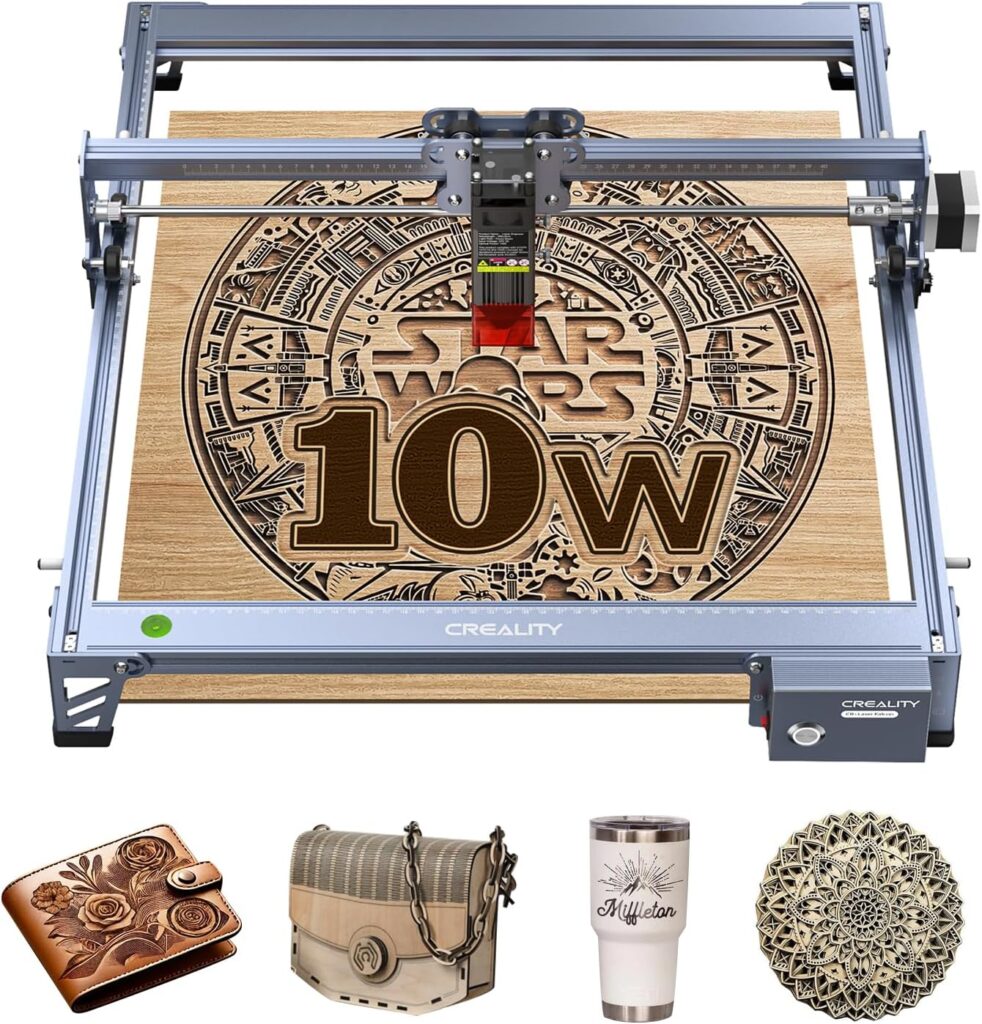

Creality Falcon 10W Laser Engraver Review: Is This 17×16 inch DIY Laser Cutter Worth $198 in 2026?
The single biggest frustration with sub-$200 desktop laser engravers is choosing between low-power 3-5W modules limited to thin material engraving or stepping up to $400+ machines for genuine cutting capability on practical wood thicknesses. Most budget lasers can’t cut 5mm basswood without 4-6 passes, and most affordable 10W machines either skimp on the work envelope or skip established brand support. The Creality Falcon 10W Laser Engraver solves this with a genuine 10W optical output diode laser capable of cutting 5mm basswood or 3mm black acrylic in a single pass, paired with a generous 17 x 16 inch (430 x 410mm) working area at the budget tier price point.
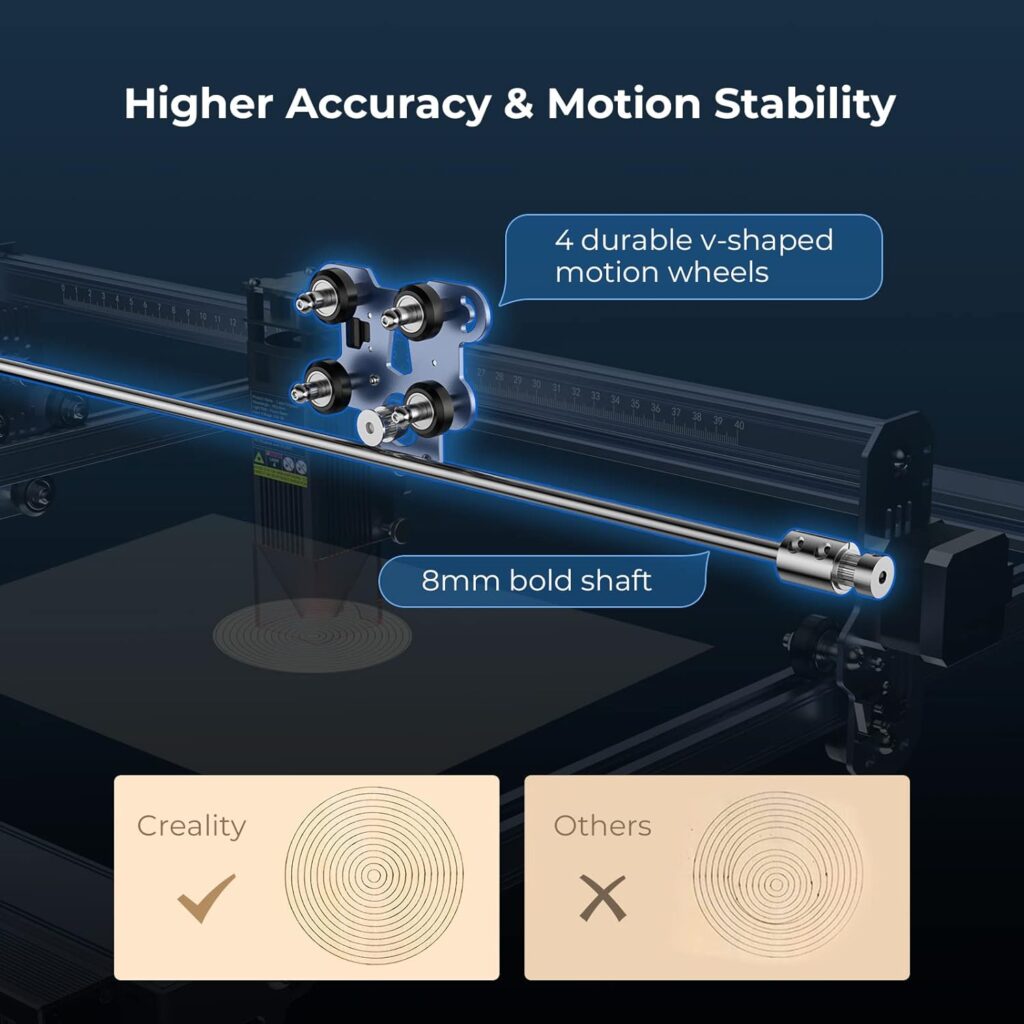
The package pairs that cutting capability with a 0.06 x 0.06mm super-fine compressed spot, 0.004 inch cutting accuracy, under 0.007 inch repositioning accuracy, engraving speeds up to 10,000 mm/min, an all-aluminum alloy frame with steel shaft wheel guide rail, an adjustable belt tension device, and a 97% anti-UV filter acrylic shield on the laser module. Connectivity covers WiFi, USB cable, and SD card with one-button onboard management. Software compatibility includes LightBurn on Windows, macOS, and Linux, plus LaserGRBL on Windows 7/8/10/XP. The 1-year parts replacement warranty plus permanent technical support backs the established Creality brand reputation.
This review contains affiliate links. If you buy through them, we may earn a commission, at no extra cost to you.
Important laser safety note: The Creality Falcon 10W is a Class IIIa diode laser. The module includes a 97% UV-filtering acrylic shield, but OD-rated laser safety glasses are still recommended during operation. Open-frame design means proper ventilation, fire safety equipment, and workspace control are mandatory. Plan for an enclosure or DIY shield for shared spaces with children or pets.
Who should buy: Etsy sellers needing genuine cutting capability for 3-5mm wood projects, beginners wanting an established brand backed by Creality’s 1-year warranty and ongoing support, hobbyists making signs and personalized gifts in the 12-17 inch size range, makers transitioning from 3-5W engravers who need real cutting power, and budget-conscious buyers who want 10W capability without paying premium pricing.
Who should skip: Buyers needing fully enclosed Class 1 safety designs (look at the Mecpow M1 instead), users requiring fast cuts on 8-10mm hardwoods (need 20-40W diode or CO2 lasers), production-focused shops requiring throughput speed, makers wanting bare metal engraving without marking spray, or anyone needing a turnkey operation without budgeting for air assist and ventilation accessories.

Creality Laser Engraver Machine 10W Output Power, 72W DIY Laser Engraving Machine 0.06mm High Precision Laser Cutter and Engraver for Wood and Metal, Paper, Acrylic, Glass, Leather etc, 17" x 16"
$198 In Stock
Quick Verdict: Creality Falcon 10W Laser Engraver
The Creality Falcon 10W delivers what budget-conscious laser cutter buyers actually need: genuine 10W optical output capable of single-pass cutting on 5mm basswood and 3mm black acrylic, a generously sized 17 x 16 inch (430 x 410mm) working area that handles charcuterie boards and 12 inch signs without tiling, a 0.06mm super-fine compressed spot for crisp text and photo dithering, all-aluminum alloy frame construction with steel shaft wheel guide rails, and full connectivity flexibility across WiFi, USB cable, and SD card. The established Creality brand backing with 1-year parts replacement warranty and permanent technical support reduces the post-purchase risk that off-brand alternatives carry.
The trade-offs are honest: open-frame design requires laser safety glasses and proper ventilation, no air assist or honeycomb bed ships in the box, 10W power sits below 20-40W diode alternatives for fast thick cutting, and bare metal engraving requires marking spray since the 455nm wavelength doesn’t absorb into reflective bare metals. Match expectations to the budget cutting positioning and the value math works clearly.
- Best for: Etsy sellers, hobbyist sign makers, 3-5mm wood cutting, established brand support, larger work area at budget price
- Skip it if: Need enclosed Class 1 safety, 8-10mm cutting throughput, bare metal engraving, or fully turnkey setup
- Standout features: Single-pass 5mm basswood cut, 17 x 16 inch work area, 0.06mm spot, Creality brand support
- Main compromises: Open frame, no air assist included, no enclosure, 10W power ceiling vs higher-power competitors
Creality Falcon 10W Specifications
| Brand | Creality |
| Laser class | Class IIIa diode |
| Optical output power | 10W (10,000mW) |
| Machine electrical power | 72W (72,000mW) |
| Wavelength | 455nm (blue diode) |
| Spot size | 0.06 x 0.06mm compressed |
| Cut/engrave accuracy | Within 0.004 inch |
| Repositioning accuracy | Less than 0.007 inch |
| Maximum speed | 10,000 mm/min |
| Working area | 17 x 16 inch (~430 x 410mm) |
| Frame | All-aluminum alloy structure |
| Motion system | Steel shaft wheel guide rail with adjustable belt tension |
| UV protection | Anti-UV filter acrylic shield, 97% UV filtration |
| Cut capacity (single pass) | 5mm basswood, 3mm black acrylic |
| Software compatibility | LightBurn (Windows/macOS/Linux), LaserGRBL (Windows 7/8/10/XP) |
| Connectivity | WiFi, USB cable, SD card |
| Onboard control | One-button management |
| Setup time | 10-20 minutes assembly |
| Focus method | Included focusing plate (no tools required) |
| Materials supported | Wood, leather, paper, plastic, dark/opaque acrylic, coated metals, glass (marking) |
| Warranty | 1-year free parts replacement |
| Support | Permanent professional technical customer service |
Key Features Tested: Where the Creality Falcon 10W Earns Its Price
Genuine 10W Optical Output
The 10W optical output specification refers to actual laser power hitting the material, not the 72W total electrical machine consumption. This honest power rating separates the Creality Falcon 10W from underspec’d alternatives that market machine wattage as if it were optical output. Practical capability covers single-pass cutting on 5mm basswood and 3mm black acrylic at appropriate speeds (180-300 mm/min for clean edges), engraving across 100+ surface types, and multi-pass cutting on thicker stock when patience is acceptable.
Compared to 5W alternatives like the Carverall K15 Pro 5W or Creality Falcon 5W, the 10W output enables genuine production cutting capability rather than light decorative cutting. The single-pass 5mm basswood claim from the Amazon listing is achievable when slow speeds and proper focus combine with sharp clean stock.
0.06 x 0.06mm Super-Fine Compressed Spot
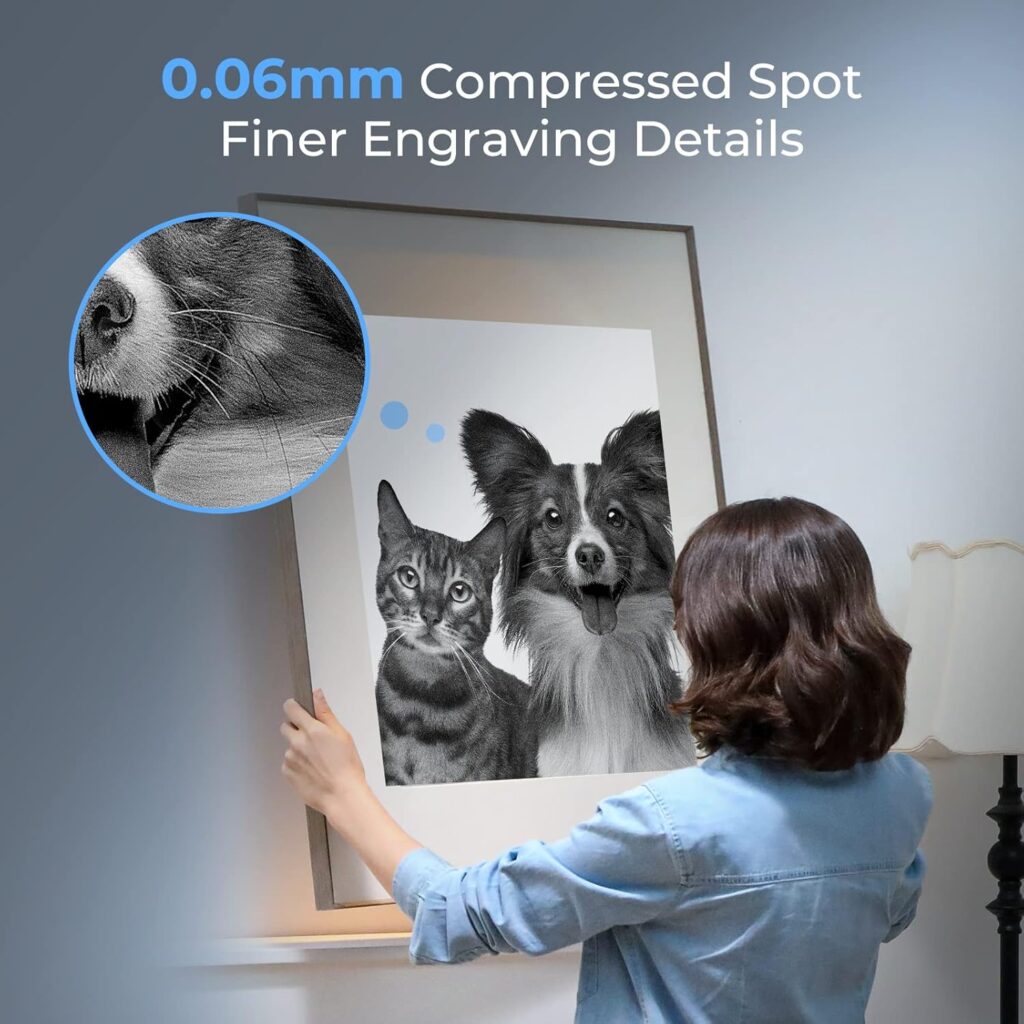
The 0.06mm compressed spot delivers genuinely sharp engraving detail across all materials. Most 10W diode lasers produce 0.08-0.1mm spots, which translates to softer text edges and reduced legibility on small QR codes or serial numbers. The Creality Falcon 10W’s tighter focus produces measurably better results on:
- 6-8pt text engraving without serif blur
- Photo dithering with smoother gradients and less dot overlap
- Crisp QR codes that scan reliably
- Hairline detail in logos and intricate artwork
- Fine-line work for jewelry tags and small product labels
17 x 16 Inch Working Area
The 17 x 16 inch (~430 x 410mm) working area sits in the sweet spot for hobby and small-shop production. This envelope handles charcuterie boards, 12 inch signs, large picture frames, A3-sized paper goods, and multi-piece batch layouts that smaller work areas force into tile-and-realign workflows. Compared to the ACMER S1’s 130 x 130mm or the Mecpow M1’s 100 x 100mm, the Creality Falcon 10W enables single-piece cutting of substantially larger projects.
0.004 Inch Cut Accuracy and Under 0.007 Inch Repositioning
The 0.004 inch (0.1mm) cut accuracy combined with under 0.007 inch (0.18mm) repositioning accuracy enables genuine multi-pass cutting and registered engraving without visible misalignment. For laser cutting where multiple passes are required to fully separate thicker material, the alignment precision means clean edges rather than stair-stepped cuts. The all-aluminum frame and steel shaft wheel guide rail with adjustable belt tension deliver the mechanical foundation for consistent results across batch production.
97% Anti-UV Filter Acrylic Shield
The integrated 97% anti-UV filter acrylic shield on the laser module reduces UV exposure to operators and bystanders. This is genuinely useful for protecting eyes during normal operation, but it does NOT eliminate the need for OD-rated laser safety glasses during open-frame operation. The shield is a meaningful safety enhancement compared to bare-module alternatives, but not a replacement for proper laser-rated eyewear when the machine is running.
WiFi Plus USB Plus SD Card Connectivity
The connectivity options cover every workflow:
- USB cable: Traditional tethered control, most reliable for long jobs
- WiFi: Wireless control from across the room (use 2.4 GHz SSID with reserved DHCP for stability)
- SD card: Offline operation with no computer connection required during cutting
For long production runs, SD card or USB tend to outperform WiFi reliability. The one-button onboard management handles basic operations once the design is loaded.
Performance by Material
| Material | Operation | Speed (mm/min) | Power | Passes | Notes |
|---|---|---|---|---|---|
| 5mm basswood | Cut | 180-300 | 90-100% | 1 | Single-pass capability with air assist; clean stock matters |
| 3mm birch plywood | Cut | 250-400 | 90-100% | 2 | Glue layers vary; mask top to reduce soot |
| 3mm black acrylic | Cut | 120-220 | 100% | 1 | Cast acrylic only; clear acrylic does not absorb 455nm |
| Birch panel photo engrave | Engrave | 1200-2000 | 25-45% | 1 | 318-423 DPI, Stucki/Jarvis dithering |
| Hardwood detail engrave | Engrave | 2000-4000 | 30-50% | 1 | 0.06mm spot delivers sharp text under 8pt |
| Vegetable-tanned leather | Engrave | 4000-8000 | 15-30% | 1 | Wipe with damp cloth post-engrave |
| Anodized aluminum | Mark | 1200-2000 | 60-80% | 1 | Defocus -0.2mm for thicker stroke if desired |
| Glass (masked) | Mark | 300-800 | 15-30% | 1 | Paper mask or dish soap; keep cool |
| Bare stainless steel | Not supported without spray | N/A | N/A | N/A | Requires marking spray for contrast |
| 8-10mm hardwood | Wrong machine class | N/A | N/A | N/A | Look at 20-40W diode or CO2 alternatives |
| PVC or unknown plastics | Never cut | N/A | N/A | N/A | Releases toxic chlorine gas |
Wood Cutting: The Headline Capability
Wood cutting is where the Creality Falcon 10W earns its category position. The 10W optical output handles 5mm basswood in a single pass at 180-300 mm/min with proper focus and clean stock. Adding air assist (sold separately, $50-$100) significantly improves cut quality, reduces edge char, and enables faster speeds. For 3mm birch plywood, two passes typically produce cleaner edges than single-pass attempts due to glue layer variability.
Acrylic and Plastics
Black or opaque cast acrylic absorbs the 455nm wavelength efficiently. The single-pass 3mm black acrylic claim is achievable at slow speeds with proper focus. Clear acrylic does not absorb the blue diode wavelength and passes through the material without effective cutting; use a paint mask or dish soap masking workaround for clear acrylic engraving. Always use cast acrylic rather than extruded for laser work, and never cut PVC or unknown plastics regardless of laser power.
Coated Metals and Anodized Aluminum: Strong Capability
Anodized aluminum, powder-coated steel, and ceramic-coated items mark with excellent permanence and high contrast at appropriate settings. Pet tags, dog tags, aluminum keychains, and powder-coated flask personalization become viable product lines. The 0.06mm compressed spot produces particularly sharp marks on small metal items where detail matters.
Bare Metals: Marking Spray Required
The 455nm wavelength does not absorb into reflective bare metals like stainless steel, raw aluminum, brass, or titanium. For bare metal engraving, options include marking spray (CerMark, Brilliant Mark) for temporary contrast, paint marking, or upgrading to a fiber laser for genuine deep metal engraving. The Creality Falcon 10W is not the right tool for production bare-metal work without consumable marking sprays.
Setup and First Cuts
The Creality Falcon 10W ships in pieces with 10-20 minute assembly time using the included focusing plate that eliminates tool-based focus calibration.
Setup Sequence
- Level the work surface and clear adequate space for the 17 x 16 inch envelope plus margins
- Assemble the frame loosely; measure diagonals; square the frame; tighten in sequence
- Set belt tension evenly on both sides (guitar-string light tension)
- Slide the gantry by hand to confirm smooth travel without binding
- Install the 10W laser module with the included focusing plate
- Connect via USB first for initial setup and firmware verification
- Install LightBurn (paid, $60) or LaserGRBL (free, Windows-only)
- Update firmware via Creality’s support pages if prompted
- Run a low-power frame pass to verify positioning
- Engrave a test grid mapping speed and power for your specific stock
- Save settings to a Material Library for future jobs
- Configure WiFi or SD card workflows after USB-based testing succeeds
Recommended First Project
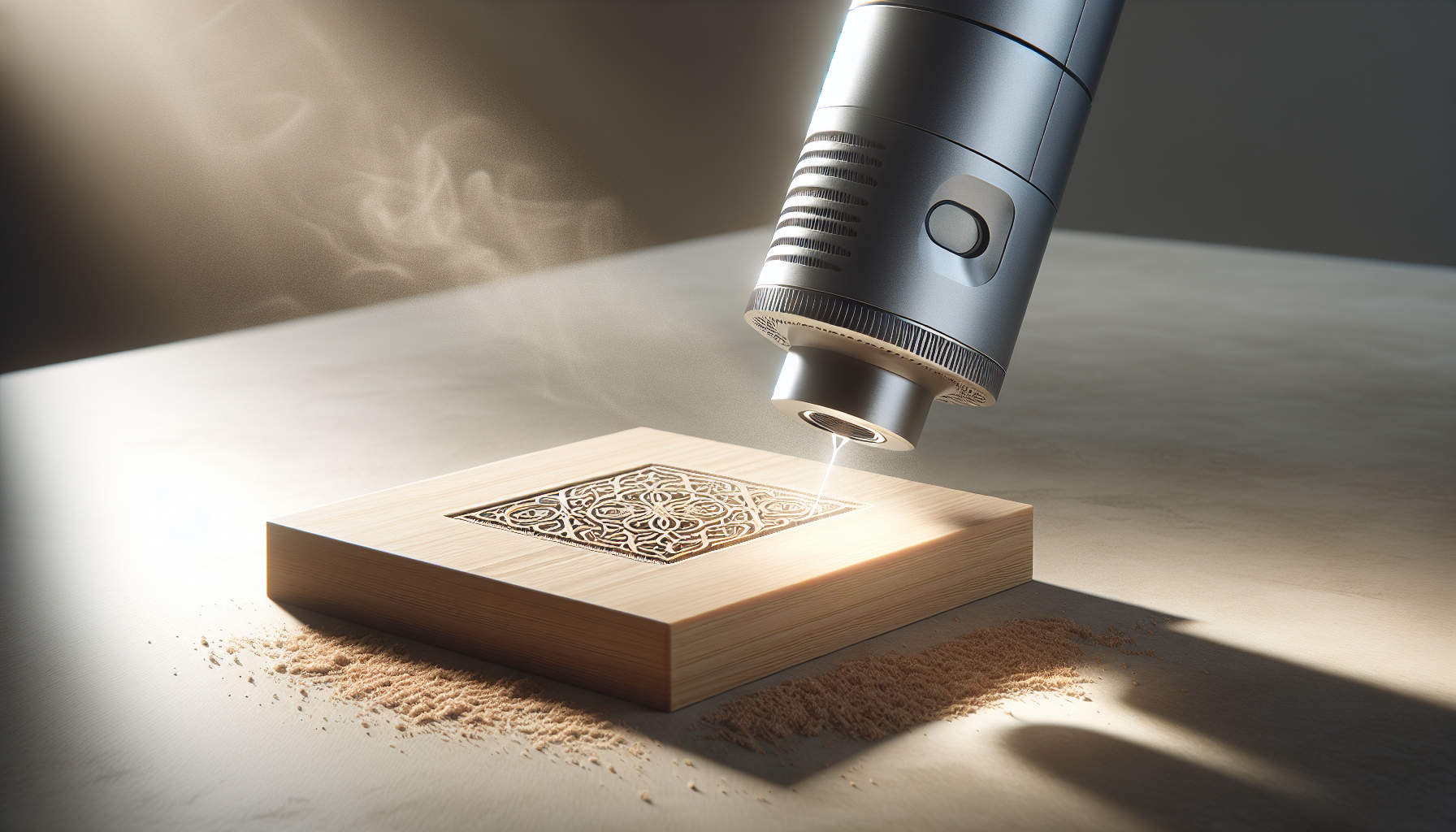
5mm basswood gift coaster with engraved monogram and through-cut perimeter. Use the focusing plate for consistent spot size, the included material settings as a starting point, and conservative speeds for both engraving (3000 mm/min, 30% power) and cutting (220 mm/min, 100% power, single pass). The project exercises the Creality Falcon 10W’s headline capability (single-pass 5mm cutting) and validates focus calibration in a low-stakes test.
Creality Falcon 10W vs Alternatives
| Machine | Power | Spot Size | Work Area | Best For |
|---|---|---|---|---|
| Creality Falcon 10W | 10W | 0.06mm | 17 x 16 inch | Cutting capability + brand support |
| Creality Falcon 5W | 5W | 0.06mm | 400 x 415mm | Lighter cutting, lower price |
| Carverall K15 Pro 5W | 5W | 0.06mm | 200 x 300mm | WiFi-first, smaller area |
| ACMER S1 3500mW | 3.5W | 0.04mm | 130 x 130mm | Finest detail, smallest area |
| Longer RAY5 10W | 10W | ~0.06mm | 15.7 x 15.7 inch | Touchscreen onboard UX |
| Mecpow M1 5W | 5W | 0.1mm | 100 x 100mm | Class 1 enclosed safety |
Creality Falcon 10W vs Creality Falcon 5W
The Creality Falcon 5W shares the brand DNA, frame architecture, software ecosystem, and warranty support but with half the optical power and a slightly smaller 400 x 415mm work area. The 10W version delivers genuine cutting capability that the 5W cannot match, while the 5W offers lower entry pricing for buyers focused primarily on engraving rather than cutting. Pick the 10W for serious cutting on 3-5mm woods; pick the 5W for engraving-focused workflows at a lower price point. For a deeper comparison, our Creality Falcon 5W review covers the lower-power sibling model.
Creality Falcon 10W vs Carverall K15 Pro 5W
The Carverall K15 Pro 5W offers WiFi-first connectivity and a 200 x 300mm work area at a higher price point with 5W power. The Creality Falcon 10W delivers double the optical output, a much larger 17 x 16 inch work area, and established Creality brand support at the same or lower price. Pick the Carverall K15 Pro for compact WiFi-focused workflows; pick the Creality Falcon 10W for cutting capability and larger work area. Our Carverall K15 Pro 5W review covers the WiFi-first alternative.
Creality Falcon 10W vs ACMER S1 3500mW
The ACMER S1 3500mW offers a finer 0.04mm laser spot for sharper detail engraving and NRTL safety certification documentation at a lower price point but with much smaller 130 x 130mm work area and only 3.5W power. The Creality Falcon 10W delivers nearly triple the optical power, a much larger work area, and genuine cutting capability that the ACMER S1 cannot match. Pick the ACMER S1 for finest precision engraving in compact projects; pick the Creality Falcon 10W for real cutting power and larger work envelope. Our ACMER S1 3500mW review covers the precision-focused alternative.
Creality Falcon 10W vs Mecpow M1
The Mecpow M1 offers Class 1 enclosed safety with auto-stop lid functionality at a similar price point but with a tiny 100 x 100mm work area and only 5W power. The Creality Falcon 10W delivers double the optical power, a vastly larger work area, and genuine cutting capability while accepting the open-frame safety trade-off. Pick the Mecpow M1 for apartment-friendly Class 1 enclosed operation; pick the Creality Falcon 10W for cutting capability and large work area. Our Mecpow M1 review covers the Class 1 enclosed alternative.
Drawbacks and Considerations
| Consideration | Detail |
|---|---|
| Open-frame design | Class IIIa diode requires OD-rated laser safety glasses during operation. Plan for an enclosure or DIY shield in shared spaces with children or pets. |
| No air assist included | Critical accessory for clean cuts and reduced char. Budget $50-$100 for an air assist kit and quiet pump. |
| No honeycomb bed included | Improves airflow under workpiece and reduces back-scorch. Budget $40-$100 for adequate honeycomb panel. |
| 10W power vs higher-power alternatives | 20-40W diode lasers cut thicker stock faster. Pick the Creality Falcon 10W only if 3-5mm wood cutting matches typical workflow. |
| Bare metals require marking spray | The 455nm wavelength doesn’t absorb into reflective bare metals. CerMark or Brilliant Mark sprays add steps and consumable cost. |
| WiFi can be finicky | Use 2.4 GHz SSID with reserved DHCP for stability. SD card or USB outperform WiFi for long production jobs. |
| Clear acrylic limitation | 455nm wavelength passes through clear acrylic without absorbing. Use paint masking workaround for clear acrylic work. |
| Total cost of ownership | Plan to budget $100-$250 additional for laser glasses, air assist, honeycomb, ventilation, and LightBurn license. |
Maintenance for Long-Term Reliability
- After every session: Wipe the laser lens with a proper lens wipe; vacuum the work area; check belt tension
- Weekly: Clean the laser head focal lens (a clean lens is the single biggest quality factor for engraving)
- Monthly: Verify belt tension on both sides; check frame fastener tightness; inspect cables for wear
- Quarterly: Re-square the frame; verify focus plate accuracy; backup LightBurn library settings
- Per project: Confirm focus calibration before each new material type
- Material safety: Never cut PVC or unknown plastics regardless of curiosity or material similarity
- Long-term: Plan for eventual diode module replacement after thousands of operating hours
Who This Laser Is For
Etsy sellers and personalized gift makers needing real cutting capability: The 10W single-pass 5mm basswood cutting transforms what’s possible compared to 5W alternatives. Custom signs, wooden coasters with through-cut perimeters, layered acrylic display pieces, and batch-cut leather projects become genuinely viable production workflows. Match this to the 17 x 16 inch work area and the package serves serious small-shop production.
Hobbyist sign makers and woodworkers: The combination of 10W cutting power, 17 x 16 inch work area, and 0.06mm precision spot enables charcuterie boards, 12 inch picture frames, custom wedding signs, and home decor projects that smaller machines cannot accommodate without tile-and-realign workflows.
Buyers wanting established brand support: Creality’s 1-year parts replacement warranty and permanent technical support reduce the post-purchase risk that off-brand alternatives carry. The active accessory ecosystem (purifiers, enclosures, rotaries) extends the machine’s useful capability without requiring third-party compatibility verification.
Makers transitioning from 3-5W engravers: Buyers who’ve outgrown small engraving-focused machines and need genuine cutting power find the Creality Falcon 10W’s positioning genuinely useful. The familiar Creality ecosystem (similar interface to the Falcon 5W and other Creality lasers) reduces the learning curve.
Budget-conscious buyers requiring 10W capability: The combination of established brand support, 10W cutting capability, large work area, and sub-$200 entry price creates value that’s difficult to match. For buyers who need genuine 10W capability without paying $400+ for premium-tier alternatives, the Creality Falcon 10W represents real value.
Final Verdict: Should You Buy the Creality Falcon 10W?
Not the highest-power diode laser available. Not the largest work envelope in the broader laser market. Not the safest enclosed Class 1 design. But the most cost-effective 10W cutting platform with established brand support at this price point.
The Creality Falcon 10W Laser Engraver delivers what budget-conscious cutting buyers actually need: genuine 10W optical output capable of single-pass cutting on 5mm basswood and 3mm black acrylic, a generous 17 x 16 inch (430 x 410mm) working area handling charcuterie boards and large signs without tiling, a 0.06mm super-fine compressed spot for crisp engraving detail, all-aluminum frame construction with steel shaft wheel guide rails, full connectivity flexibility across WiFi, USB cable, and SD card, and the Creality brand’s 1-year parts replacement warranty plus permanent technical support.
Buy the Creality Falcon 10W if: You produce small-shop projects requiring genuine cutting capability on 3-5mm woods, you’re an Etsy seller making personalized signs and gifts in the 12-17 inch size range, you’re upgrading from 3-5W engravers and need real cutting power, you want established brand support with long-term parts availability, or you need 10W capability without paying premium $400+ pricing.
Skip the Creality Falcon 10W if: You need fully enclosed Class 1 safety design out of the box (look at the Mecpow M1 instead), you require fast cutting on 8-10mm hardwoods (need 20-40W diode or CO2 alternatives), you focus on bare metal engraving without marking spray, you need a turnkey setup without budgeting for air assist and ventilation accessories, or you prioritize finest precision detail (the ACMER S1’s 0.04mm spot is finer).
This review contains affiliate links. If you buy through them, we may earn a commission, at no extra cost to you.
For broader context on choosing the right laser engraver, browse our Portable Laser Engravers review library covering options across every price tier, or explore the Fabrication Intelligence resource library for laser safety and workflow fundamentals.
Frequently Asked Questions
Can the Creality Falcon 10W cut 5mm basswood in one pass?
Yes per the Amazon listing, with appropriate slow speeds (180-300 mm/min) and proper focus calibration. The 10W optical output handles 5mm basswood single-pass when conditions are right: clean stock, sharp focus, and air assist. For 3mm birch plywood, two passes typically produce cleaner edges due to glue layer variability. Always run material test cards on new stock before committing to production runs.
Can it engrave bare metal?
Not without marking spray. The 455nm wavelength doesn’t absorb into reflective bare metals like stainless steel, raw aluminum, brass, or titanium. For bare metal work, options include marking sprays (CerMark, Brilliant Mark) for temporary contrast or upgrading to a fiber laser for genuine deep metal engraving. The Creality Falcon 10W handles anodized aluminum, powder-coated steel, and other coated metals well without marking spray.
What materials can it cut or engrave?
Cuts: thin woods (basswood up to 5mm single pass, birch ply 3mm with multiple passes), cardboard, dark or opaque cast acrylic up to 3mm, leather. Engraves and marks: wood, leather, paper, coated metals, glass (with masking), slate, painted items. Cannot cut: clear acrylic (passes through 455nm without absorbing), bare metals without marking spray, PVC or unknown plastics (toxic chlorine gas).
Is LightBurn worth it versus LaserGRBL?
LightBurn ($60 paid) delivers cross-platform support across Windows, macOS, and Linux, plus better image dithering, camera alignment features, material library management, and faster workflow tools. LaserGRBL is free but Windows-only and limited compared to LightBurn. For serious production work or photo engraving, LightBurn pays back the cost within weeks of regular use. For occasional hobby projects, LaserGRBL works fine.
How big is the working area?
17 x 16 inch (~430 x 410mm). This sweet spot accommodates charcuterie boards, 12 inch signs, A3-sized paper goods, and most hobby project sizes without forcing tile-and-realign workflows. Compared to alternatives like the ACMER S1 (130 x 130mm) or Mecpow M1 (100 x 100mm), the Creality Falcon 10W enables substantially larger single-piece projects.
Do I need air assist?
Highly recommended for serious cutting. Air assist clears smoke from the beam path during cutting, which produces cleaner edges, reduces char, enables faster speeds, and reduces multi-pass requirements. Budget $50-$100 for a basic air assist kit and quiet pump. The single-pass 5mm basswood claim becomes more achievable with air assist than without.
How do I connect via WiFi or SD?
For WiFi reliability, use a 2.4 GHz SSID, set a DHCP reservation (static IP) so the address never changes, keep the machine within good signal range, and update Creality firmware via the manufacturer support pages. For long production jobs, save G-code to SD card and run offline; SD card and USB outperform WiFi for reliability on extended cuts. Test short jobs on WiFi before committing to long ones.
How long does setup take?
10-20 minutes assembly time using the included focusing plate. The package ships with labeled hardware bags, organized cable management, and a focus plate that eliminates tool-based focus calibration. Square the frame before final tightening, set even belt tension on both sides, install the laser module, and run a test grid before committing to production work.
What’s the warranty and support like?
Creality provides a 1-year free parts replacement warranty plus permanent professional technical customer service. The established brand backing reduces post-purchase risk compared to off-brand alternatives. Save your order number, document any issues with photos, and contact Creality support through the manufacturer pages for fastest response on warranty claims.
Is the Creality Falcon 10W worth buying?
For the right buyer, absolutely. The combination of 10W cutting capability, 17 x 16 inch work area, 0.06mm precision spot, full connectivity flexibility, and Creality brand support delivers genuine value at $198. If you need real cutting power for 3-5mm wood projects, larger work area than 200x300mm alternatives provide, and established brand support, this machine earns its place. If you need enclosed Class 1 safety, faster cutting on thicker stock, or the smallest possible footprint, alternatives like the Mecpow M1, 20-40W diode lasers, or the ACMER S1 better match those requirements.
Key Takeaways
- Genuine 10W optical output handles single-pass cutting on 5mm basswood and 3mm black acrylic at appropriate speeds
- 17 x 16 inch (~430 x 410mm) working area accommodates charcuterie boards, 12 inch signs, and large hobby projects without tiling
- 0.06 x 0.06mm super-fine compressed spot delivers crisp text engraving and photo dithering across all materials
- 0.004 inch cut accuracy and under 0.007 inch repositioning accuracy enable multi-pass cuts and registered engraving
- All-aluminum frame with steel shaft wheel guide rail and adjustable belt tension provides mechanical foundation for consistent results
- 97% anti-UV filter acrylic shield reduces UV exposure but does not replace OD-rated laser safety glasses during operation
- WiFi plus USB cable plus SD card connectivity covers every workflow scenario; SD or USB outperform WiFi for long jobs
- 10-20 minute assembly with included focusing plate eliminates tool-based focus calibration
- 1-year parts replacement warranty plus permanent Creality technical support reduce post-purchase risk
- Plan to budget $100-$250 additional for air assist, honeycomb bed, laser glasses, ventilation, and LightBurn license
Disclosure: As an Amazon Associate, I earn from qualifying purchases.