NBS-6040 CNC Router Review: Is This 710W 3-Axis CNC Worth $1,799 in 2026?
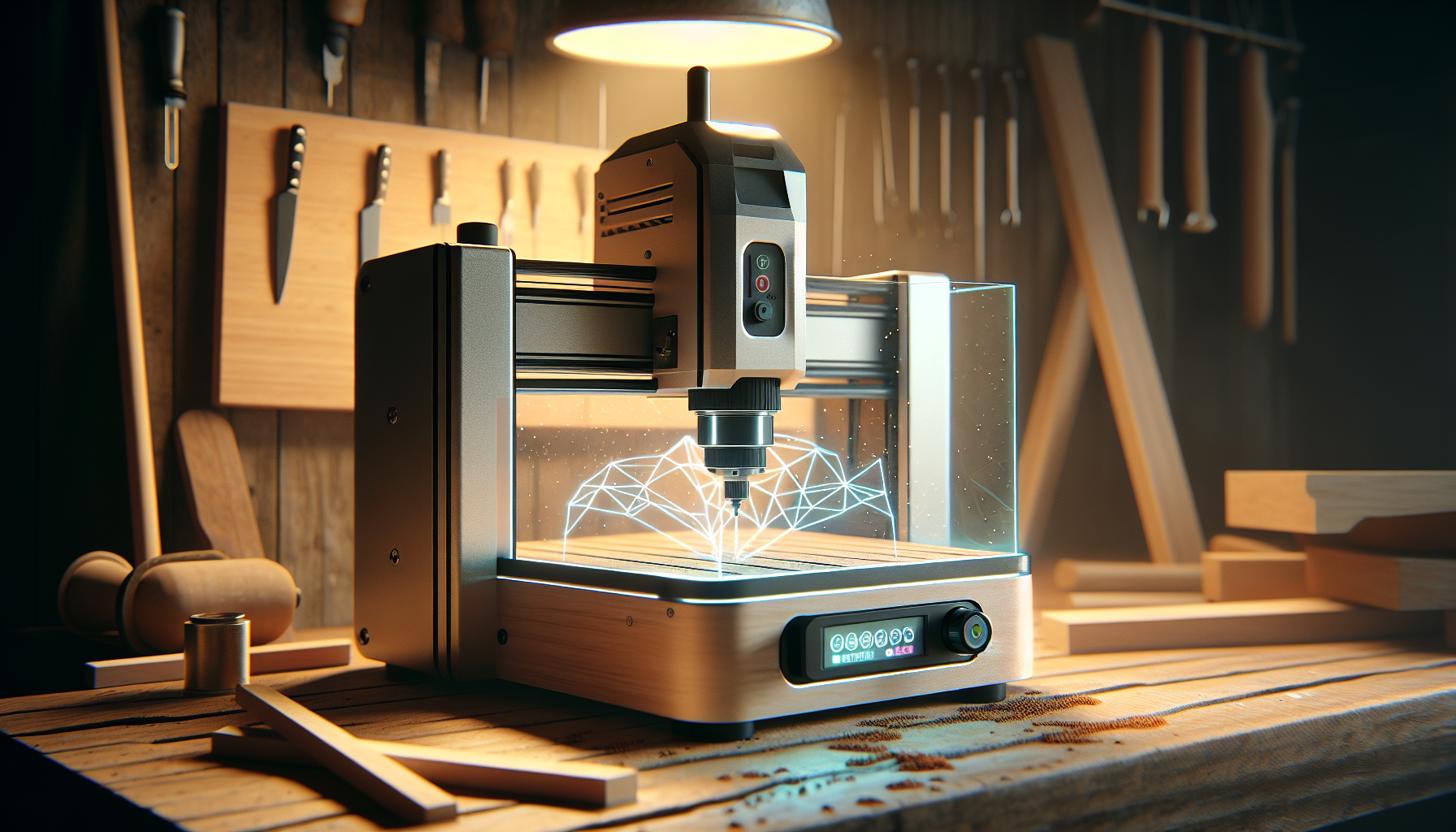
The NBS-6040 CNC Router Machine is what serious hobbyists and small shops have been quietly hoping for: linear rails and ball screws on all three axes, a custom 710W spindle with a 7,000–30,000 RPM range, and a generous 24.12 x 16.21 x 4.80 inch work area — all at $1,799 on Amazon.
If you’re upgrading from a belt-driven 3018 or 4030-class kit, this is the tier where chatter goes away, acrylic edges actually come out clean, and aluminum stops being a fantasy. The build quality (rails + ball screws everywhere) is usually found on machines costing two to three times more.
This review contains affiliate links. If you buy through them, we may earn a commission — at no extra cost to you.
- Current price: $1,799 (Amazon, In Stock as of 2026)
- Spindle: Custom 710W (0.95 HP) with 7,000–30,000 RPM, soft start, constant-current drive
- Collet: ER-11 (1–8mm shanks; 1/4″ collet NOT included)
- Motion: Linear rails + ball screws on X, Y, and Z
- Work area: 24.12 x 16.21 x 4.80 inches (613 x 412 x 122mm)
- Controller: GRBL v1.1 on 32-bit chip, 80 kHz pulse frequency
- Offline control: 2.8-inch TFT touchscreen included
- Voltage: 110V corded electric
- Amazon rating: ~4.5/5 from 90+ verified buyers
Who should buy: Advanced hobbyists, Etsy/small-shop sellers, prototyping labs, anyone who’s outgrown belts and wants real aluminum capability.
Who should skip: Apartment dwellers (this thing is loud), absolute beginners wanting a 30-minute toy, and anyone needing steel-cutting capability.

NBS-6040 CNC Router Machine with Custom-Made 710W 7000-30000 RPM Trim Router Spindle & ER-11 Collet, Linear Rails & Ball Screws on 3-axis, Engraving for Wood Acrylic Aluminum
$1799 In Stock
Quick Verdict: NBS-6040 CNC Router (2026)
For $1,799, the NBS-6040 hits a genuine sweet spot. You get rails and ball screws where they matter most, a 710W spindle that doesn’t faint at higher RPMs, and a work envelope sized for real projects — trays, signs, fixture plates, and the kind of cutting boards that suddenly make your relatives supportive of your hobbies.
The expansion ports (4th axis, MPG pendant, Z probe, air pump, lighting) mean this isn’t a dead-end purchase. It’s a machine you grow into rather than out of. The two real catches: it’s loud at high RPM, and the 1/4″ ER-11 collet isn’t in the box despite being essential for most wood tooling.
- Best for: Serious hobbyists upgrading from belt-driven kits, small shops, prototyping labs
- Skip it if: You need quiet operation, steel-cutting capacity, or a true plug-and-play beginner experience
- Value verdict: Strong at $1,799 if rigidity, expansion, and aluminum capability matter
- Main compromises: Loud spindle, missing 1/4″ collet, learning curve for aluminum
Product Overview: What You’re Actually Getting
The NBS-6040 is built around a very specific promise — rails and ball screws where budget machines use belts, and a spindle that holds RPM under load. The 710W (0.95 HP) custom-developed spindle uses soft start to prevent table shimmy at startup, and a constant-current drive that keeps RPM from sagging when chips get heavier.
The ER-11 collet system grips 1–8mm shanks, which means 1/8-inch tooling works out of the box. The 1/4-inch collet, however, is not included — a small but real gotcha if you plan to run common wood tooling on day one. Add an ER-11 1/4″ collet to your cart before checkout.
| Spindle | Custom 710W (0.95 HP), 7,000–30,000 RPM |
| Spindle features | Soft start, constant-current drive |
| Collet system | ER-11 (1–8mm; 1/4″ not included) |
| Motion | Linear rails + ball screws on X/Y/Z |
| Controller | GRBL v1.1 on 32-bit chip, 80 kHz pulse |
| Offline control | 2.8-inch TFT touchscreen |
| Working area | 24.12 x 16.21 x 4.80 in (613 x 412 x 122mm) |
| Machine dimensions | 30″ W x 19.9″ H |
| Voltage | 110V corded electric |
| Frame material | Aluminum |
| Manufacturer | NymoLabs |
| Best Sellers Rank | #67 in Power Milling Machines |
For official manuals and spec sheets, see NymoLabs. Cross-check the Amazon listing for SKU notes — accessories like collets, clamps, and probes occasionally vary by seller.
Key Features Tested: Where the NBS-6040 Earns Its Price
The 710W Custom Spindle
The spindle is the personality in this relationship. 710W (0.95 HP), 7,000–30,000 RPM range, soft start, and a constant-current driver. Soft start matters more than the spec sheet suggests — it saves you from the table shimmy that sends hex keys skittering across the bench at startup.
The ER-11 collet covers 1–8mm shanks and supports 1/8-inch tooling out of the box. For most wood tooling, you’ll want the 1/4-inch collet (sold separately). Plan to add one alongside your tooling order — it’s a $10–15 part that prevents day-one frustration.
Recommended Starter Kit
- 1/8-inch single-flute carbide for aluminum
- 1/8-inch O-flute for acrylic
- 1/4-inch upcut for wood (requires the 1/4″ collet)
RPM Windows by Material
| Material | RPM Range |
| Pine / MDF | 16,000–22,000 |
| Cast acrylic | 20,000–26,000 |
| Aluminum (6061) | 10,000–16,000 |
At 30,000 RPM, the spindle sounds like an irritated wasp with a gym membership. Wear earmuffs and keep your future self grateful.
Linear Rails and Ball Screws on Every Axis
Belts are fine for plotters and 3D printers. For milling, rails and ball screws keep the tool exactly where CAM intended. The result is less backlash, better repeatability, and fewer lost steps on long, curvy toolpaths.
In practice, that translates to crisper V-carving in oak, shallow aluminum passes that don’t gradually turn into performance art, and acrylic edges that come out clean instead of foggy. If you’re graduating from a belt-driven 3020, you’ll notice your inlays fit without persuasive mallet work.
Easy Accuracy Tests You Can Run Day One
- Backlash check: Use a dial indicator on X/Y; aim for ≤0.05–0.10mm after squaring
- Pocket test: Cut a 50mm pocket and measure with calipers; ±0.10–0.20mm is a solid first-week target
- Home repeatability: Home, move 100mm, return, note the indicator reading
Document your numbers. It’s oddly satisfying and keeps your expectations honest.
GRBL v1.1 with 32-Bit Controller
The controller runs GRBL v1.1 on a 32-bit chip with up to 80 kHz pulse frequency. Higher step rates mean smoother motion on dense toolpaths — particularly noticeable in acrylic, where consistent chip load saves you from foggy edges and weeping plastic.
The 2.8-inch offline controller can copy G-code files into local memory for stable playback. Useful when your laptop fan is auditioning for a leaf blower, or when you want to keep the dust away from your PC. Compatible senders include UGS Platform, Candle, and OpenBuilds CONTROL. CAM options like Fusion 360, VCarve, Carveco, and Carbide Create all post GRBL-friendly G-code without heroics.
Modular Design: Realistic 20–45 Minute Setup
NymoLabs advertises 20-minute installation. Realistic experience based on verified buyer feedback: 20–45 minutes, with most users landing around 35 minutes including cable routing and a coffee break.
First-Time Setup Checklist
- Mechanical assembly and gantry squaring
- Connect motors and limit switches
- Tram the spindle lightly
- Confirm firmware settings (steps/mm, homing)
- Set up the Z-probe if you bought one
A machinist square and feeler gauge do wonders. If your gantry is out by more than a millimeter, loosen, nudge, re-tighten — call it character-building.
Expansion Ports: Future-Proofing Built In
NymoLabs reserved expansion ports for a 4th axis (four-axis linkage), MPG pendant, Z-probe tool set, air pump, lighting, and dust boot placement. This is what separates a dead-end tool from one that grows with you.
- Rotary engraving folks: 4th axis ready
- Small-batch sellers: Z-probe for consistent zeroing
- Acrylic fans: Air assist port for cleaner cuts
- Long-job runners: LED lighting for visual monitoring
Performance by Material
| Material | Performance | Settings (1/8″ tooling) |
| Pine / MDF | Excellent | 0.8–1.2mm DOC, 18–22k RPM, 1200–1800 mm/min |
| Cast acrylic | Excellent with O-flute | 0.8–1.0mm DOC, 20–24k RPM, 900–1200 mm/min |
| Aluminum 6061 | Capable with care | 0.25–0.4mm DOC, 10–16k RPM, 350–500 mm/min + air blast |
| Hardwoods | Excellent | Use 1/4″ upcut for clearing, 1/8″ 2-flute for detail |
| Steel | Not recommended | Wrong machine class — don’t try it |
Wood and MDF: Fast and Forgiving
For clearing, a 1/4-inch upcut (once you’ve added the ER-11 1/4″ collet) lets you move quickly with 2–3mm DOC per pass. Switch to a 1/8-inch two-flute for details and tight inside corners. Climb cutting reduces tear-out in many woods; conventional cuts behave better on fuzzy MDF edges.
The rails and ball screws reduce ripple marks in end-grain pockets compared to belt-driven machines. A crisp V-carve looks like intent, not luck.
Acrylic and Plastics: Clarity Without Flames
Use a polished 1-flute upcut or O-flute. Set 20,000–26,000 RPM with 900–1200 mm/min for 1/8-inch tooling and 0.8–1.0mm DOC. The goal is clean chips, not melted dust. Leave a 0.2–0.3mm finish pass to scrub away swirl haze and improve optical clarity.
Hold-down: blue tape + CA glue is shockingly effective. A vacuum fixture is even better if you’re fancy. The NBS-6040’s rigidity keeps chip load steadier on curves, so lettering and logos come off clean instead of gummy.
Aluminum: The Honest Route to Shiny Chips
Tooling: 1/8-inch single-flute carbide. Start at 0.25–0.4mm stepdown, 10,000–16,000 RPM, 350–500 mm/min, with aggressive air blast to keep the slot clean. Adaptive clearing beats straight slotting. Keep stick-out minimal and check tram — scallops love a tilted spindle like cats love boxes.
Workholding: a fixture plate with toe clamps or step blocks. Brush on a little WD-40 or use a mist system if your shop rules allow. Realistic quality goal: useful tolerances for small brackets and plates. Mirror finishes require polishing or a different machine — and a personality without deadlines.
Noise, Vibration, and Dust
Noise reality: ~89–93 dB at 1 meter with the spindle at 30,000 RPM, ~80–84 dB at 5 feet. Add a shop vac and you’re flirting with 85–90 dB. Earmuffs are not optional.
- Vibration control: Rubber isolation feet, balanced bits, clean burr-free ER-11 collet
- Dust strategy: Off-the-shelf dust shoe + shop vac with HEPA bag, plus air assist for aluminum
- Acrylic warning: Strings wrap around bits like tinsel — pause and clear them rather than playing festive roulette
Software and Workflow
The CAM-to-cut pipeline is straightforward:
- Design in Fusion 360, VCarve, Carveco, or Carbide Create
- Generate G-code with a GRBL post-processor
- Send via UGS Platform, Candle, or OpenBuilds CONTROL — or load to the offline controller via SD/USB
- Verify origin, run an air pass, then cut
The 2.8-inch offline controller really shines in dust-heavy environments. Load files via SD/USB, store to local memory, and run jobs without subjecting your laptop to particulate damage. To resume after a pause, re-zero Z if you swapped tools, check your last completed line, and restart from a safe retract above stock.
Pro tip: Keep a template job with feeds, spindle RPMs, and your favorite safety heights. Future setups become routine instead of escape rooms.
What Customers Are Saying
Currently rated ~4.5/5 from 90+ Amazon reviews, the conversation around the NBS-6040 clusters around three consistent themes:
| What buyers love | Rigidity, clean assembly, helpful touchscreen controller, acrylic edge quality |
| What buyers caveat | Missing 1/4″ collet, spindle noise at high RPM, aluminum learning curve |
| Common phrases | “Set up in half an hour,” “Rails and ball screws make a real difference,” “Wish the 1/4-inch collet was included” |
Many first-time setup reports come in under one hour. The most common gripe — by a noticeable margin — is the missing 1/4″ collet. The fix is cheap, but it’s worth ordering the collet alongside the machine to avoid a day-one hold-up.
Pros and Cons
✅ Pros
- Linear rails and ball screws on all three axes — usually found on far pricier machines
- 710W variable-speed spindle (7,000–30,000 RPM) with soft start and constant-current drive
- Generous 24.12 x 16.21 x 4.80 inch work area for trays, signs, and fixture plates
- GRBL v1.1 on 32-bit controller with 80 kHz pulse frequency for smooth motion
- Multiple expansion ports: 4th axis, MPG, Z-probe, air pump, lighting, dust boot
- 2.8-inch TFT offline controller for untethered jobs
- Modular design — realistic 20–45 minute setup for most users
- Strong 4.5/5 Amazon rating from 90+ verified buyers
❌ Cons
- 1/4-inch ER-11 collet not included — easy to overlook for wood tooling
- Spindle noise at higher RPM requires hearing protection
- Aluminum has a learning curve (tooling, workholding, chip evacuation)
- Footprint and controller box need a sturdy bench and dust management
- Offline controller is small — complex jobs are easier to prep on a PC
- No enclosure included — DIY noise and dust containment
- Steel cutting is not realistic — wrong tool class for that
Value and Pricing
At $1,799 on Amazon, the NBS-6040 sits above 3018/3020-class belt kits and below enclosed desktop mills with automatic probing. You’re paying for rails, ball screws, a stronger spindle, and a work area that finally fits the project you sketched last spring.
| Day-one accessories | Why you need them |
| ER-11 1/4″ collet | Essential for common wood tooling — not included |
| Dust shoe (65mm) | MDF and acrylic dust management |
| Starter end mill set | 1/8″ single-flute, 1/8″ O-flute, 1/4″ upcut |
| Workholding clamps / fixture plate | Beyond what’s in the box |
| Air assist (compressor + regulator) | Critical for clean aluminum chips |
| Z-probe | Faster, more consistent zeroing |
ROI math: If you sell custom signs, charcuterie boards, or small aluminum fixtures, breakeven typically lands at 10–20 projects. If you’re replacing outsourced aluminum brackets that run $40–80 each, breakeven happens faster than you’d expect.
NBS-6040 vs Alternatives
| Machine | Motion System | Spindle | Best For | Price Tier |
|---|---|---|---|---|
| NBS-6040 | Linear rails + ball screws on X/Y/Z | 710W (7–30k RPM) | Wood, acrylic, light aluminum | $1,799 |
| FoxAlien Masuter Pro | Belt drive on X/Y | Lighter trim router | Wood/MDF signs, hobby work | Lower |
| Genmitsu 3030-Evo Max | All-metal compact frame | Smaller spindle options | Space-constrained shops | Mid-range |
NBS-6040 vs FoxAlien Masuter Pro
Masuter Pro uses belts on X/Y and a lighter spindle. It’s budget-friendly and easy to assemble, but belts stretch — and that shows up on fine inlays and any aluminum aspirations. The NBS-6040’s rails and ball screws give it a clear edge in rigidity, acrylic edge quality, and aluminum capability. Pick the FoxAlien if you’re on a tight budget focused on wood signs.
NBS-6040 vs Genmitsu 3030-Evo Max
The 3030-Evo Max is an all-metal compact alternative with a smaller footprint. It’s stiff for its size, but the NBS-6040’s 24.12 x 16.21 inch envelope simply fits larger work. Add rails and ball screws across all axes plus the 710W spindle, and the NBS-6040 takes the lead for acrylic clarity and aluminum headroom. Pick the Genmitsu if footprint and lower price matter more than capacity.
Maintenance and Long-Term Care
- Rails: Keep clean and lightly lubricated; wipe down weekly
- Ball screws: Wipe dust and re-lubricate monthly
- Couplers: Check tightness every few weeks
- ER-11 collet and nut: Inspect every 20–30 hours; tired collets cause silent runout issues
- Controller box: Vacuum gently; dust loves fans like moths love sweaters
- Workholding: Clean threads on T-track and fasteners regularly
Final Verdict: Should You Buy the NBS-6040?
Verdict
If you’ve outgrown a belt-driven hobby rig and you actually want to take a swing at aluminum without the stress, the NBS-6040 hits the sweet spot for serious hobbyists and small shops in 2026.
You get rails and ball screws where they matter, a 710W spindle with real range, and a work area sized for actual projects. The expansion ports mean you grow into this machine rather than out of it. Yes, it’s louder than your better instincts, and the missing 1/4-inch collet is annoying — but the overall package earns the $1,799 ask.
Buy the NBS-6040 if: You’re upgrading from a 3018/3020-class kit, you cut wood and acrylic now and want light aluminum capability, and you have bench space + dust management capacity.
Skip the NBS-6040 if: You need quiet operation, steel-cutting capability, an out-of-the-box plug-and-play beginner experience, or you cut tiny projects where a 3030-class machine would do.
Recommendation: A confident yes — provided you budget for a dust shoe, air blast, and that elusive 1/4-inch ER-11 collet on day one.
This review contains affiliate links. If you buy through them, we may earn a commission — at no extra cost to you.
Frequently Asked Questions
Can the NBS-6040 cut aluminum?
Yes. With the 710W spindle, linear rails, and ball screws on all three axes, it handles aluminum with conservative stepdowns (0.25–0.4mm), a sharp 1/8-inch single-flute carbide bit, 10,000–16,000 RPM, and consistent chip evacuation via air blast. It won’t replace a milling center for heavy stock removal, but for brackets, plates, and small fixtures, it’s absolutely capable.
What software works with GRBL v1.1 on this machine?
For sending G-code, UGS Platform, Candle, and OpenBuilds CONTROL all work well. For CAM, use Fusion 360, VCarve Desktop/Pro, Carveco, or Carbide Create with a GRBL post-processor. The bundled 2.8-inch offline controller can run files from SD/USB without a tethered laptop, which is genuinely useful in dusty environments.
Does the NBS-6040 come assembled?
It ships in pre-assembled modules. Based on verified buyer feedback, realistic setup time is 20–45 minutes — assuming you square the gantry and tram the spindle. Budget a full hour if you’re new to CNC so you can route cables neatly and double-check fasteners.
What’s the working area?
The working area is 24.12 x 16.21 x 4.80 inches (613 x 412 x 122mm). Plan bench space for the controller box and cable loops. Allow at least 36 inches of bench width and 12 inches of front clearance for comfortable access.
Why isn’t the 1/4-inch collet included?
The ER-11 system supports 1/8″ and 1/4″ tooling, but only the 1/8″ collet ships in the box. Add an ER-11 1/4″ collet to your cart if you plan to run common 1/4″ wood tooling. It’s a $10–15 part — minor in cost but essential to have on day one.
How loud is the 710W spindle?
Loud enough to make your shop vac feel shy. Sound meter readings come in around 89–93 dB at 1 meter with the spindle at 30,000 RPM (no cutting), and roughly 80–84 dB at 5 feet. Add a shop vac and you’re flirting with 85–90 dB at the source. Hearing protection is non-negotiable.
Can I add a 4th axis later?
Yes. The controller reserves a fourth-axis expansion port. Confirm kit compatibility with NymoLabs support or the product page before buying. Rotary engraving and indexing work are realistic next steps once you’ve mastered 3-axis operation.
What materials are realistic for this machine?
Wood, MDF, acrylic, and plastics are straightforward. Light aluminum is realistic with proper workholding, tooling, and chip evacuation. Steel and deep aluminum slotting are not recommended — wrong machine class. Stay within the listed materials and the NBS-6040 performs reliably.
Is the offline controller necessary or just a bonus?
It’s a genuine workflow upgrade, not just a bonus. The 2.8-inch TFT lets you run jobs without exposing your laptop to dust, and the local memory storage produces more stable playback than streaming over USB. For long jobs or dusty environments, it’s a small but meaningful quality-of-life feature.
Is the NBS-6040 worth $1,799 in 2026?
For the right buyer, yes. The combination of linear rails and ball screws on all three axes, a 710W spindle with real RPM range, and the larger 24.12-inch work envelope delivers genuine production-tier capability at a serious-hobbyist price. If you’re upgrading from belts and you’ll use the aluminum capability and expansion ports, the math works. If you only cut pine signs occasionally, save your money for something simpler.
Key Takeaways
- Linear rails and ball screws on all three axes deliver real, visible accuracy gains over belt-driven hobby kits
- The 710W spindle (7,000–30,000 RPM) handles wood, acrylic, and light aluminum with proper feeds and air blast
- Working area of 24.12 x 16.21 x 4.80 inches fits real projects — trays, signs, fixtures, and small aluminum parts
- Setup typically takes 20–45 minutes thanks to the modular pre-assembled design
- Expansion ports (4th axis, MPG, Z-probe, air, lights) make this a long-term investment, not a stepping stone
- Budget for must-haves on day one: ER-11 1/4″ collet, dust shoe, air assist, and quality end mills
- Strong 4.5/5 Amazon rating from 90+ verified buyers backs up the rigidity and build quality claims
Disclosure: As an Amazon Associate, I earn from qualifying purchases.