Are we the kind of people who can’t resist turning a flat piece of plywood into a sign that says “Do Not Disturb” in a font that suggests the opposite?

3018 CNC Router Machine Review: Who We Are With This Machine in Our Lives
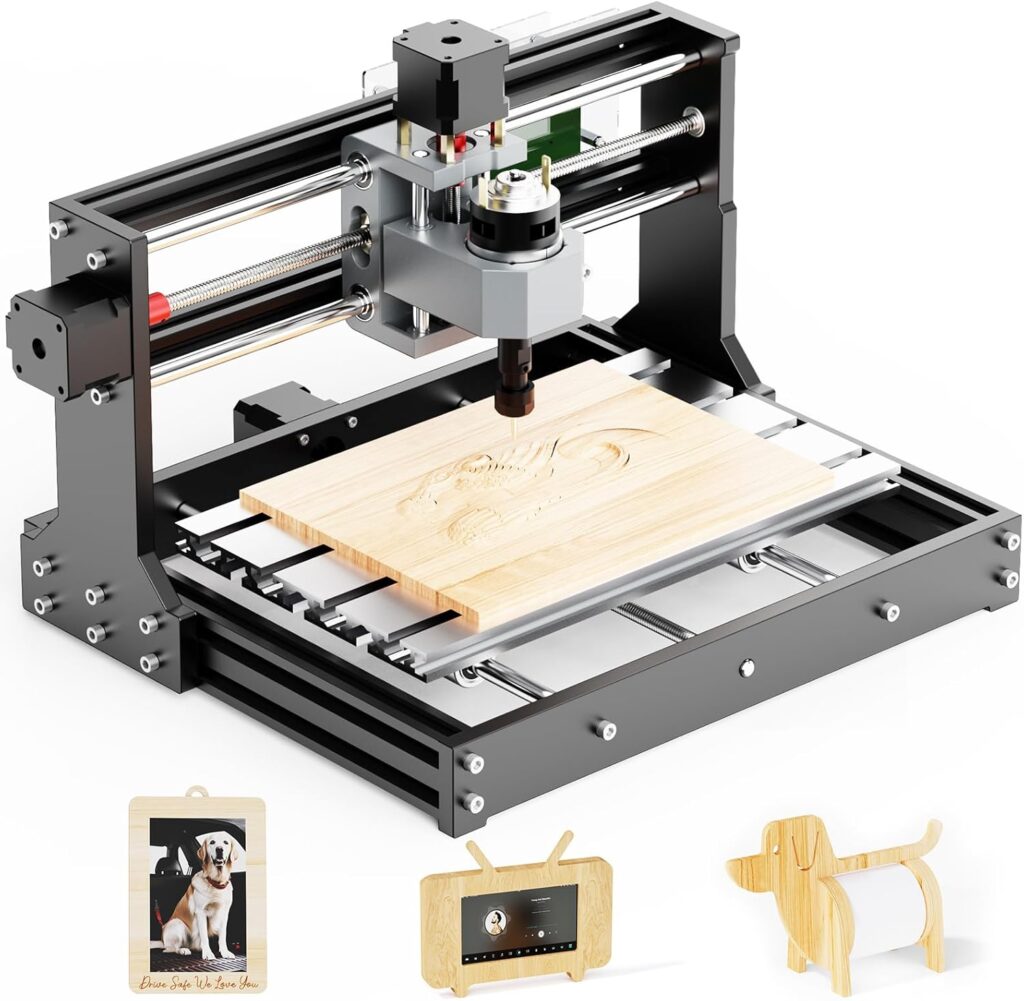
We’ll level with you: the 3018 CNC Router Mahine 3 Axis Desktop All-Metal CNC Router Machine with GRBL Offline Control is the kind of tool that makes us feel industrious and slightly dangerous, like we’ve been handed the remote for a satellite dish we only kind of know how to steer. We’ve wanted a compact machine that lets us carve plastic, acrylic, PCB material, PVC, and wood without dedicating the entire garage to it. And we wanted something we could actually set up and run without a nervous breakdown.
This particular 3018 model hits a sweet spot: an all-metal frame, a 32-bit STM32 controller, GRBL firmware, and an offline controller with memory card support. It’s tidy, compact, and satisfyingly serious. We like a machine that looks capable of both engraving a wedding gift and helping us avoid an awkward conversation by keeping us too busy to participate.

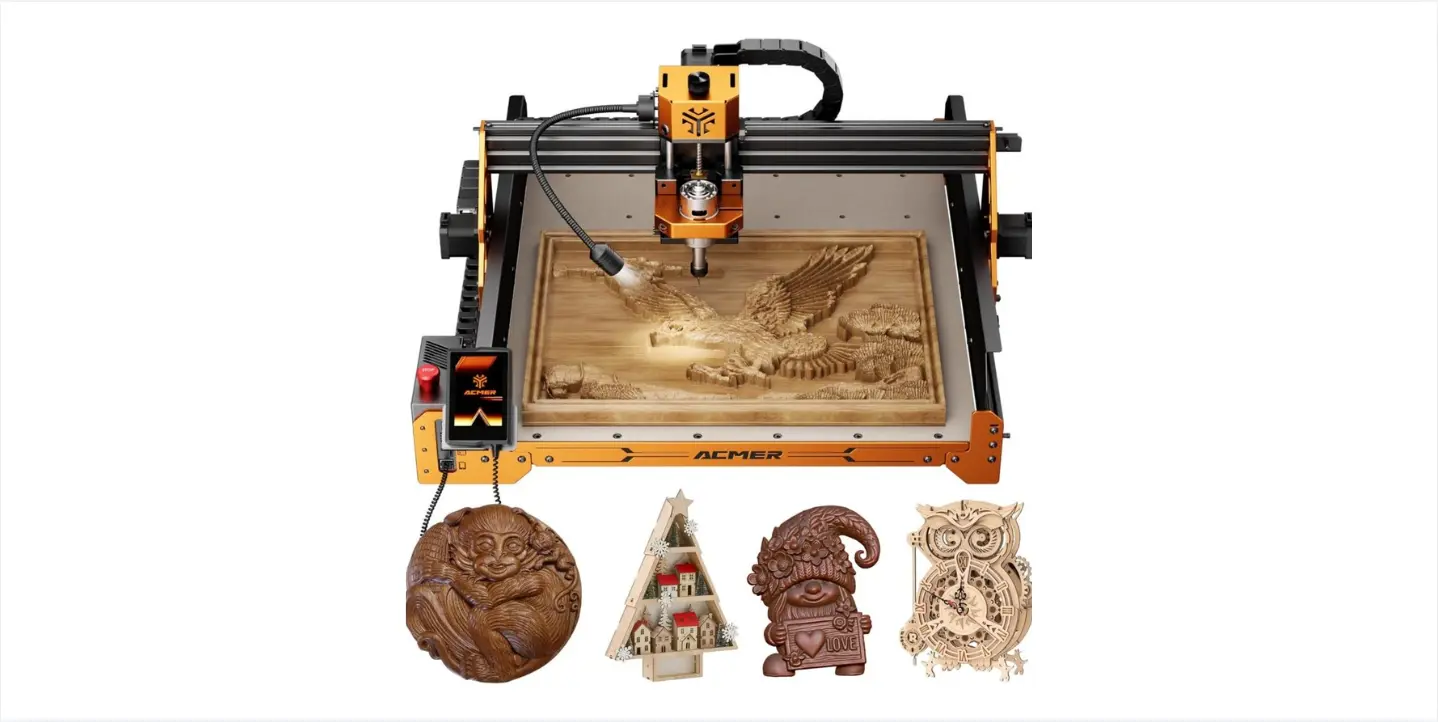
3018 CNC Router Mahine 3 Axis Desktop All-Metal CNC Router Machine with GRBL Offline Control Mini CNC Machine for Plastic Acrylic PCB PVC Wood Carving Milling, Engraving Area 300x180x40mm
Unboxing and First Impressions
Out of the box, the 3018 gives off “adult LEGO set” energy—minus the fear of stepping on a piece barefoot. The main components are pre-assembled, the cable management is neatly organized, and we didn’t have to call a friend with a degree in mechanical engineering to interpret the parts. The frame is metal, which means fewer tantrums over flex or wobble when we’re cutting something just delicate enough to remind us we’re not invincible.
We appreciate a machine that doesn’t scream for attention yet looks like it could outlast our sudden interest in new hobbies. On our desk, it blends in. In our schedule, it stands out.
Key Specs at a Glance
Here’s a tidy breakdown that spared us rewriting everything on sticky notes.
| Feature | What We Get | Why It Matters |
|---|---|---|
| Controller | 32-bit STM32 with GRBL | Smooth motion, reliable control, lots of community support. |
| Operation | GRBL offline controller + memory card support | We can run files without a dedicated PC tether. |
| Engraving Precision | 0.1 mm | Small details come through reliably. |
| Max Speed | 1500 mm/min | Respectable for a 3018-class machine. |
| Footprint | 420 x 355 x 280 mm | Fits on a desk without a dramatic rearrangement. |
| Engraving Area | 300 x 180 x 40 mm | Good for signs, coasters, nameplates, PCB milling. |
| Spindle | 775 brushed motor (7000–9000 RPM) | Solid for wood, plastic, acrylic; can handle very thin aluminum/brass. |
| Collet | ER11, 0.5–6 mm tool shank | Broad tool compatibility. |
| Software | Compatible with Artcam, Fusion 360, EASEL, Carveco Maker | Easy design-to-cut workflow options. |
| OS Support | Windows XP, 7, 8, 10 Home | Not officially supported on Windows 11 or Linux. |
| Support | Responsive within 24 hours | We like not being left on read. |
Setup: Easy Assembly That Feels Like Confidence in a Box
Assembly is half the fun, and by “fun,” we mean “not soul-crushing.” The main structure comes pre-assembled, and the rest is clear enough that we weren’t tempted to wing it. We attached the gantry, verified the leadscrews and couplers were secure, and connected the cables to the labeled ports without shifting into a new emotional state.
We took a few extra minutes to:
- Check the squareness of the gantry relative to the bed.
- Tighten all frame screws with a sensible—not heroic—amount of torque.
- Confirm the ER11 collet and nut were clean and free of burrs.
- Jog each axis to full travel to ensure no binding.
After that, it was just a matter of inserting a tool, setting Z zero (gingerly), and loading a file. The machine didn’t protest, which is our favorite kind of feedback.
Time to First Carve
We got to a first carve faster than we got to our last dentist appointment. The offline controller means we can load G-code from a memory card and run it directly, which is ideal for keeping a laptop out of harm’s way (read: wood dust). Even better, the jog controls on the offline unit are intuitive, and the screen is legible. We didn’t have to memorize arcane key combinations or learn a new alphabet of beeps.
Size and Work Area: What Fits and What Doesn’t
The 420 x 355 x 280 mm footprint is desk-friendly. The 300 x 180 x 40 mm work area hits that sweet spot where we can make nameplates, coasters, signage, small boxes, PCB prototypes, keychains, and flat relief carvings that make us feel like artists even on a Tuesday.
We do keep one mental post-it note: the 40 mm Z height includes tool and holder geometry, so stock thickness plus bit length plus clamps should all be considered. We plan our work so the bit doesn’t get friendly with a clamp. We’ve made that mistake so you don’t have to.
Controller and Motion: GRBL + 32-Bit STM32, Smooth Where It Counts
The 32-bit STM32 controller makes motion feel controlled and predictable. We appreciate GRBL because it’s industry standard in this size class and easy to understand. There’s comfort in a machine that doesn’t try to do magic tricks—just steady movement and dependable acceleration, so our circles are round and our text doesn’t look like it was written in a moving car.
The offline controller and memory card support mean we’re not tied to a PC; the machine listens to us directly. We jog, zero, and start jobs without a USB tether. And the external display control keeps us informed without squinting at blinking lights.
Spindle and Collet: The 775 Motor That Could
The stock 775 brushed spindle running at 7000–9000 RPM is honest. It’s not the kind of motor that will embarrass steel, and we wouldn’t ask it to. But for wood, plastics, acrylic, PVC, and PCB materials, it’s up to the task—especially with proper feeds, speeds, and stepdowns. Thin aluminum and brass sheets are fair game if we keep our passes conservative.
The ER11 collet is a hero. It accepts 0.5–6 mm shank tools, which gives us flexibility:
- 1/8” or 3.175 mm bits are our default.
- 0.8–1 mm bits for PCB milling.
- 4–6 mm end mills for roughing wood or surfacing.
We cherish a good collet like some people cherish heirloom jewelry. Clean it, seat the bit fully and pull back a touch before tightening, and never overtighten. Our bits thank us for not treating them like jar lids.
Material Capability: What We’ve Cut and How It Felt
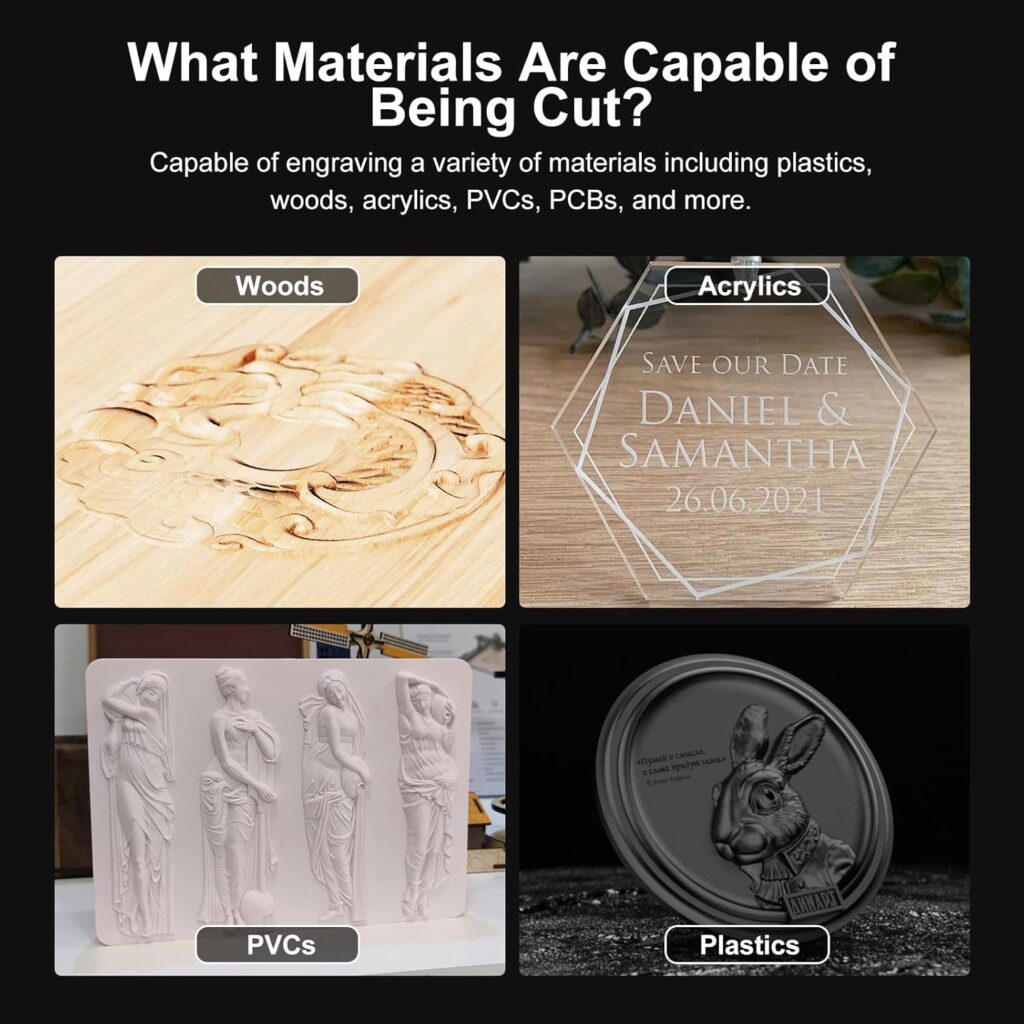
We’ve run projects across wood, acrylic, plastics, PCB laminates, and thin metals. With each material, we approach settings as polite suggestions from the universe.
Wood (Pine, Birch Plywood, Hardwood Slivers)
- Feeds: 300–900 mm/min depending on detail.
- Stepdowns: 0.5–1 mm per pass on 1/8” bits.
- Bits: 2-flute upcut, 1- or 2-flute downcut for clean edges on plywood.
- Notes: Secure the stock well; plywood is flexible and likes to sing when not clamped.
We got a crisp 3 mm-deep lettering in birch ply. We’ve also made a set of coasters with a geometric pattern that tricks people into thinking we do yoga.
Acrylic (Cast > Extruded if we have a choice)
- Feeds: 250–700 mm/min.
- RPM: The stock spindle is fine; focus on avoiding melting by increasing feed and decreasing stepdown.
- Stepdowns: 0.2–0.5 mm on small bits.
- Bits: Single-flute or O-flute works wonders.
We’ve made acrylic nameplates without the heartbreak of melted edges. The trick is to let the cutter bite, not rub.
Plastics (ABS, PVC, HDPE)
- Feeds: 300–800 mm/min.
- Stepdowns: 0.3–0.7 mm.
- Bits: Single-flute preferred.
- Notes: HDPE is friendly; ABS wants attention. PVC cuts beautifully but use dust collection and PPE.
We carved a tool organizer out of HDPE that made our junk drawer feel judged.
PCB (FR-1, FR-2; FR-4 with caution)
- Feeds: 150–400 mm/min.
- Stepdowns: 0.05–0.2 mm with V-bits or tiny end mills.
- Bits: 10–30° V-bits or 0.6–1 mm end mills.
- Notes: Probe or carefully zero Z; small inaccuracies become unwanted modern art.
We milled a simple microcontroller breakout. The traces looked like they came from someone competent. We basked briefly.
Thin Aluminum and Brass (Think sheets, not blocks)
- Feeds: 100–300 mm/min.
- Stepdowns: 0.1–0.3 mm per pass.
- Bits: 2-flute 1/8” end mill, coated if possible; single flute also works.
- Notes: Use light lubricant if appropriate and available; keep air flowing; secure the stock to minimize vibration.
We cut a brass nameplate that gleamed like the smile we give when someone compliments our handwriting (which is actually the machine’s handwriting).
Real-World Performance: Four Projects, Four Lessons
We like stories, so here are four.
- Hardwood Monogram Sign (180 x 180 mm)
- Bit: 1/8” 2-flute upcut, then 60° V-bit.
- Settings: 600 mm/min feed, 0.6 mm stepdowns.
- Result: Clean edges, crisp corners. V-carves took the sign from “nice” to “who did this for you?” Answer: we did. The 0.1 mm precision held up for hairline details.
- Acrylic Desk Plate (8 mm cast acrylic)
- Bit: 1/8” single flute.
- Settings: 500 mm/min feed, 0.25 mm stepdowns.
- Result: Great clarity after a quick flame polish (optional and done with caution). Zero melt. We learned that patience beats bravado.
- PCB Prototype (FR-1 board)
- Bit: 20° V-bit for isolation, 0.8 mm drill for holes.
- Settings: 200 mm/min feed, 0.1 mm stepdowns, 0.15 mm doc for isolation.
- Result: Functional board with a tiny line width that made us feel like we’d earned a merit badge. The Z repeatability made difference traces possible.
- Brass Nameplate (0.8 mm brass sheet)
- Bit: 1/16” 2-flute.
- Settings: 150 mm/min feed, 0.1 mm stepdowns.
- Result: Good definition with light finishing required. We kept the tool path gentle and were rewarded.
Speed and Precision, Grounded in Reality
The machine’s headlines are 0.1 mm precision and up to 1500 mm/min speed. We treat those as the best-case scenario when everything’s right. Most of our finishing passes run slower, but we were impressed by the consistency. Tool marks were minimal when we set sensible stepdowns. Skipping steps wasn’t an issue once we tightened everything and avoided the temptation to teach metal a lesson.
Software Workflow: What We Used and What We Learned
Compatibility matters. This machine plays nicely with:
- Artcam
- Fusion 360
- EASEL
- Carveco Maker
We’ve run Windows 10 Home and had no issues. Officially, it supports Windows XP, 7, 8, and 10 Home. It does not support Windows 11 (32/64-bit) or Linux systems according to the vendor. If we’re using Windows 11 or Linux for design, we can still create G-code in many design tools and transfer it via memory card to the offline controller, but the manufacturer doesn’t claim official support for those operating systems. That’s worth noting before we commit ourselves to a workflow dream that depends on drivers we don’t have.
A Simple Path We Followed: From Design to Dust
- Design in Fusion 360 or EASEL.
- CAM toolpaths generated with a GRBL post-processor.
- Save the G-code file (.nc or .gcode).
- Load onto the memory card.
- Jog and zero on the offline controller.
- Hit go, then hover like nervous parents on the first day of school.
We keep test squares and circles handy to confirm axes, scaling, and Z zero behavior. It’s astonishing how many headaches can be avoided with a five-minute test pattern.
Noise, Dust, and Safety: The Boring Bits That Keep Us Working
We love the sound of progress, but our neighbors don’t. The 775 motor isn’t whisper-quiet, especially when it meets plywood. We keep ear protection around and run at reasonable hours. We also use safety glasses, because imperviousness to splinters is not among our superpowers.
Dust collection is a good habit—even a small shop vac makes life better. Plastics and PCB materials create fine particles; we avoid breathing them. And we never leave the machine unattended. It’s a trustworthy companion, but the kind of companion that still needs supervision.
Maintenance: A Few Minutes That Save Us Hours
A small CNC thrives on small habits:
- Brush away chips after each run; wipe rails and leadscrews.
- Lightly lubricate leadscrews with a suitable lube.
- Check couplers, frame screws, and spindle mount after a few hours of use.
- Keep the ER11 collet clean; replace it if it starts to slip or shows visible wear.
- Tram and re-square the gantry if cuts look tapered.
We also surface a sacrificial wasteboard when needed. It helps with accuracy and makes our workholding feel less improvised.
Use Cases: Who Gets the Most Out of This 3018
- First-time CNC users who want a straightforward, compact machine.
- Hobbyists making signs, boxes, coasters, nameplates, keychains, ornaments.
- Electronics tinkerers milling PCB prototypes for one-offs and quick iterations.
- Educators and clubs where learning and safe, reliable operation matter more than brute force.
- Light metal engraving on thin stock for labels and plates.
If we wanted to cut hardwood slabs or hog out aluminum with abandon, we’d choose a beefier spindle and a larger frame. For finesse and small-format creativity, this model shines.
Tips That Made Our Results Better
We learned some of these the hard way and are now paying it forward.
- Clamp smart: Short, rigid setups beat tall, wobbly ones every time.
- Zero Z with a feeler or paper: Consistency beats guessing.
- Conservative stepdowns: Especially for thin metals and small bits.
- Run a finishing pass: 0.1–0.2 mm step for sharp edges and cleaner surfaces.
- Choose bits with purpose: Single-flute for plastics, V-bits for text, downcut for clean plywood top edges.
- Use tabs and onion skin: Keep parts from becoming enthusiastic projectiles at the last line of a cut.
- Test pattern first: Squares, circles, and pockets reveal scaling, backlash, and Z issues.
- Keep ambient temperature stable: Materials and machines both behave better without wild swings.
A Handy Material Guide We Reference
We stick this next to the machine like a mini cheat sheet. Adjust for your specific bits and stock.
| Material | Bit Type | Feed (mm/min) | Stepdown (mm) | Notes |
|---|---|---|---|---|
| Pine/Birch Plywood | 1/8” 2-flute upcut/downcut | 500–900 | 0.5–1.0 | Downcut for clean top edges; clamp well. |
| Hardwood (Maple/Cherry) | 1/8” 2-flute | 300–700 | 0.3–0.7 | Smaller passes, finishing pass recommended. |
| Cast Acrylic | 1/8” single-flute | 400–700 | 0.2–0.5 | Avoid melting; keep chips clearing. |
| HDPE/ABS/PVC | 1/8” single-flute | 300–800 | 0.3–0.7 | Watch chip packing; vacuum helps. |
| PCB FR-1/FR-2 | 20° V-bit / 0.8 mm end mill | 150–400 | 0.05–0.2 | Precise Z zero is critical. |
| Thin Aluminum (<=1 mm)< />d> | 1/8” 2-flute | 100–300 | 0.1–0.3 | Rigid fixturing; consider light lube. |
| Thin Brass (<=1 mm)< />d> | 1/16”–1/8” 2-flute | 100–250 | 0.1–0.25 | Gentle entry and exit; finishing pass. |
Pros and Cons After Weeks of Use
Let’s talk honestly, with affection.
Pros:
- Compact and tidy: Fits where we live and work.
- All-metal frame minimizes flex: Cuts feel controlled.
- 32-bit STM32 + GRBL: Smooth, standard, predictable.
- Offline controller with memory card: Freedom from tethered PCs.
- ER11 collet (0.5–6 mm): Real tool flexibility.
- Broad material compatibility: Wood, acrylic, plastics, PCB, thin aluminum/brass.
- Pre-assembled major components: Less time building, more time making.
- Responsive support: Reassuring when we’re learning or troubleshooting.
Cons:
- Windows 11 and Linux aren’t officially supported: Workarounds require comfort with file transfers.
- 775 brushed motor is fine but not ferocious: Thin metals only, conservative cuts.
- Z height (40 mm) requires planning: Clamps and bit length need choreography.
- Learning curve for CAM: Not steep, but not zero.
Frequent Questions We Asked Ourselves (And Then Answered)
Q: Can we use our Windows 11 laptop?
- Officially, it’s not supported. We generate G-code in our design tools and move it via memory card to the offline controller. That works well as long as we don’t expect PC-to-machine control from a non-supported OS.
Q: Will it handle aluminum plate thicker than 1 mm?
- We wouldn’t. This machine will cut thin sheets if we’re careful, but thicker aluminum invites chatter and heat, and asks more of the spindle than it wants to give.
Q: Can we upgrade the spindle later?
- Many users upgrade 3018-style machines with higher-power spindles. We’d verify compatibility with the controller and power supply before committing, but yes, there’s an upgrade path if we outgrow the 775.
Q: Is PCB milling actually practical on a 3018?
- Yes. For single-sided boards and prototypes, it’s surprisingly effective. Just invest time in leveling and Z-zero consistency.
Q: What’s the real max speed we should use?
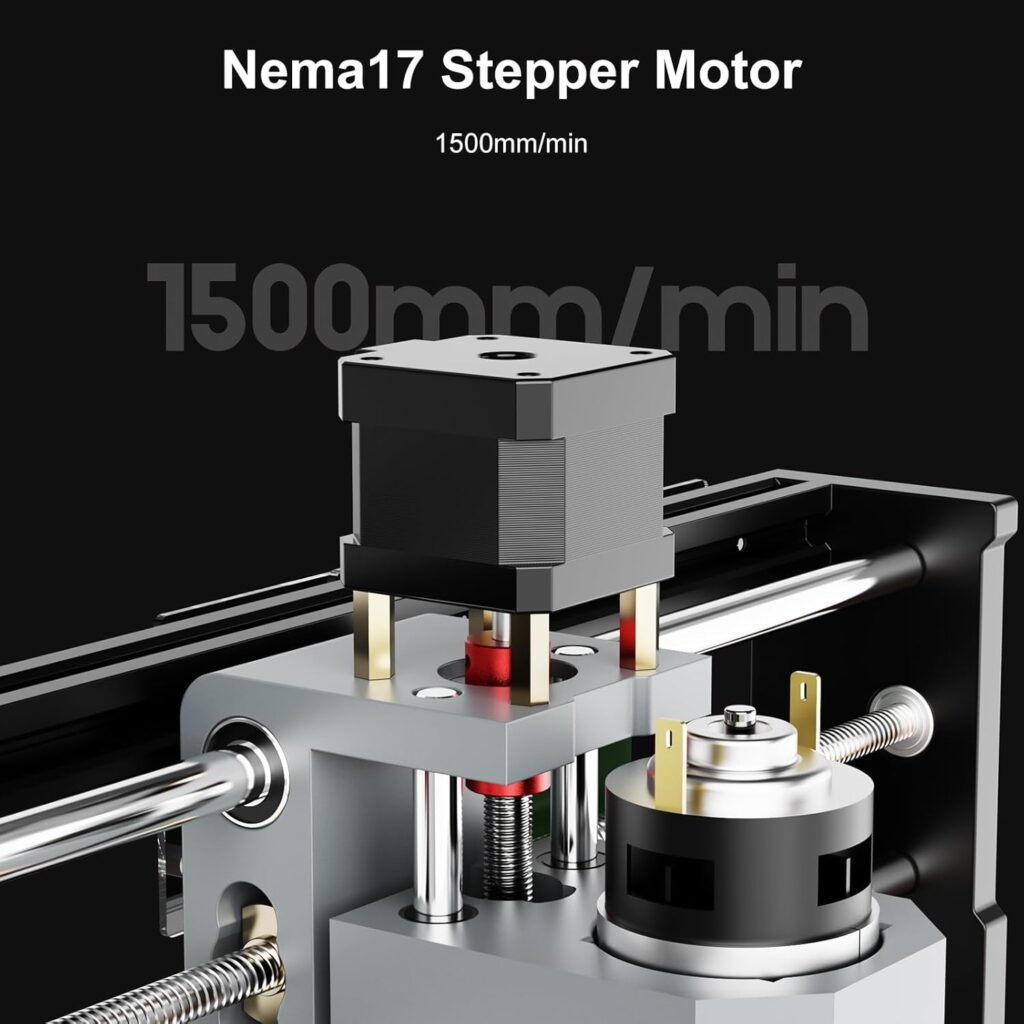
- The machine can move at 1500 mm/min. For cutting, we typically run between 150 and 900 mm/min depending on material and tool. Speed without rigidity is just noise.
Q: How stable is the frame?
- The all-metal construction helps a lot. If we place the machine on a flat, rigid surface and take the time to square it, cuts show it.
A Head-to-Head Look at Where This 3018 Stands
We like perspective without brand drama, so here’s a high-level comparison.
| Category | 3018 CNC with 775 Spindle | Larger Desktop CNC (e.g., 4030 class) | Entry Laser Engraver (Diode) |
|---|---|---|---|
| Work Area | 300 x 180 x 40 mm | Larger, 400 x 300+ mm | Varies; often larger in X/Y |
| Materials | Wood, plastics, acrylic, PCB, thin aluminum/brass | Adds thicker metals and deeper cuts (with stronger spindle) | Wood, leather, some plastics (surface only), painted metals |
| Depth of Cut | Real cutting and carving | Greater depth and rigidity | Mostly surface engraving; cutting thin organics |
| Complexity of Setup | Low | Moderate | Low |
| Noise | Moderate | Moderate to high | Low to moderate |
| Safety | Chips and dust | Chips and dust | Light/laser safety concerns |
| Offline Control | Yes | Sometimes | Often |
| Best For | Versatile small-shop making | Larger, heavier projects | Quick marking and outline cutting in organic materials |
This 3018 sits in a comfortable sweet spot for hands-on making where physical depth matters and materials vary. If we only wanted to mark surfaces or cut paper-thin organic sheets, we’d consider a laser. If we needed to mill aluminum plates daily, we’d size up. For everything else, we like what this machine offers.
Troubleshooting Table: Our Quick Fix List
We keep this table taped to our dignity.
| Symptom | Likely Cause | What We Do |
|---|---|---|
| Inconsistent depth | Bed not flat; Z zero off; loose coupler | Surface the wasteboard; re-zero with paper; tighten couplers. |
| Ragged edges in plywood | Wrong bit; climb cutting; poor workholding | Use downcut bit; switch cut direction; clamp more firmly. |
| Melted acrylic | Feed too slow; dull bit | Increase feed; reduce stepdown; use a sharp single-flute. |
| Chatter in aluminum | Too aggressive; poor clamping | Reduce stepdown; lower feed; add tabs; clamp directly to spoilboard. |
| Skipped steps | Binding axis; too fast; loose belts/couplers | Clean rails; reduce speed; verify couplers and screws. |
| Tool slipping | Dirty collet; under-tightening | Clean collet; seat tool properly; tighten with both wrenches. |
| PCB traces merging | Z too low/high; bit too wide | Recalibrate Z; use 10–20° V-bit; test isolation on scrap. |
Craft Projects That Make This Machine Shine
We started with simple signs, because a well-carved “Please Knock” sign feels like a polite way to say “Don’t.” Then we graduated to practical things: drawer labels, tool organizers, inlays for small gift boxes, acrylic desk plates, and a small run of brass tags for storage bins that made us feel like the tidiest version of ourselves.
A few ideas we loved:
- Personalized coasters with a topographic contour pattern.
- V-carved monograms on hardwood coasters sealed with clear finish.
- PCB breakout boards for sensors we never realized we needed until we had them.
- Acrylic LED edge-lit signs—just add a slot for a light strip and write a motivational phrase we can tolerate at 7 a.m.
Workholding Without Tears
Clamps, yes, but clamps that make sense for small spaces. We use:
- Low-profile clamps so the bit doesn’t audition for a catastrophe.
- Double-sided tape (carpet tape or CNC tape) for thin stock and PCB.
- A spoilboard with threaded inserts for a cleaner setup.
- Tabs on small parts to keep the final cut from turning dramatic.
The goal is to prevent stock from moving without recreating a medieval torture device. Firm but kind, like a hug with rules.
The OS and Software Reality Check
Since the product clearly states it supports Windows XP/7/8/10 Home and does not support Windows 11 or Linux, we built our approach accordingly:
- We run supported software on Windows 10 Home when we want a direct, official route.
- If we’re on Windows 11 or Linux, we generate G-code from the software we trust and run it via the memory card and offline controller. It’s simple and effective, but not officially supported end-to-end by the vendor.
- GRBL compatibility is our friend. It means toolpaths generated in popular software work predictably with the controller.
Quality of Life Features We Appreciated
- Cable management out of the box: No spaghetti surprise.
- Offline control: Files run directly from the memory card; we can jog and zero without a PC.
- ER11 collet: Industry standard, reliable, easy to source in different sizes.
- All-metal frame: Feels solid and “settled” on the desk—less resonance, cleaner cuts.
What We’d Upgrade Over Time
We’re content out of the gate, but if we kept this machine as our daily driver, we’d consider:
- A more powerful spindle down the line, after we fully exhaust what the 775 can do.
- A touch plate for consistent Z zeroing.
- A dust shoe paired with a small shop vac for health and sanity.
- Threaded insert spoilboard for faster setups.
We’d verify any upgrades for electrical compatibility and mounting fit, but it’s nice knowing the path exists.
Support and Community
The manufacturer promises responses within 24 hours, and we’ve found that reassuring. With GRBL as the backbone, we also get the broader hobby CNC community’s collective wisdom. Whether it’s feeds and speeds or “why is my circle a slightly judgmental oval,” someone has had the same question and answered it.
The Emotional ROI: Why We Kept Using It
A tool that makes us feel competent becomes a habit. This machine encourages us to prototype more and procrastinate less. With the 3018, we started finishing projects on weeknights. The friction is low: no rearranging the furniture, no clearing an entire weekend for setup. We can go from idea to finished piece in an evening, and then casually leave the result somewhere conspicuous as if it had simply appeared.
Cost and Value: Where It Lands
We see this 3018 as high value for what it targets: precision small-format work on wood, plastics, acrylic, PCB, and thin metals, with low setup friction. If our needs are repeat cutting of dense hardwood or significant aluminum removal, we’d look upmarket. But for thoughtful, precise, and varied projects, this model rewards us with consistency and confidence.
A Day in the Life With the 3018
We start by wiping the rails in a vaguely domestic ritual. We load a memory card with G-code and warm up the spindle by letting it run for half a minute. Then we jog to our front-left corner, lower Z until paper drags just so, and set zero. We add tabs, because we’re not heroes. The job begins, and we hover, then relax. The spindle hums. The chips lift in tight curls. Letters emerge. Borders define themselves. By the time we hit “stop,” a blank rectangle has become ours—a small, meaningful thing—and the cleanup takes less time than bragging about it.
What This Machine Is Not (And That’s Fine)
- It’s not a heavy-metal milling solution. Aluminum and brass sheets are the ceiling, not the floor.
- It’s not a 1,000-watt monster that devours end grain.
- It’s not an officially Windows 11 or Linux-controlled device. We respect the boundaries and work with them.
What it is: a compact, all-metal, GRBL-based CNC that lets us create with intention and care—precisely where so many ideas live.
Our Verdict: A Friendly Workhorse for Serious Hobbyists
We like machines that say, “Let’s make something,” and mean it. The 3018 CNC Router Mahine 3 Axis Desktop All-Metal CNC Router Machine with GRBL Offline Control checks the boxes that matter for a first or second desktop CNC:
- Solid all-metal frame
- 32-bit STM32 controller with GRBL
- Offline control with memory card support
- ER11 collet with broad tool compatibility
- 0.1 mm engraving precision and up to 1500 mm/min speed
- Engraving area that suits the projects we actually do
We trust it for wood, acrylic, plastics, PCB, and thin metals, and we trust ourselves more with it in the room. It doesn’t nag us with complexity or lure us into false bravado. Instead, it’s a compact, capable partner that turns our best intentions into clean, accurate results.
In the end, we keep coming back to this: we want a desktop CNC that behaves like an actual tool—reliable, predictable, and there when we have an idea worth making. This 3018 delivers that, and a little bit of satisfaction we can hold in our hands.
Disclosure: As an Amazon Associate, I earn from qualifying purchases.