Have you ever stood in front of a tool you thought would solve all your problems and wondered whether you were about to become a genius maker or simply someone with a very expensive paperweight?
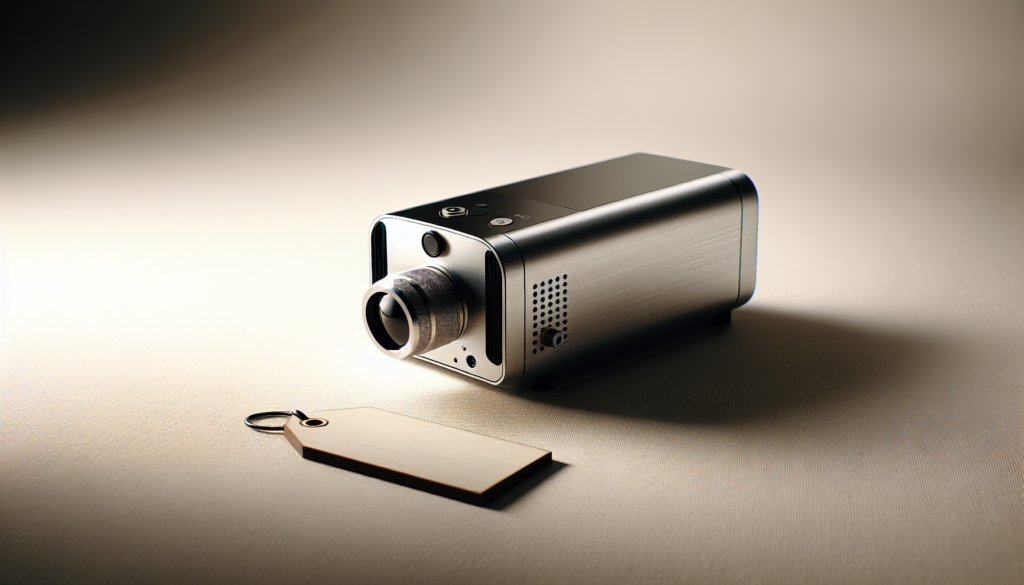
What a portable laser engraver actually is
You can think of a portable laser engraver as a tiny, focused sun on a stick — minus the heatstroke. It’s a handheld or small-footprint device that uses a laser beam to remove, discolor, or mark material surfaces. Unlike large benchtop machines that sit in a workshop like a disgruntled elephant, portable units are designed to move around, follow curved surfaces, and fit into your car trunk if you decide to bring artisan initials to a craft fair.
Portable laser engravers are designed for mobility, convenience, and on-the-spot personalization. They often trade raw power and throughput for flexibility and compactness.
Types of portable laser engravers
There are a few flavors you’ll encounter, and each has its own personality and quirks. You need to know which one matches the kind of mischief you plan to get into.
- Diode (fiber-coupled) handheld lasers: These are common for hobbyists. They use semiconductor diodes and are affordable and compact.
- Fiber lasers (mini/fiber handheld modules): Better for marking metals without coatings, but more expensive.
- Hybrid systems and attachments: Small benchtop machines that can be moved and handheld modules that attach to existing CNC rigs.
Each type has trade-offs between cost, materials you can mark, speed, and safety requirements.
Quick comparison table of common portable laser types
You’ll appreciate a tidy comparison when deciding which model to handle.
| Laser Type | Typical Power Range | Best For | Pros | Cons |
|---|---|---|---|---|
| Diode (handheld) | 0.5W – 10W | Wood, leather, painted metals (marking), plastics, anodized aluminum | Affordable, lightweight, easy to use | Limited metal marking without pre-treatment, slower |
| Fiber (portable/fixed-head) | 10W – 30W+ | Bare metals, industrial marking | Fast, permanent metal marks, high precision | Expensive, heavier, needs stronger safety measures |
| Mini CO2 (portable benchtop) | 10W – 40W | Wood, acrylic, glass, leather, some coated metals | Cuts & engraves non-metal materials well | Not truly handheld, requires ventilation, larger footprint |
What portable laser engravers can and cannot do
You’ll want realistic expectations. Portable lasers are magic for customization, but they aren’t miracle sticks.
What you can do:
- Engrave text, logos, and surface images on wood, leather, and many plastics.
- Personalize finished products at fairs, events, or on-site setups.
- Mark anodized or painted metals and glass with contrast.
What you can’t do (or shouldn’t expect):
- Cut thick materials—portable lasers generally lack the power and stable platform for deep cutting.
- Mark some bare metals (like stainless steel) without a fiber laser or chemical coating.
- Replace a professional production line for high-throughput, consistent output.
Who portable laser engravers are actually for
Here you’ll find the heart of the article: profiles of people who will legitimately enjoy and use these tools without immediate regret.
Hobbyists and makers
If you tinker in your garage, like to personalize gifts, or collect projects that multiply like rabbits, you’ll appreciate a portable engraver. It lets you add a personal touch to everything from wooden spoons to leather bookmarks.
- What you get: freedom to experiment, small footprint, relatively low cost.
- What to watch out for: fumes from some plastics and the learning curve for consistent results.
Crafters and small business owners
You might sell custom goods at markets or online. A portable engraver lets you offer on-site customization, which customers love and pay extra for.
- Use cases: same-day personalization at craft fairs, adding serial numbers to small product runs, customization for gift shops.
- Financial logic: if customization increases your average order value, the machine can pay for itself quickly.
Event vendors and on-location customizers
If you set up at weddings, corporate events, or pop-ups, portability is critical. You can engrave on-site and interact with clients while they watch you work.
- Benefits: live demos draw customers, immediate product delivery, great marketing.
- Considerations: power availability, stable surfaces, safety barriers.
Makers who need curved-surface engraving
Portable lasers shine when you need to mark rounded or irregular objects—bottles, rings, wooden bowls—where a flatbed would require clumsy fixturing.
- Tip: you’ll still practice to keep lines steady; a jig or wrist brace helps.
Prototypers and designers
If you prototype products and need quick, physical feedback, a portable engraver provides rapid iteration. You can scribble logos or labels directly on prototypes.
- Value: speed and convenience more important than industrial-grade finish.
Artists and illustrators
If your art benefits from textural marks, you can use engraving as another medium. It’s particularly effective when combined with painting, resin, or mixed media.
- Artistic note: laser marks can have a charm like browned toast — accidental beauty can be deliberate.
Who should avoid portable laser engravers
If you fit these descriptions, save your money or look for a different tool. You’ll be happier and safer.
People seeking high-volume production
If you need to produce hundreds of identical items daily, a portable unit won’t cut it. You’ll hit bottlenecks in speed, consistency, and fixturing.
- Better option: industrial fiber or CO2 benchtop systems, or outsourcing.
Those who want to cut thick materials
If your primary need is cutting thick wood, acrylic, or metal plates, portable engravers won’t meet cut-through requirements.
- Better option: higher-watt CO2 or fiber systems on a stable table.
Parents who expect a kid-friendly toy
Portable lasers are not toys. Even low-power models can cause burns and serious eye injuries. If you have kids, you need strict protocols or to delay purchasing.
- Advice: enroll in safety training and keep strict supervision if minors are present.
People unwilling to manage fumes and safety
Some materials give off toxic gases and particulates when lasered. If you refuse to invest in ventilation, masks, or proper enclosures, you should avoid buying.
- Health note: vinyl and PVC produce hydrogen chloride gas—never laser those unless you have proper extraction.
Those on a shoestring budget who want perfection
You can get inexpensive units, but very cheap engravers often disappoint. If you need near-perfect, high-resolution branding, you may be better off renting or outsourcing.
- Financial tip: account for consumables, coatings, maintenance, and software costs.
People expecting instant mastery
A portable laser doesn’t make you an engraving genius overnight. There’s a learning curve for settings, focus, and material behavior.
- Expectation management: plan to burn a few test pieces before you attempt a gift.
Material compatibility and marking methods
Understanding the relationship between laser type and material is essential for your sanity and final result.
Common materials and results
Here’s a useful reference so you know whether the object on your bench will accept a mark or throw a tantrum.
| Material | Typical Result with Diode | Typical Result with Fiber | Notes |
|---|---|---|---|
| Wood (soft/hard) | Deep brown char/engrave | Same, faster at higher power | Grain affects look; test species |
| Leather | Dark, crisp burns | Same, faster | Leather dyes may change color |
| Glass | Frosted mark (with etching) | Etching possible with specialty heads | Use masking for crisp edges |
| Anodized aluminum | Contrast etch (good) | Excellent permanent marks | Fiber faster but diode works on anodized |
| Bare stainless steel | Poor with diode; requires marking spray | Excellent | Fiber lasers melt metal for permanent marks |
| Acrylic | Melts/cuts and engraves (edge-lit look) | Cuts if powerful | Clean edges require correct power/speed |
| Painted/coated metals | Paint removal reveals mark | Same, but more efficient with fiber | Coatings affect contrast |
| Plastics (ABS, Delrin) | Variable; some melt or char | Can mark but risk fumes | Avoid PVC/vinyl; check MSDS |
Techniques that extend capabilities
You can expand what you can mark by using:
- Marking sprays or pastes for metals (CerMark, Thermark)
- Masking tape for cleaner edges on glass and painted surfaces
- Rotary attachments for bottles and cylindrical objects (if the laser or rig supports them)
Safety and legal considerations
You’re not a medieval alchemist; you’re a person with a laser. Act accordingly.
Basic safety rules
- Always use proper eye protection rated for your laser wavelength. Never watch the beam.
- Work in a well-ventilated area or use an extraction system to remove fumes.
- Never laser unknown materials; some plastics release toxic gases.
- Keep a Class-rated fire extinguisher nearby; small burns happen.
- Use enclosures or barriers to prevent stray beams from hitting others.
Legal and workplace considerations
- Local regulations may restrict laser use in public areas without permits.
- If you’re using a laser for commercial goods, check product safety standards and labeling requirements for your market.
- Insurance: your home policy might not cover business activity, so consider business liability insurance for on-site services.
Practical buying checklist
You’ll make fewer painful purchases if you ask these questions before you swipe your card.
- What materials do you plan to mark most often?
- Do you need true portability (battery powered) or merely a small footprint?
- What finish quality do you expect — craft-level or industrial?
- What resolution and accuracy are required for your designs?
- What software does the laser use and will it work with your files (SVG, DXF, PNG)?
- What safety accessories are included (enclosure, goggles, exhaust)?
- What’s the total cost including consumables, coatings, service, and shipping?
- Is training or support available from the vendor?
Example decision table: choose by priority
This table helps you match your priorities to a product type.
| Priority | Recommended Laser Type | Why |
|---|---|---|
| Portability and festivals | Low-power diode handheld | Lightweight, easy demos |
| Metal marking durability | Fiber laser | Permanent marks on metals |
| Versatility with wood/plastics | CO2 (portable benchtop) | Cuts and engraves many non-metals |
| Budget hobby projects | Entry-level diode benchtop | Balances price and capability |
Software and workflow
Your creative ideas will appreciate a smooth digital path to reality. Software is often the hidden battleground where projects are won or lost.
- Many lasers use familiar vector/image formats; ensure compatibility with your design tools.
- Some vendors provide proprietary software tailored to the machine; others support LightBurn, LaserGRBL, or open-source options.
- You’ll need to learn about DPI, passes, focal distance, and power settings — these matter more than file resolution.
- For on-location work, prepare templates and pre-sliced assets to speed engraving.
Maintenance, consumables, and recurring costs
You won’t just buy a laser and forget it. It collects a small ecosystem of supplies and maintenance tasks.
- Consumables: marking sprays, masking tape, cleaning solvents, replacement lenses or mirrors, protective goggles.
- Maintenance: cleaning lenses, aligning optics, firmware updates, replacing diode modules over years.
- Costs: budget for filters and extractor maintenance if you vent fumes; factor in spare parts for heavy use.
Real-world scenarios and use cases
You’ll find it helpful to picture real situations where a portable laser would either shine or embarrass itself.
Scenario A: Market stall personalization
You’ve got a wooden coaster and forty minutes between customers. A portable diode engraver lets you add a name and little icon while someone sips coffee nearby. You make a sale and get a smile.
- Requirements: steady surface, power, simple file templates, clear safety perimeter.
Scenario B: Jewelry maker needing metal marking
Your customers expect serial numbers on stainless rings. A fiber laser or a contract marking service is necessary — a diode won’t do the job.
- Conclusion: fiber or outsourcing.
Scenario C: Artist in mixed-media
You layer laser-etched patterns on wood and add enamel paint. The portable laser lets you iterate quickly and create textures that hand tools can’t.
- Bonus: imperfection becomes character; you can lean into it.
Scenario D: Corporate event personalization
You’re hired to monogram metal tumblers at a corporate picnic. You’ll need a fiber unit or pre-coated tumblers because plain steel won’t mark cleanly with a diode.
- Practical tip: run tests ahead and confirm power access.
Alternatives and complementary tools
You’re not stuck with one solution. Consider these alternatives that might suit your needs better.
- Outsourcing to a local laser shop for high-volume or specialized marking.
- Rotary engraving or mechanical engraving tools for deep cuts on metal.
- Heat stamping or pad printing for quick, repeatable logos on curved surfaces.
- Vinyl cutting and heat pressing for textiles where lasers are inefficient.
Final advice for deciding
You’ll do best if you align your purchase with a clear, immediate need. Portable laser engravers reward experimentation but punish wishful thinking configured as expectations.
- Start with a clear use-case and test materials before committing to a type or brand.
- If you’ll be marking metals frequently, invest in a fiber solution or plan to use marking compounds.
- For event work and personalization, portability and fast setup trump maximum power.
- Don’t skimp on safety and ventilation just because a machine seems small and harmless.
Brief checklist before first use
A simple list so you don’t embarass yourself in front of a paying customer or burn your heirloom table.
- Read the manual and safety warnings thoroughly.
- Test on scraps of the same material before working on a finished product.
- Verify power source and grounding at the venue.
- Ensure ventilation or extraction is in place.
- Have a stable work surface and clamps or jigs as needed.
- Keep a fire extinguisher and first-aid supplies nearby.
- Wear appropriate eye protection and insist bystanders do too.
Closing thoughts
You’ll find portable laser engravers to be wonderful companions if you understand their limits and respect their dangers. They fit perfectly into the life of a hobbyist, small-business owner, or artist who values flexibility and in-the-moment customization. If you’re chasing industrial-level throughput or want to treat children to a light show, look elsewhere.
When you make your choice, imagine not just the machine’s specs but the small scenes you’ll create: a line of initials engraved while someone watches, a quick prototype corrected in minutes, a one-off gift so perfectly imperfect that the recipient frames it. That’s the real value — not merely the marks on the material, but the moments you make with them.