Have you ever wondered why the machine shop down the street looks less like a garage and more like a build-your-own-robot convention?
The Rise Of Modular CNC Systems in 2026: Build, Upgrade, Expand
You’re about to walk through the world of modular CNC systems as they stand in 2026 — a world where machines are less monolithic beasts and more like Lego sets you can argue with over coffee. You’ll see what modular CNC means, why it matters for your shop or project, and how you can build, upgrade, and expand without selling a kidney or learning a new language of cursed error codes.
What “Modular CNC” Actually Means
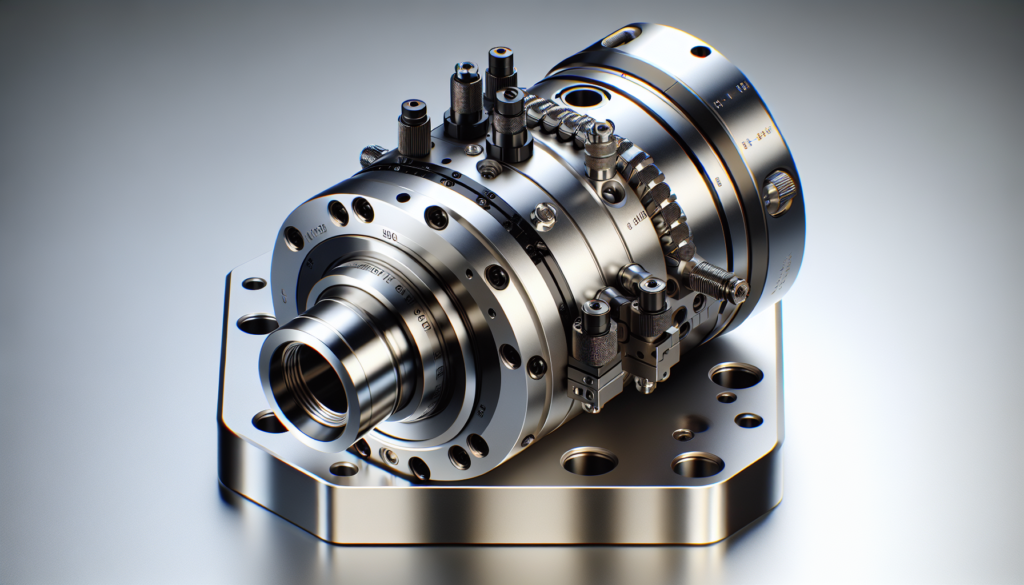
You probably picture CNC machines as big welded frames with motors bolted on. Modular CNC throws that picture out, while keeping the parts that matter. Modular CNC systems are built from discrete, interchangeable modules: motion axes, spindles, controllers, I/O, tooling interfaces, and software stacks that can be swapped or upgraded independently.
This modularity doesn’t just make things prettier on paper. It lets you scale capacity, tailor performance, and respond to supply chain hiccups without rebuilding the entire machine from the ground up.
Key characteristics of modular CNC systems
You should expect these features if you’re shopping for modular CNC:
- Interchangeable hardware modules with standardized mechanical and electrical interfaces.
- Firmware and software that communicate through open or well-documented protocols.
- Replaceable motion stages, spindles, and tooling heads.
- Scalable control architecture: add axes, sensors, or tool changers without redesigning controllers.
- Emphasis on diagnostics, hot-swappable components, and remote firmware updates.
Why 2026 Is a Turning Point
The last few years accelerated two trends: component standardization and software-driven motion control. You might have noticed new generations of controllers embracing Ethernet-based protocols, modular servos with built-in encoders, and a growing ecosystem of third-party modules.
In 2026, three forces converge:
- Better, cheaper sensors and motion electronics;
- Industry-accepted communication standards;
- A market that prefers flexibility over one-size-fits-all machines.
Together, these make modular CNC systems not just attractive but practical for more businesses and applications.
Build: Putting Your First Modular CNC Together
If you’re starting from scratch, modular design saves you from the nightmare of a welded frame that will be obsolete in three years. Building modularly allows you to match performance to need and budget.
Step 1 — Define your use case and tolerances
Ask yourself what you’ll cut, to what tolerance, and how fast. Your choices here determine the frame stiffness, motion resolution, spindle type, and control hardware.
- Prototyping and hobby projects: prioritize affordability and flexibility.
- Production parts: prioritize stiffness, repeatability, and uptime.
- High-precision components: invest in high-resolution encoders, thermal stability, and precision stages.
Step 2 — Choose a modular frame and stages
You’ll want a frame that accepts different axis modules or rails. Consider modular linear stages that bolt into T-slots or pinned interfaces.
- Benefits: easier upgrades, scalable travel, tolerance to future tooling.
- Trade-offs: may require more careful alignment initially.
Step 3 — Pick the motion and drive modules
Select servomotors or stepper packages that you can swap without rewiring everything. Prefer drives with standardized connectors and integrated safety features.
- Look for Ethernet-enabled drives, compact servos with integrated encoders, and plug-and-play motor cables.
- Confirm the control protocol (EtherCAT, Profinet, SERCOS III, etc.) and compatibility.
Step 4 — Select a spindle or cutting head that fits your needs
You’ll balance power, rpm range, and modular interface. Tooling adapters standardized to a flange make swapping head types far less stressful.
- Modular spindles with standard flanges and quick-change toolholders are common.
- Consider integrated coolant, balance, and vibration damping modules.
Step 5 — Controller and software architecture
Your controller should scale — add axes and I/O without rewriting core logic. Look for:
- Real-time capable controllers with modular I/O.
- Firmware that supports user scripts and integrates with CAM.
- Remote diagnostics and OTA firmware updates.
Step 6 — Safety, fixturing, and peripherals
Don’t forget brakes, limit switches, home sensors, tool changers, and part detection. These are often modular, too, and should plug into a common safety bus.
- Safety modules should support PLd/PLe or SIL ratings as needed.
- Include modular fixturing plates and quick-change vises.
Upgrade: Replace Without Panic
When you upgrade a modular CNC, you don’t have to demolish your machine. You can replace the spindle, add an axis, or swap in a new controller while keeping useful parts of the old system.
How upgrades typically work
- Identify the bottleneck (speed, accuracy, throughput).
- Choose the compatible module that addresses that bottleneck.
- Ensure electrical, mechanical, and software compatibility.
- Install and calibrate the new module; run regression tests.
This process is less terrifying when your modular interfaces are truly standardized — and 2026 sees an uptick in that standardization.
Common upgrade paths
You’ll often upgrade in the following sequence:
- Controller firmware and I/O expansion
- Drives and servos for faster acceleration
- Spindle for higher rpm or power
- Additional axes (A/B rotary)
- Automatic tool changers and pallet systems
Example: Upgrading to a high-speed spindle
You might start with a 3 kW spindle and later want 12 kW for production. If the interface flange, cooling, and control signals are modular, you swap spindles, change a few driveline settings, and update tool offsets — no cutting new brackets or rewiring the entire cabinet.
Expand: Scale Your System Without Starting Over
Expansion is where modular CNC shines. You can add a second gantry, pallet changer, or robotic loading arm as demand grows.
Scaling approaches
- Horizontal expansion: add parallel modules — useful for production lines.
- Vertical expansion: add larger work envelopes by swapping long-travel stages.
- Functional expansion: add inspection, metrology, or automation modules.
You’ll often mix these strategies: add a pallet changer for throughput and then integrate a vision system for in-process inspection.
Technical Components — What You’ll Actually Handle
Knowing the names and roles of modules helps you plan. Below is a concise breakdown of typical modules.
Motion and mechanical modules
- Linear stages: ball screw, linear motor, or rack-and-pinion options.
- Rotary axes: precision gearboxes or direct-drive rotary tables.
- Gantry frames: modular crossbeams and legs.
Drive and control modules
- Servo drives and amplifiers.
- Motion controllers: single-axis and multi-axis CPUs.
- I/O and safety modules.
Spindles and tooling modules
- High-speed electric spindles, water-cooled or air-cooled.
- Tool holders: HSK, CAT, BT, or custom quick-change heads.
- Automatic tool changers (ATC) and magazine modules.
Sensors and inspection modules
- Renishaw probes, laser sensors, vision systems.
- Load/torque sensors for process monitoring.
Software modules
- Real-time motion firmware.
- G-code interpreters and toolpath optimizers.
- Monitoring/telemetry platforms and CAM integrations.
Standards, Protocols, and Interoperability
You’ll live or die by interfaces. In 2026, certain communication standards are widely used; your choices will impact future flexibility.
Common protocols
- EtherCAT: dominant for real-time axis-level control.
- Profinet and SERCOS: still used in industrial ecosystems.
- OPC UA: favored for higher-level data exchange and IIoT.
- MTConnect: useful for shop-floor analytics and telemetry.
Why standards matter
Standardized mechanical flanges and electrical connectors mean you can take a motor from Vendor A and use a drive from Vendor B. Standards reduce lock-in and let you update components without a contract negotiation the size of a small country.
Economics: Costs, ROI, and Value Proposition
Modular systems change the math. Initial investment might be slightly higher if you buy for flexibility, but your lifecycle cost usually falls faster.
Cost factors to consider
- Initial capital expenditure for base modules.
- Incremental costs for future modules vs. full system replacement.
- Downtime costs and ease of field repair.
- Training and software licensing fees.
Example ROI scenarios
| Scenario | Initial Cost | Upgrade Cost | Years to ROI (est) | Notes |
|---|---|---|---|---|
| Traditional CNC, high throughput | $150,000 | $30,000 (retrofit) | 6–10 | Large downtime and integration complexity for upgrades |
| Modular CNC, scalable | $170,000 | $40,000 (modular add-ons) | 3–5 | Lower downtime, easier integration, faster payback over time |
| Small modular benchtop | $25,000 | $8,000 | 1–3 | Ideal for prototyping and small-batch production |
You’ll find that modular systems offer faster ROI in environments where requirements change or where you need to minimize downtime.
Real-World Use Cases
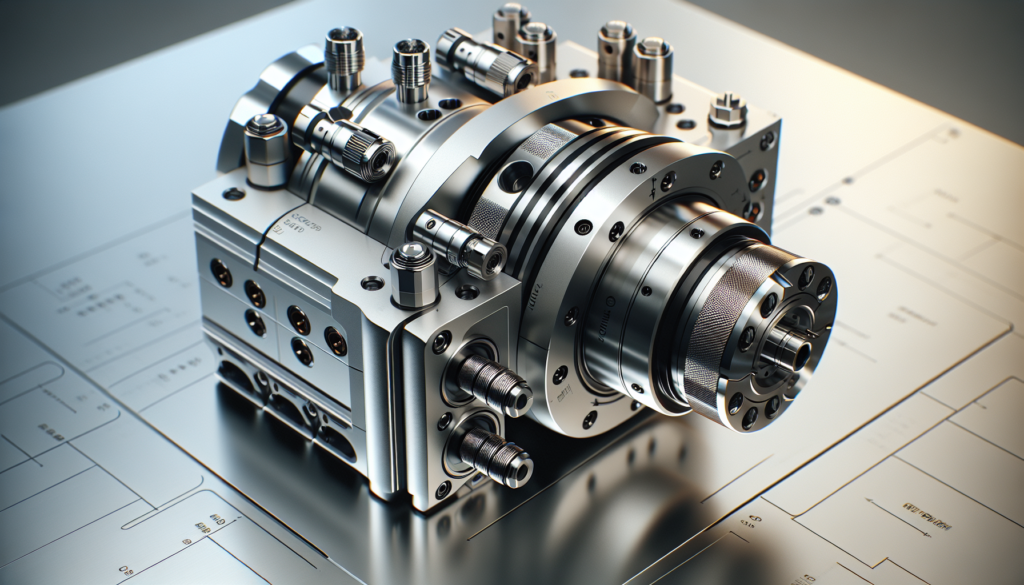
You don’t need a giant factory to benefit. Modular CNC supports many kinds of users.
Small job shops and prototyping labs
You’ll appreciate the ability to swap heads for different jobs and to bring the machine into the future without replacing it. The small shop that added a rotary axis and a vision module was suddenly able to take aerospace and medical work at higher rates.
Education and research
Instructors love modular systems because they teach mechanical and electrical interaction without permanent modification. You can teach motion control one week, add vision and robotics the next.
Aerospace and medical manufacturing
These industries demand traceability and precision. Modular CNC lets you add metrology modules and redundant sensors for certification without a whole new machine.
Maker spaces and startups
You’ll build prototypes and pivot business models quickly by switching spindles, toolings, or adding automation for small-batch production.
A Table: Modular vs. Traditional CNC
This quick table helps you weigh the pros and cons at a glance.
| Factor | Modular CNC | Traditional CNC |
|---|---|---|
| Upgradeability | High — swap modules | Low — major retrofit |
| Time to implement upgrade | Days to weeks | Weeks to months |
| Upfront cost | Moderate to high | Low to moderate |
| Long-term cost | Typically lower | Often higher due to replacement |
| Customization | High | Limited |
| Downtime impact | Low (hot-swap possible) | High |
| Suitable for changing requirements | Yes | No |
Practical Considerations When Buying or Building
You won’t get everything right on the first try. Here are practical tips so you don’t end up with a beautiful, useless paperweight.
Mechanical: tolerances and alignment
Even modular parts need alignment. Make sure your design allows shimming and bench calibration, and avoid relying on luck.
Electrical: connectors and wiring harnesses
Standardize on connector types and labeling. Use color-coded and keyed connections to reduce mistakes during swaps.
Software: compatibility and licensing
Confirm software versions and licensing models. Some vendors lock features with expensive licenses; make sure you can integrate open-source or third-party options if required.
Support and documentation
Good documentation is a rare and delightful thing. Prefer vendors that publish clear API docs, interface specs, and wiring diagrams.
Common Pitfalls and How to Avoid Them
You’ll encounter a few recurring issues; here’s how to get ahead.
- Mismatch of electrical signals: Always check voltage levels and pinouts before plugging new hardware.
- Firmware incompatibility: Test upgrades on a staging controller, not the production machine.
- Mechanical interference: Mock up new modules before final integration to avoid clearance issues.
- Underestimating training: Plan time for operators to learn new modules and workflows.
A Few Short Anecdotes (Because You’ll Enjoy Them)
You’ll laugh, if only to keep from crying. Imagine installing a rotary axis on a modular machine and discovering the vendor shipped a metric flange for a largely imperial fixture. You’ll learn to negotiate with vendors like a diplomatic envoy and to keep a drawer of eccentric adapters for exactly this reason.
Or picture swapping in a new spindle with a higher rpm range only to find the coolant line hits the Z-axis limit switch — a small misalignment that cost half a day. You’ll grow fond of T-slots and sacrificial mounting plates because they’ll save you from making permanent mistakes.
Maintenance and Lifecycle Management
You’ll want predictable maintenance. Modular systems make this easier: replace a failed module instead of rebuilding the system.
Preventive maintenance checklist
- Inspect bearings and couplings every 500-1000 hours.
- Update firmware and controllers quarterly or as recommended.
- Run calibration routines after major swaps.
- Keep spares for critical modules (drives, encoders, spindles).
Spare parts strategy
Maintain an inventory of common replacements; a single modular drive or encoder can save days of downtime.
Integration With Automation and Industry 4.0
Modular CNC plays well with modern automation. You’ll see robotic loaders, vision-guided inspection, and cloud telemetry plugged into CNC modules.
Typical integration stack
- Edge controllers for deterministic motion.
- Middleware (OPC UA / MQTT) for shop-floor data.
- Cloud analytics for predictive maintenance and performance tuning.
You’ll use APIs and data models to orchestrate production flows and to trigger alerts that save you from expensive scrap.
Case Study — A Shop That Kept Its Sanity
You’ll probably relate to the small job shop that moved from two traditional CNCs to a single modular system with a pallet changer and a second spindle. Initially skeptical, the owner found that production increased by 40% after adding a rotary axis and automating loading with a modest robotic arm.
Why it worked:
- Modular interfaces allowed incremental investments.
- Downtime for upgrades was measured in hours, not weeks.
- Software updates improved spindle control without hardware changes.
You’ll take this as evidence that modular CNC is not a theoretical luxury — it’s practical.
What Comes Next? Trends Beyond 2026
You’ll see further standardization and smarter modules. Expect plug-and-play multi-physics modules (vibration damping, thermal compensation, integrated metrology), more AI-driven process control, and tighter integration with supply-chain software.
- Self-optimizing toolpaths based on in-process sensor data.
- Greater use of digital twins for planning upgrades.
- Increased commoditization of basic modules, driving down prices.
Quick Reference Upgrade Roadmap
This simple roadmap helps you prioritize upgrades based on common goals.
| Goal | First Upgrade | Next Upgrade | Notes |
|---|---|---|---|
| Increase speed | Drives/servos | Spindle with higher rpm | Ensure frame stiffness supports speeds |
| Improve accuracy | High-res encoders | Thermal compensation | Prefer closed-loop metrology |
| Increase throughput | Pallet changer | Automatic tool changer | Consider robotic loading |
| Add capabilities | Rotary axis | Vision/metrology | Confirm controller axis count |
Final Checklist Before You Commit
You’ll want to confirm these items before buying or modifying anything:
- Mechanical interface specs and tolerances are documented.
- Electrical connectors and voltages are compatible.
- Controller supports the communication protocol required.
- Vendor provides detailed documentation and integration support.
- You have a spare-parts list and maintenance plan.
- Training budget allotted for operators and technicians.
Conclusion
You’ll find modular CNC systems in 2026 are less a niche experiment and more the practical choice for shops wanting resilience, flexibility, and a lower total cost of ownership. You can build a machine tailored to your needs, upgrade it when your work changes, and expand it into a production line as your business grows. The technology won’t remove the occasional miscast, misplaced bolt, or an unexpected sticker on a flange, but it will make recovery faster and less soul-crushing.
If you treat modular CNC as a living system — one that grows, adapts, and occasionally sulks — you’ll be in good company. You’ll save money, embrace change, and maybe, if you’re lucky, have a spare flange that fits exactly when you need it.