?Have you ever watched your new portable laser engraver work and felt betrayed because the thing either etches a perfect tiny script at a glacial pace or burns a caricature of your cat in five seconds flat?
Speed Vs Precision In Portable Laser Engravers: Setting Realistic Expectations
You bought a portable laser engraver with a mental image of relentless productivity and museum-quality detail. That’s a deliciously optimistic place to start. The truth is messier: speed and precision in these devices pull in opposite directions more often than not, like two kids fighting over the front seat. This article will help you set realistic expectations, choose the right compromises, and use settings and techniques that make your engraver feel less like a temperamental roommate and more like a useful tool.
What “speed” and “precision” actually mean for your engraver
You probably think speed is how fast a job finishes and precision is how pretty it looks. You’re right, but the definitions need sharpening.
- Speed: usually measured in mm/s (millimeters per second) or mm/min. For raster engraving it also depends on line spacing (DPI/LPI) and passes required. When you push speed, you reduce dwell time—the amount of time the laser spends on each spot—which reduces material removal and contrast.
- Precision: measured as engraving resolution (DPI), positional accuracy (microns), and repeatability. Higher precision often requires slower movement, finer stepper control, and smaller focal spots.
Think of speed as how quickly you get to the party, and precision as how much you remember about the party. You’ll rarely have both.
The fundamental trade-off: power, dwell, and work per pass
The laser does work by delivering energy; speed affects how much energy per unit area gets delivered. If you run fast, you either need more power or more passes to achieve the same depth or color change.
- More power = more heating = faster cuts/marks, but also larger heat-affected zones and worse fine detail.
- More passes = more time, better control over depth, but risk of cumulative heat distortion.
- Slower passes = better edge definition and finer shading, but you lose throughput.
A table helps:
| Parameter you change | Effect on Speed | Effect on Precision |
|---|---|---|
| Increase power | Increases speed | Can decrease edge crispness / increase char |
| Decrease speed | Decreases speed | Increases depth and precision |
| Increase passes | Decreases speed | Can improve depth control, may reduce detail if heat builds |
| Reduce step size (increase DPI) | Decreases speed | Increases detail and tonal gradations |
| Focus tighter (shorter focal spot) | May require slower speed | Increases precision, reduces kerf width |
What “portable” actually implies
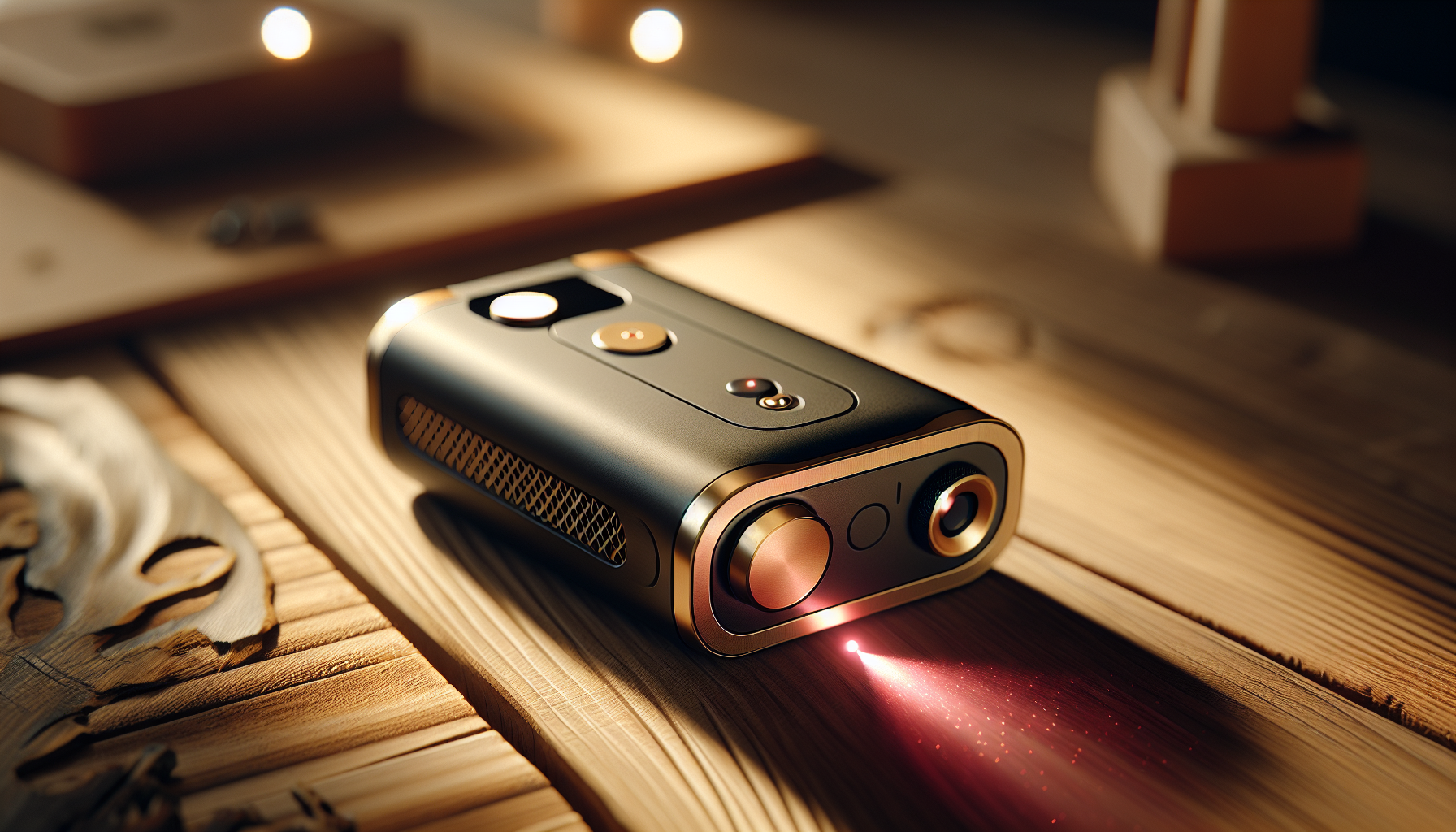
Portable laser engravers come in many shapes: tiny desktop diode units, handheld spot-engravers, compact CO2 boxes, and even portable fiber markers. “Portable” usually means compromises in optics, motion accuracy, cooling, and power delivery. Expect:
- Smaller optics with shorter focal lengths (smaller working areas).
- Less robust motion systems (belts instead of linear rails).
- Lower continuous power output compared with bench units.
- Limited cooling, which impacts duty cycle and long jobs.
You’ll get convenience and space savings. You’ll rarely get lab-grade repeatability.
How lasers and motion systems create your result
Basic laser physics in practical terms
The laser is an energy spot. The size of that spot, the frequency of pulses (for diode lasers), and the power define what happens to the surface. You don’t need to be a physicist, but you do need to know:
- Spot size: smaller spots give higher detail.
- Power density: power per area; smaller spot increases power density.
- Pulse control: some diode lasers modulate power as pulses; control over pulse width and frequency affects material interaction.
If you’re engraving a fine signature on wood, you want a small, controlled spot and careful pulse control. If you’re cutting cardboard, a large spot with higher power and slower passes works fine.
Motion systems and why they matter more than people admit
The motion system (belt, rack-and-pinion, linear guide, coreXY) governs how accurately the laser spot moves. Common portable designs:
- Belt-driven gantry: cheap, light, fast acceleration, but more backlash and vibration.
- Linear rails with ball screws: better precision, more cost and weight.
- CoreXY: efficient, good acceleration, complicated belts.
A cheap belt system can produce ghosting, wobble, and slight misalignment between passes. That’s why your “perfect” vector cut might show scalloping or crumbly edges.
Firmware and microstepping: the stealth players
Stepper motors use microstepping to smooth motion. But microstepping doesn’t always mean more accuracy. You can have 1/8 or 1/16 microstepping and still get lost steps if acceleration is too high or belts slip. Firmware settings for acceleration, jerk, and stepper current have a huge effect. Lower acceleration can improve precision at the cost of longer job times.
Types of portable lasers and what to expect
Different laser technologies are suited to different tasks. Here’s a concise comparison.
| Laser type | Typical portable form | Strengths | Weaknesses | Typical precision |
|---|---|---|---|---|
| Diode (blue/red) | Compact desktop, handheld | Low cost, lightweight, good for wood, leather, anodized aluminum | Limited power, shallow engraving, larger spot | 100-600 DPI effective |
| Fiber | Portable markers | Excellent for metals (annealing), high contrast marks, fast | Requires special optics, expensive, small applications | High positional precision, fine marks |
| CO2 (mini 40–60W) | Box-style portable | Versatile (wood, acrylic, leather), good depth | Larger, needs ventilation, more power | Good edge quality, 300–1200 DPI depending on optics |
| UV (laser diode/LED) | Niche portable | Good for plastics, minimal kerf | Limited to specialized materials | Fine marks with short wavelengths |
When you read product descriptions boasting “1,000 DPI,” remember that DPI on hardware doesn’t automatically mean your results will be that crisp; motion control, optics, and material are decisive.
Materials and how they betray your settings
Every material reacts differently. A setting that produces crisp detail on cherry might look like a charcoal sketch on maple. Here are common reactions:
- Wood: absorbs infrared and visible laser energy well, yields good contrast, but grain matters. Soft woods char faster.
- Acrylic (cast): cuts cleanly and can be polished by the laser; engraving yields frosted white marks. PMMA reacts predictably.
- Anodized aluminum: diode lasers usually don’t mark—fiber or higher-power can ablate the anodized layer for contrast.
- Leather: predictable darkening, but overheating leads to brittle edges.
- Stainless steel: generally needs fiber or special coatings/marking paste for diode or CO2 to make a mark.
A practical table with suggested expectations for a mid-power diode (~5–10W) portable unit:
| Material | Typical mark type | Typical speed for readable engraving | Expected precision (DPI-like result) |
|---|---|---|---|
| Basswood | Dark engraving | 200–600 mm/min at medium power | Moderate, 300–600 DPI |
| Maple | Slightly charred engraving | 150–400 mm/min | Lower effective DPI due to grain |
| Acrylic (cast) | Frosted engraving, clean cut | 50–200 mm/min for deeper marks | High edge crispness for vector cuts |
| Leather | Dark burn | 200–600 mm/min | Detail can be high but edges char |
| Anodized aluminum | Hard to mark | Requires marking compound or fiber | Low with diode, high with fiber |
These are ballpark numbers. Your mileage will vary.
Resolution, DPI, and what they mean for real-world engraving
Most software references DPI or PPI when raster engraving. That converts to line spacing in mm. Higher DPI means smaller vertical spacing between lines, which increases detail but slows jobs.
- 300 DPI is a common compromise for recognizable photographs on wood.
- 600 DPI gets you finer gradients but takes twice as long as 300 DPI.
- Above 1200 DPI is rarely useful on wood with a diode laser; you’ll be limited by spot size and motion repeatability.
For vectors, resolution is less about DPI and more about the laser spot and the control over path smoothing and acceleration. If your firmware enforces corners with a particular radius at speed, you’ll get rounded corners unless you slow down.
Benchmarks and how to measure precision and speed realistically
You need objective, repeatable tests to know what your machine does. Create a standard test file:
- A set of concentric circles with decreasing radii to test positional accuracy.
- A line pair resolution chart to measure the smallest resolvable separation.
- Gradients from 0% to 100% in steps to test tonal control for raster.
- Vector squares with corners to test corner fidelity.
Record settings: power, speed, DPI, passes, focal distance, ambient temperature, material batch. Measure physically with calipers or a microscope. Repeat tests after adjusting acceleration or focus.
A simple test protocol:
- Clean the lens and ensure focus at the start.
- Run the test at three speed levels (slow, medium, fast) with constant power.
- Run the test at three power levels with constant speed.
- Record results and choose the best compromise.
Optimization strategies to prioritize speed
If your goal is throughput—say, engraving 200 keychains an hour—you’ll accept some sacrifices. Strategies:
- Increase power to reduce passes, but watch for char and expanded kerf.
- Use a coarser DPI or larger step size for raster jobs.
- Use vector marking where possible instead of raster (for logos, single-line fonts).
- Batch jobs to maximize warm-up efficiency and reduce idle times.
- Tune acceleration/jerk for higher values if your motion system can handle it without missing steps.
- Pre-stress the belts and add anti-backlash measures to reduce elastic deformation at higher speeds.
Tip: For repetitive pieces, make a test piece and then run it 20–50 times to watch for cumulative heating. If parts change over runs, you’re hitting cooling/duty cycle limits.
Optimization strategies to prioritize precision
If detail is everything—like engraving a micro-portrait or technical part—you’ll trade time for quality.
- Reduce speed and increase DPI.
- Use multiple shallow passes rather than one deep pass.
- Tighten focus or use a shorter focal-length lens to reduce spot size.
- Lower acceleration and jerk to avoid ringing and overshoot.
- Increase microstepping and tune motor current.
- Stabilize the workpiece: clamp, use vacuum beds, or apply a sacrificial substrate.
- Use higher-quality optics and ensure the beam is well aligned.
Remember the law of diminishing returns: beyond a certain point, material characteristics and beam quality will limit improvement.
Practical examples and settings (starter table)
Below is a starter table for a common portable diode engraver (5–10W nominal). These settings are starting points; test on scraps.
| Material | Mode | Power (%) | Speed (mm/s) | DPI / Line spacing | Passes | Expectation |
|---|---|---|---|---|---|---|
| Basswood (1–3 mm) | Raster | 60–80 | 30–80 | 300 DPI / 0.085 mm | 1 | Clean dark engraving |
| Basswood (cutting thicker) | Vector/Cut | 70–100 | 5–20 | N/A | Multiple passes | Shallow cuts per pass |
| Acrylic (cast, engraving) | Raster | 40–60 | 10–30 | 300–600 DPI | 1 | Frosted finish |
| Leather | Raster | 45–70 | 40–80 | 300 DPI | 1–2 | Dark, crisp marks |
| Anodized aluminum (marking spray) | Raster | 80–100 | 5–20 | 300 DPI | 1–3 | Mark with contrast; needs marking paste or fiber |
These aren’t prescriptive. Your exact outputs will vary with the specific unit and ambient conditions.
Calibration and maintenance: the invisible precision enablers
Precision degrades as lenses fog, belts stretch, or the optics misalign. Schedule these regular checks:
- Clean and inspect optics weekly for dust and residue.
- Check belt tension and pulleys monthly.
- Verify focal distance before critical jobs.
- Check stepper motor current and driver heat; adjust if motors lose torque.
- Align the beam for minimal offset between center of travel and actual burn.
Simple calibration routines—like measuring a 100 mm line and adjusting steps-per-mm—will fix many accuracy issues.
Software and file preparation: a story you probably ignore until it hurts
You might blame hardware, but sloppy files often cause perceived precision errors. Common pitfalls:
- Using raster files with insufficient resolution and then upscaling them in software.
- Sending vector paths with too many nodes, causing slowdowns and jerky motion.
- Forgetting to convert text to vectors; font rendering differences change results.
Best practices:
- Prepare raster images at the same DPI you intend to engrave.
- Simplify vector paths and use smoothing only where needed.
- Use single-stroke fonts for small sizes, or convert text to path and check node count.
- Use software that previews travel moves so you can spot unnecessary repositioning.
Heat management and duty cycle limitations
Portable units often have limited cooling, so they don’t run continuously at high power. You’ll see two common symptoms:
- Power throttling: the driver reduces output to protect the diode or controller.
- Thermal drift: mirrors or optics shift slightly when they heat, reducing precision.
To handle thermal issues:
- Space jobs with cooling intervals.
- Use external fans or water cooling if your unit supports it.
- Monitor device temperature and set firmware safety thresholds.
Safety and ventilation: you can’t bargain with chemistry
When you prioritize speed you may produce more smoke and fumes. Certain materials release toxic compounds (PVC releases chlorine fumes, for example). Always:
- Use proper ventilation that vents outdoors or uses certified filtration.
- Wear appropriate PPE if you’re exposed to fumes.
- Know material safety (consult material safety data sheets).
- Never assume a portable unit lacks hazardous by-products; even small burns can release nasty chemicals.
Setting realistic expectations for specific use cases
Here are a few scenarios and what you should realistically expect.
- Hobby prototyping: You can get decent-looking small parts and prototypes. Expect long runs for high-detail photos and occasional touch-ups.
- Small-shop production (limited runs): Good for custom gifts, small batches of signs, and leather accessories. You’ll need workflow optimization and consistent calibration.
- Industrial marking of metal parts: Expect to need fiber or specialized solutions; portable diode engravers won’t reliably mark stainless steel without assistance.
- On-site customization (events, markets): Fast vector engraving is your friend; keep designs simple, preset your files, and manage cooling between jobs.
Choosing the right portable engraver for your needs
Ask yourself these questions before buying or settling on settings:
- What materials will you use most?
- Is speed or detail more important?
- Do you need consistent results across long runs?
- How much space and power are available?
- Is portability worth the trade-off in continuous power?
A small decision matrix can help:
| Priority | Recommended focus | Minimum feature |
|---|---|---|
| Speed (production) | Higher power, robust cooling, belt-coreXY with good acceleration | 10–20W diode or small CO2; good ventilation |
| Precision (detail) | Better optics, linear guides, fine focusing, stable bed | High-quality diode or small CO2 with <0.1 mm focal spot< />d> |
| Metal marking | Fiber laser or marking paste approach | Fiber or specialized attachment |
| Portability + versatility | Moderate power, easy-to-set controls | 5–10W diode with proven software and good support |
Troubleshooting checklist (fast)
When your output is off, run through this checklist:
- Is the lens clean and undamaged?
- Is focus set correctly?
- Are belts and pulleys tight and free of play?
- Is the workpiece clamped firmly?
- Are firmware settings for acceleration reasonable?
- Is the material batch consistent with past tests?
- Have you checked for thermal throttling?
Final realistic roadmap: how to set expectations and improve over time
You’ll get better results by methodically testing, optimizing, and documenting. Here’s a simple plan:
- Decide the priority: speed or precision.
- Create a standard test file and test protocol.
- Run baseline tests and record settings.
- Tune one variable at a time (e.g., speed, then power, then passes).
- Document the best settings for each material and job type.
- Maintain a regular maintenance schedule.
- Re-evaluate every 50–100 hours of runtime or when you change material batches.
If you’re patient, you’ll eventually know the limits of your machine for specific tasks. If you’re impatient, you’ll still get nice burns—just faster than you’d like.
A parting practical list you can use right now
- Start every session by cleaning optics and checking focus.
- Use a 300 DPI default for most wood raster jobs; increase to 600 only when you need fine shading.
- For production, prefer vector where possible; for details, raster at lower speeds.
- Test on scraps—no, seriously; test repeatedly.
- Keep a log: material, power, speed, DPI, focal length, ambient temp, results.
You bought a portable laser engraver because you wanted the freedom to create in small spaces and on the go. That freedom brings trade-offs. By understanding what controls speed and what controls precision, by testing deliberately, and by accepting that “perfect” is often time-consuming and expensive, you’ll set realistic expectations that keep frustration low and creativity high.
If your engraver ever produces a curious lopsided heart or a mustached dog you didn’t intend, console yourself: at least it has character. Then tweak the acceleration settings and run the test suite again.