Have you ever wanted to make something beautiful with a precise beam of light but live in a place where “garage” means “shared sitcom of a hallway closet”?
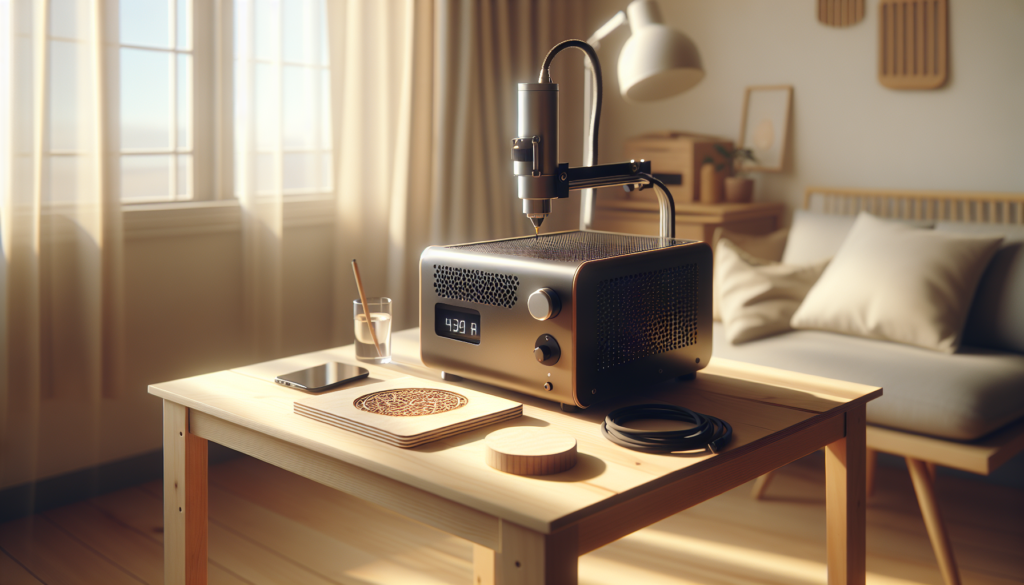
Portable Laser Engraving For Small Spaces: Homes, Studios, And Apartments
You’re about to learn how to fit a laser engraver into the size of an urban shoebox without turning your living room into an episode of a murder mystery. This guide walks you through choosing a machine, preparing a tiny workspace, staying safe, and getting projects done with as little drama as possible.
Why consider a portable laser for small spaces?
You like things that are compact, efficient, and capable of making tidy carbonized signatures on wood. Portable lasers deliver power and flexibility without demanding a 500-square-foot workshop. They’re ideal when you have limited space, limited patience for heavy equipment, and a strong desire to personalize everything you own.
You’ll also find that buying small often forces smarter decisions: organization becomes necessary, and that is how habits are formed. Whether you’re crafting gifts, prototyping, or making small batches for a side hustle, a compact laser can be an excellent fit.
What “portable” really means
Portable can mean different things depending on whether you’re thinking of physical size, weight, ease of setup, or plug-and-play functionality. You need to decide which of those is most important.
- Physical size: Can it sit on a table or slide into a closet?
- Weight: Can you carry it alone, or will you need a friend who owes you a favor?
- Power and capability: Does “portable” mean “toy” or “useful tool”?
- Ease of setup: Plug-and-play, or a small construction project?
Typical portable laser categories
You’ll mostly see three types in small spaces:
- Desktop diode lasers (low to moderate power, light, inexpensive)
- Mini co2 lasers (a bit larger, can cut certain materials, require ventilation)
- Fiber/galvo units (more industrial; less common in tiny apartments)
Each has trade-offs between size, materials it can work on, and complexity. Your choice will be a combination of what you plan to engrave and how much you tolerate noise and fumes.
Choosing the right machine for your space and projects
You will start by listing the things you plan to engrave and cut. If you’ve got a Pinterest board with wooden spoons and acrylic earring templates, a diode or small CO2 laser will do. If you want to mark metals, you’ll need a fiber laser or special coatings—often not ideal for small homes.
Here’s a comparison table to help:
| Machine type | Common footprint | Materials you can engrave/cut | Noise level | Ventilation needs | Typical price range |
|---|---|---|---|---|---|
| Desktop diode (5–20W) | Small; fits on desk | Wood, leather, coated metal, anodized aluminum (marking) | Low | Low-medium (fumes from organic materials) | $200–$1,500 |
| Mini CO2 (30–50W) | Medium; tabletop to small cabinet | Wood, acrylic, leather, paper, some fabrics | Medium | Medium-high (smoke, VOCs) | $800–$5,000 |
| Fiber (20–50W small units) | Medium; heavier | Metals, some plastics | Low | Low (but metal particulate) | $3,000–$10,000+ |
You’ll notice price ranges overlap. That’s because features, brands, and included accessories vary wildly. Don’t be seduced by wattage alone; cutting ability depends on optics, bed size, and motion system too.
Questions to ask before buying
You should answer these clearly:
- What materials do you plan to work with most often?
- How large do your projects need to be (bed size)?
- Will you need to cut, or only engrave?
- Can you accommodate ventilation and power requirements?
- How important is low noise or odor control to your household?
Answering these will narrow down models that actually make sense for your life.
Setting up a laser in a tiny home: physical layout
You will have to make room, and you will invent a rationalization for every item you remove from view. The goal is a stable, level surface at a comfortable height, with access to ventilation and power.
- Table or workbench: Sturdy, level, and large enough for the machine plus a small material stash.
- Clearance: Leave room for the lid to open and for you to reach around the device.
- Power: Dedicated outlet is ideal; avoid overloading your extension cords.
- Storage: Shelves for materials and a small drawer for tools and spare parts.
Think of the setup like cultivating a bonsai: precise, tidy, and mildly obsessive.
Example small-space layouts
Here are three compact layouts depending on how tiny your space is:
| Space | Layout | Pros | Cons |
|---|---|---|---|
| Studio apartment (single room) | Machine on a small table pushed against a window; mobile cart with filtration unit | Easy access to window venting; mobile cart adds flexibility | Visual clutter; minor smell when processing certain materials |
| Tiny home/van | Fold-down table, secured machine with clamps; external ducting out through a vent | Space-saving; can stow away when not in use | Requires secure mounting for movement; ventilation modifications needed |
| Shared building apartment | Machine in closet with cut vent to outside or recirculating filter system; operate when neighbors are out | Keeps equipment out of sight; reduces day-to-day exposure | Noise and fumes risk; landlord/building rules may disallow modifications |
You’ll probably compromise, and that’s normal. You’ll also discover that neighbors have opinions about late-night craft sessions, and they will share them without prompting.
Ventilation, filters, and air quality: do not be casual
You might think “it’s just a little smoke,” but laser engravers can generate particulate matter and volatile organic compounds (VOCs) when burning organic materials and plastics. You need a plan.
- Active ventilation to the outdoors is best where possible.
- If outdoor venting is impossible, use a rated air filtration system with HEPA and activated carbon filters.
- Local exhaust hoods, inline fans, and ducting are common solutions.
You may find yourself measuring airflow with the kind of dedication usually reserved for recipe perfection. That is part of the hobby.
Filtration and ventilation options
| Solution | Effectiveness | Ease of installation | Best for |
|---|---|---|---|
| Window-ducted inline fan | High | Medium | Home studios with accessible windows |
| External venting through wall | Very high | High (requires drilling) | Permitted homes; better air quality |
| Recirculating air purifier (HEPA + carbon) | Medium | Easy | Rentals, apartments where venting is not allowed |
| Enclosure with exhaust port to outdoors | High | Medium | Those who want containment + direct venting |
If you choose filtration, budget for replacement filters. They clog and stop working. Filters are boring but essential, like flossing.
Noise, neighbors, and operating times
You will learn that your choice of operating hours says something about you. Lasers make stepping-marshmallow sounds—more humming and fans than chainsaw—but the continuous fan and motion can be disruptive in thin-walled buildings.
- Run the machine during daytime if you live in a multi-unit building.
- Communicate with neighbors if you plan to run noisy operations.
- Consider softening times and using anti-vibration pads to reduce transmitted noise.
If you enjoy being liked by your neighbors (and you probably do), a short apology and a box of cookies goes a long way.
Safety basics: protect your eyes, lungs, and eyebrows
You are not making magic; you are burning material with focused light. Respect that. Safety reduces risk and keeps your eyebrows intact.
- Eye protection: Wear safety goggles with the correct rating for your laser wavelength or use machines with full enclosures and interlocks.
- Fire safety: Keep a small fire extinguisher rated for electrical and ordinary fires nearby. Never leave the machine unattended while cutting flammable materials.
- Respiratory protection: Use filtration or an appropriate respirator when ventilating is not possible.
- Training: Read the manual, know the emergency stop, and run a test every time you start.
If you own a dog, you will learn its reaction to the machine’s fan. Dogs do not appreciate fumes. Treat them as collaborators in safety.
Safety checklist before each run
- Is the workspace clear of unnecessary combustibles?
- Is the ventilation/filtration system on and working?
- Are interlocks and safety switches functional?
- Are you wearing required PPE?
- Do you have a clear line of sight to the work area?
- Is a fire extinguisher easily accessible?
A short ritual like this makes you feel organized, and that has value beyond the engraving.
Materials: what you can (and cannot) engrave
You will be tempted to engrave everything in a drawer. Resist. Some materials are safe, others are deadly when lasered.
Safe/common materials:
- Wood (most types)
- Cork
- Leather (vegetable-tanned preferred)
- Paper and cardboard
- Acrylic (cast acrylic is safer than extruded in many cases)
- Coated metals (for marking)
- Certain fabrics (cotton, wool—but test first)
Dangerous/avoid:
- PVC and vinyl (produce chlorine gas)
- Polycarbonate (melts and emits harmful fumes)
- Some adhesives and carbon-containing composites
- Unknown plastics — always test in a ventilated area
If you don’t know what a material is, don’t engrave it. You will learn that curiosity is a two-edged sword.
Quick material compatibility table
| Material | Engrave | Cut | Notes |
|---|---|---|---|
| Wood (hard/soft) | Yes | Yes (thin) | Varies by density |
| Acrylic (cast) | Yes | Yes | Smooth edge when cut |
| Leather (veg-tan) | Yes | Yes | Smells like victory |
| Glass | Yes (etch) | No | Needs special settings |
| Aluminum (anodized) | Yes (mark) | No | Fiber lasers mark bare metals |
| PVC | No | No | Produces toxic gases |
Testing scraps is your friend. You will develop a modest hoard of “sample pieces” like someone who collects hotel soaps.
Software and workflow: how engraving actually happens
You might imagine lasers are run by mystical operators in hooded robes. In reality, you’ll use one of several software stacks, depending on the machine: proprietary control software, open-source firmware (like GRBL), and design tools.
Typical workflow:
- Create vector artwork or raster image in a design program (Illustrator, Inkscape, Affinity).
- Convert to the machine’s format (DXF, SVG, or directly import PNG/JPEG for raster engraving).
- Set speed and power based on material tests.
- Position the material and secure it.
- Run a test pass and then proceed.
You will become the kind of person who agonizes over a single font kerning. This is normal.
Recommended software stack for beginners
- Design: Inkscape (free) or Affinity Designer (paid, one-time)
- Controller: Manufacturer’s software or a common controller like LightBurn (paid, popular), or LaserGRBL (free for basic diode lasers)
- File types: Use SVG for vectors; PNG/JPEG for raster images
If you love menus and options, this hobby will make you very happy.
Bed size, focal length, and precision: matching the machine to the job
You’ll see lasers sold by wattage and bed dimensions. Don’t ignore bed size: if you want to engrave 12″ x 12″ coasters, a 6″ x 8″ bed won’t do.
Key specs to consider:
- Work area/bed size: Maximum material dimensions you can process.
- Focal length and spot size: Affect detail and cutting power.
- Motion system: Belt-driven vs. rack-and-pinion vs. linear rails—impacts precision and durability.
A small, well-built machine with a good lens often outperforms a bigger unit with poor mechanics.
Accessories and small-space optimizations
You will want accessories that make life easier without adding clutter.
Useful accessories:
- Air assist: Blows away smoke at the cut, improves quality, reduces flareups.
- Exhaust fan + ducting: For venting to outdoors.
- Rotary attachment: For engraving mugs and bottles.
- Slat bed or honeycomb bed: Helps with cutting and reduces back reflection.
- Smoke absorber/air purifier: For apartments where venting out isn’t possible.
- Fume extractor with activated carbon filter: For organic materials and small spaces.
Keep accessories compact and stackable. If an accessory requires a full closet, it ceases to be “portable.”
Maintenance and troubleshooting in a small space
You will need to clean lenses, replace belts, and occasionally talk to online support. Maintenance is simpler on smaller machines but more visible when everything is right there on your dining table.
Routine maintenance tasks:
- Clean optics and mirrors periodically to maintain power and cut quality.
- Check belt tension and lubricate linear rails if recommended.
- Replace filters and clean the exhaust path.
- Calibrate the focus and check alignment after moving the machine.
Troubleshooting checklist:
- Poor cut quality: Check focus, speed/power settings, and cleanliness of optics.
- Uneven marking: Inspect belts, pulleys, and motor steps.
- Unexpected fumes: Pause operations and ventilate immediately; identify material.
You will by necessity learn to be patient and methodical, which pairs poorly with caffeine but well with cookies.
Project ideas that work well in small spaces
You don’t need a factory to make nice things. Here are compact project ideas that are satisfying, useful, and small enough to store on a shelf.
- Custom coasters (wood, cork, slate)
- Personalized keychains (acrylic, wood)
- Small signs and labels for home organization
- Jewelry (acrylic or wood) and earring sets
- Custom stamps (rubber or photopolymer external)
- Customized phone cases (wood veneer or leather)
- Engraved cutting boards (wood; be mindful of food-safe coatings)
- Small batch product prototypes for Etsy shops
These are high-value, low-footprint projects that won’t make your apartment feel like a kiln.
Legal, insurance, and building considerations
You live in a building; that means rules. Check before you commit.
- Lease/building rules: Some leases explicitly prohibit the use of power tools or equipment that emits fumes or noise.
- Homeowners association: They may have rules about modifications or signage.
- Insurance: Your homeowner or renter’s insurance may not cover business activities or equipment stored in a rented unit. Consider separate equipment insurance if you plan to run a business.
- Local regulations: Some municipalities regulate the emission of certain airborne pollutants.
You’ll find that reading these rules isn’t exciting, but it prevents awkward conversations with property managers.
Cost breakdown and budgeting tips
Laser engraving can be a budget craft or a serious investment. Plan realistically.
- Machine cost: $200 to $10,000 depending on type and capabilities.
- Ventilation/filtration: $100–$1,000 (one-time or recurring for filters).
- Accessories: $50–$500 for air assist, rotary, slat bed, etc.
- Materials and testing stock: $50–$200 initially.
- Software: Free to $100+ (LightBurn license, etc.).
- Maintenance and consumables: Lenses, mirrors, belts—budget annually.
You’ll want to keep a small emergency fund for replacement parts or unexpected repairs. No one enjoys suddenly being unable to finish an order because the focus lens decided to retire.
Buying versus renting or using a makerspace
If your relationship with craft is casual, consider renting or using a makerspace. If it becomes a new, life-consuming hobby, owning eventually makes sense.
Pros of makerspaces:
- Access to larger, more capable machines
- Ventilation and safety infrastructure already in place
- Community and troubleshooting help
Cons:
- Limited access hours
- Travel time
- Membership fees
If you have neighbors and limited tolerance for obsessive tinkering, a makerspace might be your happiest compromise.
Organizing for small-space efficiency
You will become a master of tidy piles and labeled boxes. Good organization reduces mistakes and increases your capacity for creativity.
Tips:
- Use clear bins for materials and label them with contents and safe/unsafe notes.
- Keep a “current projects” shelf that fits within one cubby.
- Use a pegboard or small magnetic strip for frequently used tools.
- Keep consumables in a small drawer near the machine.
Organization might feel like a chore until you realize it saves time every time you want to start a run.
Sample “apartment-friendly” build: step-by-step outline
You can follow this simple, modest plan to set up a safe, compact workstation in a two-room apartment without losing friendships.
- Choose a desktop diode or small CO2 laser with an enclosed cabinet.
- Place it on a sturdy table near a window and next to a power outlet.
- Install a window-drafted inline fan with flexible ducting to the outside (use a removable sash seal).
- Keep a HEPA + activated carbon air purifier running for added insurance.
- Use a slat bed and small air assist to improve cut quality and reduce flare.
- Secure a small fire extinguisher nearby and run a test pattern outside first.
- Store materials in labeled bins and schedule operating times during the day.
This avoids major renovations and keeps operations discreet and responsible.
Troubleshooting common annoyances
You will encounter problems. That’s part of the romance. Here are quick solutions for common issues:
- Smoke residue on the lens: Clean optics with the recommended solvent and lint-free wipes; reduce power or increase speed.
- Warping on thin materials: Use a backing board and lower heat per pass.
- Tube or diode aging (reduced power): Track runtime hours and plan for replacements.
- Uneven cuts: Adjust focus and check the bed for levelness.
Keep notes. Your future self will thank you for documenting what combination of speed and power produced perfect results.
Final tips and a compact checklist
You deserve to feel confident setting up a laser in a small space without turning your life into a science fiction novel. Be methodical, prioritize ventilation and safety, and choose a machine that fits both your projects and your living arrangement.
Compact setup checklist:
- Machine model confirmed for materials you’ll use
- Work area cleared and stable surface prepared
- Ventilation plan (window ducting or rated purifier) in place
- PPE and small fire extinguisher handy
- Software installed and test artwork ready
- Spare parts and maintenance tools available
- Neighbors informed if necessary
You will find that most of the anxiety melts away once you run your first successful job. You’ll also discover that perfection is less interesting than iteration. Make mistakes, learn from them, and keep a sense of humor about the singed edge of a coaster because that’s where the story is.
Closing thoughts (but not too sentimental)
You’re not just buying a tool; you’re buying a new set of rituals. In small spaces, rituals matter. They order your day and transform a handful of square feet into a place where ideas become objects. Your initial setup will be full of compromises, but over time you’ll learn to shape that tiny environment into something efficient and a little bit weird, much like any of the best small rooms in which interesting things are made.
If you follow the recommendations here—respecting ventilation, safety, and the modest limits of your space—you’ll be able to make thoughtful, carefully engraved work without turning your living situation into a hazard, or an unseemly spectacle. You might even find that the constraints inspire the most charming projects. After all, some of the most interesting things in life are made not despite the limitations, but because of them.