Have we ever wanted to put our mark on something—quietly, cleanly, and without a trip to a makerspace?

What We Set Out to Do
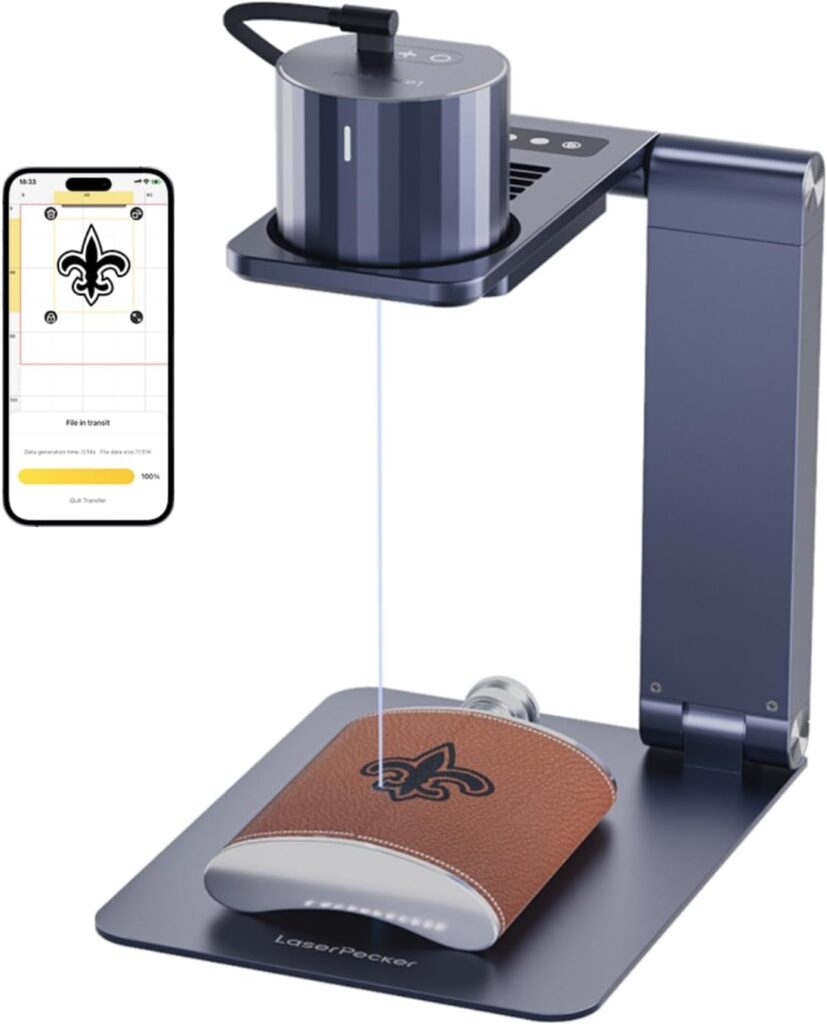
We wanted to see if a palm-size laser could handle our everyday craft urges without the drama of a full workshop. We’ve seen the big machines with extractor fans and a personality you’d describe as “temperamental art teacher.” The LaserPecker LP1 Pro promises the opposite: small, friendly, and ready in minutes. We asked ourselves if that’s actually true, or if we’d end up with a scorched napkin and a story about almost setting our desk on fire.
So we lived with it. We engraved wallets, coasters, notebook covers, bits of wood, felt key fobs, and yes, even a pita pocket. We ran it on a desk, on a balcony, and from a power bank like a rebellious camping gadget. Along the way, we learned what it can do beautifully, what it simply can’t, and where the LaserPecker LP1 Pro shines in a beginner’s world.

LaserPecker LP1 Pro Laser Engraver for Beginners, Mini Diode Wood Leather Felt Laser Engraver Portable Small Laser Engraving Machine, Suit Set with Laser Safety Glasses + Auto-focus Stand
$379 Only 17 left in stock - order soon.
The LaserPecker LP1 Pro at a Glance
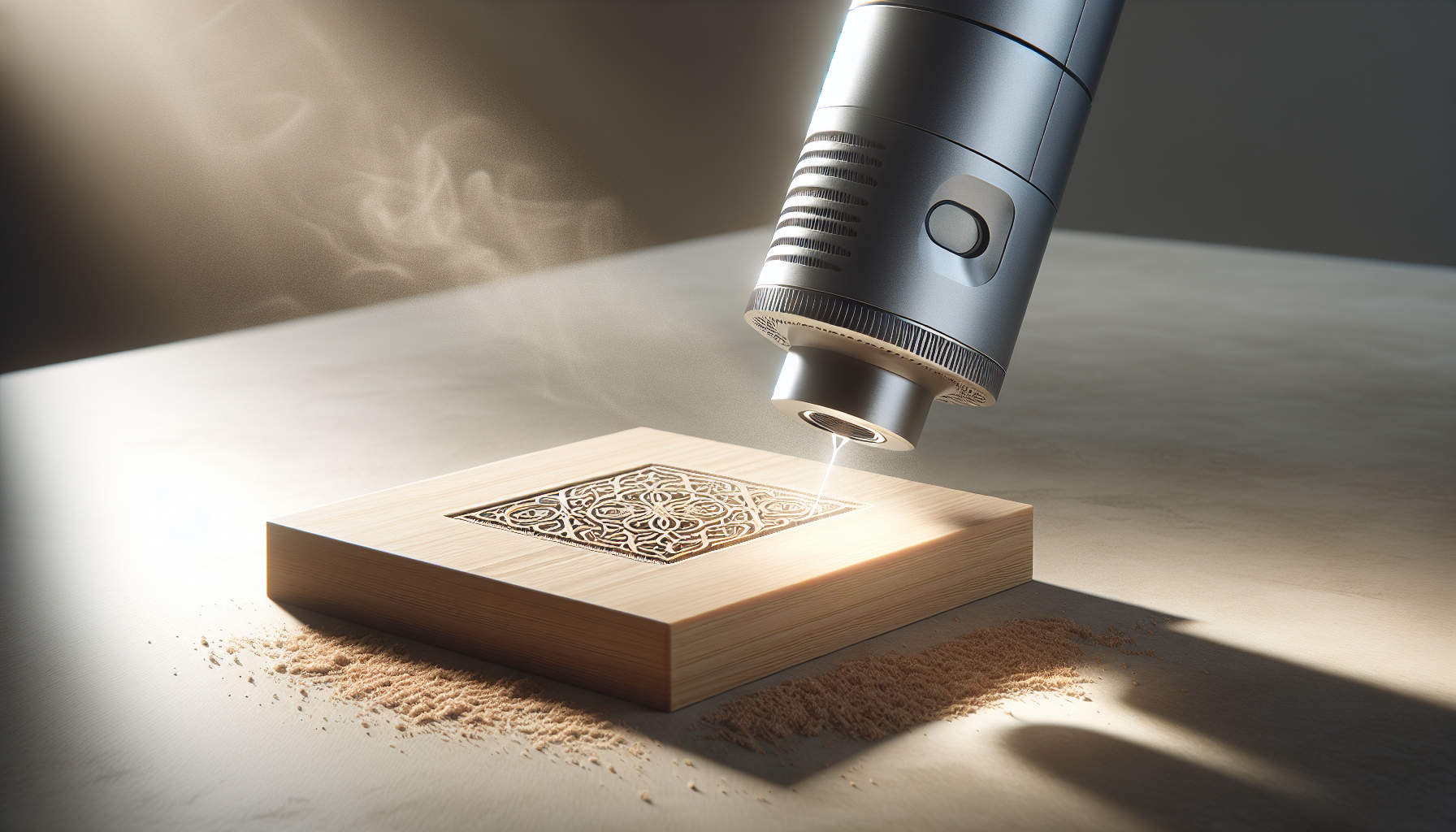
This model sits in that sweet spot between “toy” and “tool.” The 405 nm blue-violet diode laser produces a 0.15 mm spot, which, in normal-person language, means sharp details and crisp lines on materials that respond well to diode lasers. The working area is up to 4 x 4 inches (100 x 100 mm), which sets expectations: we’re not monogramming a coffee table, but we can absolutely personalize a wallet or knock out labels for jars, bins, and gifts.
The unit weighs just 6.7 oz and measures about 2.56 x 2.4 x 2.09 inches. That’s smaller than a stack of sticky notes and lighter than the guilt we feel when we buy craft supplies and forget we already have them. With its auto-focus stand, it finds the correct distance to the surface in seconds, which is the number-one reason we found it beginner-friendly.
Unboxing and First Impressions
Opening the box felt like meeting a very tidy scout troop. Everything has a place: the laser head, auto-focus stand, Type-C cable, charger, tripod, ruler, laser safety glasses, and user manual. The glasses are a reminder that this is not a toy, even if it looks like one. The tripod is handy for getting level on uneven surfaces, and the ruler keeps our layout honest.
What struck us most is how little table space it requires. There’s an appealing “plug it in and start” feeling that we rarely get from machines that emit light hot enough to char leather. We read the manual, which we recommend even if “manual” is a word we usually treat like a suggestion.
Setup: From Box to First Burn
The LaserPecker LP1 Pro is genuinely plug-and-play. We downloaded the LaserPecker app, powered the unit with the included charger (or a 5 V 2 A USB power bank), and paired via Bluetooth. The app recognized the device quickly, and within minutes we were importing a simple line art file.
The first engraving took longer to choose than to perform—deciding between a monogram or a hand-drawn doodle is the actual hard part. The app lets us upload a picture, type text, and import a G-code file. We recommend starting with a clean black-and-white image or crisp text before moving on to photos or shading.
Auto-Focus Stand: The Little Elevator That Could
Focusing a laser is like hollandaise sauce—it’s easy to mess up and ruin your brunch. The auto-focus stand saves us from that. Tap a button, and the stand adjusts the height to find the correct distance to the material, quickly and consistently. No rulers, no test burns, no guessing.
We tested it with materials of different thicknesses—thin card, a leather wallet, and a small wood plaque—and the focus adjusted without fuss. That matters because a misfocused laser looks like a cheap photocopy of a photograph of a copy. Crisp focus means clean lettering and fine lines that read as deliberate instead of accidental.
Accuracy and Detail: 0.15 mm Spot Size
The 0.15 mm spot is the showpiece. We tried small text down to a few millimeters tall on leather and got clear results. Line drawings with lots of detail (think botanical sketches or minimal icons) looked striking on wood and cardboard. Photographs are more nuanced; with dithering and the right settings, they can work on wood, but this is still a diode laser with a blue-violet wavelength—contrast is key, and the source image needs to be high quality.
On felt and fabric, we found it best to stick to bold graphics. On paper and cardboard, the fine spot size shines. On leather, it looks like a boutique brand just hired us to stamp their initials on everything they own.
Materials: What We Can and Cannot Engrave
The LaserPecker LP1 Pro has clear boundaries. We appreciate a gadget honest about its limitations—like a sports car that flatly refuses to haul a sofa.
Materials That Work Well
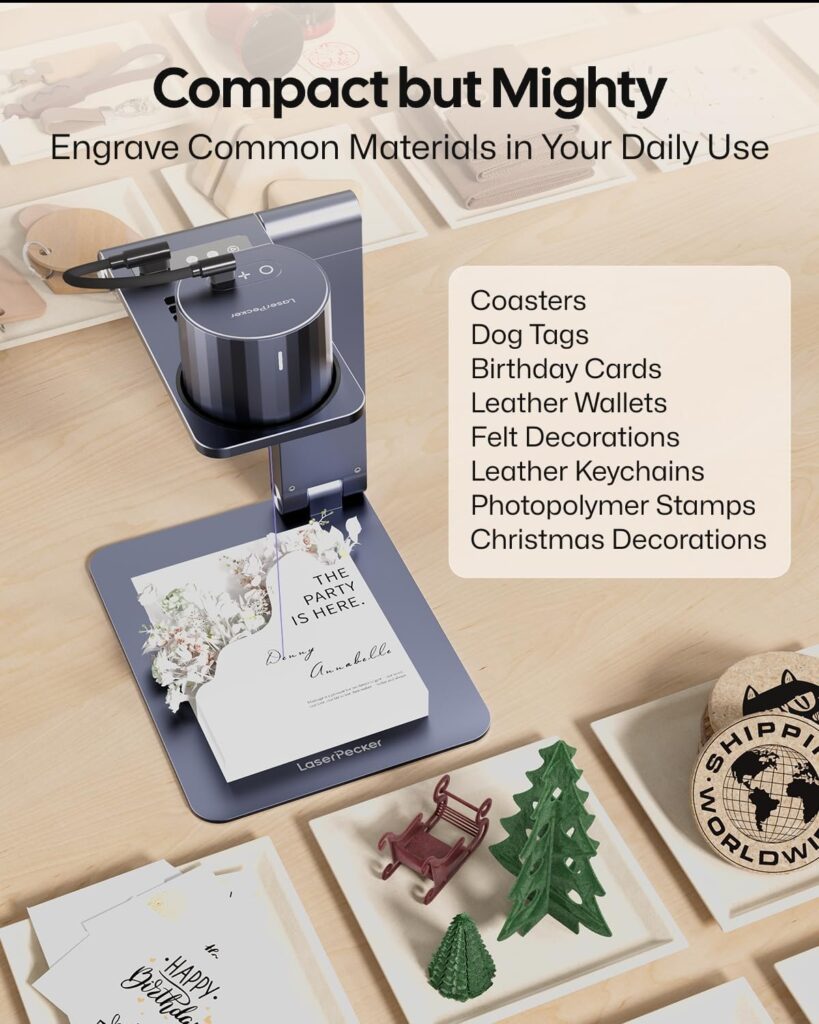
- Paper board and cardboard: Clean, high-contrast burns that look like art-store packaging.
- Fabric and felt: Works best with bold fonts and simple graphics; delicate settings prevent scorching.
- Leather: Gorgeous results; letters look crisp, lines are smooth, and it smells like a tannery for a few minutes.
- Wood: Light woods respond best; choose fine-grained pieces for cleaner results.
- Pita pockets: This is not a joke. We engraved a simple pattern on a pita. Food-safe? The laser isn’t meant for edible projects, but if you’re labeling bread for a photo or novelty, it can mark the surface lightly.
Materials to Skip
- Metals: Not suitable. This laser cannot engrave metal. Save the stainless tumbler for a different tool.
- Stone: No.
- Plastic: Not advised. Many plastics release unpleasant or unsafe fumes when burned, and results are inconsistent.
- Reflective materials: That’s a hard no. Reflective surfaces are hazardous with a laser.
Why Metals Are a No-Go
At 405 nm, the blue-violet diode laser lacks the power and absorption characteristics needed for metals. We know rumors circle about marking anodized aluminum or pre-coated metals, but the manufacturer is clear: metals are not supported. We found life is easier if we recognize this strength and spend our energy on materials the laser loves.
Size and Portability: A Pocket Engraving Studio
At 6.7 oz and pocketable dimensions, the LP1 Pro is absurdly portable. It fits in the front pocket of a backpack. We pulled it out at a friend’s house and monogrammed felt coasters like roving artisans who charge in snacks. We don’t recommend tossing it loose with keys, though—treat it like a camera lens. Keep the optics clean and the unit protected.
The small footprint also means it lives happily on a shelf when not in use. No special table, no smoke extraction benchtop rig, no rearranging the living room to accommodate a machine that looks like it wants to replace us.
Power on the Go
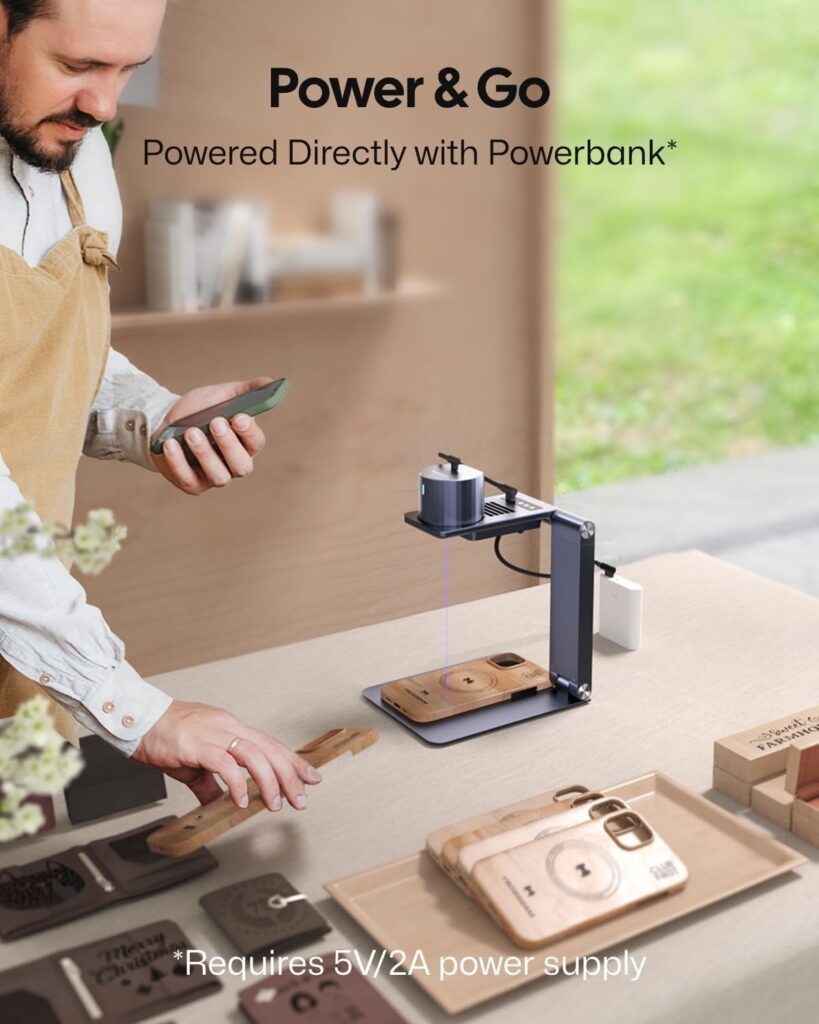
Because it runs off any 5 V 2 A USB source, we used a standard power bank for short sessions. For extended use, the included charger is more stable. On battery, we felt the freedom to personalize on the spot—gift tags on location, quick labels in a studio, or small craft shows where power outlets are guarded like retail gold.
Working Area: 4 x 4 Inches in Real Life
The workspace tops out at 100 x 100 mm. That’s ideal for logos, monograms, small artwork, QR codes, and labels. It isn’t ideal for signage larger than a postcard, and it won’t do full-page notebook covers unless we plan our design to sit within the area. We found the constraint helpful; it keeps us honest and focused on quality over scale.
What That Means for Projects
- Wallets: Perfect. Names, dates, and minimal graphics look professional.
- Notebook corners: Lower-right logos or quotes work well.
- Coasters: Absolutely. Simple icons and short phrases shine.
- Gift tags: The fastest way to look like we planned the present weeks in advance.
- Phone cases: If the material is appropriate (non-plastic, non-reflective, non-metal), small designs can look great.
App Experience: Bluetooth and G-code Support
The LaserPecker app is our control center. We paired via Bluetooth effortlessly and found the interface friendly to beginners. We could import images, type text with various fonts, adjust size, position, and intensity, and even bring in G-code if we’d prepared something in another program.
The app’s preview feature is useful. We recommend framing our piece and doing a light outline pass (or a dry run), which helped us avoid engraving in the wrong place—a classic move we’ve rehearsed on many a crafting tool.
Connectivity and Stability
Bluetooth connections behaved for us. If we moved too far away with our phone, it complained like a needy pet. Staying within a few feet and not multitasking with a dozen other Bluetooth devices helped. If we ever had a hiccup, toggling Bluetooth off and on or restarting the app usually fixed it.
Safety Features: Because We Like Our Retinas
We appreciate a gadget that cares if we keep our eyesight. The LaserPecker LP1 Pro includes:
- Laser safety glasses: Non-negotiable. We put them on before starting any job.
- Password lock: Useful if we share the space with curious hands.
- Motion detection: If the unit gets bumped, it cuts off to prevent stray beams from wandering.
- Laser indicator: Visual confirmation of status helps us avoid surprises.
- Overheat shutdown: If the unit gets too warm, it powers down. In our use, it stayed cool under normal conditions, but summer afternoons can make anything dramatic.
The safety features aren’t window dressing; they’re a core reason we felt comfortable using a laser in a small workspace.
Performance in Daily Use
We measured performance the way crafters do—by whether the finished piece made us grin. On leather wallets, the results were the kind that make us want to start a shop. On wood, we saw consistent lines and shading on lighter species. On felt, the texture softened slightly where the laser passed, leaving a readable graphic that didn’t look cheap. Cardboard labels came out crisp.
We timed a few runs. Small logos and names take just a few minutes. Larger, denser fills can stretch to 10–20 minutes within that 4 x 4 inch area. We liked to set it up and let it work while we cleaned our space or pressed fabric. It doesn’t hold us hostage for hours, which is good, because we barely have the patience to wait for toast.
Speed vs. Quality
We learned quickly: lower speed and moderate power equals better definition on many materials. If we raise the speed too much, the engraving can look faint. If we raise the power too much, we’ll burn and over-char. The app presets get us close; test swatches will save our real projects.
We found that:
- Leather likes mid power, lower speed.
- Cardboard likes lower power to avoid cutting through.
- Wood appreciates experiments—grain and species matter.
Noise, Heat, and Smell
The LP1 Pro hums quietly—quiet enough to run in a room with conversation. The laser produces heat at the burn point, not in the room, but the smells are real. Wood smells like a campfire; leather smells like a boot shop. We kept a small fan and opened a window for airflow. We never ran it next to a smoke detector because we prefer not to meet the local fire department over a monogram.
The Auto-Focus Stand in Practice
We loved the auto-focus so much that we treated it like a party trick. Place the object, tap, and the stand adjusts. It removes a lot of the mystery of laser engraving, where the correct distance really matters. The stand also keeps the work surface stable and level. When we switched to the tripod for odd shapes, we still used the auto-focus to fine-tune the height.
If we ever used very uneven objects, we learned to position the engraving area on the flattest part. The auto-focus can’t fix a curved surface, but it makes the best of what we give it.
Included Tripod: Unsung Helper
The tripod helps if our surface is uneven, or if we want more flexibility in positioning. We used it to angle the laser for awkward items. Once we locked the legs and made sure it wasn’t wobbly, the results were as stable as the default stand. It’s not a cinematic tripod; it’s more of a practical stand-in, and we were happy to have it.
Table: Snapshot of the LaserPecker LP1 Pro
| Item | Details |
|---|---|
| Laser type | 405 nm blue-violet diode |
| Spot size | 0.15 mm |
| Working area | Up to 4 x 4 inches (100 x 100 mm) |
| Focus | Auto-focus stand with quick height adjustment |
| Power | USB 5 V 2 A (supports power banks) |
| Size and weight | 2.56 x 2.4 x 2.09 in; 6.7 oz |
| Supported materials | Paper board, cardboard, fabric, felt, leather, wood, pita pockets |
| Not supported | Metals, stone, plastic, reflective materials |
| Connectivity | Bluetooth via LaserPecker app; imports images, text, and G-code |
| Safety features | Safety glasses, password lock, motion detection, laser indicator, overheat shutdown |
| Intended use | Small-scale engraving and personalization |
| Warranty | 12 months (with 100% QC) |
| In the box | Laser head, auto-focus stand, Type-C cable, charger, safety glasses, tripod, ruler, user manual |
Project Ideas We Loved
- Leather wallets with initials in the corner—clean and understated.
- Wood coasters with minimalist icons—coffee cups, leaves, geometric shapes.
- Fabric labels for handmade goods—short, stylish text in sans-serif fonts.
- Cardboard gift tags—names with a tiny star or heart; it looks boutique and costs pennies.
- Felt key fobs—monograms or simple symbols that read clearly from a distance.
- Notebook corners—date stamps or quotes that make the notebook feel curated.
We learned to keep designs bold and intent crisp. Fine detail is beautiful, but contrast and material response are the secret sauce.
Tips for Better Results
- Do a test square on the same material before final engraving. Ten minutes spent testing saves hours of self-recrimination.
- Clean the material surface. Dust and oils can turn a clean line into a smudge.
- Use painter’s tape on wood if you’re worried about scorch marks; it can reduce edge burn. We still tested before committing.
- Keep the lens clean. A microfiber cloth and a gentle puff of air work well.
- Ventilate. Open a window, use a fan, and don’t breathe closely over the work area.
- Choose images with high contrast. The laser loves black-and-white clarity.
- Avoid reflective and unsafe materials. This is not the tool for plastics or metals.
Maintenance and Care
We treated it like a camera. Dust is the enemy. We kept the lens cap on when not in use, stored it in a soft pouch, and avoided leaving it in direct sunlight or hot cars. After a few sessions, we checked for residue and gave the lens a gentle clean. The stand prefers a steady environment; we made sure nothing sticky or furry wandered near the moving bits.
Firmware updates are simple through the app if prompted. We recommend keeping the app updated, too. It’s like baking—fresh ingredients make a difference.
Troubleshooting in Real Life
- The engraving is faint: Lower the speed or increase the power slightly. Make sure the focus is correct by re-running the auto-focus routine.
- The edges look fuzzy: Check that the material is flat and the auto-focus has set the right height. Clean the lens.
- The app won’t connect: Turn Bluetooth off and back on, or restart the app. Stay close to the unit. Make sure it’s powered and the indicator shows it’s ready.
- The unit shuts down mid-job: It may be overheating or detecting movement. Give it a rest, check for wobbles, and ensure there’s airflow around the device.
- The image is off-center: Use the preview frame and reposition. We learned to run a quick outline or simulate placement before committing.
Living With the 4 x 4 Inch Limit
We fell in love with constraints. A small canvas forces better choices. We stopped cramming paragraphs onto coasters and started thinking in symbols and short words. The LP1 Pro is at its best when we embrace this. It’s a precision tool for small, intentional work.
If we absolutely needed bigger, we tiled designs with careful alignment, but that’s more advanced and not what we’d recommend for beginners. Instead, we curated projects that sing in small doses.
How It Compares to Larger Machines
We’ve used big CO2 lasers and more powerful diode units. They bring larger work areas, more speed, and the ability to mark more materials. They also bring size, cost, maintenance, fumes, and a learning curve that feels like a community college course. The LaserPecker LP1 Pro is designed for beginners and portability. It’s not pretending to be a shop workhorse.
We think of it as a personal engraver—the device we grab for gifts, craft fairs, and branding small batches. If we ran a business engraving dozens of items a day, we’d reach for heavier equipment. For our needs—quality, small projects, minimal fuss—the LP1 Pro hits a comfortable target.
The LaserPecker App: What We Liked
We liked the live preview, the text tool, and the general ease of placing and resizing designs. Importing G-code allowed us to bring in designs from more advanced software when we wanted. We kept our workspace clear and our Bluetooth stable, and it behaved.
We also liked that we could save settings for different materials. Once we landed on the magic numbers for leather or wood, we wrote them down. The app’s simplicity is comforting—no labyrinth of menus, no hidden traps.
Safety in Practice
We wore the goggles. We kept pets and kids out of the area. We avoided reflective surfaces and any material that smelled suspicious when warmed. The motion detection saved us once when we bumped the table, and the laser cut off instantly. We appreciate not having to explain to our landlord why there’s a pattern on the wall that looks like a sci-fi accident.
We also paid attention to heat management. While the unit stays stable, ambient temperature matters. If our room is sweltering, we take breaks. We consider it an excuse to hydrate.
The Set: What We Get and Why It Matters
The package includes everything we need to get started:
- Laser head
- Auto-focus stand
- Type-C cable
- Charger
- Laser safety glasses
- Tripod
- Ruler
- User manual
There’s no need to buy extra gear just to make our first engraving. That’s rare, and it lowers the barrier to entry. The glasses are a responsible touch; the tripod feels like a bonus; the ruler is practical; the auto-focus stand is the star of the show.
Quality and Warranty
The manufacturer states 100% QC has been done, and the purchase is backed by a 12-month warranty. We like a company that stands behind its gear. We keep our proof of purchase and store the box for a while, the way we do with appliances we plan to keep. If we needed support, we’d start with the manual and app, then reach out if needed. It’s a low-drama setup that didn’t trigger our inner tech support voice.
Pros and Cons We Noted
Pros:
- Auto-focus makes setup easy and reliable.
- 0.15 mm spot yields crisp lines on compatible materials.
- Truly portable; runs on a 5 V 2 A power bank.
- App is beginner-friendly and supports text, images, and G-code.
- It includes safety glasses and multiple safety features.
- Quiet and simple to operate in small spaces.
- Perfect for small personalization projects.
Cons:
- Not compatible with metals, stone, plastic, or reflective materials.
- Limited to a 4 x 4 inch work area.
- As a diode laser, shading on some woods can require trial and error.
- Bluetooth dependence means staying close with our phone.
- No built-in fume extraction (open a window or use a fan).
Best Practices for Design
- Keep text bold and legible at small sizes; avoid thin script on rough materials.
- For leather, choose vector artwork with clean lines.
- For wood, avoid heavy fills unless you want a darker, more charred look.
- Stick to high-contrast black-and-white images; prioritize vector graphics when possible.
- Test different line thicknesses to see what the 0.15 mm spot delivers on each material.
Using It at Events or Small Shops
We took it to a small get-together and personalized items on the spot. It was a hit—quiet, quick, and impressive without being intimidating. Using a power bank made it easy to set up. We placed it on a sturdy table, used the goggles, and kept the engraving area well defined. We didn’t attempt to engrave anything the device doesn’t support; we kept to leather tags and wood coasters, which came out great and made us look more organized than we felt.
The Smell Factor and Ventilation
We can’t write about lasers without mentioning smell. Charred wood smells like a cabin; leather smells like a shoe repair shop. We embraced it with ventilation. A small desk fan and a window did the trick. If we used it regularly in a closed room, we’d want to be diligent about airflow. We also kept a fire-safe mindset—no flammables nearby, no unattended burns, and no leaving it running while we wander off to make tea.
Learning Curve and Confidence
The LP1 Pro is a confidence machine. The auto-focus cuts out guesswork, and the app keeps our attention where it belongs: the design and placement. We aren’t fiddling with manual distances or chasing perfect alignment with rulers and prayers. As a result, we got good results quickly and felt brave enough to try more complicated designs within the laser’s sweet spot.
When We’d Reach for It
- We want to personalize a gift quickly and cleanly.
- We’re at a small market and offering custom initials on the spot.
- We’re branding craft items with a small logo.
- We’re creating labels that don’t look like a label maker had a bad day.
- We want a portable solution that tucks away when we’re done.
When We Wouldn’t
- We need to engrave metal, stone, plastics, or reflective surfaces.
- We require a work area larger than 4 x 4 inches.
- We need industrial throughput or continuous production runs.
Care and Feeding Over Time
We scheduled little rituals: quick clean of the lens every few projects, check the stand’s motion for dust or stray fibers, and keep the unit covered when not in use. We also kept notes on settings for our favorite materials. Future us always appreciates past us writing things down.
Value and Who It’s For
This is for beginners who want strong results without a steep learning curve. It’s for crafters and small business owners who want clean branding on natural materials. It’s for anyone who wants a tidy, portable engraving solution that behaves more like a good kitchen tool than a laboratory experiment. The value sits in the time we save and the confidence we gain.
We didn’t need to master complicated software or build a dedicated workshop. We needed a phone, a table, and a good idea.
A Few Design Recipes We Loved
- Leather: Medium power, slower speed, simple vector art; mask with tape if we’re nervous about residue, then peel and reveal.
- Wood: Light woods, moderate power, and test passes; go darker as needed, but avoid overburning edges.
- Felt: Bold text and icons; avoid tiny filigree. Keep speed moderate to prevent excessive fuzzing.
- Cardboard: Lower power and brisker speed; clean lines without cutting through, unless cutting is the goal.
- Food-adjacent experiments: If we’re experimenting for novelty, we keep it safe, quick, and for display rather than consumption. The laser isn’t a cooking tool.
Using G-code and External Tools
For those of us who like a slightly more advanced workflow, importing G-code opens up possibilities. We created vector art in our favorite design software, generated toolpaths, and imported them to the app. The LP1 Pro handled it without complaint. We still did a small test before committing, because even the best plan benefits from rehearsal.
Everyday Joy and the Small Wins
There’s something charming about making small, deliberate marks. A wallet with initials. A coaster with a tiny fox. A notebook with a date stamp that anchors a memory. The LP1 Pro gave us these little victories without the negotiation we’ve come to expect from creative hardware. We carve out ten minutes, press a few buttons, and watch our idea become a thing. That feels good.
Responsible Use and Common Sense
We followed the rules. We used the goggles. We kept the area clear. We stayed within supported materials. It’s easy to get cavalier with gadgets that behave well, but a laser is still a laser. The safety features are excellent, but our attention is the final safety feature. We considered this the best kind of responsibility: a habit we barely notice after the first week.
Warranty and Support: Peace of Mind
With a 12-month warranty and 100% QC stated, we felt comfortable. We registered our purchase, held onto receipts, and read the user manual like a bedtime story with fewer dragons. In our time with the unit, we didn’t need support, but it’s good to know we could call in reinforcements if a gremlin ever moved into the stand.
The Bottom Line on the LaserPecker LP1 Pro Laser Engraver for Beginners
We found a device that makes personalizing small items simple, tidy, and genuinely satisfying. The auto-focus stand removes the biggest beginner pitfall, the app is friendly without being patronizing, and the 0.15 mm spot delivers clean results on materials the laser is designed for. The working area is compact, but so is the unit; that’s the trade we accept.
If our goal is to engrave metal, plastics, or large surfaces, this isn’t the right tool. If our goal is to make small, meaningful marks on wood, leather, felt, fabric, or paper-based materials, the LaserPecker LP1 Pro feels like the right kind of companion—one that fits in a bag, runs from a power bank, and gets to work with minimal fuss.
Final Thoughts We Stand By
We set out looking for a beginner-friendly engraver that respects our time and our eyesight. We found it here. The safety suite settles our nerves, the auto-focus calms our setup anxiety, and the results make us look more capable than we felt on day one. We put our name on things, and those things looked better for it.
If we had to summarize our experience in one sentence, we’d say this: the LaserPecker LP1 Pro is a small, confident engraver that turns a beginner’s curiosity into results, and it does so with grace, portability, and a sense of humor about its own limits. And now, our coasters are organized, our wallets are monogrammed, and our craft table looks suspiciously like a studio.
Disclosure: As an Amazon Associate, I earn from qualifying purchases.