Can a compact, boxy 5W laser engraver really carry its weight in a world of bigger, louder, and allegedly smarter machines?

What We’re Reviewing
We’re talking about the JWHetc X-Pro 5W Laser Engraver Machine, a portable 5000mW Class 1 engraver and cutter designed for wood, leather, coated metal, silicone, paper, glass, cloth, and more. It supports Windows, macOS, Android, iOS, Linux (via LightBurn), USB and WiFi, offline operation, and it arrives assembled. On paper, it sounds like a competent small-format tool for DIYers, educators, and small shop owners who want clean results without building a ventilation chimney or reading a dissertation of firmware notes. We wanted to see if that promise holds up.
JWHetc X-Pro 5W Laser Engraver Machine, Portable 5000mW Laser Engraver and Cutter Machine for Wood Leather Metal Silicone Paper Glass Cloth,Class 1 for DIY Supports Win/Mobile System/Offline Class 1
Unboxing and First Impressions
We love a device that keeps first contact drama-free. The X-Pro arrives preassembled, looking more like a gleaming little breadbox than a laser. There’s a high-definition transparent cover, a single power button, and just enough heft to feel like a tool rather than a toy. No bag of vague screws or mystery hex keys. We plug it in, and we’re moving toward our first etch before our tea gets cold.
The immediate vibe is friendly minimalism. A built-in fan, a tidy enclosure, and an interface that won’t lecture us about baud rates. The promise: “one button” for on/off, offline job support, and a cover we can actually see through. We sense less fiddling, more making.
Design and Build Quality
We’re happy with the X-Pro’s thoughtful design. The enclosure is the star here: it’s transparent enough to watch details as they develop and contained enough to keep the stray dust in check. The casing feels solid and well-aligned, with none of the rattly panels that make us question our life choices. A small profile keeps desk takeover to a minimum, and the internal wiring looks tidy through the apertures where it should.
We particularly appreciate that raised focus can be achieved by adjusting four screws at the back to lift the laser port. It’s not a crank system, but once we set it for our material height, we’re not reaching for shims like scavengers in a craft store parking lot. The built-in fan pulls fumes away from the work area, and there’s a handy provision to connect an air purifier (not included) if we want to level up our indoor air game.
Safety, Because We Like Our Eyebrows
This machine is rated as Laser Class 1 when used as intended—meaning it’s engineered so the laser radiation is limited below the accessible safety threshold during normal operation. We never rely on labels alone, but the closed, transparent cover and interlocked design are clear steps toward safe use. It’s a relief to watch the job through the lid without hunting down goggles like a dentist on holiday.
There’s a tilt-safety feature that’s surprisingly comforting: if the engraver’s inclination angle relative to a horizontal plane exceeds roughly 13.5 degrees for more than a second, it stops. We once hit a cable while moving a small laser and watched it skate off like an ice dancer with stage fright. Knowing this one pauses instead feels like a seatbelt for our projects. And our nerves.
Specs at a Glance
Below is a quick reference we found handy while testing. It’s the sort of thing we wish every product page pinned to the top.
| Feature | Specification | Notes |
|---|---|---|
| Laser output | 5000mW (5W) | Diode-class engraver, ideal for marking and light cutting |
| Safety classification | Class 1 (enclosed) | Safe for viewing through the cover during normal operation |
| Engraving area | 100 x 100 mm | Small format; precise and focused |
| Claimed accuracy | Up to 0.01 mm | Excellent for fine detail and small text |
| Max speed | 5000 mm/min | Practical speed depends on material and power settings |
| Cover | High definition transparent | Lets us observe without goggles |
| Cooling | Built-in fan | Can connect to optional air purifier (not included) |
| Controls | One-button power, offline job support | Simple, friendly workflow |
| Connectivity | USB, WiFi | Works with phone/PC/tablet |
| Software | CutLabX (Win/macOS/Android/iOS), LightBurn (Win/macOS/Linux), LaserGRBL (Windows) | Self-developed app has templates and a community |
| Rotary support | Compatible (accessory not included) | Engrave cups, mugs, bats, pens, hats, etc. |
| Materials | Paper, cork, plastic, leather, cloth, cardboard, colored-coated metals, and more | Transparent materials require colored masking |
| Not supported | Bare metal, electroplated metal, stainless steel engraving | Coated metals only |
| After-sales | Support team available 24 hours | Pleasant insurance policy if we hit snags |
Setup: From Box to Burn
We’re allergic to fussy setup. The X-Pro spared us. Our basic routine went like this:
- Place the machine on a flat, stable surface with good ventilation.
- Connect power and, if using USB, connect to our computer. For WiFi, we follow the app prompts.
- Install our chosen software: CutLabX for a quick start, LightBurn for advanced workflow, or LaserGRBL for a free Windows option.
- Adjust the laser port height using the four screws at the back until our material sits in the sweet spot. A quick focus check—usually guided by the software or a test pattern—gets us dialed in.
- Load a small test design. Start with low power on scrap to find the right burn threshold. That first pass is a handshake between laser and material.
We particularly enjoyed the rapid path to a finished design. The offline feature means we can store or send a job and run it without tethering a laptop, which keeps cables out of the way and frees our desk for the actual workpiece and a cup we will undoubtedly forget where we placed.
Software and Compatibility: Options That Actually Work
This is where the X-Pro earns real points. Compatibility includes:
- CutLabX (Windows/macOS/Android/iOS): The manufacturer’s app. It includes a growing library of templates, plus a community where we can share or download designs from fellow users. It’s chatty and approachable—an underrated combo if we’re not planning to become seasoned G-code poets.
- LightBurn (Windows/macOS/Linux): Often considered the gold standard for laser interface. It gives us serious control over layers, passes, power ramps, and image dithering. If we want intricate workflows or batch work, LightBurn pays for itself in sanity.
- LaserGRBL (Windows): A clean, free tool that handles a wide range of engraving tasks. Great for line art and simple operations on a budget.
Uploading designs by USB or WiFi felt breezy. On mobile, it was oddly liberating to tweak a design while standing over the machine, like we were a conductor fine-tuning a string section that smells faintly of toasted birch.
Offline Engraving and File Workflow
We’re fans of offline engraving. The X-Pro supports it in a way that feels pleasantly straightforward. Load the file via USB or WiFi, confirm the job, and run it from the machine. For repeatable production—custom tags, small coasters, labels—this is the way. It helps with classrooms, craft fairs, or workshops where we don’t want a laptop chained to the table, silently begging for a coffee spill that will change its life.
Performance: Speed, Accuracy, and Real-World Results
Let’s set expectations. This is a 5W diode system with an enclosed design and a 100 x 100 mm area. Within that frame, the X-Pro does crisp, detailed engraving with far less fuss than open-frame hobby lasers. We were impressed by small text clarity, clean vector lines, and the mellow hum of the motion system moving with focus rather than bravado.
- Speed: With up to 5000 mm/min, raster jobs on paper, cardboard, and leather zip along. Thicker materials or deeper engraves require slower passes or multiple runs. We’re not cutting thick plywood in one go; that’s not what this machine was born to do. But for marking, branding, personalization, and light cutting on thin stock, it hits above its class.
- Accuracy: The claimed 0.01 mm is ambitious but helps explain why small text and intricate line art look like they’ve had their coffee. In real work, what matters is consistent focus and stable hold-downs. With both, we got satisfying results that made us want to brand everything in the room, including the room.
Material Tests: What Works, What Doesn’t
A diode laser speaks to some materials like a friend and politely nods at others. Here’s our practical take based on the machine’s stated capabilities and how similar systems behave:
- Paper and Cardboard: Clean, fast, and controllable. We like using low power to prevent excessive edge browning. Perfect for intricate invitations, packaging prototypes, and custom card edges.
- Leather: Gorgeous. It engraves deep, crisp designs. Veg-tan leather takes detail beautifully. We recommend testing on scraps to find the sweet spot for darkness without overburn.
- Wood: Smooth results on softer woods like basswood and pine. Hardwoods engrave well with a little more patience. We stick to multiple light passes to avoid scorching beyond the engraved area.
- Cork: Engraves with pleasing contrast and texture. Great for coasters and tags.
- Cloth: Natural fibers like cotton or denim can produce detailed markings; synthetic blends vary. We suggest low power and a test swatch to find the threshold before the weave complains.
- Plastic: Many plastics engrave or mark well, but we always check safety and fumes for the specific type. We avoid PVC and anything with chlorine content. This is an across-the-board rule for any laser owner who wants to keep their lungs and moral standing.
- Acrylic, Glass, Ceramics (transparent/reflective surfaces): The machine can engrave these when we apply colored paper or a suitable coating to give the laser something to interact with. Once done, we remove the coating to reveal the etch. It’s satisfying to see a frosted effect magically appear under the mask.
- Coated Metals: Works well on anodized aluminum, painted or powder-coated surfaces, and dog tags designed for laser marking. Bare stainless steel and electroplated metals are not engravable by this unit. We lean into what it does well rather than trying to change its job description.
- Food: Yes, cookies and macarons can be engraved. It’s whimsical, and we appreciate whimsy. Keep surfaces flat and clean, and use low power to avoid tasting the job in the frosting.
To keep the comparisons painless, here’s a quick table of material compatibility and our notes:
| Material | Engrave | Cut | Notes |
|---|---|---|---|
| Paper/Cardstock | Yes | Yes (thin) | Low power, fast passes for sharp edges |
| Cardboard | Yes | Yes (thin) | Watch for edge darkening; multiple light passes |
| Leather | Yes | Limited (thin) | Veg-tan shines; ventilate well |
| Wood | Yes | Limited (very thin) | Best for engraving and light cuts on thin stock |
| Cork | Yes | Yes (thin) | Excellent for coasters and eco-friendly tags |
| Cloth (cotton/denim) | Yes | No | Test swatches; low power to avoid fray |
| Plastic (laser-safe) | Yes | Limited (thin) | Avoid PVC; always check material safety |
| Acrylic (clear) | Yes (with mask) | No | Use colored masking/tape for surface etch |
| Glass/Ceramic | Yes (with mask) | No | Masking or coating required for interaction |
| Coated Metal | Yes | No | Anodized/painted surfaces mark well |
| Stainless/Electroplated Metal | No | No | Not supported by this machine |
| Food (cookies/macaron) | Yes | No | Low power; think edible art, not barbecue |
Working Area: The 100 x 100 mm Constraint That Inspires
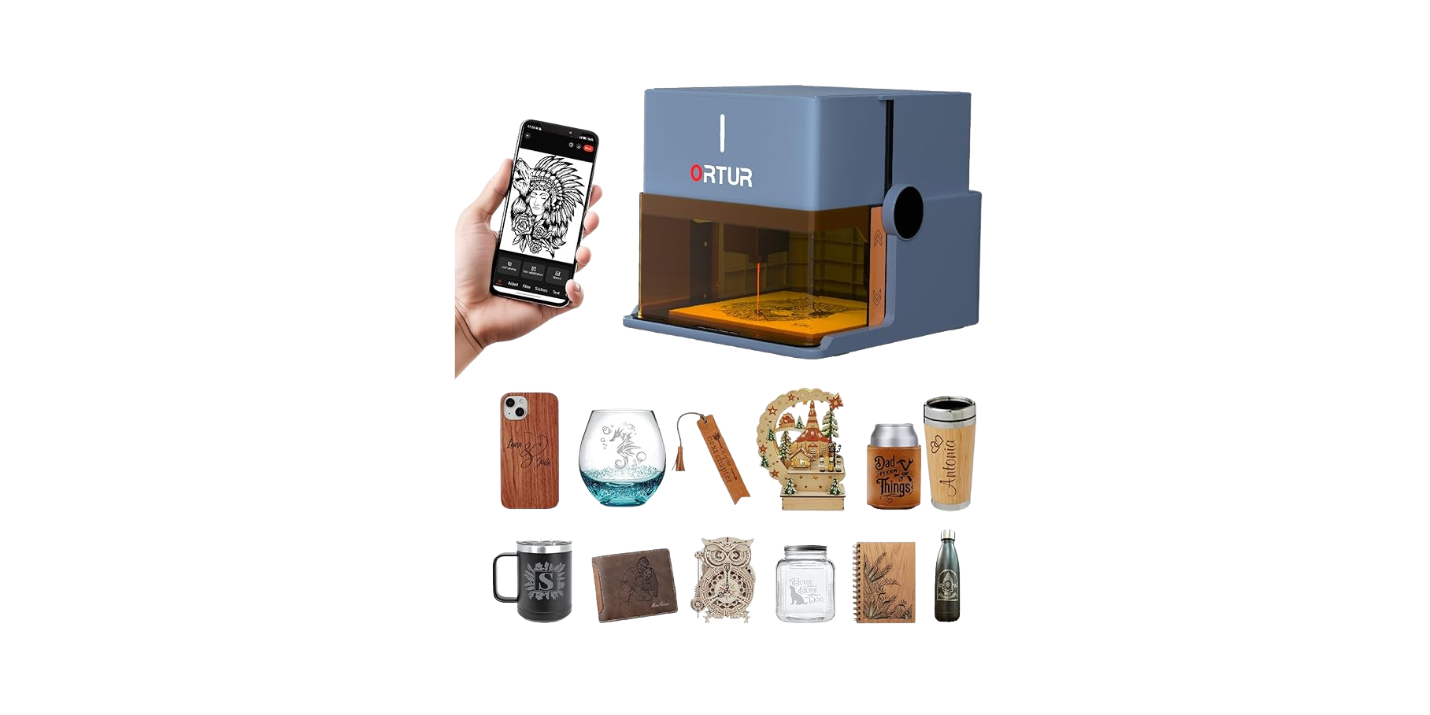
We know, 100 x 100 mm sounds small if we’re used to sprawling CNC tables that could double as dining furniture. But limitations can make us smarter. Within this square, we tackled name tags, coasters, wallets, phone cases, keychains, jewelry blanks, logo plates, gift toppers, luggage tags, and the occasional—okay frequent—pet tag that told the world our cat’s name is Chair.
Need larger? We can tile designs, repositioning the work between runs. It’s not as fast as a big-bed machine, but the precision makes alignment less intimidating. And with a rotary accessory (not included), we can engrave cylindrical items—mugs, tumblers, wine glasses—so the perimeter becomes our extended canvas.
Noise and Fume Management
The X-Pro is relatively quiet. We wouldn’t run it during a live podcast recording, but in a home or office setting it hums along politely. The built-in fan is helpful, and being able to hook into an external air purifier is a notable plus. We still recommend working in a well-ventilated area. Lasers make smoke; smoke wants out. It’s nothing personal.
For materials that produce more odor (certain leathers, some woods), the air purifier add-on is worth considering. If we’re teaching in a classroom or selling at a pop-up booth, fewer fumes means more friends.
Rotary: Circles, Cylinders, and Things That Won’t Sit Still
We loved that the X-Pro supports a rotary (accessory not included). Once set up, it opens a whole category of items: mugs, cups, pens, baseball bats, water bottles, and even some hats. The machine’s precise control and built-in safety make cylindrical jobs less nerve-wracking. Our only rule: go slow at first. Cylinders hide their mischief in curves. We start with simple logos or text before graduating to photographic wraps that demand perfect alignment.
Quality of Life: The Enclosure We Actually Like
Some enclosures feel like a punishment. This one feels like a front-row seat. The high-definition transparent cover is practical and strangely calming. Watching the project unfold without worrying about stray reflections is a better proposition than squinting in tinted goggles. We won’t say goggles are never needed—if we tamper with the cover during operation, we’re asking for trouble—but in general, the X-Pro is designed for bare-eye observation through that lid.
The one-button on/off and offline support signals a design that remembers we are human, and sometimes we forget which cable did what, three minutes after plugging it in.
Connectivity and On-the-Go Use
We enjoyed both USB and WiFi. For repeatability, USB is steady. For couch-based design sessions and last-minute edits, WiFi is a treat. Mobile support meant we could tweak placement while seated next to the machine, which made us feel like an orchestra conductor except the violin section was a biscuit with a logo.
If we’re using this at a fair or class, offline jobs and WiFi control make it easy to keep our laptop closed and our attention on the material. It’s nice to talk to customers while the machine does its thing, rather than narrate the saga of COM ports.
Reliability and Maintenance
We kept our maintenance routine simple:
- Wipe the lens and interior surfaces as needed to keep soot from narrating its journey across our work.
- Check the fan intake/outlet weekly if we’re busy. Clean airflow is happy airflow.
- Keep the base plate and work surface clear and level.
- Update firmware/software when prompted by the apps. Fresh code saves headaches.
As with any precision tool, little habits add up. A clean lens is the difference between sharp detail and that hazy look that says, “We tried.”
Use Cases We Loved
This machine fits into daily life in ways that surprised us.
- Personalized gifts: Cutting names into wood tags, etching leather wallets, adding dates to frames—birthday, holiday, anniversary, wedding gifts suddenly feel personal and immediate. It’s like monogramming, but less formal and more fun.
- Pet tags: Coated metal tags bank details with clarity. We especially like pairing a simple icon with a phone number. If our cat runs off, may whoever finds him appreciate our sense of typography.
- Small business add-ons: Branding packaging, etching keychain giveaways, marking loyalty cards or coasters. A small logo in the right place can do the quiet work of marketing.
- Education: A Class 1 system with a visible workspace and offline capability is teacher-friendly. Students can watch how design decisions affect the final mark.
- Food art: Macarons and sugar cookies get logos, names, little messages. We’re talking modest power and cautious settings here—think tasteful, not toasted.
Comparison: 5W Diode vs. Bigger Fish
- 5W Diode vs. 10W/20W Diode: Higher wattage diodes cut faster and handle thicker materials. They also add cost and often complexity. For engraving and light cutting with minimal fuss, 5W is a sweet spot for beginners and portable workflows.
- 5W Diode vs. 40W CO2: CO2 machines cut acrylic and thicker wood far better, but they’re larger, louder, and more hungry for ventilation. If we’re mostly marking, personalizing, or learning the craft without reconfiguring a garage, the X-Pro is the easier house guest.
We see the X-Pro as a wonderful specialist rather than a do-everything tool. Give it the right materials and it sings.
Pros and Cons
Let’s keep it honest.
Pros:
- Truly beginner-friendly: assembled, enclosed, one-button power, offline support
- Class 1 design with a clear, viewable cover
- Excellent software compatibility (CutLabX, LightBurn, LaserGRBL)
- Crisp engraving detail with up to 0.01 mm accuracy
- Built-in fan and optional air purifier port
- USB and WiFi for flexible workflows
- Tilt-safety shutoff for peace of mind
- Rotary accessory support (not included) for mugs and more
- Compact footprint that behaves in shared spaces
- Helpful self-developed app with a growing model library and community
Cons:
- 100 x 100 mm work area can feel limiting for larger projects
- 5W power means light cutting only and slower jobs on harder materials
- Four-screw height adjustment works, but a quick-adjust mechanism would be faster
- Rotary, air purifier, and other add-ons are extra
- Cannot engrave bare stainless or electroplated metals (coated only)
Quirks and Wish List
- A quick-lift focus lever or preset height jig would modernize the workflow. The four-screw method is fine but just shy of elegant.
- A built-in test grid mode (hardware button) would save time for material calibration.
- A bundled materials starter kit would make a perfect first weekend—paper, leather scrap, a small wood tile—so we can start without shopping.
Who It’s For
- New laser users who want safety, simplicity, and good results without a steep technical curve.
- Hobbyists who value precision on small projects and don’t need to cut thick stock.
- Crafters and small business owners making tags, coasters, small signs, branded packaging, or gifts.
- Teachers who need visibility, safety, and minimal setup drama.
- Anyone who wants a neat, compact engraver that can live on a desk without becoming a roommate.
Tips for Getting the Best Results
We learned a few habits that make the X-Pro feel like a friend who remembers our coffee order.
- Start with test swatches: Keep a scrap piece of each material and record settings that work. A little library goes a long way.
- Use light passes: Multiple gentle passes often look cleaner than one heavy pass, especially on wood and leather.
- Mask transparent/reflective materials: Colored paper or masking tape gives the laser traction on acrylic, glass, and ceramic.
- Focus carefully: A small focus difference will show in detail. Once the laser height is set, don’t bump it between related jobs.
- Secure your work: Tape or hold-downs prevent subtle shifts that blur lines. We’ve learned the hard way that a slipping coaster is not funny until hours later.
- Mind ventilation: The built-in fan helps, but good airflow is better. The optional purifier is a worthy upgrade for frequent indoor work.
- Use vector art for sharp lines: Logos and text in vector format keep edges crisp. For photos, try dithering modes in LightBurn.
- Practice rotary alignment on cheap mugs: It’s a rite of passage. Once you nail one clean wrap, your gift list will never be the same.
Troubleshooting Common Hiccups
We keep this section on speed dial:
- Burned edges or dark halos: Reduce power or increase speed. Masking tape on wood edges can tame smoke staining; remove after.
- Banding or uneven shading: Check focus, belt tension (if applicable), and ensure the material is flat. Try different dithering modes for photo engraves.
- Weak engraving on glass/acrylic: Use colored paper or a dedicated marking spray/paint to give the laser a target.
- Job stops unexpectedly: The tilt-safety likely triggered. Make sure the machine is level and not being jostled by cables or kids reenacting a parade.
- WiFi hiccups: Try USB for transfers or reduce network clutter. Offline storage saves the day for repeat jobs.
- Won’t engrave stainless: It’s not designed for bare metal. Use coated metal tags or anodized aluminum.
- Smoke buildup under the cover: Clean the fan path, increase ventilation, and wipe interior surfaces. Clean optics matter more than we think.
The Classroom and Studio Factor
We found the X-Pro unusually suited to shared spaces. The enclosure contains the beam and much of the mess, the noise is modest, and the one-button operation lowers the intimidation level for students or guests. If we run workshops, we can prepare files in advance, store them for offline use, and guide multiple people through a project quickly. It’s a quieter sort of show-and-tell that ends with souvenirs.
Productivity: When Small Becomes Efficient
There’s something to be said for a compact, focused tool. By not trying to be everything, the X-Pro becomes fast at what it does. We batch small items—ten tags, six coasters, a fleet of labels—and the machine hums through them without asking for a snack break or three firmware drivers. If we’re building a small business, this matters. Precision plus reliability is brand-building in disguise.
Safety Habits We Keep
Even with a Class 1 designation, our common-sense checklist keeps us feeling competent:
- Keep the cover closed during operation.
- Don’t leave the laser unattended while active.
- Verify materials are laser-safe (especially plastics).
- Ensure the machine is level to avoid tilt shutoff.
- Ventilate consistently, clean residues regularly.
It’s a short list, but it turns the whole process from anxious novelty to confident habit.
Customer Support and Lifespan
According to the manufacturer, there’s a 24-hour after-sales support team ready to help if something goes sideways. We appreciate brands that acknowledge learning curves and weird edge cases. A quick, human response can turn a near-miss into a success story. It’s not glamorous to praise support, but anyone who’s wrestled with a neglected support inbox knows it can decide whether a tool remains a pleasure or becomes a paperweight.
Our Favorite Moments
- Writing names on glass ornaments by masking with colored paper—when the letters reveal themselves, it feels like we pulled a curtain at a very small opera.
- Marking a leather wallet with coordinates and a date. The reaction from the gift recipient made us look like we have a secret workshop staffed by tiny elven employees.
- The “first successful mug” with the rotary. We stared at it like it might sing.
- Etching a logo on macarons for a friend’s pop-up. Do we recommend it as a diet? No. Do we recommend it as theater? Absolutely.
What We’d Pair It With
- A small selection of laser-safe blanks: leather scraps, wood tiles, coated dog tags, coasters.
- A simple air purifier or vent hose setup to keep the air pleasant.
- A rotary attachment if mugs and tumblers are your love language.
- LightBurn if you crave control and repeatable production workflows.
- A roll of low-tack masking tape and a permanent marker for labeling test swatches like a proud librarian of burn settings.
Value and the Case for “Enough”
There’s a lot of talk about power. More watts, more speed, more layers of complexity. That’s fine when the work demands it. But for personalization, classroom teaching, hobbies, and small-batch production, the X-Pro’s blend of safety, simplicity, and accuracy offers the kind of “enough” that has weight. It gets out of our way quickly, and that’s not something we take for granted.
A Day in the Life With the X-Pro
We start with coffee and a queue of small jobs: a half-dozen leather key fobs, a set of cork coasters with different icons, and a little plaque for a plant with the grand name of Sir Chlorophyll. We load the designs via WiFi, then run them offline while we prep the next batch. We adjust power as needed, do a quick wipe between materials, and by lunchtime we have a small pile of items that whisper, “Thoughtful,” without shouting, “We spent all day in the garage.” That’s the rhythm this machine invites.
Accessibility: Making Lasers Less Scary
We know people who won’t go near machines with visible beams. An enclosed, Class 1 setup changes that. You can see the work. You don’t need goggles through the cover. And if a student bumps the table, the tilt shutoff is a gentle, practical boundary. It isn’t a substitute for supervision, but it’s a strong partner for a calm workspace.
Environmental Considerations
No laser is a meditation retreat for the air, but the X-Pro’s built-in fan and enclosure help. We like coupling it with a purifier to reduce odors and particulates. Using tape masks and wiping optics regularly reduces the workload on filters. And, as always, choosing safe materials—and avoiding the wrong plastics—makes every part of the process nicer, including how we feel about it afterward.
The Niche It Fills
The X-Pro slots into a category that used to be muddled: a compact, ready-to-run, Class 1 laser engraver that’s truly friendly to beginners and still useful to experienced makers who don’t need to cut 12 mm plywood. It’s the stitching in a kit of creative tools—never loud, always useful, and surprisingly adaptable.
Final Thoughts: What We’d Tell a Friend
If a friend asked us whether the JWHetc X-Pro 5W Laser Engraver is worth it, we’d ask two questions: Do you plan to engrave more than you cut? And do you value safety, simplicity, and small-format craftsmanship over brute-force power? If the answer to both is yes, this machine will feel like a relief. It makes personalization easy, keeps our work area tidy, and refuses to make a scene.
Is it for thick cutting or bare metal engraving? No. Does it master the art of small, precise, and repeatable? Absolutely. Add the rotary later if mugs beckon, connect a purifier if you’re indoors often, and lean into the app ecosystem to learn quickly. With a helpful after-sales team on call, it’s the kind of tool we’re comfortable recommending to schools, craft sellers, and curious newcomers.
Verdict
The JWHetc X-Pro 5W Laser Engraver Machine is a compact, Class 1, user-first engraver that hits a sweet spot for everyday personalization and small-batch work. We appreciate its enclosed design, tilt-safety intelligence, offline capability, software flexibility, and honest material limitations. It owns its role: make small things beautiful, reliably, and without angst. For that, we’re grateful—and judging by our growing collection of engraved coasters, a little smitten too.
Disclosure: As an Amazon Associate, I earn from qualifying purchases.