Have you ever wondered how a small, suitcase-sized machine could change the way you make and sell custom products?
What a portable laser engraver actually is
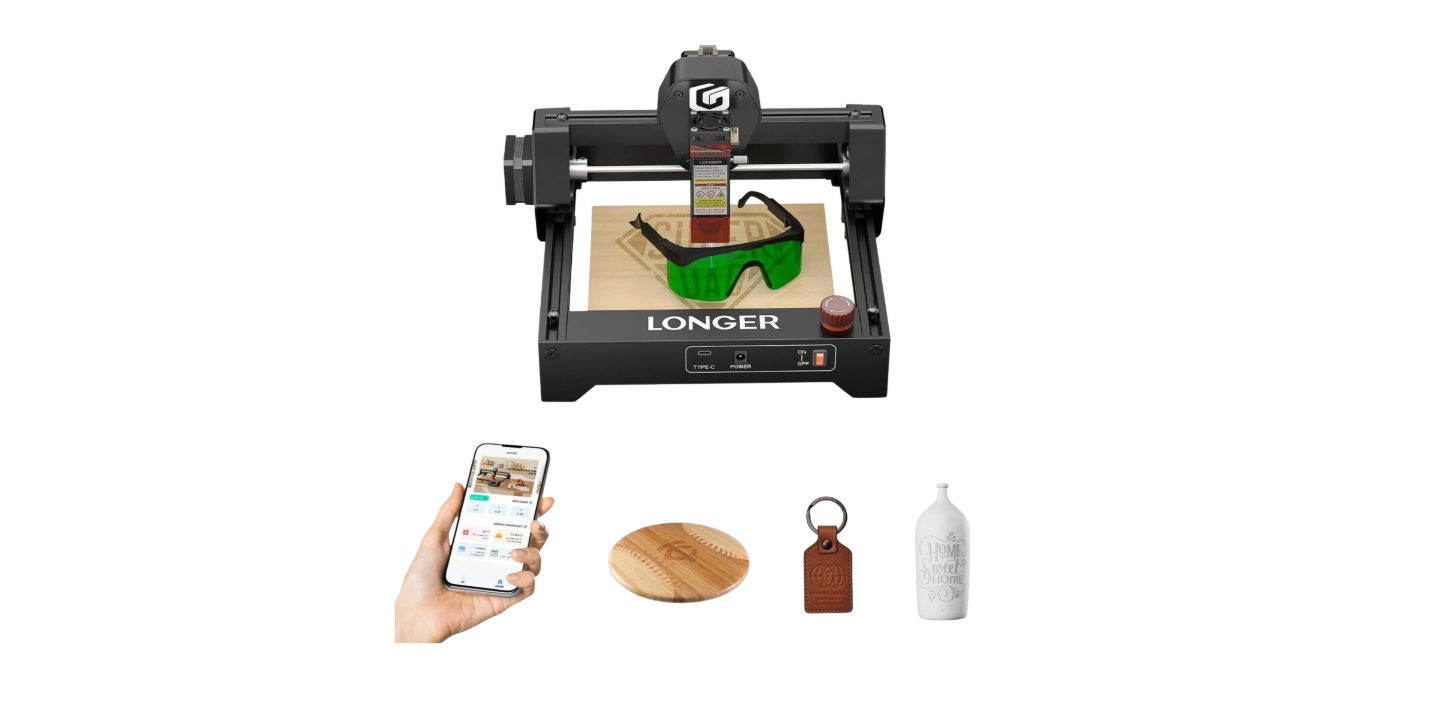
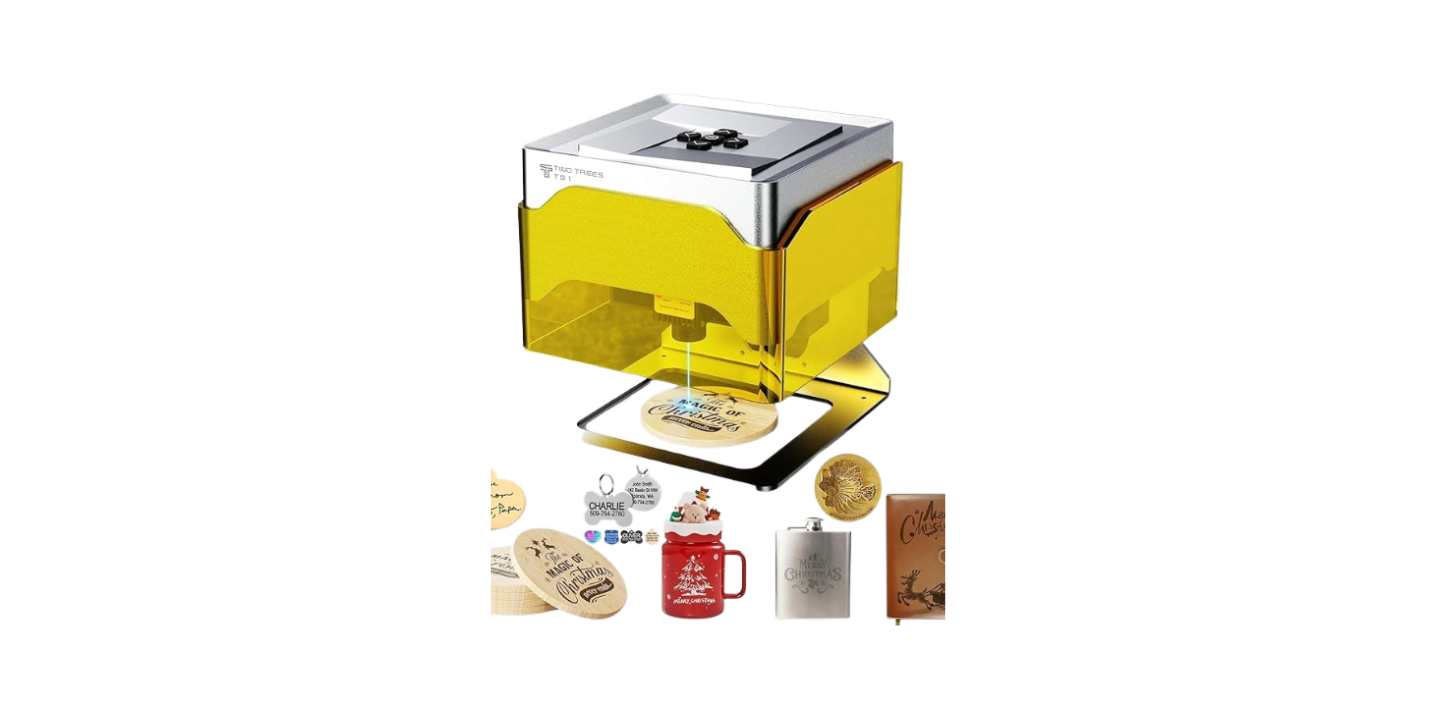
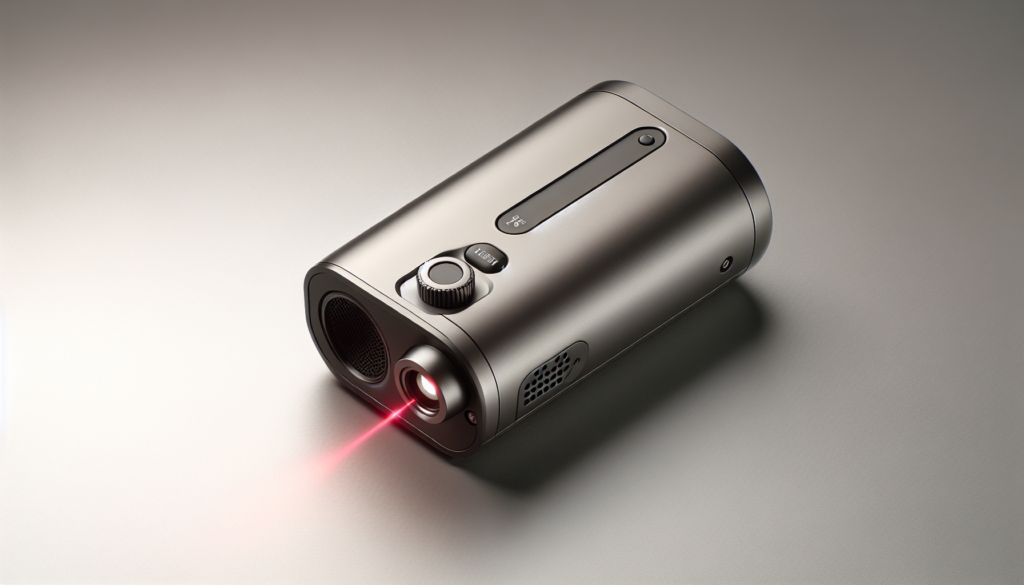
You probably picture a laser like something out of a sci-fi movie, but portable laser engravers are modest, precise machines that mark, cut, or etch materials using a focused beam of light. They come in sizes that make them easy to move around, fit on a bench, or tuck into the back of your car for on-site jobs.
You get many of the benefits of a full-size engraver without the permanent shop commitment, which is why small businesses are snapping them up.
Types of portable laser engravers
There are a few common technologies and form factors you’ll encounter. Each has strengths and limits, and knowing them helps you choose the right tool for your product line.
| Type | Typical power range | Best for | Pros | Cons |
|---|---|---|---|---|
| Diode (blue/near-IR) | 1–20 W | Wood, leather, coated metals (marking), plastics | Light, low cost, compact | Slower cutting, limited on bare metals |
| Fiber (pulsed) | 20–100+ W | Metal marking, industrial labels, anodized aluminum | High speed on metals, permanent marks | More expensive, heavier |
| CO2 (10–60 W portable models) | 10–60 W | Wood, acrylic, leather, glass (etching) | Good for organic materials and plastics | Larger than diode, requires ventilation |
| Hybrid/portable hybrid | Varies | Multi-material small shops | Flexible | Complex, niche |
You’ll see that “portable” is more about form factor and weight than laser physics, so compare both the power type and the chassis.
Why portability matters to your custom product business
Small businesses thrive on flexibility, and a portable laser engraver gives you options: pop-up booths, community markets, client homes, or multiple workshop spaces. You can go where the demand is instead of expecting customers to come to a fixed storefront.
Portability also lowers the barrier to experimenting with new products because you won’t have to commit a permanent production area, and you can test ideas at low cost.
Real-world situations where portability earns you business
You’ll find that portability translates into specific sales opportunities:
- On-site personalization at events and shows, where customers want immediate gratification.
- Mobile services for corporate gifting, engraving awards, or commemorative items at ceremonies.
- Client home visits for custom fittings or site-specific signs.
- Pop-up retail or markets where you can add custom engraving as an extra revenue stream.
You’ll be the small-business equivalent of a traveling tailor, but with more fumes and fewer measuring tapes.
Common custom product use cases
If you’re selling custom goods, a portable laser can expand your inventory rapidly. Here are common product categories you can add or improve.
- Jewelry engraving (small text, logos)
- Cutting leather for wallets, tags, watch bands
- Wooden signs and plaques (both cut and etched)
- Personalized drinkware and glass etching
- Acrylic keychains, ornaments, and awards
- Marking anodized metal for nameplates and part IDs
- Prototyping product parts and enclosures
- Gift personalization at fairs or retail pop-ups
You’ll quickly learn which of these fit your brand and customer base.
Niche product ideas that sell well
Sometimes a quirky niche product becomes your bread and butter. Consider:
- Custom pet tags with engraved pet silhouettes and contact info
- Personalized wooden recipe boards with etched handwriting
- Memory boxes with laser-cut internal compartments
- Bespoke leather bookmarks stamped with a short message
- Corporate swag with matching engraved logos for events
Practice and good presentation will help you spot the items that customers will pay a premium for.
How engraving fits into your production workflow
You need a workflow that’s repeatable and efficient. Whether you’re working alone or with staff, streamlining design-to-delivery will save you headaches.
- Receive order: Capture specifications (material, size, text, logo, finish).
- Prepare artwork: Convert logos and text into vector formats or clean raster files.
- Material prep: Cut blanks to size, clean surfaces, apply masking if needed.
- Machine setup: Focus, position, and set test parameters.
- Engrave/cut: Monitor critical jobs, especially on new materials.
- Post-processing: Clean, sand, assemble, or coat items.
- Quality control: Inspect and photograph finished pieces.
- Packaging and shipping: Add branding and any protective inserts.
You’ll find a checklist useful until the steps become second nature and your hands can do the routine while your brain plans the next product.
Tips to speed up each stage
A few small optimizations keep the line moving:
- Use templates for common item sizes so artwork placement is quick.
- Keep an inventory of pre-cut blanks for high-turnover products.
- Document machine settings for each material so you don’t waste time re-testing.
- Batch similar jobs to reduce reconfiguration time.
Efficiency here translates directly into higher profit per hour.
Materials, finish quality, and settings
Not every material responds the same way to lasers. Understanding material behavior prevents disappointment and unsafe outcomes.
| Material | Typical result | Remarks |
|---|---|---|
| Wood (various) | Deep etch, good contrast | Hardwoods etch differently than softwoods; grain matters |
| Leather | Darkening and surface engrave | Can burn edges if power is high; test for smell and fumes |
| Acrylic | Clean cuts, glossy edges | Resin type matters; laser-safe acrylic (PMMA) is recommended |
| Glass | Frosted etch (CO2 or sandblasted approach) | Requires masking or filler for deeper marks |
| Anodized aluminum | High-contrast marking (fiber preferred) | Durable marks for plates and tags |
| Stainless steel | Fiber lasers can anneal or ablate | Diodes usually need coating/laser tape for marking |
| Paper and cardboard | High-detail cuts and marks | Watch for charring and fire risk at high power |
| Plastics (varied) | Some melt, some etch cleanly | Avoid PVC and other chlorine-based plastics; toxic fumes |
Always run a small test with the exact material batch you plan to use because supplier variability affects results.
Recommended workflow for unknown materials
If you’re not sure how a new material will behave:
- Start with a low-power test engrave.
- Increase power gradually; watch for smoke, melting, or discoloration.
- Note down the successful settings and keep the sample with the settings for future reference.
That test sample will probably end up in a drawer, but it’ll be useful later when you need to reproduce the finish.
Technical considerations when choosing a portable engraver
You’re not buying a toaster; you’re buying a precision tool. Consider these technical specs carefully.
- Laser type and wavelength (affects material compatibility).
- Power rating (affects speed and ability to cut).
- Work area size (limits your maximum piece size).
- Focal length and adjustable bed (affects depth of field).
- Software compatibility and supported file formats (SVG, DXF, PNG).
- Connectivity (USB, Wi-Fi, SD card).
- Ventilation and exhaust options (critical for indoor use).
- Weight and footprint (what “portable” means practically).
- Safety interlocks and laser class rating.
Match these against your product plans. A huge work area is useless if you only make small jewelry, and a high-powered fiber laser is overkill if you’ll never work with metal.
Software and file types you’ll use
Most engravers accept vector files for cutting and raster files for engraving:
- Vector: SVG, DXF, EPS — good for precise cuts and line work.
- Raster: PNG, JPG, BMP — good for photos and shaded engraving.
- Some machines include proprietary software; open-source or commonly used third-party apps can improve workflow.
You’ll want software that matches your comfort level and integrates with your design process.
Cost, margins, and ROI
You need numbers, because charm and novelty don’t pay the electricity bill. Here are realistic cost categories and how to think about ROI.
- Upfront cost: Machine purchase, initial tooling, and setup (ventilation, bench).
- Consumables: Materials, masking tape, cleaning supplies, replacement optics.
- Overhead: Power, workspace rent (if any), packaging, shipping.
- Labor: Your time for setup, supervision, and finishing.
- Marketing and sales fees: Online platform commissions or booth fees.
Cost brackets and what to expect
Here’s a rough cost table to give you orientation. Prices are approximate and will vary.
| Budget tier | Machine cost (USD) | Typical use case |
|---|---|---|
| Entry | 300–1,000 | Hobbyist-level diode engravers for small business tests |
| Small business | 1,000–5,000 | Reliable diode or entry CO2 units for regular production |
| Pro portable | 5,000–15,000 | Higher-power CO2 or compact fiber for metal and varied materials |
| Industrial portable | 15,000+ | Rugged field units for on-site industrial marking |
Think about amortizing the machine over 2–4 years when forecasting ROI.
Example ROI calculation
You sell wooden phone stands personalized for $25 each. Your material and packaging cost is $6, your labor and overhead per piece is $4, and the machine amortization per piece (based on producing 5,000 units over its life) is $1.
- Price: $25
- Costs: $6 + $4 + $1 = $11
- Gross profit per unit: $14
At this margin, selling 200 units per month would generate $2,800 gross profit. Subtract taxes, marketing, and inconsistent sales, and you can see how rapidly a portable engraver can pay for itself if you find the products that stick.
Pricing strategy for engraved products
You can price per item, per hour, or use bundled services. Customers prefer simple, predictable pricing.
- Per item model: Easier for shoppers to understand. Good for common products with stable material costs.
- Per hour model: Useful for complex designs that are time-consuming.
- Premium customization fee: Flat fee for rush orders or on-site services.
A common hybrid approach is base price + per-character or per-line fee for text, plus an artwork setup fee.
Example price menu for event personalization
- Small keychain engraving: $10 base
- Water bottle or tumbler: $20 base + $5 for full-wrap designs
- Leather wallet: $15 base + $0.50 per character for monogramming
- On-site corporate bulk engraving (per item): volume discount after 100 pieces
You’ll want to test price elasticity—raise prices for a while and see if demand drops, then adjust.
Marketing and sales channels that work for portable engravers
Your customers might be online, at craft fairs, or in the local corporate world. Each channel needs slightly different messaging.
- Online marketplaces (Etsy, Amazon Handmade): Great for standard products and repeatable offerings.
- Social media (Instagram, TikTok): Use time-lapse videos of engraving to show value.
- Local events and markets: Bring the machine for on-site personalization—people love instant gratification.
- B2B outreach: Approach local businesses for signage, awards, and corporate gifts.
- Pop-up collaborations: Partner with complementary vendors (ceramicists, leatherworkers) to offer combinational products.
Be mindful that personalizing on-site increases perceived value and creates memorable experiences that convert curious browsers into paying customers.
Practical marketing tips
- Photograph items with consistent lighting and a human hand for scale.
- Keep a simple price list visible at events to avoid awkward conversations.
- Offer a sample board that shows materials and finish options.
- Collect emails at events; follow up with discounts to convert one-time buyers.
People buy from people they trust, and trust grows rapidly when they see the process and the finished product.
Case studies: three hypothetical businesses
Concrete examples help you picture outcomes. These are plausible scenarios to base your expectations on.
-
The Market Stall Woodsmith
- Initial investment: $2,500 portable CO2.
- Products: Personalized wooden coasters, signs, ornaments.
- Sales: $800–1,500 per market day.
- Result: Machine paid for in ~6 months with regular weekend markets.
-
The Mobile Corporate Engraver
- Initial investment: $12,000 fiber/portable hybrid.
- Services: On-site corporate branding at events and awards engraving.
- Contracts: Large single orders of 500–2,000 items per year.
- Result: High-margin B2B work sustained the business with predictable revenue.
-
The Bespoke Leather Goods Maker
- Initial investment: $3,000 diode with custom ventilation.
- Products: Custom engraved wallets, watch straps, and luggage tags.
- Sales: Online and wholesale to boutiques.
- Result: The ability to offer personalization increased average order value by ~30%.
Each business found its niche and used the portable nature of the machine to match customer needs.
Maintenance, troubleshooting, and a simple checklist
Machines behave like pets: give them water and attention or they sulk. Regular care keeps downtime low.
- Clean optics and mirrors regularly (dust reduces power and accuracy).
- Check belt tension and rail lubrication on motion systems.
- Replace worn nozzles, focus lenses, and consumables promptly.
- Monitor ventilation filters and ducts for soot buildup.
- Keep an error log of jobs that failed and why—patterns reveal needed fixes.
Basic maintenance checklist (weekly/monthly)
| Task | Frequency | Why it matters |
|---|---|---|
| Clean lens/mirror | Weekly (or after heavy use) | Maintains beam quality |
| Check belts/rails | Monthly | Prevents drift and misalignment |
| Inspect exhaust filters | Weekly | Keeps fumes out of workspace |
| Test focus and alignment | Monthly | Ensures clean engraving |
| Back up firmware/software settings | Monthly | Prevents loss of custom setups |
A few minutes a week now will save you hours of troubleshooting later.
Safety and legal considerations
You’ll be working with concentrated light and potentially hazardous fumes. Take safety seriously.
- Know the laser class of your device and follow labeled precautions.
- Provide adequate ventilation — fumes from plastics and treated woods are unsafe.
- Use proper PPE: safety glasses rated for the laser wavelength when necessary.
- Keep fire suppression measures nearby (small extinguisher rated for electrical fires).
- Don’t engrave materials that release toxic gases (PVC is a notorious example).
- Check local regulations for using lasers in public spaces or for commercial marking.
Ignoring safety is expensive and unpleasant, and it’s a good way to lose customers and credibility.
Emissions and environmental concerns
When engraving some materials you’ll create particulates or volatile compounds. Consider:
- Air filtration systems with activated carbon for smell and VOC capture.
- Local exhaust to the outside where possible.
- Using safer material alternatives and supplier safety data sheets (SDS).
Your neighbors will thank you, and regulators will be less curious.
Limitations and common challenges
Portable engravers are powerful, but they’re not miracles. Be realistic about limitations.
- Cutting large-thickness materials is often slow or impossible on low-power units.
- Some plastics and composites produce hazardous fumes or melt poorly.
- Extremely fine detail on reflective metals may require fiber lasers or special surface prep.
- Portable units may have smaller work areas than dedicated shop models.
- Field environments (outdoors, dusty markets) increase maintenance needs.
Knowing these limits helps you plan product offerings and avoid frustrating failures.
Shop layout and ergonomics for a portable setup
You don’t need a warehouse, but the right setup matters for safety, efficiency, and customer experience.
- Bench: Stable, at comfortable working height, and able to support machine weight.
- Ventilation: Exhaust fan routed outdoors or through filtered air scrubber.
- Power: Dedicated circuit recommended for higher-power units.
- Storage: Materials and blanks should be organized and dust-free.
- Customer-facing area: Small counter for interaction and display samples.
Suggested minimum dimensions
| Use case | Bench footprint | Suggested clearance |
|---|---|---|
| Personalization booth | 1.2 m x 0.6 m | 0.5 m around machine |
| Small workshop | 1.5 m x 0.8 m | 1.0 m front clearance |
| Mobile setup (events) | Portable table 1.2 m | Allow space for ventilation duct and customer queue |
You’ll also want a small work area for finishing and packaging products.
Buying checklist: what to ask before you buy
You’ll be happier if you ask hard questions upfront. Here’s a checklist to guide your decision.
- What materials do you plan to work with most often?
- What is the required work area size for your product line?
- Does the machine include local service, warranty, and spare parts?
- What software does it use, and do you need licenses?
- What are the ventilation requirements and recommended PPE?
- How mobile is it truly (weight, setup time, protective case)?
- Are consumables and replacement optics affordable and readily available?
- Is there an active user community or support forum?
Use this checklist when comparing models or talking to vendors.
Future trends that could affect your business
Technology moves fast and sometimes it arrives with bells on. Keep an eye on:
- Better diode power and efficiency making more materials workable.
- Integration with cloud-based design tools and automated job queuing.
- Hybrid devices offering safe metal marking alongside CO2 capabilities.
- On-demand manufacturing networks where your portable unit can supplement centralized production.
- AI-driven engraving optimization that minimizes test runs and material waste.
If you adapt to trends, your portable machine remains an asset rather than a pet rock.
Frequently asked questions
You’ll likely have practical questions when you start. Here are some answers you’ll find useful.
Q: Can a portable laser cut thick wood? A: It depends on the laser power. Low-power diodes can cut thin wood and veneer; thicker pieces require higher-power CO2 units and multiple passes.
Q: Is engraving stainless steel possible with a diode laser? A: Not reliably. Steel typically needs fiber lasers or surface coatings that a diode can ablate. For true stainless marking, a fiber laser is preferred.
Q: How noisy are these machines? A: Noise is usually moderate — the fans and stepper motors are the main sources. They’re quieter than many power tools, but not whisper-quiet.
Q: Can you use an engraver at outdoor markets? A: Yes, but you’ll need stable power, protection from wind/dust, and a strategy for ventilation. Outdoor noises and lighting can also affect customer perception.
Q: How do you price custom artwork setup? A: Many businesses charge a flat setup fee for custom artwork, plus a per-item cost. You can offer to waive the setup fee above a minimum order threshold.
Final thoughts and where to start
You’re not buying just a machine; you’re buying flexibility, a new set of skills, and a design language for your products. Portable laser engravers let you test products, meet customers where they are, and add meaningful customization to your lines.
Start small: pick a machine that suits the materials you know you’ll use, build a handful of well-presented samples, and test pricing at a few venues. Expect some trial and error; that’s part of the charm. If the machine were a person, it would be the kind that demands patience and rewards you with perfectly straight lettering and a few stories to tell customers.
Now that you’ve read the essentials, the next step is practical: sketch three product ideas you could make today with materials you already have, then run a realistic test of costs and timing. If you’re anything like most makers, you’ll be surprised how quickly the little light will pay for itself — and how much fun you’ll have watching customers’ tiny faces light up when they see their name lasered into wood.