Have you ever stood in your shop at 3 a.m., surrounded by metal shavings and a half-finished prototype, and wished your tools could whisper the solution instead of making you guess?
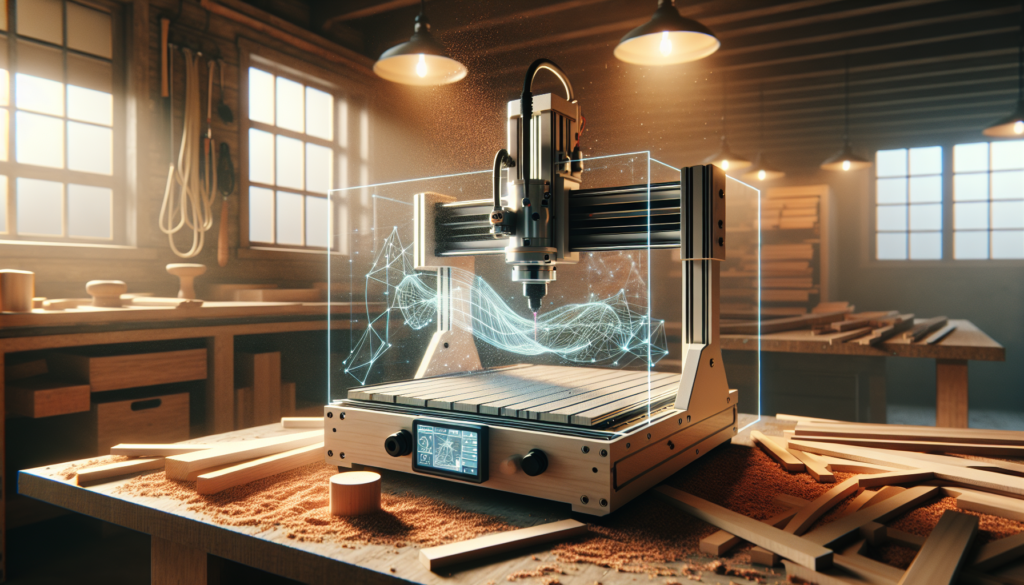
Fabrication Intelligence For Small Shops And Solo Builders
This is a guide for you — the person running a one- or two-machine shop, the solo builder who treats the garage like a cathedral and every job like an answer to a prayer. You’ll get a mix of practical tactics, friendly observations, and little confessions that make the technical stuff easier to swallow.
What is Fabrication Intelligence?
Fabrication Intelligence is the marriage of traditional fabrication—cutting, bending, welding, routing—with data, sensors, automation, and software that helps you make smarter decisions. Think of it as giving your machines a mild case of common sense and your workflow a map instead of a treasure hunt.
Core Components of Fabrication Intelligence
These are the building blocks you’ll stitch together to create something coherent and useful in your shop. Each component plays a predictable role, and together they move you from reactive firefighting to measured, repeatable craft.
- CAD/CAM — The brains for geometry and toolpaths.
- Machine Control & Controllers — The translator between CAM instructions and motors.
- Sensors & IoT Devices — For vibration, temperature, and usage logging.
- MES / Shop Management Software — To track jobs, times, and materials.
- Quality & Metrology Tools — For in-process and end-of-process verification.
- Data Storage & Analytics — To convert logs into decisions.
- Automation & Robotics (optional) — For repetitive, heavy, or hazardous tasks.
- AR/Remote Assistance — For instructions, overlays, or real-time help.
Why Fabrication Intelligence Matters for Small Shops and Solo Builders
You might think this is only for big shops with glowing floors and people who wear suits, but precision and predictability help you whether you’re building furniture for customers or fabricating brackets for a local startup. Smarter tooling saves you time, reduces waste, and makes quoting less of a hostage negotiation.
The Benefits You’ll Notice
The immediate perks feel almost illicit until you realize how normal they are: fewer mistakes, more accurate quotes, less wasted material, and less time spent answering the question “Where did I file that operation sheet?” Over time, you’ll find your output is steadier and your cash flow less dramatic.
- Faster turnaround times — You’ll hit deadlines without the usual scrambling.
- Reduced scrap and rework — Less swearing directed at expensive sheet stock.
- Better estimating — Quotes that don’t make customers gasp or yourself cringe.
- Enhanced quality — Parts that get fewer second looks and fewer rework cycles.
- Predictable machine uptime — A schedule you can trust, not a suggestion.
Common Misconceptions
You’ll hear people say that Fabrication Intelligence is either prohibitively expensive or too complex for small shops. Both claims are only half-true; cost and complexity depend on scope, and you can start small and scale. The trick is to aim for practical gains, not the feel-good promise of “industry 4.0” as a status symbol.
Misconception: You Need to Replace Everything
You do not need to throw out your venerable lathe and cry into a half-eaten sandwich. Many systems bolt onto existing equipment or operate alongside older machines. Think of upgrades as polite invitations, not eviction notices.
Tools and Technologies
There’s a bewildering amount of software and hardware you can adopt, and that’s reassuring because it means there’s something for every budget and temperament. Below is a compact table to help you compare common options and figure out where to begin.
| Tool Type | Examples | Approx Cost Range | Best For | Notes |
|---|---|---|---|---|
| CAD | Fusion 360, SolidWorks, FreeCAD | Free–$1,500/yr | Design & parametrics | Fusion 360 good for hobby/pro shops |
| CAM | Fusion 360 CAM, VCarve, HSMWorks | Free–$2,000+ | Toolpath generation | Integrated with CAD saves time |
| CNC Controller | Mach4, LinuxCNC, GRBL | Free–$1,200 | Machine motion control | Many older machines can be retrofitted |
| 3D Printing | Prusa, Creality, Ultimaker | $200–$6,000 | Prototyping & fixtures | Useful for jigs and prototypes |
| Laser Cutter | Glowforge, Trotec, Epilog | $400–$50,000 | Quick cutting & engraving | Material limits vary |
| Nesting Software | NestFab, SigmaNEST | $300–$10,000 | Sheet optimization | Saves material and machine time |
| Vision/Metrology | Keyence, CMMs, camera inspection | $1,000–$100,000 | Quality control | Optical systems speed inspection |
| IoT & Sensors | Arduino, Raspberry Pi, Senseye | $10–$2,000 | Data logging, monitoring | Cheap entry points with big value |
| MES/Shop SW | Fishbowl, JobBOSS, Fusion Manage | $0–$10,000+ | Job tracking & ERP | Choose one that fits scale |
| AR/Remote Assistance | Help Lightning, Microsoft Hololens | $0–$5,000+ | Remote help & overlays | Useful for complex assembly instructions |
Open-Source vs Commercial Tools
You’ll be tempted by free and open-source tools, partly because your budget says please and your ego says you can make anything work. Open-source can be fantastic if you like elbow grease and troubleshooting. Commercial tools generally give polish, support, and fewer 2 a.m. mysteries.
- Pros of open-source: Low cost, community support, customizability.
- Cons of open-source: Less polish, steeper learning curve, sporadic updates.
- Pros of commercial: Support, integrated features, reliability.
- Cons of commercial: License costs, potential feature bloat, vendor lock-in.
Getting Started: A Practical Roadmap
You don’t need to overhaul everything at once. Think of this as a recipe: start with something small, taste, then adjust. The following roadmap gives you steps you can take in order and reasons to take them.
- Assess your pain points.
- Spend a week jotting down where you lose time or money. You’ll find the obvious ones and a few petty grievances.
- Prioritize quick wins.
- Focus on fixes that give big improvements with small effort—nesting software, a simple sensor for uptime, or better fixturing.
- Digitize your job flow.
- Move, at minimum, job notes, part files, and time logs into a simple digital system. It doesn’t need to be elegant; it needs to be used.
- Add measurement.
- Pick 2–4 things to measure: cycle time, scrap, tool life, and uptime. If it’s measurable, it’s manageable.
- Iterate and automate.
- When you find repetitive tasks that take mental energy, automate them. Scripts, templates, or macros work wonders.
- Invest in training.
- You are your shop’s single biggest untapped resource. Spend time learning, not just buying tools.
- Scale thoughtfully.
- Once you’ve proven a change, scale it to other jobs or machines. Don’t spray money like confetti and expect a return.
Example Shop Setup for a Solo Builder
Here’s a compact, realistic starter kit that balances cost with capability. You’ll notice some overlap because redundancy is comfort for people who accept risk but prefer not to meet it.
| Item | Purpose | Estimated Cost |
|---|---|---|
| Fusion 360 subscription | CAD/CAM all-in-one | $0–$495/yr (hobby/SMB tiers) |
| Used 3-axis CNC retrofit | Actual cutting & routing | $2,000–$10,000 |
| Basic IoT kit (Raspberry Pi + sensors) | Machine monitoring & logging | $50–$300 |
| Shop management app (light) | Job tracking & quoting | $0–$50/mo |
| Handheld calipers & dial indicators | QC basics | $50–$300 |
| 3D printer (Prusa/Ender) | Jigs, prototypes | $200–$1,000 |
| Nesting/CAM add-on | Sheet optimization | $300–$2,000 |
Workflow Examples and Mini Case Studies
You like stories because stories are how we forgive the learning curve. These are short, realistic vignettes of how Fabrication Intelligence changes things in the wild.
Case: The Bracket Run That Stopped Being a Nightmare
You take a 100-part bracket job. Before, you nested manually, fought with toolpaths, and burned through material while your coffee went cold. Now you use nesting software, generate optimized toolpaths with your CAD/CAM, and monitor machine uptime. The run finishes early, scrap is down, and you have time to clean the chips off your bench without cursing the gods.
Case: Cabinetmaker Who Learned to Love Data
You make custom cabinets and used to estimate by memory and imagination. You start tracking cut lists and material yield, then attach a vibration sensor to your spindle to see when it runs hot. Suddenly your finishes are cleaner, you can reliably quote lead times, and clients think you’ve hired an assistant.
Case: The Solo Prototyper Who Outsourced Her Errors
Prototyping used to be throwing prints against a wall until something stuck. By integrating CAD version control and a 3D printing log, you avoid repeating failed setups and move from trial-and-error to small controlled experiments. Small wins, fewer late nights, and happier neighbors.
Quality Control and Inspection
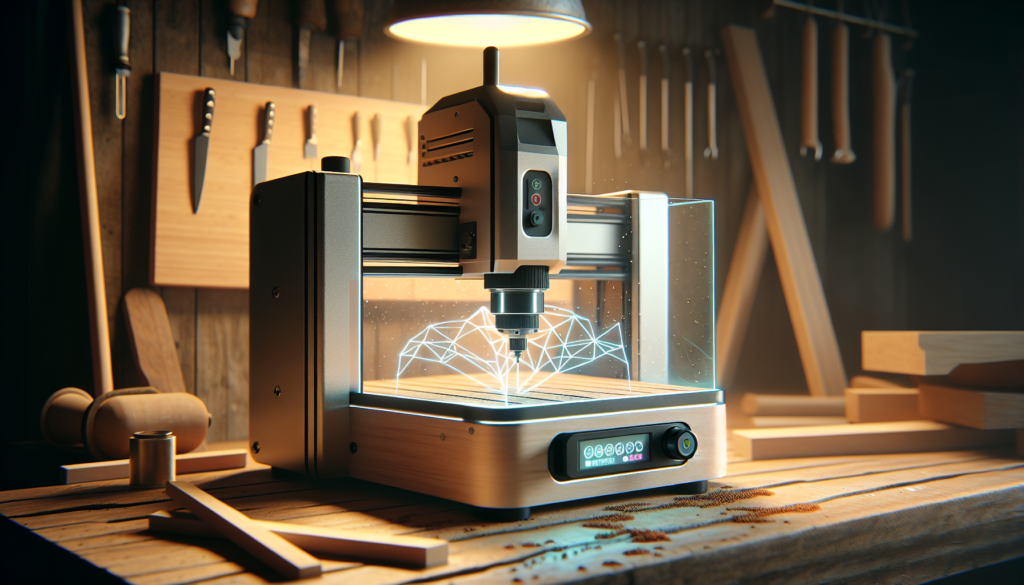
Quality isn’t an optional aesthetic; it’s a baseline that protects your time and reputation. Doing QC in a way that’s automated and repeatable keeps your parts honest and your relationships with customers healthy.
Practical QC Methods
You can start with simple methods and scale up as needed. Probing, optical inspection, and sampling are your friends; they don’t judge, they measure.
- In-process probing — Stops the run and checks critical dimensions.
- Optical systems — Quick pass/fail for features and alignment.
- Statistical process control (SPC) — Tracks trends so you can fix problems before they become crises.
- First article inspection — Verifies setup before full production, preferably recorded.
| QC Tool | Typical Use | Cost |
|---|---|---|
| Handheld calipers | Spot checks | $20–$200 |
| Contact probe (CNC) | In-process measurement | $200–$2,000 |
| Vision camera system | Automated pass/fail | $1,000–$20,000 |
| Small benchtop CMM | Precision inspection | $5,000–$40,000 |
Data Strategy: What to Measure and Why
You don’t need to measure everything; you need to measure the right things. Pick metrics that change behavior and support decisions. If a number doesn’t change anything, it’s wallpaper.
Key KPIs for a Small Shop
Track these and you’ll save unpredictability for your personal life, not your shop.
- Cycle Time — How long does a unit take from start to finish? Shorter is usually better.
- Scrap Rate — Percentage of parts failing inspection. This bites your margins.
- Machine Uptime — Percent of time machines are available for production.
- Tool Life — Cutting tool lifespan affects costs and surface finish.
- First Pass Yield — Parts that are right the first time versus those requiring rework.
- Material Utilization — How much of your sheet or stock becomes parts versus chips.
Maintenance and Predictive Upkeep
Machines complain before they fail, but you have to listen. Vibration and temperature sensors are cheap compared to the cost of an emergency replacement spindle or an entire missed delivery.
Simple Predictive Techniques
Start small: vibration logging once a day, a weekly spindle temperature check, and simple thresholds that trigger an inspection. Over time, these bits of data will let you predict failures and plan maintenance around your schedule instead of the machine’s dramatic collapse.
- Scheduled inspections based on hours.
- Condition monitoring via vibration and temperature.
- Tool wear tracking via usage counters and force sensing.
- Lubrication management with reminders or automatic pumps.
Cost, Return on Investment, and Pricing
You’ll be tempted to think of Fabrication Intelligence as an expense. It’s more useful to treat it as a capital allocation: money you spend to make each future job easier. The math looks suspiciously together when you include reduced scrap, faster cycle times, and more accurate quoting.
| Example Investment | Annual Cost | Estimated Annual Savings | Notes |
|---|---|---|---|
| $5,000 IoT + tooling upgrades | $5,000 (one-time) | $6,000 | Reduced scrap, fewer emergency repairs |
| $1,000 nesting software | $1,000/yr | $1,500–$3,000 | Material savings on sheet jobs |
| $500 CAM training | $500 | $2,500 | Faster programming and reduced machine time |
A simple ROI example: if a $3,000 investment in better nesting and CAM saves you $250/month in material and machine time, you break even in a year and profit thereafter. The exact numbers depend on your run volumes and margins, but you’ll be surprised how quickly small improvements compound.
Integrating AI: Practical Use Cases
You don’t need a data scientist living in your shop to get value from AI. Many practical, low-friction uses can be implemented with off-the-shelf tools and modest scripting.
Useful AI Applications
Each of these is approachable in bite-sized pieces and yields practical benefits.
- Toolpath Optimization — AI suggests efficient cutting sequences that reduce tool changes and downtime.
- Predictive Maintenance — Models predict component failures from vibration and temperature patterns.
- Automated Quoting — ML models estimate job time and materials based on past jobs and features.
- Visual Defect Detection — Cameras flag inconsistencies faster than the human eye can swipe for likes.
- Conversational Assistants — A voice or chatbot helps you find tooling data, setup sheets, or machine offsets without rifling through three notebooks.
Security, Privacy, and Your IP
When you start logging everything, you create a data asset — and a liability if mishandled. Protect your customer files, intellectual property, and operational secrets with basic security hygiene.
- Local-first backups — Keep a local backup strategy as your primary defense.
- Encrypted cloud storage — For off-site redundancy and secure sharing.
- Access controls — Not every apprentice needs admin access to job data.
- Vendor scrutiny — Check SaaS terms for IP rights and data use clauses.
Training and Change Management
You’re not selling out when you teach yourself new skills; you’re investing in job security. Training converts tools from toys to profit centers, and a short training plan often yields the fastest ROI on new systems.
- Start with real tasks — Learn by applying new tools to a real job.
- Use vendor resources — Tutorials and support are often better than YouTube midnight rabbit holes.
- Mentor or buddy system — Pair a newcomer or yourself with someone who’s already done it.
- Document procedures — A single page that captures a setup can save hours later.
Mistakes to Avoid
You will do a few things badly. Accept that and plan accordingly. Here are common missteps and how to avoid them.
- Buying the fanciest tool first — Start with the problem, not the shiny object.
- Measuring without acting — Data is worthless if it doesn’t inform a change.
- Over-automation too soon — Automate stable processes, not experiments.
- Ignoring backups — Losing part files is a small catastrophe that’s easy to prevent.
- Underestimating training time — Software costs are more than license fees; include human investment.
Tools Checklist for Solo Builders
This checklist keeps things manageable and actionable. It’s a short guide to what you’ll want on day one, month three, and year one.
| Item | Why You Need It | Starter Options |
|---|---|---|
| Reliable CAD/CAM | Core of part creation | Fusion 360 (hobby or subscription) |
| Machine monitoring | Know when stuff breaks | Raspberry Pi + vibration sensor |
| Basic MES/Job tracking | Keep jobs and invoices organized | Trello, Notion, or light shop app |
| Nesting software | Save material and machine time | NestFab, VCarve nesting |
| QC basics | Ensure first-pass quality | Calipers, dial indicator, simple probe |
| Backup & sync | Protect your data | External drive + encrypted cloud |
| Training resources | Keep skills current | Vendor classes, online courses |
Final Thoughts
You don’t need to turn your shop into a glossy marketing brochure to benefit from Fabrication Intelligence. Small, deliberate steps — a sensor here, a nesting routine there, a consistent job log — add up to less drama and more craft. You’ll find yourself spending fewer hours rescuing projects and more hours making things that actually please you and your customers.
And if you ever find yourself nostalgic for the chaos of endless fixes, remember this: when your machines are honest and your quotes are right, you’ll still have time to have an opinion about the coffee you drink while the spindle hums.