Have you ever watched a tiny dot of light trace a pattern and thought that the thing in your hands must be some mildly magical wand?
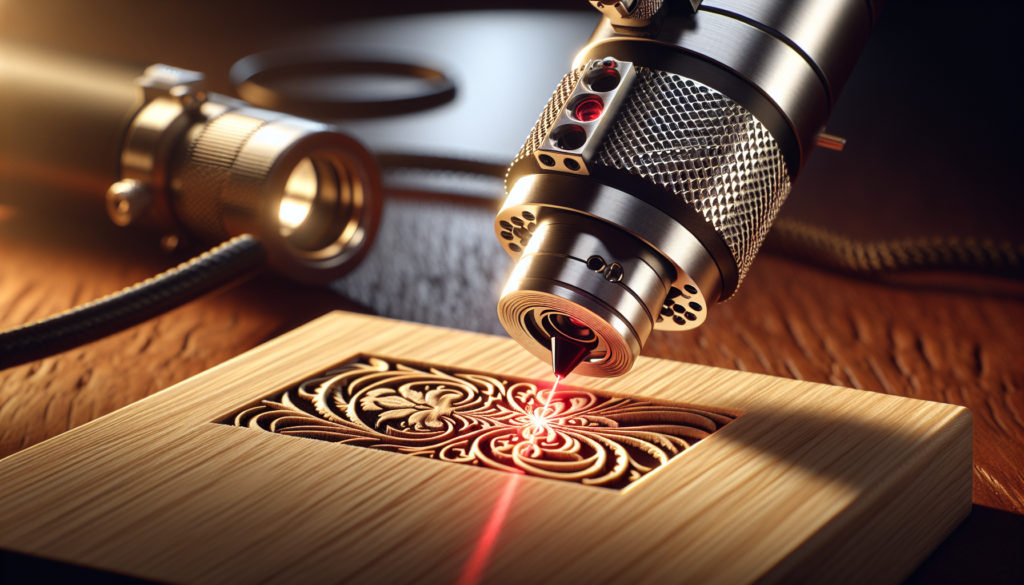
Diode Lasers Explained For Portable Engraving Applications
You’re about to get a friendly, slightly opinionated tour through diode lasers as they apply to portable engraving. I’ll be candid: some parts will read like a how-to manual, others like a slightly embarrassed confession about the time I tried to engrave a cutting board and nearly smoked a family heirloom. You’ll finish knowing what a diode laser is, what it can and can’t do, how to pick one for mobility, and how to avoid the most common mistakes.
What is a diode laser?
A diode laser is a semiconductor device that produces coherent light when current passes through a p–n junction. In plain terms, it’s a tiny chip that makes a highly concentrated beam of light. You’re probably familiar with LEDs; diode lasers are cousins—smaller, more intense, and considerably more demanding of respect.
You’ll find diode lasers in everything from tiny laser pointers to sophisticated engraving modules. They’re popular for portable engraving because they’re compact, efficient, and increasingly powerful.
How diode lasers work
When you apply an electric current to a laser diode, electrons recombine with holes in the semiconductor, releasing photons. The device’s internal structure encourages stimulated emission, producing a coherent, directional beam. Focus optics then concentrate that beam into a small spot that can heat, char, or vaporize material.
You don’t need to memorize semiconductor band diagrams, but appreciating that the output wavelength (color) depends on the diode material will help you predict what materials the laser interacts with effectively.
Why choose a diode laser for portable engraving?
You’ll choose a diode laser when you want something small, energy-efficient, and reasonably affordable that can still do detailed engraving. They fit into compact housings and are easy to run from battery packs if you plan to be mobile.
That said, diode lasers trade off peak power and beam quality relative to CO2 or fiber lasers. If your work demands deep metal cutting or high-speed industrial throughput, a different laser type might serve you better.
Advantages and limitations
- Advantages:
- Compact and lightweight — easy to make portable.
- Lower cost than many CO2 or fiber systems.
- Efficient, so battery operation is feasible.
- Fast warm-up and stable under variable conditions.
- Limitations:
- Less effective at cutting thick materials or untreated metals.
- Beam quality (M2) often poorer than fiber or DPSS lasers, affecting spot size.
- Heat management becomes critical at higher output powers.
You should weigh portability and cost against the exact materials and depth you want to engrave.
Core components of a portable diode laser engraver
Understanding the parts helps you make informed choices about purchases and upgrades. You’ll find the same basic set of components in most portable units, scaled and tuned for compactness.
Laser diode module
This includes the diode chip, internal optics, and often a housing with a focusing lens. Diode modules come in various power ratings (commonly 1–20W for engraving applications).
You’ll want to check the wavelength, rated output power, and whether the module includes an integrated driver or requires an external controller.
Driver and power supply
A laser driver controls current and often supports PWM (pulse-width modulation) for power control. A stable driver protects the diode from spikes and overcurrent that shorten lifespan.
For portability, look at drivers that support wide input voltage ranges and that pair well with battery packs or USB power banks if you plan to be truly mobile.
Optics and focusing
Fixed-focus lenses are common on pocket engravers; adjustable-focus modules give you more control over spot size and depth. Spot size directly impacts resolution and cutting power.
You’ll also encounter collimating lenses and beam-shaping optics in higher-end modules that improve beam uniformity and focusability.
Cooling
Even small diodes run hot. Passive aluminum heatsinks suffice for low power; active cooling (fans or small TECs) becomes necessary as power rises.
You’ll need to consider airflow and dust protection if you plan to use the device outdoors or in workshops.
Motion control and mechanics
For accuracy you’ll have a motion system—belt-driven gantry, small linear guides, or gantry-less handheld systems. Control boards often run GRBL, proprietary firmware, or other CNC-style controllers.
You’ll prefer motion platforms that are light but rigid enough to keep focus during operation.
Safety, enclosure, and interlocks
A portable engraver should protect you from stray beams, smoke, and sparks. Interlocks that cut power when a lid opens are worth their weight in peace of mind.
You’ll also want a housing that blocks the specific wavelength your laser emits; different diodes require different filter materials.
Performance metrics and what they mean for you
If you like numbers, this section lets you be reasonably nerdy. If you prefer simple rules of thumb, I’ll give those too.
Power and its practical effects
- 0.5–2 W: Good for marking paper, leather, and shallow engraving on soft woods and coating removal.
- 2–5 W: Reliable for shallow engraving on hardwoods, leather, and coated materials; can cut thin balsa or cardboard with multiple passes.
- 5–10 W: Effective for deeper engravings, cutting thin woods and some plastics with patience, and marking coated metals with appropriate treatment.
- 10–20 W and above: Capable of faster engraving and cutting thicker woods; still not a substitute for fiber lasers on untreated metals.
Remember: numbers are approximate. You’ll always balance power with speed, focus, and technique.
Beam quality and spot size
Beam quality (often expressed as M^2) and the focusing optics determine spot size. Smaller spot size equals higher energy density and finer detail.
You’ll trade off spot size against depth of field; tiny spots look great on crisp logos but might require more precise focusing and mechanical rigidity.
Wavelength
Common diode wavelengths: 405 nm (violet), 445–460 nm (blue), 780–980 nm (near-IR). Blue diodes tend to be absorbed better by many plastics and some metals, while infrared diodes perform well on organic materials like wood and leather.
You’ll choose wavelength based on what materials you work with most.
Pulsing and duty cycle
Some drivers support pulsing (PWM or frequency modulation), which lets you control how heat is delivered. For marking certain materials you’ll prefer pulsed operation; for slow, deep engraving you may favor continuous wave (CW).
You should also respect the diode’s duty cycle—don’t run a diode at maximum power for extended periods without adequate cooling.
Materials and settings guide
You’ll appreciate a practical table for materials, recommended power ranges, speed, and notes. Consider these starting points; always run test cuts on scrap material.
| Material | Typical Power Range | Typical Speed | Notes |
|---|---|---|---|
| Paper / Cardboard | 0.2–2 W | High speed | Burns easily; ventilation needed. |
| Leather (vegetable) | 1–5 W | Medium | Darkens and chars; test for thickness. |
| Wood (soft) | 1–10 W | Medium | Multiple passes for depth; avoid knots. |
| Hardwood | 3–15 W | Slow–Medium | Denser wood needs slower speed or more power. |
| Plywood / MDF | 3–15 W | Slow | Emits more smoke/resin; sturdy backing helps. |
| Acrylic (cast) | Not recommended for diodes | N/A | Diodes struggle; CO2 lasers are better. |
| Polycarbonate / Nylon | Not recommended | N/A | Often melts and chars; hazardous fumes. |
| Glass | 1–5 W (surface marking) | Slow | Use coating or sandblast technique; diodes poor at direct engraving. |
| Painted / Powder-coated metal | 3–10 W | Medium | Remove coating or use marking paste for better contrast. |
| Bare metals | >100 W (fiber/CO2) | N/A | Diodes alone won’t engrave untreated metal; use marking compounds. |
| Anodized aluminum | 1–10 W | Medium | Diodes can ablate anodized layer for contrast. |
You’ll note several “not recommended” entries. That doesn’t mean you can’t be ingenious; it means you’ll need special techniques or different lasers for reliable results.
Material-specific tips
- Wood: Use multiple shallow passes rather than trying to cut everything in one go. Mask with painter’s tape to reduce scorch lines.
- Leather: Test for finishes and dyes; some treated leathers emit harmful fumes.
- Acrylic: Diodes usually melt rather than cut. If you must try, consider slower passes and strong ventilation, but accept limited results.
- Metals: Use marking pastes or heat-activated sprays to get contrast. You’ll be marking surfaces, not engraving the base metal.
Optics, focusing, and beam shaping
You don’t want to be romantic about optics; precise lenses and alignment yield crisp results. Small changes in focus make big differences in both quality and depth.
Types of focusing systems
- Fixed-focus modules: Simple, robust, and common in portable units. They’re easy to use but limit focal distance adjustments.
- Adjustable-focus modules: More flexible, letting you change spot size for cutting vs. engraving.
- Galvanometer (Galvo) systems: Fast and excellent for raster engraving; typically used in more specialized setups.
You’ll choose fixed-focus for simplicity and adjustable or galvo systems for more professional results.
Spot size and focal length
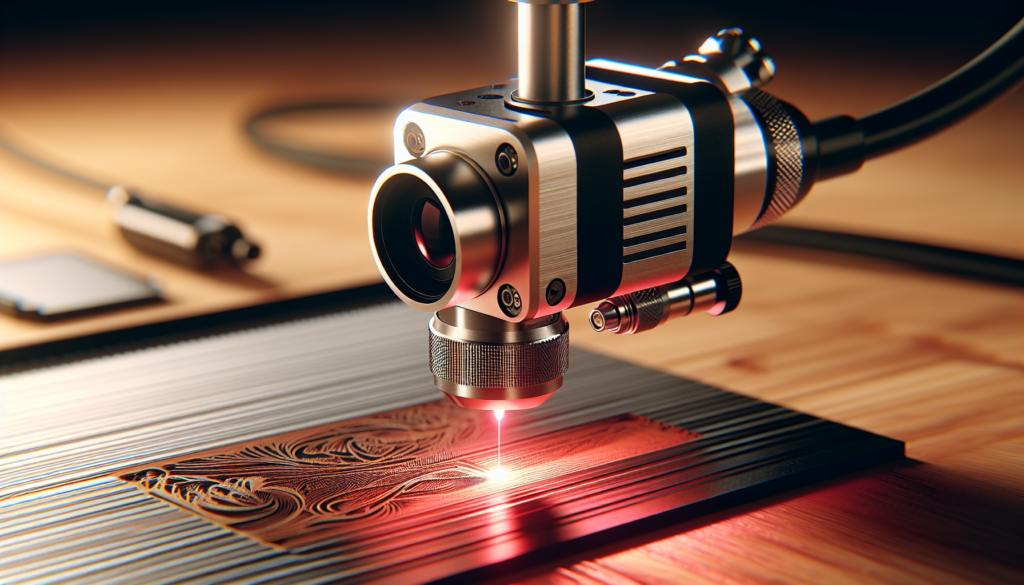
Short focal lengths produce smaller spots; longer focal lengths increase depth of field. For engraving fine details, you’ll want a short focal length and a stable mounting that holds the distance precisely.
If your engraver wobbles, your sharpest focus will wobble too—so focus as much on mechanical design as on optics.
Safety considerations
You’re working with a concentrated beam of light that can blind, burn, and light things on fire. Safety isn’t optional.
Laser classes and what they mean for you
| Laser Class | Typical Risk | Portable Use Advice |
|---|---|---|
| Class 1 | Safe under normal use | Great for consumer devices enclosed properly. |
| Class 2 | Low-power visible lasers (≤1 mW) | Avoid direct eye exposure; still not for engraving. |
| Class 3R/3B | Higher risk to eyes and skin | Requires safety measures; common for diodes used in engraving. |
| Class 4 | High power; fire and eye/skin hazards | Industrial; requires full-enclosure, training. |
Most diode engraving modules fall in the Class 3B–Class 4 category depending on power. You’ll want enclosed setups, proper goggles, and interlocks.
PPE and ventilation
- Laser safety goggles: Buy goggles rated for your laser’s wavelength and optical density. Your cornea will be grateful.
- Ventilation: Many materials produce toxic fumes (e.g., PVC, adhesives). Use an exhaust fan and filtration or work outdoors with caution.
- Fire precautions: Keep a fire extinguisher nearby. Don’t engrave flammable materials unsupervised.
You’ll also adhere to local regulations about laser use and disposal of hazardous waste.
Design considerations for portability
Portability isn’t just about weight; it’s about how the system behaves when you move it around.
Mechanical design
- Rigid frames resist wobble; lightweight materials like carbon or aluminum reduce weight but maintain stiffness.
- Quick-release mounts let you swap modules fast without tools.
- Foldable or modular gantries save space in transit.
You’ll balance portability against the precision you need. If you plan to engrave fine details, give rigidity priority.
Power and thermal management
Battery operation is attractive, but diodes draw significant current. You’ll want a battery system sized for your average power draw and runtime goals.
- Consider modular battery packs with safe connectors.
- Include thermal throttling in firmware or hardware to prevent overheating.
You’ll probably sacrifice some runtime for compactness unless you’re comfortable carrying heavy battery packs.
User interface and controls
- Simple interfaces (Bluetooth app, buttons, OLED) make portable use pleasant.
- Support for offline work (microSD + controller) is useful if you’re in a field or a craft market.
You’ll prefer controllers that are easy to operate with gloves or while sitting on a picnic bench with a toddler on your lap.
Power and battery solutions
If you want to engrave in a park or at a craft fair, batteries are your friend—until they die in the middle of an intricate monogram.
Battery types and configurations
- Power banks (USB PD): Good for low-power diodes with 5–20 W DC-DC conversion. Check continuous current ratings.
- Li-ion battery packs (18650/21700): Common for higher power. Use proper BMS (battery management system).
- LiFePO4 packs: Heavier but safer and longer-lived.
You’ll ensure connectors are secure and that your pack includes an appropriate BMS to prevent over-current and thermal events.
Estimating runtime
Estimate power draw (diode + driver + fans + controller) and divide battery capacity (Wh) by that draw to get runtime. Add safety margin for inefficiencies and degrade.
You’ll find that running a 10W diode at full power might draw 30–40W from the battery due to inefficiencies, so plan accordingly.
Integration with controllers and software
You’ll control paths and power with familiar CNC-style tools. Compatibility matters for ease of use.
Common software and protocols
- GRBL-based controllers: Widely used and open; compatible with LightBurn, LaserGRBL, and many front-ends.
- Proprietary controllers: Often bundled with compact units; can be easier for beginners but may limit upgrades.
- Communication: USB is common; some systems support Wi-Fi or Bluetooth for field convenience.
You’ll prefer software with good community support and easy test patterns for power and speed tuning.
Firmware and safety features
Look for drivers that support soft limits, emergency stops, and thermal throttles. You’ll appreciate software that can pause, resume, and handle raster engraving without glitches.
Maintenance and troubleshooting
Even the most charming diode will need occasional attention. Routine maintenance preserves performance and extends life.
Regular tasks
- Clean optics with lint-free cloths and isopropyl alcohol.
- Check and re-seat connectors; vibrations loosen things over time.
- Inspect cooling systems and fans for dust buildup.
- Run alignment tests and spot-size measurements.
You’ll keep a small tool kit and a spare set of optics handy for emergencies.
Common issues and fixes
- Dim or unstable output: Check driver settings, temperature, and current. Replace diode module if instability persists.
- Poor focus or blurry engraving: Re-check focus distance, lens cleanliness, and gantry rigidity.
- Overheating: Improve airflow or reduce duty cycle. Add thermal cutoffs if necessary.
If a diode dies, replacement modules are often available; matching wavelength and connector style matters.
Buying advice and choosing the right diode laser module
You’ll be tempted by glossy photos and happy customer videos. Use a checklist instead.
- Wavelength and rated power: Match to materials you intend to work with.
- Driver details: Prefer stable, current-controlled drivers with protection features.
- Cooling: Does it have adequate heatsinking or a fan?
- Integration: Check compatibility with your controller and software.
- Community and support: A healthy user base or responsive seller reduces headaches.
You’ll also factor in warranty and the availability of spare parts.
Practical projects and tips
You want projects, not just theory. Here are approachable ideas and practical advice.
- Keychains and tags: Small, forgiving, great for testing settings.
- Coasters and simple coasters sets: Use hardwood and contrast oils for vintage looks.
- Leather wristbands: Engrave on vegetable-tanned leather; seal afterward.
- Custom stamps: Engrave rubberized sheets to make stamp blocks.
- PCB etching (experimental): Some people use diode systems for quick prototype PCBs; acid etching remains common for production.
Tips:
- Always run a grid test to find ideal power/speed combos before committing to the final piece.
- Use masking tape to reduce burn marks on edges.
- Keep a notebook of settings that worked for each material and thickness.
You’ll be grateful for notes the day you try to reproduce a perfect result.
Common myths and misconceptions
You’ll hear many things in forums. Let’s clear a few up.
- Myth: “Diode lasers can’t mark metal.” Reality: They can mark coated or anodized metal, and can mark bare metal with specialized compounds, but they won’t engrave untreated metals easily.
- Myth: “Higher wattage always equals better results.” Reality: Thermal management, optics, and motion control are at least as important as raw wattage.
- Myth: “All diodes are the same.” Reality: Wavelengths, beam profiles, and driver quality vary widely—and affect performance.
You’ll be less likely to chase shiny specs and more likely to buy something that fits your actual needs.
Future trends and what to watch
If you enjoy gadget lust, you’ll be interested in where diode tech is going.
- Increasing power in smaller packages, improving cut speeds for wood and plastics.
- Blue diodes becoming more common and effective on harder materials.
- Hybrid systems combining diode preheating with fiber cuts for improved performance on metals.
- Smarter controllers with built-in safety and better thermal management.
You’ll find new modules and accessories arriving regularly—so check reviews and community demonstrations.
Conclusion
You’ll now have a clear picture: diode lasers are a compelling choice for portable engraving thanks to their size, efficiency, and improving power. They’re not a miracle solution for every material, but with sensible expectations and good safety habits, you’ll be able to produce beautiful work on wood, leather, and coated materials while carrying your setup like a proud, slightly nervous artisan.
If you take one practical piece of advice from this, let it be to test often and start conservative: low power, fast speed, then tweak. Your first few projects will educate you faster than any manual. And when you do inevitably scorch something—don’t worry. You’ll laugh about it later, ideally after you’ve learned what the smoke meant and how to avoid it next time.