Have we finally found a desktop CNC that feels as if it was built for our messy, curious hands, instead of expecting us to become machinists overnight?
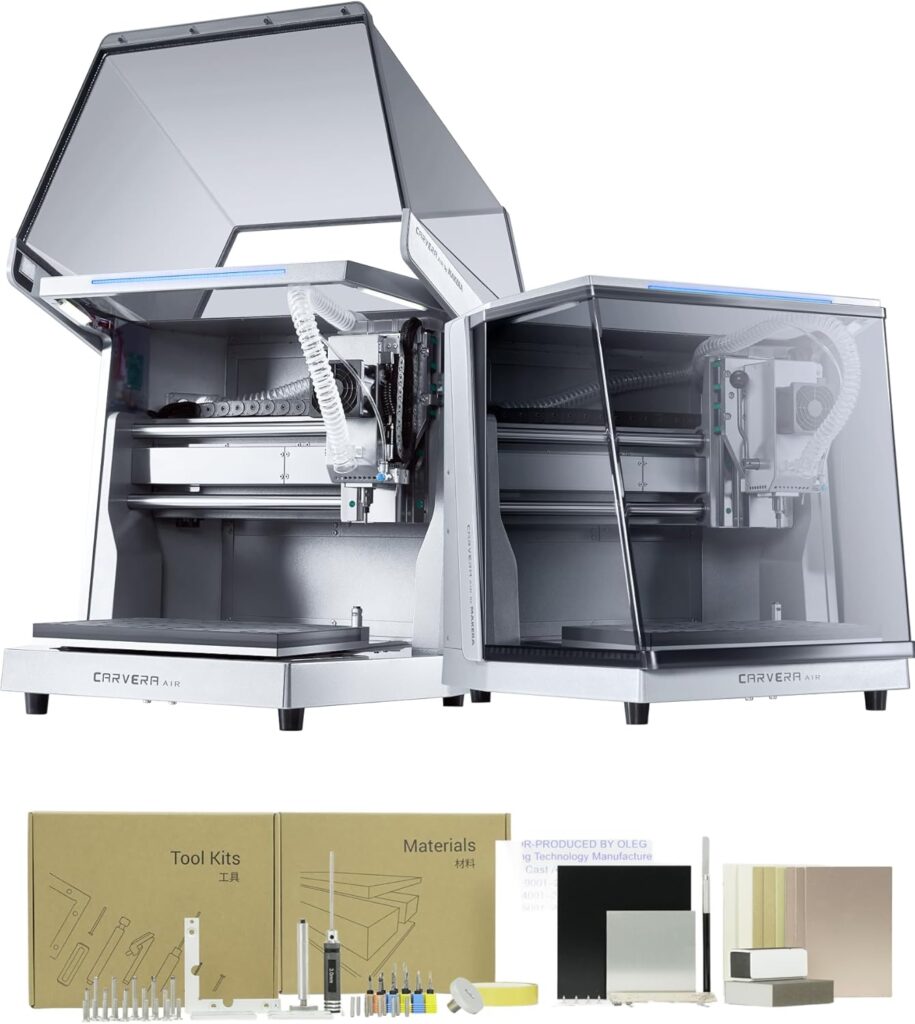

What We’re Working With: The Carvera Air in Plain Terms
We’ve been waiting for something small, quiet, and actually capable—preferably something that won’t send chips flying across the room like confetti at a parade. The Carvera Air Desktop CNC Machine fits that wish list with an enclosed design, a work area that’s big enough for real projects, and a tool changer that doesn’t make us feel like we’re auditioning for a pit crew. It comes across as a machine designed for artists, makers, and hobbyists who still want professional results.
This is a compact, fully enclosed 3-axis CNC with optional 4th axis and laser upgrades. It’s powered by closed-loop stepper motors, includes auto probing and leveling, and speaks fluently to Makera CAM plus mainstream CAD/CAM tools. In short, it’s the “don’t worry, we’ll hold your hand” of desktop CNCs—without taking away the thrill of editing our toolpaths and pretending we know exactly what we’re doing.

Carvera Air Desktop CNC Machine, Compact Enclosed Mini CNC Mil 3 Axis with Makera CAM, Quick Tool Changer,Closed-Loop Stepper Motor Milling Engraving Machine for Carving Arts Crafts DIY Design
Why We Wanted a Compact, Enclosed CNC
We’ve owned open gantry machines before. They’re charming until they fling debris at our eyebrows and harmonize with the shop vac at 11 p.m. An enclosure changes everything. It keeps dust in, fingers out, and the rest of the household on speaking terms with us. With a footprint of 19.7″ x 17.7″ x 17.7″, the Carvera Air fits on a sturdy bench, and the full enclosure means fewer surprises and less cleaning. It’s also quieter, which is our love language.
A compact CNC is ideal for jewelry, signage, small enclosures, model making, PCBs, inlays, and tooling. That 11.8″ x 7.9″ x 5.1″ work area hits a sweet spot: it’s not industrial, but it’s more than a toy. We’ve made gifts, fixtures, and more than one questionable prototype without rearranging the garage.
Unboxing and First Impressions
We opened the box like it contained a new pet—carefully and with enormous expectations. Inside, we found the standard 3-axis Carvera Air, plus an accessory kit, a tool kit, a material kit, and user guides. Everything was labeled with a competence that made us blush at our past ziplock-bag labeling system. The enclosure is sturdy and surprisingly handsome, the panels align, and the door mechanism feels solid.
Closed-loop stepper motors are the kind of thing we used to assume were out of reach at the desktop level. Seeing them listed right there reassured us: this isn’t an afterthought kit. It’s a unified machine. The spindle—paired with a quick tool changer—suggested we could run multi-tool jobs without babysitting. That promise lured us into setting it up immediately.
Setup: From Box to First Chip
Setup usually scares us because it involves software, cables, and the mysterious certainty that our router bit is upside down. This time, we went from unboxing to our first small carve in an evening, with interruptions for snacks and second-guessing.
Assembly and Placement
The machine is mostly assembled out of the box, which is our favorite kind of assembly. We placed it on a level bench with a rubber mat to dampen vibrations. You’ll want to leave clearance for the door to swing and for accessing the back panel for cabling. It’s compact, but remember: you’ll want space for materials, a laptop, and that growing collection of cutters we swore we wouldn’t start.
Connectivity and Software
We connected via WiFi because we like to pretend we’re living in the future, but USB worked just as smoothly when we tried it later. Makera CAM—available for Mac and Windows—guided us in a friendly, “Are you sure you want to do that?” sort of way. For folks already deep into Fusion 360, SolidWorks, or VCarve Pro, integration is straightforward. The controller works with iOS, Android, MacOS, Windows, and Linux, which means even our tablet can jog the machine like a very polite robot.
First Cut Experience
Auto probing and auto leveling are the moment we realized we could relax our shoulders. We clamped a small piece of alder, loaded a 1/8″ flat end mill, and let the machine pick up the stock’s position. Spindle runout is rated at under 0.01 mm, with motor resolution at 0.005 mm. Those are numbers we can’t feel with our fingers but we can see in crisp edges and symmetrical corners.
Our first carve was a small sign with a v-bit chamfer. We switched tools mid-job using the quick tool changer. It took around 10 seconds—a novelty we enjoyed more than we should admit.
Specs and Features at a Glance
Here’s the fast version for anyone who likes their information organized and not in the form of our emotional journey.
| Feature | What It Means for Us |
|---|---|
| Work Area | 11.8″ x 7.9″ x 5.1″ (30 x 20 x 13 cm), plenty for plaques, small enclosures, PCBs, inlays, molds |
| Machine Footprint | 19.7″ x 17.7″ x 17.7″ fully enclosed; fits on a sturdy bench |
| Tool Changer | Quick tool changes in about 10 seconds minimize babysitting and keep us in flow |
| Automation | Auto probing and auto leveling improve consistency, especially with uneven stock |
| Precision | Spindle runout |