Have you ever stood in front of a crowded online marketplace and felt like a beginner chess player staring at a chessboard that may or may not be made of laser-etched wood?
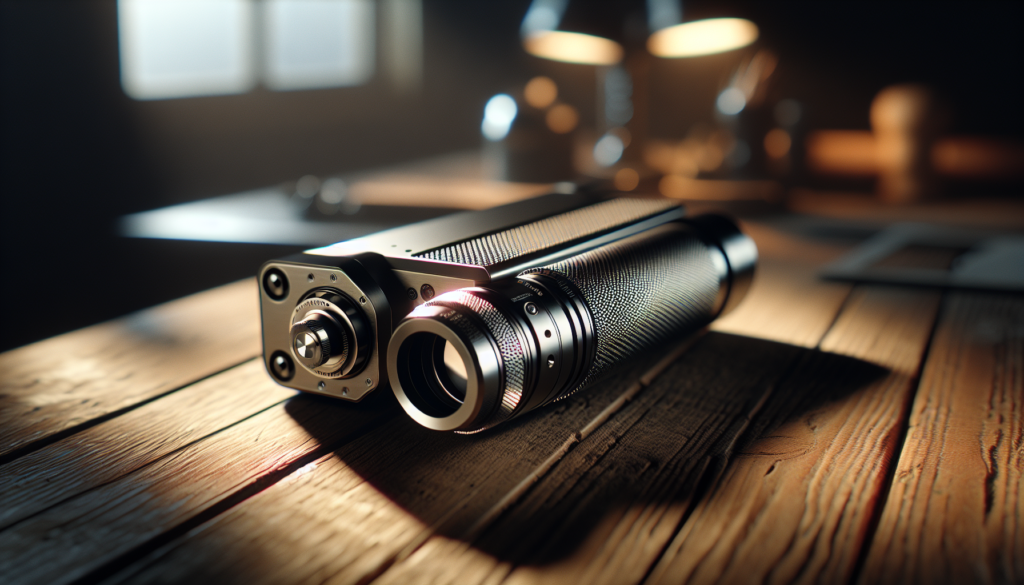
How To Choose A Portable Laser Engraver Without Regret
You want something that fits in your car, doesn’t make your landlord suspicious, and can turn mundane objects into slightly more interesting versions of themselves. This guide walks you through the choices, trade-offs, and small humiliations you may face when selecting a portable laser engraver so you end up with a machine you actually like using.
Why portable matters more than you think
You probably imagine portability as just “small and light,” but the truth is messier. Portability also means how easy the machine is to set up, how much power it needs, whether it can work from battery power or a generator, and how tolerant it is of real-world conditions like grocery-store-level dust and a table that isn’t perfectly flat.
When you consider portable engravers, you’re balancing convenience with capability. If you only need to etch names on wooden spoons at craft fairs, portability may be king. If you plan to produce business inventory on demand, you need a different set of priorities.
Who portable lasers are for
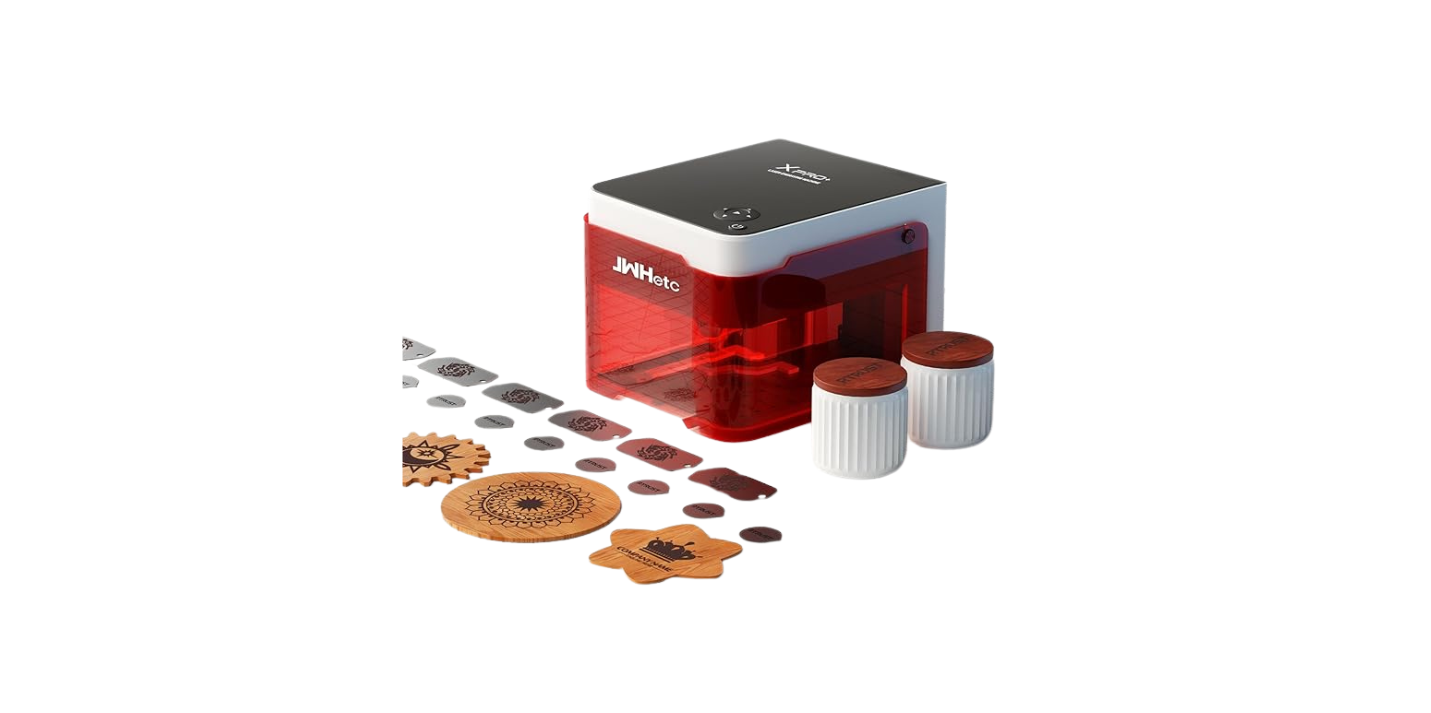
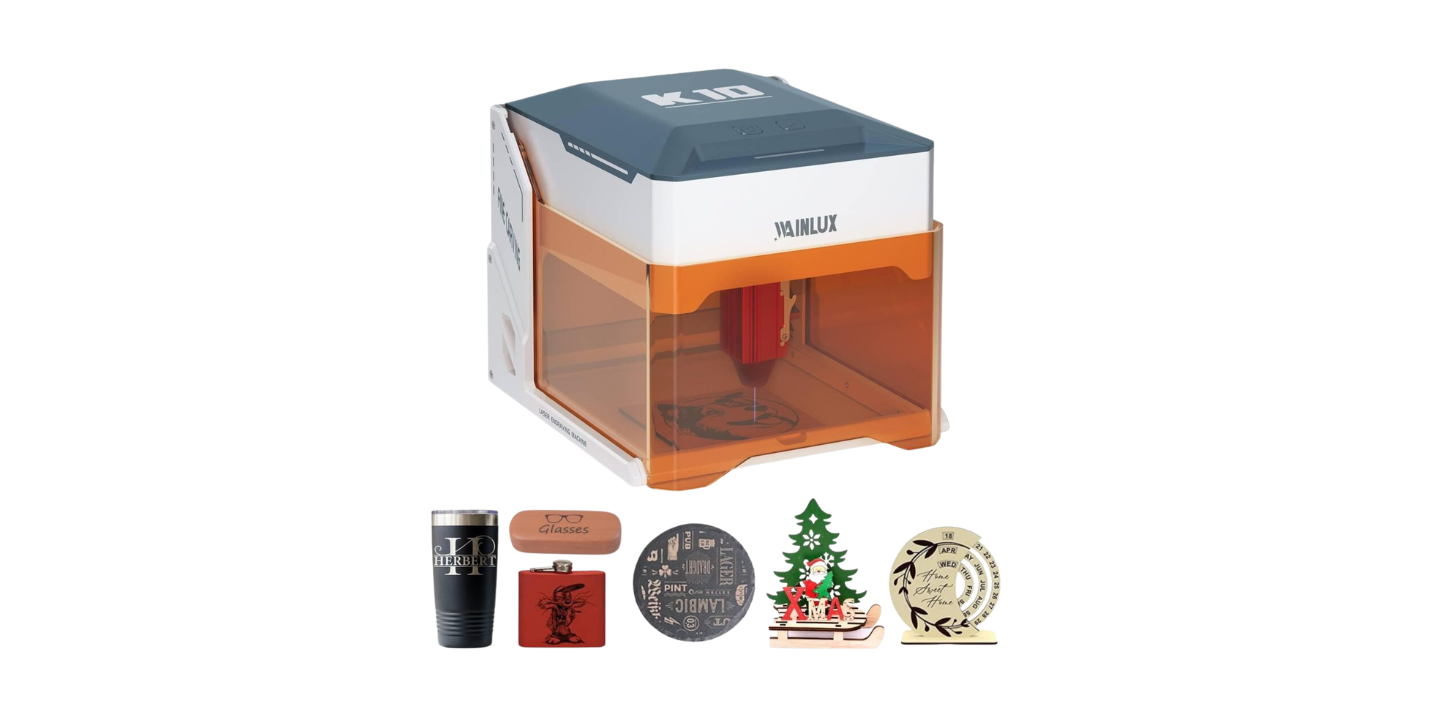
You may be a maker, a vendor, a jewelry designer, or someone who likes to make celebratory gifts at the last minute. Whatever your reason, a portable laser engraver can be the right tool if you regularly move between locations or have limited workshop space.
Think about how often you’ll transport the machine, whether you’ll be outside or in cramped indoor areas, and whether it needs to run off battery or mains power. Your use case should guide every other choice you make.
Types of lasers and what they mean for you
You’ll encounter several laser types: diode, fiber, and CO2. Each has strengths and weaknesses, which affect what materials you can work on and how much maintenance you’ll deal with.
| Laser type | Strengths | Limitations | Typical use |
|---|---|---|---|
| Diode (solid-state) | Small, low power consumption, affordable, often truly portable | Limited cutting ability on thick materials, less effective on metals without special coatings | Wood, leather, acrylic, anodized metals |
| Fiber | Very effective on metals, long life, high speed | More expensive, usually heavier and less portable | Industrial metal engraving, serial numbers, jewelry |
| CO2 | Great for organic materials and cutting thicker stuff, widely available | Bulky optics and tube, requires ventilation, fragile tube | Wood, glass, acrylic, leather, deep cuts |
You should pick a diode laser if you value portability and low fuss. Choose a fiber or CO2 system only if your materials require it and mobility is secondary.
Power and wattage: the blunt instruments of capability
Power rating is one of the clearest indicators of what the engraver can do, but the number on the spec sheet doesn’t tell the whole story. You need to consider effective power at the workpiece, duty cycle, and beam quality.
- Low-power diode lasers (usually 1–5 W effective) are fine for engraving and light cutting. You’ll need multiple passes for many cuts.
- Mid-range (5–20 W) diode units can do thicker or faster work, and some feel barely heavier than a toaster.
- Above 20 W you’re in CO2 or serious diode territory, where ventilation and safety suddenly matter a lot.
You should match power to material and throughput. If you want to cut 3–5 mm hardwood regularly, you’ll need higher wattage or accept slow, repeated passes.
Portability factors to check right away
Portability isn’t just size and weight. Think “transportable without regret.” A machine that’s light but fragile will cause you more grief than a slightly heavier, better-built unit.
Key portability features:
- Weight and dimensions: Can you lift it into your car alone? Does it fit in your garage corner?
- Battery or mains operation: Do you need battery power or will you always have access to mains? Battery operation adds convenience but also limits runtime.
- Setup time and complexity: Does it require tools, calibration, or a laptop to start? The less fiddly it is, the more you’ll use it.
- Protective case or bag: Some models come with flight cases or rugged bags—handy if you move it a lot.
- Mounting and stability: Look for foldable frames, secure clamps, and vibration-damping feet.
You’ll be happier if you test these factors in the store or at a maker space before buying.
What materials can you work with?
The type of laser and its power determine what you can engrave or cut. Not every portable engraver can handle metal, and some materials are hazardous when lasered.
Common materials and suitability:
- Wood: Almost all portable lasers can engrave wood and many can cut thin sheets.
- Acrylic: Diode and CO2 lasers engrave and cut acrylic differently; CO2 cuts cleaner for thicker sheets.
- Leather: Generally suitable, but check for coatings and fumes.
- Glass: Can be engraved by most lasers but requires different techniques (e.g., fill methods).
- Metals: Usually need fiber lasers or specially coated metals for diode units.
- PVC and vinyl: Avoid these; they release toxic chlorine gas when lasered.
Always consult safety datasheets for materials and test on scrap before committing.
Safety: what you must never ignore
Laser safety is not negotiable. Even small diode lasers can hurt your eyes or start fires if you’re careless. Your portable engraver must come with—or you must add—basic protections.
Safety checklist:
- Laser class and labeling: Check the class (Class 1 is safest, but most portable engravers are Class 4 or 3R/3B). Read the warnings.
- Enclosure and interlocks: A closed or semi-closed enclosure reduces stray beams. Interlocks that shut off the laser when the lid opens are crucial.
- Proper eyewear: Use goggles rated for the laser wavelength. Don’t squint and hope.
- Ventilation and fume extraction: Some materials produce hazardous fumes; a portable fume extractor or good ventilation is essential.
- Fire safety: Keep a small fire extinguisher nearby and never leave the laser unattended while cutting.
- Certification: Look for CE, FDA, or local regulatory approvals if possible.
You’ll sleep better knowing you didn’t choose convenience over common sense.
Software and workflow: how you’ll actually use the machine
Buying a machine is only part of the story—you then have to design and send files to it. Some machines pretend to be plug-and-play, and some make you trade your firstborn for a compatible file format.
Consider these software aspects:
- File formats supported: SVG, DXF, PNG, JPG, and G-code are common. Make sure your design tools export one of these smoothly.
- Control software: Is it proprietary or open-source? Proprietary software can be polished but may lock you in. Open-source gives flexibility but requires patience.
- Platform compatibility: Windows is widely supported; macOS and Linux may have fewer options. If you’re a smartphone person, check whether an app exists.
- Ease of use: Look for features like camera alignment, material libraries, preview modes, and multi-pass control.
- Community add-ons: A vibrant user community often produces better plugins, presets, and troubleshooting advice than the manufacturer.
If your workflow involves frequent simple jobs, prioritize simplicity. If you love fiddling, a more configurable system might be fun.
Precision, resolution, and engraving quality
You want crisp, detailed results, not blobbed initials that read like someone signed in a hurry. Precision depends on spot size, axis movement quality, and software control.
Key terms you’ll see:
- DPI (dots per inch): Higher DPI can mean finer detail, but also slower runs.
- Spot size: Smaller spot sizes give sharper lines and finer detail.
- Repeatability: The machine’s ability to return to the same position matters for multi-pass or multi-part jobs.
- Mechanical rigidity: A rattly frame ruins fine engraving.
Think about the smallest detail you expect to engrave. If you’re doing jewelry, aim for the smallest spot size and highest repeatability you can afford.
Speed vs. quality: the compromise you’ll live with
Faster engraving is thrilling—until you notice the edges are burned or the lines are jagged. Speed and quality are always at odds, and you will have to balance throughput and finish.
Guidelines:
- Use higher speed and lower power for lighter marking.
- Use slower speed and higher power for deeper engraving and cleaner cuts.
- Consider pre-sets: Many machines have material presets that give a starting point. Always test and refine.
Accept that every material will have a “sweet spot” of speed and power. Practice makes this less mysterious.
Focusing, optics, and focal length
If your machine’s optics are fiddly, you’ll spend more time adjusting than making things. Focusing methods vary from manual shims to motorized autofocus.
What to look for:
- Fixed vs. adjustable focus: Some portable units have a fixed focal length, which can be limiting if you want to engrave objects of varying thickness.
- Autofocus: A convenience feature that saves time, especially in production settings.
- Lenses and mirrors: Quality optics give better results and last longer. Cheaper mirrors require more frequent alignment.
A machine that makes focusing intuitive will get used more often.
Accessories that matter for portable use
The right accessories make life easier and reduce frustration. Some are essential; others are nice-to-haves that you’ll end up loving.
Useful accessories:
- Rotary attachment: Indispensable if you plan to engrave cylindrical objects like glasses or pens.
- Fume extractor: Compact units are available for markets and small workshops.
- Spare lenses and mirrors: Keep replacements on hand if you use the machine heavily.
- Protective case or flight case: For the truly mobile user, a padded case is a lifesaver.
- Honeycomb or slatted bed: Helps with cutting and reduces back reflection.
Plan to spend a little on accessories; they’re often the difference between a hobby and a small business.
Maintenance and support: the boring but crucial stuff
You don’t want your portable engraving venture to be an ongoing relationship with a factory that never replies. Maintenance needs and supplier support greatly influence long-term satisfaction.
Check these things:
- Consumables availability: Are replacement lasers, lenses, and belts easy to buy?
- Customer support reputation: Read reviews and check forums for consistent complaints or praise.
- Documentation quality: Manuals and tutorials should be clear. A good video library is a plus.
- Warranty and repair policy: Know what’s covered and how long a repair might take.
A good vendor will make you feel like a valued repeat customer instead of a person asking for help on a Saturday.
Price ranges and what to expect
Budget matters, but a low price can also mean frustrating limitations. Here’s a rough guide to what you’ll get at different price points.
| Price range (approx.) | Typical features | Who it’s for |
|---|---|---|
| <$300< />d> | Small diode engravers, limited power, hobbyist features | Beginners testing the waters |
| $300–$1,000 | More power, better software, some enclosure features | Serious hobbyists, occasional vendors |
| $1,000–$3,000 | Higher power, better build, accessory ecosystem | Small business owners, craft fair regulars |
| $3,000+ | Industrial-grade, fiber or high-power CO2, robust support | Professional production, metal work |
Remember: used machines can be a good value, but inspecting them and understanding their history is essential to avoid regret.
Decision matrix: how to prioritize features
You can’t have everything. Use the matrix below to prioritize based on your needs and tolerances.
| Priority | Must-have features | Nice-to-have | Optional |
|---|---|---|---|
| Mobility | Low weight, compact size, easy setup | Battery operation, carry case | Foldable frame |
| Materials | Ability to handle your primary material (wood, metal, etc.) | Rotary attachment | Extreme thickness cutting |
| Safety | Enclosure/interlocks, eyewear, fume extraction | Certified emissions testing | Full industrial shielding |
| Budget | Reliable brand within price | Extra accessories bundle | Top-tier optics |
| Support | Responsive vendor, good documentation | Large user community | Premium on-site service |
Use this to score models you’re comparing and see which one wins without emotional bargaining.
Practical buying steps to avoid regret
Follow these steps and you’ll avoid many common pitfalls that make people later regret their purchases.
- Define your top three use cases and materials. Know what you’ll actually do, not what you think you might.
- Choose the laser type based on those materials. Don’t force a diode to do fiber-type work.
- Test before you buy, or buy from a seller with a good return policy. Hands-on testing eliminates a lot of unknowns.
- Check software compatibility with your current hardware. Don’t plan to run Windows-only software on your Mac without verification.
- Read community forums for long-term user experiences. The first-year honeymoon stories are different from the five-year chronicles.
- Confirm warranty and availability of replacement parts. Ask specific questions—vague answers are red flags.
- Budget for accessories and safety gear. The machine alone is rarely enough.
- Consider used units if you can verify condition and history. A well-maintained used engraver can be a bargain.
You’ll feel more confident if you treat the purchase like an investment instead of a spontaneous romance.
Buying used: the thrift-shop approach with caution
Buying used can save money, but a poorly maintained laser will haunt you like a slightly resentful ghost. Inspect and test thoroughly before handing over cash.
Checklist for used purchases:
- Request recent photos and videos of the machine in operation. Ask to see a calibration test.
- Ask about repair history and whether spare parts were replaced.
- Check for laser tube hours (for CO2) and diode usage cycles.
- Inspect optics for scratches and dust. Dirty mirrors reduce performance.
- Make sure accessories like lenses and controllers are included.
If the seller gets defensive, you should be defensive too.
Field use and outdoor considerations
If you’ll be working outdoors at markets or events, you face additional challenges like lighting, weather, and power. Portable doesn’t mean indestructible.
Things to plan for:
- Weatherproofing and shelter: Sun and dust are not friendly to optics. A small pop-up tent can save your machine.
- Power: Can you access mains, or do you need a generator or battery? Test your setup before the first event.
- Noise and fumes: Even quiet machines require ventilation; be mindful of neighbors and event rules.
- Safety barriers: Protect curious hands from the beam with screens or distance.
Your job is to operate professionally; nobody wants a smoky demonstration to be their legacy.
Environmental and health considerations
Lasers produce fumes and particulates. Some materials release toxic gases. Your responsibility includes minimizing harm to yourself and others.
Guidance:
- Avoid PVC and vinyl. They release chlorine gas that’s hazardous.
- Use a fume extractor with HEPA and activated carbon filters for indoor use.
- Dispose of waste responsibly and know local regulations for hazardous materials.
- Consider your power source: battery and solar combos can reduce carbon footprint for outdoor operations.
Thinking green is both humane and often appreciated by customers.
First projects to help you learn fast
Begin with simple, forgiving projects that build confidence. Quick wins will get you using the machine regularly.
Starter projects:
- Personalized wooden coasters: forgiving, quick, and useful.
- Leather keychains with shallow engraving: excellent for practice and selling.
- Acrylic nameplates: showy and teach cutting techniques.
- Engraved glassware with fill techniques: impressive but requires test runs.
- Simple metal anodized tags if your laser supports it: durable and professional-looking.
Practice on scraps before committing to a finished product.
Troubleshooting common issues
You will encounter problems. It’s not a moral failing; it’s part of the process. Most issues are fixable with methodical checks.
Common problems and fixes:
- Uneven engraving: Check focus, bed level, and mounting stability.
- Burned edges: Reduce power or increase speed; consider air assist.
- Poor cut-through: Increase power, slow speed, or do multiple passes.
- Software not connecting: Confirm drivers, cable integrity, and firmware versions.
- Laser not firing: Check interlocks, safety switch, and power supply.
Keep a log of settings and outcomes; you’ll thank yourself when you replicate successes.
Community and learning resources
You’re not alone. The maker community is rich with tutorials, forums, and people who will happily share their disastrous early experiments as cautionary tales.
Where to look:
- Manufacturer forums and user groups for model-specific advice.
- Social media groups for tips, presets, and inspiration.
- Local maker spaces for hands-on testing and mentorship.
- YouTube tutorials for workflow, maintenance, and project ideas.
Lean on the community and contribute back once you’ve learned a few tricks.
Final checklist before you buy
Make a checklist and use it in the shop, online chat, or before you click Purchase. Your future self will nod approvingly.
- Have you defined primary materials and use cases?
- Does the laser type match your needs?
- Have you confirmed power, weight, and setup requirements?
- Does the software work with your devices?
- Are safety features and certifications adequate?
- Have you accounted for accessories and fume extraction?
- Is vendor support and warranty acceptable?
- Can you test or return the machine if it doesn’t meet expectations?
If any of those answers are shaky, pause and investigate more.
Quick comparison table for typical buyer types
This table helps you match buyer profiles to recommended features at a glance.
| Buyer type | Recommended laser type | Minimum power | Must-have features |
|---|---|---|---|
| Casual hobbyist | Diode | 2–5 W | Portable case, simple software |
| Craft fair vendor | Diode or mid-range CO2 | 5–20 W | Fume extractor, quick setup, rotary option |
| Small product maker | CO2 or high-power diode | 20–40 W | Enclosure, robust support, spare parts |
| Jewelry/metal specialist | Fiber | 20–50 W+ | Metal capability, precision optics, certified safety |
Use this as a high-level guide and refine it with your specific needs.
Frequently asked questions
You’ll have questions that your friends can’t answer because they either don’t care or have the wrong kind of busy life. Below are the ones most likely to make you pause.
- Will a diode laser engrave metal? Often not without special coatings; fiber lasers are better for metals.
- Is battery operation practical? For light work and short sessions, yes. For production, usually no.
- Do I need a rotary attachment? Only if you plan to engrave cylinders like bottles or pens frequently.
- How noisy are they? Most are quieter than a vacuum cleaner, but ventilation and exhaust fans add noise.
- Can I learn this quickly? Yes—you can produce usable work within hours, but mastery takes time.
Answers aren’t exhaustive but will help you move forward.
Conclusion: how to choose without regret
You can avoid buyer’s remorse by deciding on the core functionality you need, testing machines where possible, budgeting for accessories, and prioritizing safety and support. Buy based on real projects, not aspirational dreams of engraving every object in your house. If you follow the practical steps above, you’ll end up with a portable laser engraver that feels like a sensible companion rather than an indulgent mistake.
You’ll laugh later when you remember the machine you almost bought because it was “cute,” and you’ll feel quietly proud of the one you chose because it worked. That’s the kind of regret-free decision you can live with—and show off at markets while people comment on how professionally quirky your products look.