? Have you ever stood on a shop floor listening to a CNC machine cough and wondered whether you were running a high-tech factory or a haunted house?
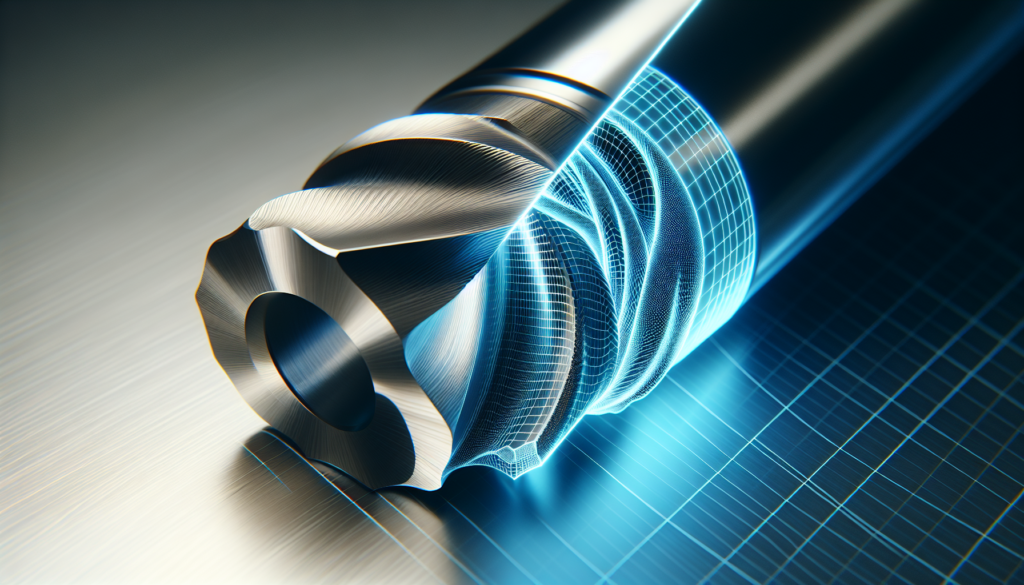
Digital Twins For CNC Machines In 2026: Perfect Simulation, Zero Guesswork
This is the year when the phrase “digital twin” stops sounding like software jargon from a conference and starts sounding like the thing that actually saves your day, your margins, and your patience. You’ll find this article practical and a little theatrical—because reality on a production floor often benefits from a sense of humor—and it will give you a complete, detailed guide to implementing, using, and getting ROI from digital twins for CNC machines in 2026.
Why this matters to you right now
You probably manage production, engineer parts, or worry about downtime more than you’d like to admit. The digital twin is no longer an optional toy; it becomes the tool that lets you predict failures, validate processes, and simulate every possible what-if without turning the shop into a laboratory. You’ll learn what to expect, how to implement, and how to avoid the predictable pitfalls.
What is a digital twin for a CNC machine?
A digital twin is a virtual, real-time replica of a physical CNC machine that mirrors behavior, kinematics, controls, and environmental interactions. Think of it as the machine’s online identical twin that responds to live data and can be used for simulation, diagnosis, and optimization.
- It models physics, tool interactions, control logic, and sensor feedback.
- It runs simulations under real-world conditions using real-time inputs from the physical machine.
How it differs from classic simulation
Classic simulation is a rehearsal in static conditions—helpful, but often unrealistic. Your digital twin, by contrast, is tuned to your shop’s noise, build tolerances, tool wear, and thermal drift.
- Static simulation: one-off, usually idealized input, limited by assumptions.
- Digital twin: continuous feedback, integrates live sensor data, supports closed-loop optimization.
Why CNC machines are ideal candidates for digital twins
You have tightly constrained geometry, repeatable processes, and high costs for mistakes. CNC machines operate in a domain where small improvements compound into big savings.
- Repeatability: cycles and motion are predictable but sensitive to small errors.
- High value: scrapped parts and downtime are costly.
- Predictability potential: sensors and control systems give quality data for twin fidelity.
Typical outcomes you can expect
Your digital twin should reduce downtime, improve first-pass yield, and accelerate process validation.
- Reduced unplanned downtime by enabling predictive maintenance.
- Faster process verification, reducing trial cuts and scrap.
- Better tool lifecycle management through simulation of wear and forces.
What changed by 2026: technological advances that make “perfect simulation” realistic
By 2026, you’ll benefit from improvements across simulation, compute, hardware, and AI that push digital twins from “useful” to “indispensable.”
- Edge compute: real-time physics simulation at millisecond latency becomes viable.
- AI-enhanced models: machine learning complements physics to predict non-linear wear and subtle failure modes.
- Sensor miniaturization: more precise and affordable sensor arrays give better input data.
- Standardization: interoperability standards reduce integration friction among CAD/CAM/PLCs/MES.
Why those advances are important to you
They reduce the latency between real-world events and virtual representation, improving decision speed and model accuracy. You’ll no longer be guessing whether a tool will fail tomorrow; you’ll be seeing the probability and scheduled replacement windows.
Core components of a CNC digital twin system
If you’re building or buying a digital twin, make sure it includes the following core components. Think of this as your shopping list.
- Physical model: 3D geometry, kinematics, materials.
- Control model: G-code interpreter, servo/feedback loops, PLC logic.
- Physics engine: rigid-body dynamics, contact/force modeling, thermal expansion.
- Sensor integration: spindles, encoders, vibration, temperature, acoustic emission.
- Data layer: time-series storage, synchronization, and tagging.
- UI/Visualization: 3D views, dashboards, and scenario builders.
- Analytics and AI: anomaly detection, predictive maintenance, and optimization.
- Integration bus: connect to MES, ERP, CAM, and CAD systems.
Short explanation of each component
You need the geometry and kinematics to know where parts and tools are. The control model ensures that simulated commands behave like real ones. The physics engine predicts interactions of tool and material. Sensors provide real data that keeps the twin honest. Analytics help you move from data to decisions.
Fidelity levels: what “perfect” simulation actually means
Not all digital twins are created equal; fidelity depends on your goals and budget. Here’s a practical breakdown you can use to choose the right level.
| Fidelity Level | What it simulates | Typical uses | Trade-offs |
|---|---|---|---|
| Basic | Kinematics, G-code, 3D geometry | Collision detection, toolpath verification | Low cost, basic safety |
| Intermediate | Contact forces, tool wear models, thermal drift | Process validation, rough predictive maintenance | Moderate cost, needs calibration |
| High | Detailed material removal, micro-scale cutting physics, acoustic emissions | Perfect simulation claims, R&D, certification | High cost, heavy computation |
| Hybrid (AI-augmented) | Physics + ML models trained on shop data | Best practical accuracy for production | Cost balanced with high accuracy |
How to pick the right fidelity for your needs
If your primary goal is avoiding collisions, basic fidelity suffices. For predicting surface finish and tool life, aim for intermediate or hybrid. High fidelity is for companies that are willing to finance modeling at almost laboratory levels—useful for aerospace and medical components.
Sensor strategy: what you should measure and why
Sensors are the twin’s eyes and ears. Your model is only as good as the data it receives, so choose sensors that capture meaningful signals for your objectives.
- Position encoders and axis feedback: essential for kinematics.
- Spindle torque and power: proxies for cutting forces and tool load.
- Vibration and acoustic emission: early indicators of chipping or imbalance.
- Temperature: thermal growth affects tolerances.
- Tool-state sensors (smart tool holders): tool ID, wear indication, breakage detection.
- High-speed cameras (selective): for chatter detection and verification in visible processes.
Recommended sensor placement
Place encoders on axes, vibration sensors near bearings and spindle, temperature sensors in critical thermal zones, and power sensors on the feed/spindle drive. Smart tooling and tool probes add a lot of value for tool lifecycle tracking.
Data strategy: storage, synchronization, labeling
You’ll get swamped with data if you don’t set rules before the sensors arrive. Plan for time-series storage, synchronized timestamps, and robust labeling.
- Time synchronization: GPS or PTP (Precision Time Protocol) to align events.
- Storage tiering: edge buffer for immediate decisions, cloud for long-term analytics.
- Data retention policy: decide what you keep and for how long based on regulation and ROI.
- Metadata: tag events with tool IDs, batch numbers, operator, and environmental conditions.
Practical tips for your data pipeline
Start small: capture essential signals and a month of data to test models. Then expand. Automate labeling where possible—operator logs are notoriously incomplete, and you’ll thank yourself later if events are tagged automatically.
Integration: How the twin talks to your existing systems
Your twin should be a participant, not a new island. It must integrate with CAM, CAD, PLCs, MES, and ERP.
- CAM: import toolpaths and process parameters.
- CAD: get accurate geometry and change management.
- PLC/NC: mirror control logic and accept/issue commands.
- MES/ERP: feed back production metrics, schedules, and maintenance actions.
Typical integration patterns
Use a message bus or middleware to decouple systems. OPC-UA remains a practical standard for industrial connectivity. Modern twins use APIs to push insights to ERP/MES and receive production constraints and orders.
Model calibration and validation: how you make the twin truthful
Calibration is where many projects fail. If your twin is untuned, it’s not a twin—it’s a mannequin dressed to impress.
- Baseline runs: execute standard cycles and capture full sensor suites.
- Parameter tuning: adjust friction, stiffness, damping, and tool interaction coefficients.
- Validation metrics: compare tool forces, energy usage, part geometry, and finish against simulation.
- Continuous learning: use live production data to retrain ML components and refine physics parameters.
Practical calibration workflow
- Start with a simple test piece.
- Run the same program on the real machine and the twin.
- Compare outputs (force traces, vibrations, final dimensions).
- Adjust model parameters iteratively until errors fall within acceptable tolerances.
Predictive maintenance and condition monitoring
Your twin will spot subtle shifts before they become outages. This is the most immediately valuable function for operations.
- Detect anomalous behavior: deviations from expected force or vibration signatures.
- Estimate remaining useful life (RUL) for spindles and bearings.
- Schedule maintenance windows around production priorities using simulation of future cycles.
Example: how you might use predictive maintenance
You run a production schedule for 72 hours. The twin predicts spindle bearing RUL shows a high risk after 58 hours. You reschedule a maintenance window at hour 56 with no lost customer deliveries. The twin simulates the downtime and final part quality, giving you confidence to act.
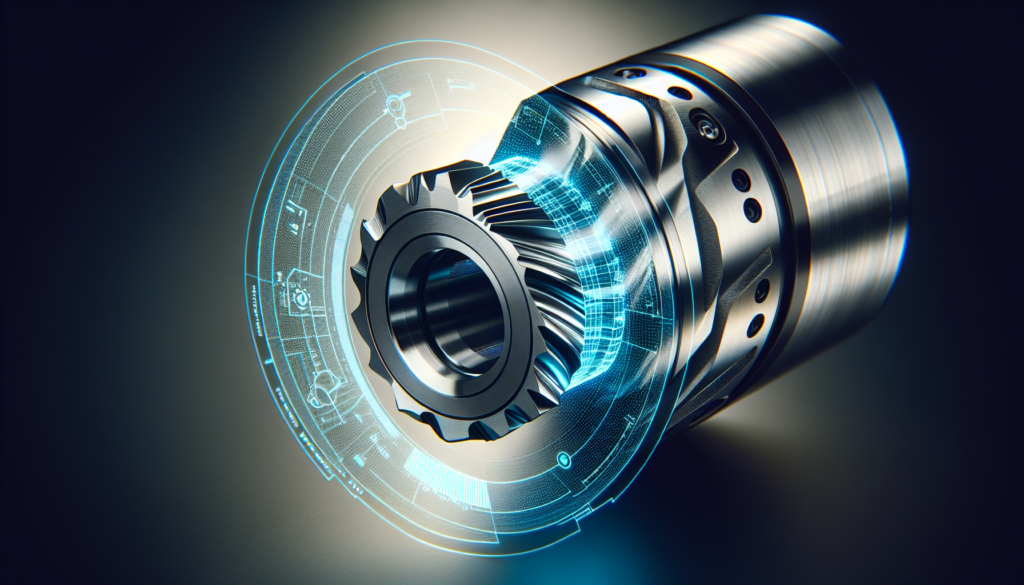
Process optimization: cutting cycles, toolpaths, and material outcomes
You’ll use the twin to test production strategies before committing swarf and sleep.
- Optimize cutting speeds and feeds to minimize cycle time while protecting tool life.
- Try alternative toolpaths to reduce air cutting and collisions.
- Simulate different clamping strategies to minimize distortion.
Practical optimization loop
- Define objective (reduce cycle time, improve surface finish).
- Run multiple simulated scenarios with the twin.
- Select a candidate strategy and run a controlled on-machine trial.
- Iterate using feedback until you reach a reliable improvement.
Quality assurance and first article inspection (FAI)
The twin lets you rehearse FAI without eating raw material. You can verify dimensional conformance and process robustness before making the first part.
- Simulate setup and clamping to predict part distortion.
- Validate toolpaths for feature access and finish.
- Use statistical models to estimate part-to-part variation.
How this saves you time and scrap
If the twin shows that a particular fixturing approach causes a tolerance drift at a critical feature, you change it virtually and re-simulate. That saves you from making multiple trial pieces and chasing root causes on the machine.
Security, IP, and data governance
Your twin contains intimate knowledge of your processes and parts. Treat it like the crown jewels.
- Encrypt data in transit and at rest.
- Use role-based access controls for simulation scenarios and results.
- Maintain provenance logs for changes and model updates.
- Be mindful of cloud providers and where sensitive models or part designs are hosted.
Little practical checklist for security
- Use TLS for all communication.
- Keep encryption keys on-prem where necessary.
- Log and audit model changes.
- Segment networks (machine control vs. analytics) to minimize attack surfaces.
Costs, ROI, and how to justify the investment
You’re not buying an illusion—you’re buying predictability. But you still need numbers.
- Initial costs: sensors, edge compute, software licenses, integration, training.
- Recurring costs: cloud compute, maintenance, model updates, support.
- Benefits: reduced downtime, scrap saving, faster ramp-up, extended tool life.
| Item | Typical cost range (2026) | Impact |
|---|---|---|
| Sensor suite per machine | $5k–$25k | Improves model fidelity |
| Edge compute + gateway | $3k–$15k | Enables low-latency simulation |
| Software license | $10k–$100k per line | Varies widely by vendor |
| Integration & commissioning | $20k–$150k | Project-dependent |
| Annual support | 10–20% of license | Ongoing updates and support |
Quick ROI example
If your machine scrapping and rework cost $50k/year and twin implementation saves 60% of that plus reduces downtime by $30k/year, you’re looking at a payback within 12–24 months for many mid-size shops. Run your own numbers—use the twin to simulate financial outcomes as well.
Vendor selection: what you should demand
Not every vendor is equal, and marketing language often promises more than the deliverable. Ask specific questions and insist on demos with your parts.
- Ask for references that match your industry and part types.
- Request an on-site proof-of-value: one machine, your parts, a realistic schedule.
- Verify data ownership: who owns the models and the data?
- Ask about offline vs. real-time capabilities and maximum latency.
- Confirm support for standards: OPC-UA, MTConnect, REST APIs.
Vendor evaluation table (practical checklist)
| Evaluation Area | Questions to ask | Red flags |
|---|---|---|
| Technical fit | Can you import my CAD/CAM and run my G-code? | Vendor uses only proprietary CAD format |
| Integration | Does it connect with PLC, MES, ERP? | No integration APIs offered |
| Model accuracy | How do you validate model fidelity? | No calibration or validation process |
| Data governance | Who stores and owns my data? | Vendor insists data must be hosted exclusively in their cloud |
| Support & roadmap | How do you handle updates and change requests? | No on-premise support or long response times |
Common implementation pitfalls (and how you avoid them)
Most failures are human or process-related, not strictly technical. Anticipate these traps.
- Overpromising fidelity: start with realistic expectations and scale.
- Ignoring data hygiene: garbage in, garbage twin.
- Skipping calibration: unvalidated models cause distrust.
- Poor integration: islands of technology create friction.
- Neglecting change management: operators must be included early.
Practical fixes
Run a pilot with clear success metrics. Keep operators involved. Set up an incremental roadmap rather than a big-bang change.
Case study sketches (realistic but anonymized)
Here are a couple of condensed, illustrative scenarios that show how a digital twin plays out in production.
- Aerospace supplier
- Problem: long cycle times and delicate tolerances on titanium parts.
- Twin application: high-fidelity simulation of cutter forces and thermal distortion.
- Outcome: 18% cycle time reduction; 40% fewer reworks during first article inspection.
- Automotive subcontractor
- Problem: unpredictable spindle failures causing line stoppages.
- Twin application: vibration and power-based predictive maintenance model.
- Outcome: Unplanned downtime reduced by 65% and maintenance scheduled without disrupting production.
Why these examples matter to you
They show how different industries apply different fidelity and sensor strategies to generate measurable improvements. Your shop might be someplace between the two, but the pattern holds: simulate, validate, act.
Regulatory and certification considerations
If you’re in regulated industries—medical, aerospace, defense—you’ll need to demonstrate model validation, traceability, and audit trails.
- Maintain verification documentation for model parameters and validation tests.
- Use digital signatures and immutable logs for approvals.
- Align process simulation with applicable standards (e.g., AS9100, ISO 13485).
Practical advice for compliance
Treat model outputs as part of your quality records. Keep traceability from simulation run to production part, including input files, software version, and personnel approvals.
Human factors: training and change management
You’ll meet resistance. The machine operators and veteran machinists are attached to their methods, and you should respect that.
- Involve operators early in pilots.
- Provide intuitive UIs and role-specific dashboards.
- Offer hands-on training focused on problem-solving with the twin.
- Celebrate small wins—faster setups, fewer scrapped parts.
A short training checklist
- Basic twin navigation: viewing, replay, and scenario setup.
- Interpreting predictive alerts and recommended actions.
- How to report and annotate discrepancies to refine models.
Governance and lifecycle: keeping the twin accurate over time
Your twin is not a one-off project; it’s a living asset that needs maintenance, updates, and governance.
- Version control for models and parameters.
- Scheduled recalibration campaigns, especially after major maintenance.
- Retirement policy for outdated models and hardware.
How to manage model drift
Set thresholds for acceptable prediction error and schedule re-calibration when those thresholds are crossed. Automate alerts to the engineering team when drift occurs.
Beyond 2026: what comes next and how you prepare
Even by 2026, technology keeps moving. The next steps will likely include more federated twins, cross-factory digital threads, and tighter integration with design automation.
- Federated twins: connect multiple machine twins into a cell or factory-level twin for scheduling and energy optimization.
- Design for digital twin: engineers will design parts with simulation constraints in mind.
- Autonomous process control: twins will increasingly run closed-loop adjustments in real-time.
How you position yourself
Start small, learn fast, and standardize your data. The companies that have structured data and an iterative approach will be able to expand their twins into broader factory optimization.
Practical implementation roadmap (a table to guide your first 12 months)
Use this roadmap to plan a phased approach that gives you early wins while building toward full deployment.
| Phase | Duration | Key activities | Expected outcome |
|---|---|---|---|
| Pilot | 1–3 months | Install sensors on 1 machine, run baseline, basic twin | First validated model, initial ROI estimate |
| Scale 1 | 3–6 months | Add 2–5 machines, integrate with CAM/MES, train staff | Cross-machine insights, reduced scrap on pilot parts |
| Scale 2 | 6–12 months | Expand to production line, predictive maintenance plus optimization | Measurable downtime reduction, cycle improvements |
| Operationalize | 12+ months | Governance, lifecycle management, federation across sites | Twin becomes standard part of operations and planning |
Quick advice for the pilot
Choose a machine and process that matter but are not mission-critical. That gives you wiggle room to test without catastrophic consequences.
Final checklist before you start
You don’t need to hire an army of PhDs to begin, but you do need a plan. Here’s a list of essentials to check off before you press go.
- Clear use case and success metrics.
- Baseline data collection plan.
- Sensor and compute budget approved.
- Integration plan for CAM, PLC, MES.
- Pilot machine selected with operator buy-in.
- Vendor/proof-of-value contract with defined deliverables.
- Security and data governance policies in place.
Your first tangible actions
- Choose one part or one process you want to improve.
- Gather a month of baseline data.
- Run a short vendor or in-house feasibility test.
- Set realistic KPI targets for the pilot.
Closing thoughts (spoken like a machinist who learned to trust the screen)
You’re mostly in the business of managing the unpredictable—materials that behave badly, schedules that warp, and machines that sometimes sound like they’re telling you a joke in a language you don’t know. The digital twin is a way to make that unpredictable slightly less dramatic and, crucially, less expensive. It’s not magic, but it will feel like magic when it saves you a night of frantic troubleshooting, or when it lets you deliver a first-article that passes every inspection on the first try.
If you treat the twin as an ongoing partner—one that needs clean data, thoughtful calibration, and operator trust—you’ll find it pays back in reduced stress as well as dollars. Start with a clear goal, be honest about what you can achieve in the short term, and extend the model as the data and experience justify it. Your machines will keep making chips; the twin helps you make sure those chips are profitable.