?Are you the person who spends evenings sketching parts on a napkin and mornings wondering which CNC machine will finally make those napkins obsolete?
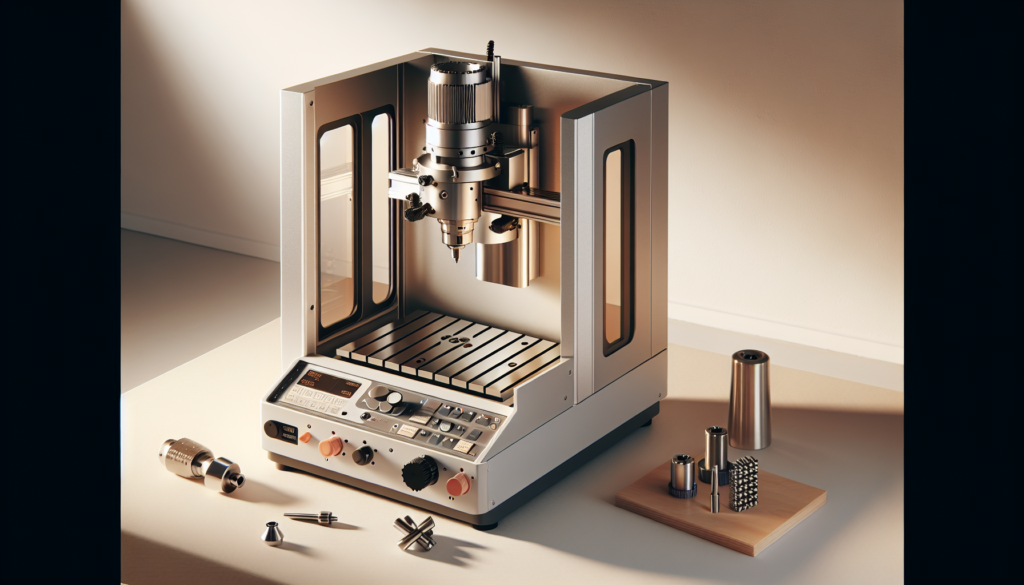
Top 10 2026 CNC Machines For Small Businesses And Fabrication Startups
You’re about to get a practical, slightly opinionated tour of the best CNC machines for small businesses and fabrication startups in 2026. This list balances price, footprint, capability, and the small mercies that make running a tiny shop easier, like decent documentation and a helpful community.
Why this guide matters
You likely don’t have an unlimited budget or the luxury of warehouse space, but you do need a machine that’s reliable, repairable, and capable of producing parts that customers will pay for. The right CNC can shift your business from tinkering to scaling, and this guide will help you choose wisely without reading fifty forum threads.
How to use this list
Use the summary table to quickly compare machine families, then read the individual breakdowns for the models that match your workflow and budget. Pay special attention to the “Who it’s best for” and “Pros/Cons” sections—those will save you hours of regret.
Selection criteria
I shortlisted machines based on practical factors: build quality, software ecosystem, community support, ease of maintenance, price-to-capability ratio, and small-shop footprint. You’ll see a mixture of routers, mills, and benchtop 5-axis workhorses because “one size fits all” is a fantasy best left to fairytales and marketing brochures.
- Build quality and rigidity
- Precision and tolerance capabilities
- Available spindle power and tooling ecosystem
- Footprint and shop compatibility
- Software compatibility and learning curve
- Total cost of ownership (including maintenance and consumables)
Quick comparison table
Below is a compact summary so you can spot likely candidates quickly. The price ranges are broad to reflect different configurations and 2026 updates.
| Rank | Model (2026 line) | Manufacturer | Type | Work Area (approx) | Spindle Power | Price Range (USD) |
|---|---|---|---|---|---|---|
| 1 | PCNC 1100 Evo | Tormach | Vertical Mill | 18″ x 9″ x 16″ | 2 hp | $9k–$18k |
| 2 | Shapeoko Pro XXL (2026) | Carbide 3D | Router | 33″ x 33″ | 3 hp (router) | $3k–$6k |
| 3 | X-Carve Pro / ProMax | Inventables | Router | 40″ x 30″ | 3.5 hp | $5k–$10k |
| 4 | Nomad 4 | Carbide 3D | Benchtop Mill | 10″ x 8″ x 4″ | 0.8–1.2 hp | $2k–$4k |
| 5 | Axiom AR8-Pro | Axiom Precision | Router | 24″ x 12″ | 2.2 hp | $5k–$12k |
| 6 | Snapmaker Artisan (CNC module) | Snapmaker | 3-in-1 CNC/laser/3D | 15″ x 15″ | 1.5 hp | $1.5k–$4k |
| 7 | Pocket NC Model A (2026) | Pocket NC | 5-Axis Benchtop | 6″ x 6″ x 6″ | 1 hp | $25k–$35k |
| 8 | Laguna IQ Router (compact) | Laguna Tools | Router | 48″ x 24″ | 3–5 hp | $10k–$20k |
| 9 | BobsCNC E4 (upgraded) | BobsCNC | DIY-style Router | 24″ x 24″ | 1–1.5 hp | $600–$1.5k |
| 10 | NextWave Shark HD520 | Next Wave | Router/Mill Hybrid | 18″ x 16″ | 2.2–3 hp | $6k–$12k |
This table should help you narrow your choices, but you’ll want to dig into the individual entries for the human details that matter.
Notes on price and availability
Prices vary with accessories, enclosures, control packages, and spindle upgrades, and 2026 configurations might introduce new options that change the ranges above. Availability can be affected by chip shortages, logistics, or a sudden influencer spotlight, so expect some lead times.
1) PCNC 1100 Evo — Tormach
You get a machine that’s built by people who used to expect their machines to be fixable with a wrench and a grumpy sense of humor. The PCNC 1100 Evo is what you pick when you want an actual metalworking mill that isn’t the size of your garage.
Overview
Tormach mills are designed for small machine shops and serious fabricators who need a balance of capability and workshop friendliness. The Evo line emphasizes serviceability, tooling options, and an ecosystem that treats the user like an adult.
Key specifications
- Work envelope: ~18″ x 9″ x 16″
- Spindle power: ~2 hp (upgradeable)
- Control: PathPilot (Tormach’s control) with PC connectivity
- Construction: Cast iron base, hardened spindle These specs give you a sturdy platform for milling aluminum, steel, and plastics without the theatrics of a factory-floor machine.
Who it’s best for
You should consider the PCNC if you’re producing low-to-mid volume metal parts, prototypes, or jigs and fixtures. It’s especially useful when you need ISO-style tooling, rigidity, and a practical operator interface.
Pros
- Robust build and straightforward serviceability.
- Strong tooling ecosystem and real metal capability. Tormach’s community and documentation make learning less painful than it ought to be.
Cons
- Not the cheapest entry option, and larger mills can be more cost-effective per part.
- You’ll need to invest in tooling, workholding, and fixturing to get true shop-level throughput.
Price and availability
Expect base prices in the mid-range for small industrial mills, with common configurations landing between $9k and $18k in 2026. Add heavy-duty chucks, tool probes, and CAD/CAM software to get to production readiness.
2) Shapeoko Pro XXL (2026) — Carbide 3D
If you want to mill wood, plastics, and soft metals while maintaining a friendly price and a roomy table, Shapeoko’s 2026 Pro XXL is built for makers who want to graduate from hobbyist to legitimate fabricator. It’s the machine that makes you slightly more confident about selling engraved wooden signs.
Overview
The Shapeoko Pro XXL blends a large router-style format with improved rigidity and better motion components compared to its hobbyist predecessors. Carbide 3D’s design choices favor simplicity and modability.
Key specifications
- Work area: ~33″ x 33″
- Spindle: Up to ~3 hp router (air-cooled)
- Frame: Reinforced aluminum extrusion with steel plates for rigidity This machine gives you a huge table suitable for signage, furniture components, and multiple smaller parts in a single run.
Who it’s best for
Choose the Shapeoko if you’re producing woodwork, signage, thermoplastics, or composite panels and need capacity more than metal-hard precision. It’s great for laser-cut replacement or larger routing tasks.
Pros
- Very large working area for the price.
- Strong user community and lots of accessories and guides. You’ll find custom fixturing and toolpaths are easy to implement.
Cons
- Less rigid than dedicated mills for heavy aluminum cuts.
- Router spindles typically don’t offer the torque or coolant options of true milling spindles. For metal-heavy shops, you’ll hit limits; for wood and light metals, it’s excellent value.
Price and availability
In 2026 the Shapeoko Pro XXL targets the mid-budget fabricator, often landing between $3k and $6k depending on spindle and control selections. Delivery is usually quicker than fully industrial machines.
3) X-Carve Pro / ProMax — Inventables
Inventables’ Pro-class machines aim at startups that do signage, furniture fragments, and batch production with a focus on workflow and cloud integration. This is for you if you want a router with modern software conveniences and a big table.
Overview
The X-Carve Pro line focuses on large-format routing and integrates well with cloud-based job management and CAD/CAM workflows familiar to modern small businesses. It tends to be workflow-first rather than “I want to make engine blocks.”
Key specifications
- Work area: ~40″ x 30″
- Spindle: 3–3.5 hp options
- Control: Modern, web-friendly controls with optional offline pendant This configuration suits a shop that prioritizes throughput, nesting, and easy job setup.
Who it’s best for
You’ll like the X-Carve Pro if you’re doing furniture components, signage, and production panels with frequent job turnover. It’s built to streamline repetitive tasks and nesting workflows.
Pros
- Emphasis on usability and cloud-based job management.
- Large format and reliable motion systems for routing workflows. Inventables also supports a robust parts and tooling marketplace.
Cons
- Not optimized for heavy ferrous machining or high-tolerance metal work.
- Cloud features can be a pro or con depending on your shop’s internet resilience. If your business demands ISO-level metal tolerances, consider a mill instead.
Price and availability
Expect $5k–$10k for a production-ready package with a decent spindle, software bundle, and a reasonable list of accessories for 2026. Optional upgrades like vacuum tables or automated tools will push the number up.
4) Nomad 4 — Carbide 3D
You get a delightful benchtop mill that feels like a precision typewriter—compact, somewhat musical, and shockingly useful. The Nomad 4 steps up for prototyping and low-volume metal parts where footprint is at a premium.
Overview
Carbide 3D’s Nomad is built for small benches and office environments where you can’t accommodate a full-size mill. It’s quiet, tidy, and surprisingly capable for aluminum and plastics.
Key specifications
- Work area: ~10″ x 8″ x 4″
- Spindle: ~0.8–1.2 hp enclosed spindle
- Construction: Steel body with enclosed case and dust collection compatibility This machine trades bed size for a neat, controlled environment that’s great for precise, small parts.
Who it’s best for
Pick the Nomad if you need tight tolerances on small parts and don’t have the floor space for a full mill. It’s ideal for prototypes, jewelry-scale production, and PCB milling.
Pros
- Small footprint with strong precision for its size.
- Enclosed design is clean and tolerable in an office or studio. You’ll be surprised how many parts you can turn out before you wish for a larger envelope.
Cons
- Limited travel means larger parts are out of the question.
- Spindle power is modest, so heavy cuts in steel will be slow. It’s a precision tool, not a production hammer.
Price and availability
You can expect $2k–$4k for a well-equipped Nomad 4 in 2026, usually inclusive of the machine and basic tooling. Add-ons like a coolant system or workholding accessories are common purchases.
5) Axiom AR8-Pro — Axiom Precision
Axiom makes CNC routers that aim squarely at woodworking shops and fabrication startups needing a professional machine with serviceable quality. The AR8-Pro is a sensible middle ground—fully featured without requiring a forklift.
Overview
Axiom’s AR series offers a good balance of size, rigidity, and spindle choices, often paired with options for automatic tool changers and vacuum tables. This is for shops doing cabinetry, trim, and moderate metalwork.
Key specifications
- Work area: ~24″ x 12″ (AR8 series)
- Spindle: Up to 2.2 hp (water-cooled option)
- Frame: Steel and aluminum hybrid with integrated T-slots This model is built for repeatability in wood and composite production while being forgiving for light metal operations.
Who it’s best for
If your business produces cabinets, furniture components, or decorative panels, the AR8-Pro is a sensible and professional choice. It’s a step up from hobby routers without the industrial footprint of a full-sized CNC.
Pros
- Robust construction for long-term production.
- Option ecosystem for dust control, tool changers, and vacuum tables. Axiom tends to be easier to service than lower-cost alternatives.
Cons
- Heavier and more expensive than hobby routers.
- Not ideal for heavy ferrous cutting at high volumes. It’s a practical production router, not a substitute for vertical machining centers.
Price and availability
The AR8-Pro typically falls in the $5k–$12k range depending on spindle, control, and table options. A well-equipped machine with vacuum table and tooling will land toward the upper end.
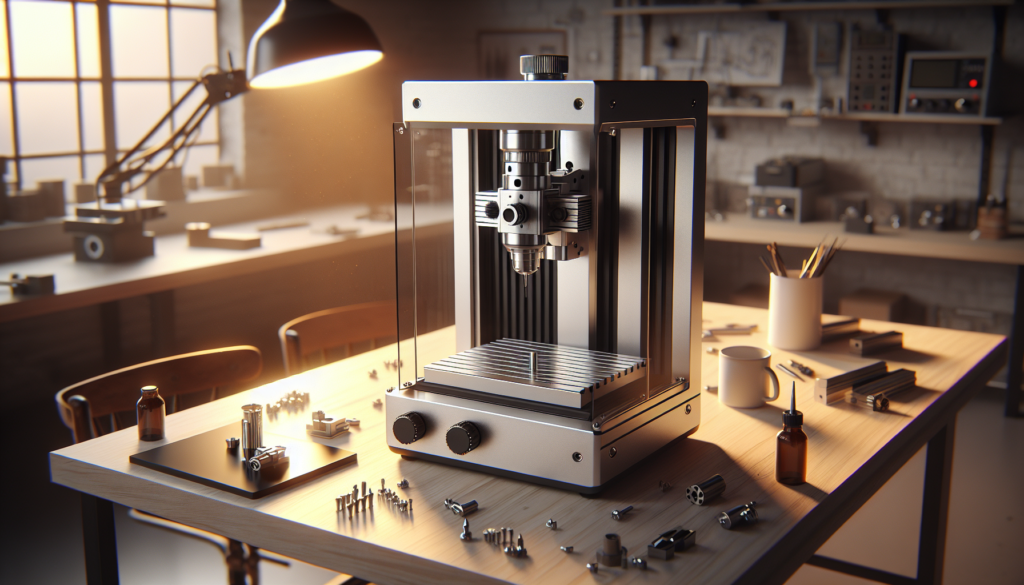
6) Snapmaker Artisan (CNC module) — Snapmaker
You gain a multi-tool platform that’s excellent for iterative product development where 3D printing, laser cutting, and CNC routing all matter. For startups that prototype rapidly and produce small runs, this machine is an embarrassment of creative productivity.
Overview
Snapmaker’s Artisan is a modular 3-in-1 platform. In 2026 the CNC module is more rigid and features better spindle options, making it genuinely useful for light-duty fabrication tasks.
Key specifications
- Work area: ~15″ x 15″ (depending on configuration)
- Spindle: ~1.5 hp (detach/replace modules)
- Modularity: Fast swapping between functions with minimal calibration This multiplies your capability without requiring three separate footprints or three separate budgets.
Who it’s best for
If your startup needs a flexible prototyping tool and can’t justify separate machines, the Artisan keeps your options open. It’s especially nice for small product runs, model making, and multidisciplinary fabrication.
Pros
- Excellent value for combined CNC, laser, and 3D printing capabilities.
- Small footprint and surprisingly capable CNC module for plastics and soft metals. You’ll iterate faster because you won’t have to schedule machine time.
Cons
- Not as rigid as specialized machines and limited to lighter materials for CNC operations.
- Multi-function approach means compromises in specialization. It’s a Swiss Army knife—handy, but not a surgical instrument.
Price and availability
Expect a fully modular package to be around $1.5k–$4k depending on configuration and upgrades in 2026. It’s one of the best values for mixed-discipline startups.
7) Pocket NC Model A (2026) — Pocket NC
Here you have a benchtop five-axis marvel that shrinks complex parts down to desktop scale and makes you feel like an actual wizard. The Model A is for shops doing aerospace prototypes, dental parts, or complex small geometries.
Overview
A true 5-axis benchtop mill, the Pocket NC Model A lets you machine intricate shapes and complex geometries that would otherwise require fixtures and multiple setups. It’s expensive but opens capabilities that are otherwise out of reach.
Key specifications
- Work envelope: ~6″ x 6″ x 6″
- Axes: Full 5-axis simultaneous
- Spindle: ~1 hp high-precision spindle This machine is about capability more than size, excelling at parts with tight contours and complex surfaces.
Who it’s best for
If your product requires complex surfaces—like small impellers, dental prosthetics, or miniaturized aerospace components—you’ll appreciate this machine. It’s particularly powerful for shops that need to reduce setups and boost precision.
Pros
- Enables complex, single-setup machining for small parts.
- Very high precision with good surface finish potential. The 5-axis capability eliminates many fixturing headaches.
Cons
- High upfront cost compared to benchtop mills and routers.
- Limited envelope restricts part size, and runtime can be slow for large campaigns. It’s a specialty tool—transformative for the right product mix.
Price and availability
Pocket NC’s Model A typically occupies the $25k–$35k bracket in 2026, including many standard accessories and options. If five-axis capability will win you contracts, it pays for itself quickly.
8) Laguna IQ Router (compact) — Laguna Tools
You’re looking at a serious professional router with a refined user experience and industrial options that scale to a real workshop. Laguna’s compact IQ routers emphasize uptime and reliability for production runs.
Overview
Laguna Tools builds for production and heavy hobby use, offering an IQ line that incorporates better motion systems and spindle options intended for repeated daily workloads. This is for shops transitioning from artisan to production scale.
Key specifications
- Work area: up to ~48″ x 24″ in compact configurations
- Spindle: 3–5 hp industrial spindles
- Frame: Heavy steel with reinforcement and optional enclosure These machines allow higher feed rates and deeper cuts than hobby routers.
Who it’s best for
Choose Laguna if you’re producing high volumes of wood or non-ferrous metal components and need a machine that will run reliably. It’s also a good fit if you want professional-level support and heavier duty hardware.
Pros
- Industrial options and better thermal stability for long runs.
- Service network and professional support for businesses that need uptime. Laguna is generally more production-focused than hobbyist entrants.
Cons
- Higher cost and larger footprint than entry-level alternatives.
- Requires a more industrial shop environment (dust collection, floor space). It’s a professional router for shops that mean business.
Price and availability
Expect $10k–$20k for compact production-ready configurations in 2026; the cost varies widely with spindle and table options. Budget for good dust collection and peripherals.
9) BobsCNC E4 (upgraded 2026) — BobsCNC
This is your entry-level, wallet-friendly router that does wonders for simple signage, hobby furniture, and initial product runs. You’re likely to buy one, tinker, and then find you’ve built a real side business.
Overview
BobsCNC machines are DIY-friendly, open, and cheap—perfect for startups just testing product-market fit before committing to a pricier machine. The E4 upgraded 2026 model tightens tolerances and improves rigidity where it mattered most.
Key specifications
- Work area: ~24″ x 24″
- Spindle: 1–1.5 hp aftermarket spindle typical
- Frame: Wood/ply construction with rigidized upgrades in 2026 You pay less up front but should plan to upgrade spindles, add proper fixturing, and possibly a more rigid frame if you want consistent production.
Who it’s best for
If you’re testing concepts, doing startup experiments, or selling low-stakes parts, the E4 is a sensible financial step. It’s also a great educational machine for team members learning CAM and shop practices.
Pros
- Extremely low entry cost and broad community modifications.
- Lightweight footprint and easy to reconfigure. You’ll learn a lot fast for minimal investment.
Cons
- Not intended for heavy metals or high-volume production without upgrades.
- Much of the value depends on your willingness to tinker and upgrade. It’s an experiment platform more than a production backbone.
Price and availability
Expect $600–$1.5k for a base E4 and typical upgrades in 2026. For production, you’ll likely add a better spindle, a reinforced frame, and professional fixturing.
10) NextWave Shark HD520 — Next Wave
You’re looking at a well-rounded hybrid that sits between hobby routers and professional systems, with features that suit both prototyping and lower-volume production. The Shark HD520 offers a nicer control experience and sturdy frame without astronomical cost.
Overview
Next Wave’s Shark HD line provides a mix of reliability and approachable price points, aimed at entrepreneurs who need a dependable workhorse that won’t make payroll nervous. It’s more polished than hobby machines while still accessible.
Key specifications
- Work area: ~18″ x 16″
- Spindle: 2.2–3 hp options
- Frame: Cast aluminum base with steel reinforcements The HD520 fits nicely on a shop bench and handles sign work, light composites, and plastic milling.
Who it’s best for
Buy the Shark if you want a professional-feeling router that’s easy to learn and maintain. It suits makers who sell moderate quantities of goods and need a machine that won’t require a full-time operator.
Pros
- Straightforward controls and decent rigidity for a desktop unit.
- Good value and a sensible upgrade path for spindles and tooling. You’ll get fairly consistent results out of the box.
Cons
- The work envelope is smaller than some competitors, which limits large panels.
- Heavy aluminum/steel cuts at scale will be slower than larger machines. Still, for small-batch production and prototyping it’s reliable.
Price and availability
Expect the HD520 to land around $6k–$12k in 2026 depending on spindle and table options. It’s often bundled with software starter licenses to get you going.
Accessories and software essentials
You’ll need more than a machine to ship repeatable parts: tooling, fixturing, dust collection, probing, and CAM software are all major factors. The right combination reduces cycle times and improves part quality.
Recommended accessories
- End mill sets (coated and uncoated) and tooling holders; keep a variety for wood, aluminum, and plastics.
- Workholding: vacuum tables for routing; T-slot clamps for mills; sacrificial spoilboard for router operations.
- Dust collection and coolant solutions; shop air and chip evacuation improve tool life.
- Probing and touch-off systems to reduce setup time and improve accuracy.
- Tool presetters for shops scaling beyond single-operator setups.
Software recommendations
You should pick a CAD/CAM solution that matches your team’s skills and your parts’ complexity. Affordable and effective choices include Fusion 360 (cloud-enabled, widely supported), Vectric Aspire (great for woodworking and routing), and SolidCAM or Mastercam for advanced milling needs.
Materials and capability matrix
Different machines handle materials differently; matching the machine to your main material set avoids wasted capacity and buyer’s remorse. The table below summarizes typical capabilities.
| Machine family | Wood/Composite | Aluminum | Mild Steel | Plastics | Complex 5-axis |
|---|---|---|---|---|---|
| Routers (Shapeoko, X-Carve, Axiom) | Excellent | Good | Limited | Excellent | No |
| Mills (Tormach, Nomad) | Good | Excellent | Good–Excellent | Excellent | Limited (3-4 axis) |
| Benchtop 5-axis (Pocket NC) | Good | Excellent (small parts) | Limited | Excellent | Excellent |
| Hybrid/Compact (Snapmaker, BobsCNC, NextWave) | Good | Limited | No | Good | No |
| Industrial compact (Laguna) | Excellent | Good–Excellent | Good | Excellent | No |
You’ll choose machines that play to your material strengths: routers for wood/composites, mills for metals, and 5-axis for small complex geometries.
Shop setup and workflow tips
You’ll save time and money by thinking about workflow before the machine arrives; the wrong shop layout will make you resent your purchase during every shift. Plan your material flow, dust control, tool storage, and parts staging from day one.
Practical tips
- Plan for dust collection, chip evacuation, and fire safety—especially in wood and composite shops.
- Design a tooling cabinet and a simple inventory system so you don’t waste hours hunting for the right end mill.
- Have an operator manual and maintenance log for each machine; consistency avoids “mystery machine” downtime.
- Consider an isolation table or anti-vibration mount for precision mills to reduce chatter and improve surface finishes.
Routine maintenance schedule
Keeping machines productive is about predictable maintenance, not occasional heroic repairs. Regular tasks prevent both downtime and that slow, bruising creep of inaccuracy.
| Task | Frequency | Notes |
|---|---|---|
| Clean and inspect the spindle and collets | Daily | Debris and resin build-up reduce tool life and accuracy. |
| Check lubrication and way oil | Weekly | Proper lubrication prevents premature wear. |
| Tighten belts and check mechanical connections | Monthly | Prevents slop and positional error growth. |
| Calibrate axes and probe offsets | Quarterly (or after major usage) | Keeps dimensional accuracy in spec. |
| Replace consumable belts, filters, and coolant | Based on usage | Track runtime hours for predictive replacement. |
Do these tasks and you’ll spend more time cutting and less time cursing replacement-part web pages.
Financing, ROI, and scaling
You probably can’t cash-flow growth all at once. Financing options and realistic ROI calculations determine whether a machine is a capital investment or a wishful thought.
Financing options
- Equipment loans and leases: predictable payments and potential tax benefits.
- Manufacturer financing or dealer plans: sometimes bundled with service.
- Crowdfunding or pre-orders: validate demand before you commit to production capacity.
- Grants and local business incubators: often overlooked, but real support exists.
Calculating ROI
Estimate parts per shift, margin per part, machine uptime, and tooling costs. If you’re making $20 per part with 100 parts per week, a $10k machine is recovered far faster than if your margin is $2. Don’t forget to include operator labor, maintenance, and utility costs in your model.
Short case studies
You’ll find these are not theoretical: real small businesses use these machines to turn ideas into revenue. These short examples show practical deployments.
Case study 1: Wood sign startup
A two-person startup used a Shapeoko Pro XXL and vacuum table to produce nested wood signs, scaling from Etsy orders to wholesale contracts within nine months. The machine’s large table and nesting software cut setup time dramatically.
Case study 2: Medical device prototyping
A small team used a Pocket NC to produce small, precise aluminum housings for a medical device prototype, reducing lead time from weeks to days. The 5-axis capability removed multiple fixtures and reduced labor.
Case study 3: Furniture components
A boutique furniture maker moved from manual routers to a Laguna IQ router with vacuum table and programmatic nesting, increasing throughput and reducing wasted blank material. Predictable cycle times made quoting reliable.
Frequently asked questions
You’ll doubt things—that’s normal. Here are quick answers to the typical anxieties.
Q: Do I need 5-axis for most small businesses?
A: No. For most small-batch furniture, signage, and prototype work, 3-axis mills and routers suffice. Get 5-axis only if your parts require complex undercuts, single-setup machining, or high-precision surfaces.
Q: Should I buy used or new?
A: A lightly used machine from a reputable seller can save money, but factor in costs for refurbishing, new control electronics, and unknown history. New machines typically come with support and warranty that small shops value.
Q: How important is software compatibility?
A: Very. Choose machines that work with CAD/CAM software your team can learn quickly and that integrate with your workflow. Support for common formats and post-processors reduces headaches.
Final recommendations
If you want raw metal capability and repairability, the Tormach PCNC 1100 Evo is the practical heart of many small machine shops. For large-format routing on a budget, the Shapeoko Pro XXL or X-Carve Pro should be your shortlist. If you need 5-axis capability for small, complex parts, Pocket NC’s Model A is a game-changer.
You’ll make better purchases when you match the machine to your material mix, production volume, and the kind of parts that pay your bills. Buy for the work you have today, but with an eye to what you’ll realistically be able to produce next quarter.
If you’d like, you can tell me your shop’s square footage, typical materials, and monthly part volumes and I’ll recommend the top three machines from this list that best match your reality—and less of my cranky café-stool commentary.