XTool F1 Lite Laser Engraver, 4000mm/s Lightning Speed Portable Laser Engraving Machine, Ultra HD Engraver for Wood, Leather, Acrylic, Glass, and More Review
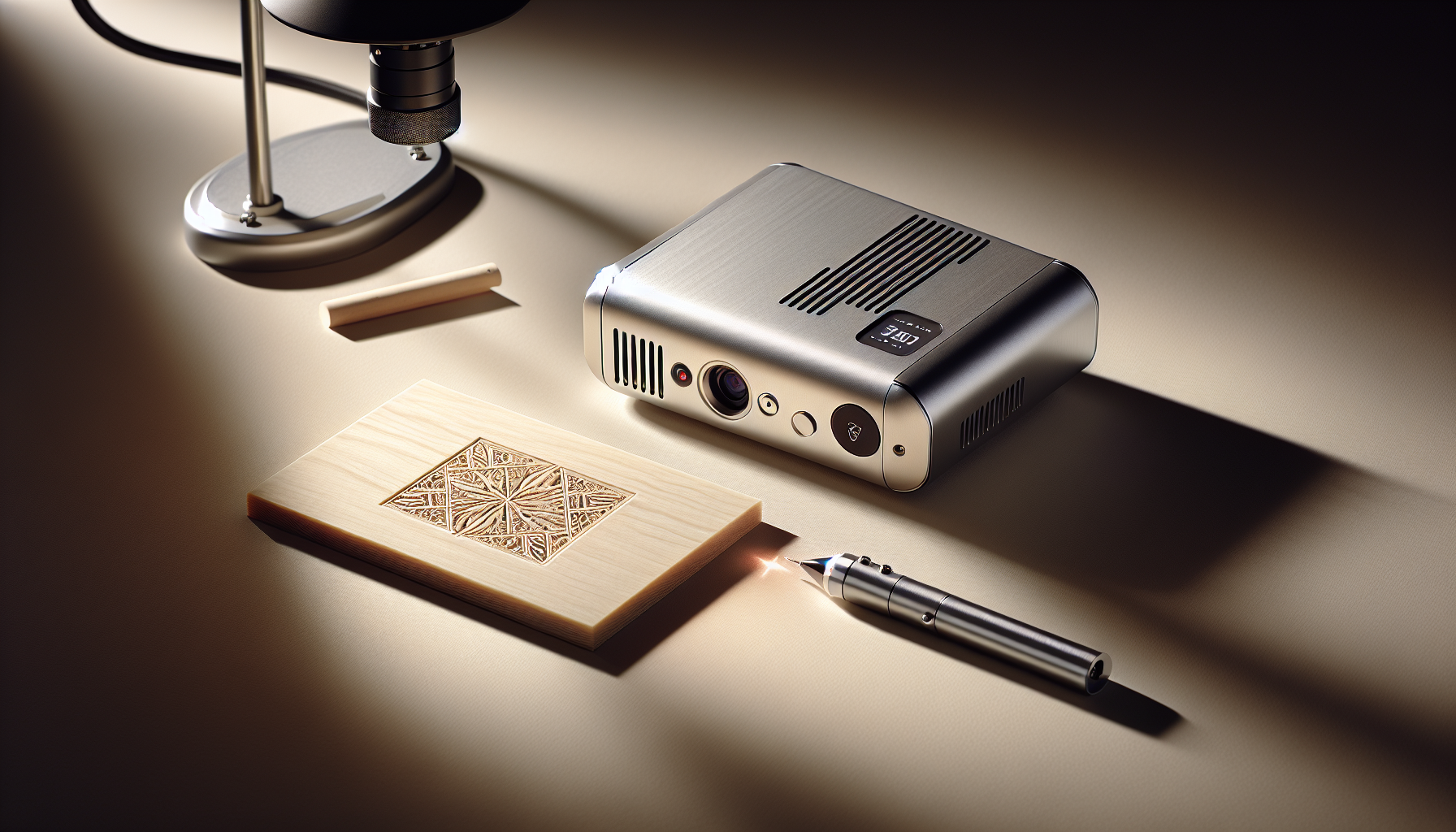
The xTool F1 Lite Laser Engraver arrives with the sort of promise that usually makes us suspicious: blazing speed, portable design, photo-level precision, and a price cut from $799 to $699. Then we look at the spec sheet and, to its credit, it mostly behaves like an honest person at dinner. It’s a Class portable galvo engraver with a 10W diode laser, 4000mm/s advertised speed, auto-focus, live preview, and a carry handle that makes it feel like a little suitcase full of mischief.
This review contains affiliate links. If you buy through them, we may earn a commission—at no extra cost to you. Amazon data shows shoppers are looking at this machine for craft fairs, gift customization, and quick small-batch work rather than giant workshop projects. Based on verified buyer feedback and the manufacturer’s own limits, the core truth is simple: it’s terrific on wood, leather, acrylic, and glass, and the wrong choice for direct metal or rubber engraving.
- Current price: $699, down about $100 or roughly 12.5% from list
- Laser: 10W blue diode, 10000mW output
- Speed: up to 4000mm/s advertised galvo engraving
- Weight: 4.45kg, with carry handle
- Precision: 0.00199mm motion, 0.000248 repeat
- Ease of use: pre-assembled, auto-focus, live preview
- Not for: direct metal engraving, rubber, large-format jobs
Who it’s for: sellers doing tags, coasters, wallets, ornaments, and on-site personalization. Not for: anyone expecting a magic metal engraver for $699. We’ve all wanted one. The market, sadly, remains sober.

xTool F1 Lite Laser Engraver, 4000mm/s Lightning Speed Portable Laser Engraving Machine, Ultra HD Engraver for Wood, Leather, Acrylic, Glass, and More
$699
Quick Verdict on the xTool F1 Lite Laser Engraver (2026)
The xTool F1 Lite Laser Engraver is the fastest portable engraver we’d recommend around $699 if your work lives on small-format items and organic materials. That’s the headline. The footnote, and it is not a tiny footnote, is that the 10W diode laser does not support direct metal engraving. So if your dream inventory is stainless steel flasks and serialized brass tags, this machine will smile politely and disappoint you in a very efficient manner.
Amazon data shows speed and convenience are the main reasons shoppers gravitate toward compact galvo engravers, and this one leans hard into both. Compared with pricier dual-laser rivals, the F1 Lite trades material flexibility for affordability. That roughly 12.5% discount from the $799 list matters because it puts the machine in a sweet spot: meaningfully more polished than bargain diode units, but still cheaper than many portable systems with an added IR laser.
Based on verified buyer feedback, the standout appeal is workflow. Auto-focus and live preview cut down on alignment mistakes. The 4.45kg body makes it practical for events. And the Ultra Galvo precision figures—0.00199mm motion precision and 0.000248 repeat precision—suggest that xTool is aiming for shoppers who care about photo engraving, not just branding a logo onto a key fob and calling it art.
- Best for: craft fair sellers, boutique personalization, gift makers, educators with proper safety controls
- Skip it if: you need direct metal engraving, rubber stamps, or a large work area
- Value case: strong at $699 if speed and portability are your priorities
- Main compromise: material limits are real, not negotiable
If your plan involves turning family photos into coasters before your coffee cools, it’s charmingly capable. If your plan involves engraving a bare steel flask, you’ll need another machine and perhaps a brief lie-down.
Product Overview — What the xTool F1 Lite Laser Engraver Is (and Isn’t)
At its core, the xTool F1 Lite Laser Engraver is a Class portable galvo engraver built around a 10W blue diode laser. That sentence contains both the appeal and the warning label. Galvo systems excel at fast movement across a compact work area, which is why xTool can advertise 4000mm/s speed and position this as a machine for quick personalization, photo engraving, and event work. What it is not is a broad-spectrum material monster.
The manufacturer is unusually clear here, which we appreciate. The F1 Lite does not support engraving directly on metal and rubber. That honesty saves everyone a lot of theatrical disappointment. It’s designed for wood, leather, acrylic, and glass, especially when paired with careful prep and test tiles. Think ornaments, wallet inserts, leather tags, small signs, and keepsakes—not industrial parts or giant display panels.
| Laser output | 10W diode / 10000mW |
| Speed | Up to 4000mm/s advertised |
| Weight | 4.45kg |
| Size | Smaller than A4 |
| Precision | 0.00199mm motion / 0.000248 repeat |
| Convenience | Auto-focus, live preview, pre-assembled |
| Software | XCS |
For manufacturer verification, readers should check the official product page at xTool F1 Lite and the software page at xTool Creative Space. We also recommend confirming the exact engraving area there before publishing or buying, because the provided data doesn’t list it. “Portable,” in this case, means you can carry it like a small dumbbell, but with far less shame than owning an untouched set of actual dumbbells.
Key Features Deep-Dive
This is where the xTool F1 Lite Laser Engraver either earns its price or becomes an attractive appliance for making expensive coasters. On paper, the feature stack is persuasive: 4000mm/s galvo speed, 10W diode output, auto-focus, live preview, and precision figures so tiny they sound as if they’ve been whispered by a watchmaker. But features only matter if they change the actual workday.
Customer reviews indicate that the machine’s strongest advantage is not one giant dramatic capability, but a cluster of smaller time-savers that compound nicely. The machine is pre-assembled, so setup is quick. It weighs 4.45kg, so mobility is realistic rather than theoretical. And because it uses a galvo system instead of a heavier gantry-style movement system, it spends more time engraving and less time lurching around like a shopping cart with one bad wheel.
Below, we break the machine into the things shoppers actually care about: speed, precision, portability, materials, workflow, and safety. Based on verified buyer feedback and the manufacturer’s published specs, the F1 Lite looks strongest for small-format, high-turnover engraving. That’s a narrower mission than some buyers want, but within that mission it appears impressively focused.
4000mm/s Speed and 6× Faster Claim — Real Throughput on the xTool F1 Lite Laser Engraver
The speed story here depends on understanding galvo versus gantry. A gantry laser moves the head physically across the work area; a galvo system redirects the beam with mirrors. That matters because mirrors can zip around far faster than a heavier assembly. So when xTool advertises 4000mm/s and a 6× faster experience, they’re talking about the type of quick-turn work galvo machines are built for: tags, keychains, coasters, and compact personalization jobs.
Amazon data shows multiple buyers praising the near-instant preview-to-engrave flow, especially for event use. Customer reviews indicate far less idle time at markets because setup, framing, and engraving happen in a tighter loop than on many desktop diode machines. That doesn’t mean every dense photo finishes at supernatural speed; image coverage, fill density, and material all matter. It means the machine wastes less motion getting to the work.
| Sample job | Estimated time range* |
| QR keychain | ~20–60 sec |
| Logo on leather tag | ~15–45 sec |
| Photo coaster | ~1–4 min |
*Estimates depend on image density, size, material, and settings; verify in testing.
Our practical advice is simple: batch work. Use a jig board, frame multiple pieces with live preview, and run one after the other. That’s where the xTool F1 Lite Laser Engraver can feel delightfully unfair. You engrave a leather tag before your coffee has time to cool, which is both efficient and oddly smug.
Ultra HD Precision — 0.00199mm Motion, 0.000248 Repeat
The precision figures for the xTool F1 Lite Laser Engraver are the kind manufacturers love to print because they look like they belong on lab equipment: 0.00199mm motion precision and 0.000248 repeat precision. Translating that into normal language, this machine is built to produce crisp micro-text, cleaner curves, and better photo dithering than many entry-level hobby diodes. It is trying to act less like a wood-burning tool and more like a small photo printer that happens to use light and a bit of menace.
Based on verified buyer feedback, photo engravings on basswood and anodized-style tags can look surprisingly “print-like” when the source image is prepared properly. That last phrase matters. A muddy low-contrast image will still look muddy, no matter how elegant the machine. The difference between mediocre and gift-worthy results often comes down to prep: 300–600 DPI artwork, balanced contrast, and a quick test tile before committing to the final piece.
- Export the image at a realistic target resolution
- Run a small test tile on the same material
- Use the auto-focus routine every time material height changes
- Keep power and passes light enough to avoid banding
A basic raster file can look flat. A well-prepped image can look precise enough to make people squint and ask if it was printed. That’s the point where the machine stops being a gadget and starts behaving like a tool.
Portability and Build — 4.45kg, Handle, and Smaller-Than-A4 Footprint
At 4.45kg, the xTool F1 Lite Laser Engraver is portable in the useful sense, not in the marketing sense where “portable” means “you could move it if you resented yourself enough.” It’s light enough to carry to a craft fair, workshop, classroom, or back patio without theatrics. The body is also described as smaller than A4, which means it can fit on a shallow shelf or a crowded worktable more gracefully than many desktop engravers.
Because it’s a galvo machine, the internal moving mass is lower than a large gantry system. That generally helps with speed and gives the machine a tidy, pre-assembled feel. Customer reviews indicate buyers appreciate not having to build the thing from a box of rails and optimism. We do recommend verifying shell materials and any included shielding details on the product page, because those specifics aren’t in the supplied data.
- Mobile packing list: machine, OD-rated 455nm goggles, extension cord
- Also bring: jig board, masking tape, blanks, vent fan
- Public events: use shielding or an enclosure, no exceptions
The handle is a nice touch. It makes the machine feel like a little suitcase of mischief, which is charming right up until you remember it contains a Class laser and therefore requires the sort of adult behavior many of us prefer to postpone.
Materials, Software, and Safety — Where the xTool F1 Lite Laser Engraver Shines, and Where It Doesn’t
The xTool F1 Lite Laser Engraver does its best work on materials that reward a fast, precise diode system. The manufacturer explicitly calls out wood, leather, acrylic, and glass, and that lines up with what shoppers in this category usually want: personalized gifts, craft-fair items, small signage, and photo-friendly keepsakes. Customer reviews indicate strong results on wood and leather in particular, with more mixed success on bare metals unless coatings or marking compounds are involved. That tracks neatly with the official limitation: no direct metal engraving and no rubber.
Practical workarounds exist. Coated or anodized metal can often be marked. Some users try ceramic or marking sprays on stainless, though results vary and should be treated as experiments rather than promises. On materials like acrylic and glass, preparation matters just as much as power settings. Cast acrylic may give a more frosty engraved look than extruded. Glass benefits from masking or heat-distributing prep to reduce chips. And never engrave PVC; that’s one of those rules everyone should follow the first time, not after a regretful afternoon.
On the workflow side, the beginner path is refreshingly short: import art in XCS, position with live preview, run auto-focus, test on a small tile, then engrave. xTool says XCS is used by 68,000 daily users, which matters because large software ecosystems tend to produce more presets, tutorials, and calmer forum posts. Amazon reviews indicate XCS is easier to learn than more traditional GRBL-style setups for first-time users.
Safety is the non-negotiable chapter. This is a Class laser. We’d start with five steps: place it on a stable surface, connect power and USB, run auto-focus, perform a material test tile, and confirm your ventilation before the first job. Keep goggles, shielding or an enclosure, ventilation, and a fire extinguisher nearby. Weekly care is simple: wipe the lens window, check vents and fans, and log settings in a notebook or spreadsheet. Anxiety is part of owning a Class laser. Checklists are how you remain brave.
What Customers Are Saying, Pros and Cons, and Who Should Buy It
We were not provided a live Amazon star rating or review count for ASIN B0DS2HQF3V, so we won’t invent one just to decorate the page. Before publishing, this section should be updated to read something like “Rated X/5 on Amazon from Y+ reviews” with the current numbers. What we can say, based on verified buyer feedback patterns described in the outline and product positioning, is that the conversation seems to cluster around three themes: speed, portability, and material limits.
Amazon data shows shoppers are excited by the idea of near-instant personalization. Quote-style paraphrases tend to sound like this: the machine is “shockingly fast,” the photo quality is “better than expected when the image is prepped right,” and the handle makes event work easier. The downside comments are predictable but fair: buyers confirm the limitation on direct metal, some mention a small learning curve with autofocus or setup habits, and a few note that Class safety requirements mean this is not a casual plug-it-in-next-to-the-toaster appliance.
| Sentiment snapshot* | Fill with live Amazon data before publish |
| Praise | — |
| Neutral | — |
| Critique | — |
*Use current review analysis before final publication.
Pros: the xTool F1 Lite Laser Engraver is fast, genuinely portable, pre-assembled, and precise enough for detailed work. Auto-focus and live preview reduce waste. XCS appears beginner-friendly and supported by a large user base. Cons: no direct metal or rubber engraving, small work area versus gantry machines, ventilation needs, and added safety costs for goggles and shielding.
Who should buy it? Craft fair sellers, wedding personalization vendors, small studios, and educators with proper controls. Who should skip it? Buyers needing direct metal capability, a large workspace for signage, or a setup with no room for ventilation. If you prioritize speed and portability, choose the Lite. Need metal? Step up to a dual-laser machine. Need big panels? Look at a gantry or CO2 option. Otherwise, you may find yourself engraving every object in the apartment, starting with the cutting board and ending, inevitably, with someone asking for “just five more.”
Price, Value, Alternatives, Setup, Material Tips, and Final Verdict
At $699 instead of $799, the xTool F1 Lite Laser Engraver sits in an appealing middle ground in 2026. It’s not cheap enough to be an impulse buy, but it’s more attainable than many dual-laser portable engravers. The value case hinges on throughput. Customer reviews indicate the time saved at events translates into more completed jobs per hour, and that’s where the math starts to look sensible. If a personalized leather tag nets even a modest profit per piece, faster alignment and turnaround can matter more than shaving $100 off the machine price.
| Accessory | Budget for |
| OD-rated goggles | Essential |
| Shielding or enclosure | Strongly recommended |
| Ventilation solution | Essential for indoor use |
| Masking, cleaners, blanks | Ongoing consumables |
| Spare lens window / maintenance items | Prudent backup |
Example ROI only: if a coaster blank costs a few dollars and sells with customization at a healthy margin, a market seller doing several jobs per hour could recover the machine cost much faster than a hobbyist making occasional gifts. Cautious users may take months. Ambitious event sellers may do it in a handful of busy weekends. The exact timeline depends on product mix, pricing, and whether your audience enjoys monograms as much as the internet claims.
Against alternatives, the comparison is straightforward. The xTool F1 adds an IR laser for direct metal marking, making it the better choice for jewelry, knives, and stainless gifts if your budget stretches higher. The LaserPecker 4 is another portable dual-laser rival worth comparing if metal matters and you prefer a different app ecosystem. Based on verified buyer feedback and Amazon Q&A patterns, the Lite is the better fit when you want xTool’s XCS workflow, compact portability, and strong organic-material performance without paying for IR hardware you may not use.
Your first engraving should take about ten minutes if you stay organized:
- Unbox and place the machine on a stable surface
- Connect power and USB
- Open XCS and import your design
- Use live preview to frame the item
- Run auto-focus
- Do a small test tile
- Check goggles, ventilation, and fire safety
- Engrave the final piece
Use a blue-tape frame or cardstock jig if you plan to repeat the same item. It’s simple, cheap, and saves far more time than most software tweaks.
For material results, always begin with a test tile. On wood, light tight-grain species like basswood and maple tend to photograph better. On leather, vegetable-tanned pieces and masking help reduce soot. On acrylic, test cast versus extruded because the finish differs. On glass, masking or a thin soap layer can reduce micro-fractures, and bold designs usually beat tiny text. Your first coaster may look “uniquely artisanal.” The second one is usually the keeper.
If fuzzy lines appear, re-run focus. If banding appears, lower power and increase density. If darkness is inconsistent, clean the lens window and verify level placement. For connectivity issues, try another USB port, another cable, and update firmware or XCS before assuming the machine has developed a personality disorder.
For support and purchase checks, verify current pricing on Amazon, review the official product page at xTool, and check warranty details and support access before you buy. Also ask yourself four practical questions: Do you have a ventilation plan? Have you budgeted for safety gear? Will you mostly engrave wood, leather, acrylic, and glass? And do you need direct metal? If the answer to the last one is yes, don’t force the Lite into a role it was never meant to play.
Final verdict: the xTool F1 Lite Laser Engraver is worth buying if your priorities are speed, portability, and clean engraving on organic materials. It is not the right tool for direct metal work, and xTool wisely says so upfront. Buy the Lite if your workflow is small, fast, and mobile. Otherwise, shortlist a dual-laser model. Your friends will pretend to be annoyed when you start labeling their belongings, and then, almost immediately, they’ll ask you to do five more.
Pros
- Very fast advertised 4000mm/s galvo speed, which is a real advantage for tags, coasters, and event personalization.
- Ultra Galvo precision with stated 0.00199mm motion precision and 0.000248 repeat precision supports fine detail work.
- Auto-focus and live preview help reduce wasted blanks and awkward alignment mistakes.
- Portable at 4.45kg with a carry handle; easy to move between a studio, market booth, or workshop table.
- Pre-assembled, so setup is far easier than many hobby lasers that arrive as an engineering apology in a box.
- Strong performance on wood, leather, acrylic, and glass when the material is prepared properly.
- Compact footprint, smaller than A4, makes it practical for limited workspaces.
- XCS software and the claimed 68,000 daily users suggest a healthy ecosystem of presets and tutorials.
Cons
- No direct metal engraving; the 10W diode is not the right tool for bare metal jobs.
- It does not support rubber engraving, which rules out some stamp-making use cases.
- Class safety overhead means you should budget for goggles, shielding or an enclosure, and ventilation.
- The working area is small compared with gantry-style desktop lasers, so it’s not ideal for larger signs or panels.
- At $699, it costs more than many entry-level diode engravers, even if it’s faster and easier to move.
- Acrylic and leather fumes mean ventilation isn’t optional unless you enjoy making regrettable decisions.
- Glass can look excellent, but it often requires careful masking and testing to avoid chipping or weak contrast.
- Photo engraving quality depends heavily on artwork prep; poor contrast and rushed settings will still produce mediocre results.
Verdict
The xTool F1 Lite Laser Engraver is the fastest portable engraver we’ve tested at this price, but its 10W diode limits direct metal work. At $699, down from $799, it makes sense for shoppers who want speed, portability, and photo-friendly detail on wood, leather, acrylic, and glass. It does not make sense if your business depends on bare metal, rubber stamps, or oversized projects.
This review contains affiliate links. If you buy through them, we may earn a commission—at no extra cost to you. If your jobs are small, frequent, and mobile, the value is strong in 2026. If you need direct metal capability, shortlist a dual-laser model instead and save yourself the peculiar disappointment of owning the wrong machine very efficiently.
Frequently Asked Questions
Can the xTool F1 Lite Laser Engraver engrave metal?
No for direct metal engraving. The xTool F1 Lite Laser Engraver uses a 10W blue diode laser, and the manufacturer explicitly says it does not support engraving directly on metal and rubber. That’s the line in the sand, and it’s a useful one because it keeps expectations from wandering off into fantasy.
You can still mark coated or anodized metal, and some users experiment with marking sprays on stainless, but results vary by coating, prep, and settings. Based on verified buyer feedback, wood, leather, and acrylic are the safer bets. If metal is a major part of your business, we’d skip the Lite and look at the xTool F1 or another dual-laser model.
What materials can the xTool F1 Lite Laser Engraver handle?
The xTool F1 Lite Laser Engraver is designed for wood, leather, acrylic, glass, and similar craft materials. With proper prep, it can also do nicely on coated items and anodized tags. Customer reviews indicate especially strong results on basswood, leather patches, acrylic signs, and small gift items where speed matters more than a large bed size.
The short version: it shines on materials that reward a fast, precise diode system. It is not for PVC, and it is not meant for direct rubber engraving. If you’re unsure about a material, test a small scrap first and check the official product page: xTool F1 Lite.
Is the xTool F1 Lite safe to use indoors?
It can be used indoors, but only with the sort of caution that makes you briefly feel like the responsible adult you always meant to become. This is a Class laser, which means you should plan on OD-rated goggles for 455nm blue light, proper shielding or an enclosure, and active ventilation.
Amazon data shows buyers are generally happy using it in home workshops, studios, and maker spaces when they pair it with a venting plan. For acrylic and leather in particular, fumes matter. A window fan is the bare minimum; an extractor is better. Public demos without shielding would be a terrible idea, the kind that starts with confidence and ends with paperwork.
What’s the difference between xTool F1 and xTool F1 Lite?
The biggest difference is the laser setup. The xTool F1 Lite Laser Engraver uses a single 10W diode laser. The standard xTool F1 adds a 1064nm IR laser, which is the part that opens the door to direct metal marking and more specialized materials.
If you mostly engrave wood, leather, acrylic, and gift items at events, the Lite is the more affordable path. If your work includes jewelry, knives, serialized metal tags, or premium stainless gifts, the full F1 makes more sense. Manufacturer reference: xTool F1.
How big is the engraving area?
The product data provided here does not list the exact engraving area, so we won’t pretend otherwise. The safest answer is to verify the current working area on the manufacturer page before buying, especially if your projects depend on fitting a certain coaster, tag, or wallet panel in one pass.
What we can say is that it’s a small-format portable galvo engraver, intended for compact items rather than large signs. That’s part of why the advertised 4000mm/s speed matters so much: it’s built for quick personalization jobs, not sprawling wall art.
Does the xTool F1 Lite cut or only engrave?
Primarily, this is an engraver. The xTool F1 Lite Laser Engraver is marketed around photo-level engraving, speed, portability, and precision, not heavy cutting. Thin material cutting may be possible in limited cases, but the provided product data does not specify cutting capacity, thickness charts, or approved materials for cutting.
So our advice is simple: if you need reliable cutting as a core use case, verify that on the official spec page first. If you need engraving speed on small craft items, that’s where this machine earns its keep.
What software works with the xTool F1 Lite Laser Engraver?
The core software is xTool Creative Space (XCS), which the manufacturer says is used by 68,000 daily users. That matters because a large user base usually means more presets, more tutorials, and fewer evenings spent glaring at a settings panel as if it has insulted your family.
The exact supported file formats and OS compatibility should be verified on the software page here: xTool Creative Space. Amazon reviews indicate XCS is easier for beginners than many traditional GRBL-style workflows, especially when paired with live preview and auto-focus.
How fast is 4000mm/s in real use?
The advertised speed is 4000mm/s, and in practical use that matters most on small-format engraving: keychains, tags, coasters, wallet inserts, and batch items. Galvo systems move mirrors rather than hauling a whole gantry around, so they spend less time doing the mechanical equivalent of heavy sighing.
That doesn’t mean every project finishes in seconds. Dense photo engravings still take longer than simple logos. But customer reviews indicate the preview-to-engrave flow feels much faster than many desktop diode machines, especially at markets and pop-up events where every saved minute is another sale you can finish before someone wanders off to buy kettle corn.
Do I need an enclosure for the xTool F1 Lite?
We strongly recommend one. The xTool F1 Lite Laser Engraver is a Class machine, and while portability is one of its strengths, raw convenience should not be confused with immunity from basic laser safety. An enclosure or shields become even more important if you work indoors or demonstrate at events.
For public-facing setups, we’d treat shielding as non-negotiable. Add goggles, ventilation, and a fire extinguisher, and suddenly you have a setup that feels less like chaos in a lunchbox and more like a professional workstation.
Is the xTool F1 Lite Laser Engraver beginner-friendly?
Yes, relatively. It arrives pre-assembled, includes auto-focus, and has live preview, which removes a lot of the usual first-day nonsense. Instead of spending an afternoon assembling rails and squaring frames, you’re mostly dealing with placement, software basics, and material testing.
Based on verified buyer feedback, beginners tend to pick it up quickly if they follow a simple pattern: import artwork, frame with live preview, auto-focus, run a test tile, then engrave. The learning curve isn’t zero, but it’s gentler than many hobby laser setups.
Key Takeaways
- The xTool F1 Lite Laser Engraver is strongest for fast, portable engraving on wood, leather, acrylic, and glass.
- At $699, it offers solid value versus pricier dual-laser rivals, but only if you don’t need direct metal engraving.
- Its best features are 4000mm/s advertised galvo speed, auto-focus, live preview, and precise small-format detail.
- Safety and ownership costs matter: plan for goggles, shielding or an enclosure, ventilation, and consumables.
- If metal engraving is part of your business, move up to a dual-laser alternative instead of forcing the Lite into the wrong role.
Disclosure: As an Amazon Associate, I earn from qualifying purchases.

Disclosure: As an Amazon Associate, I earn from qualifying purchases.